How does Revolut explain notifications before showing the system permission prompt?
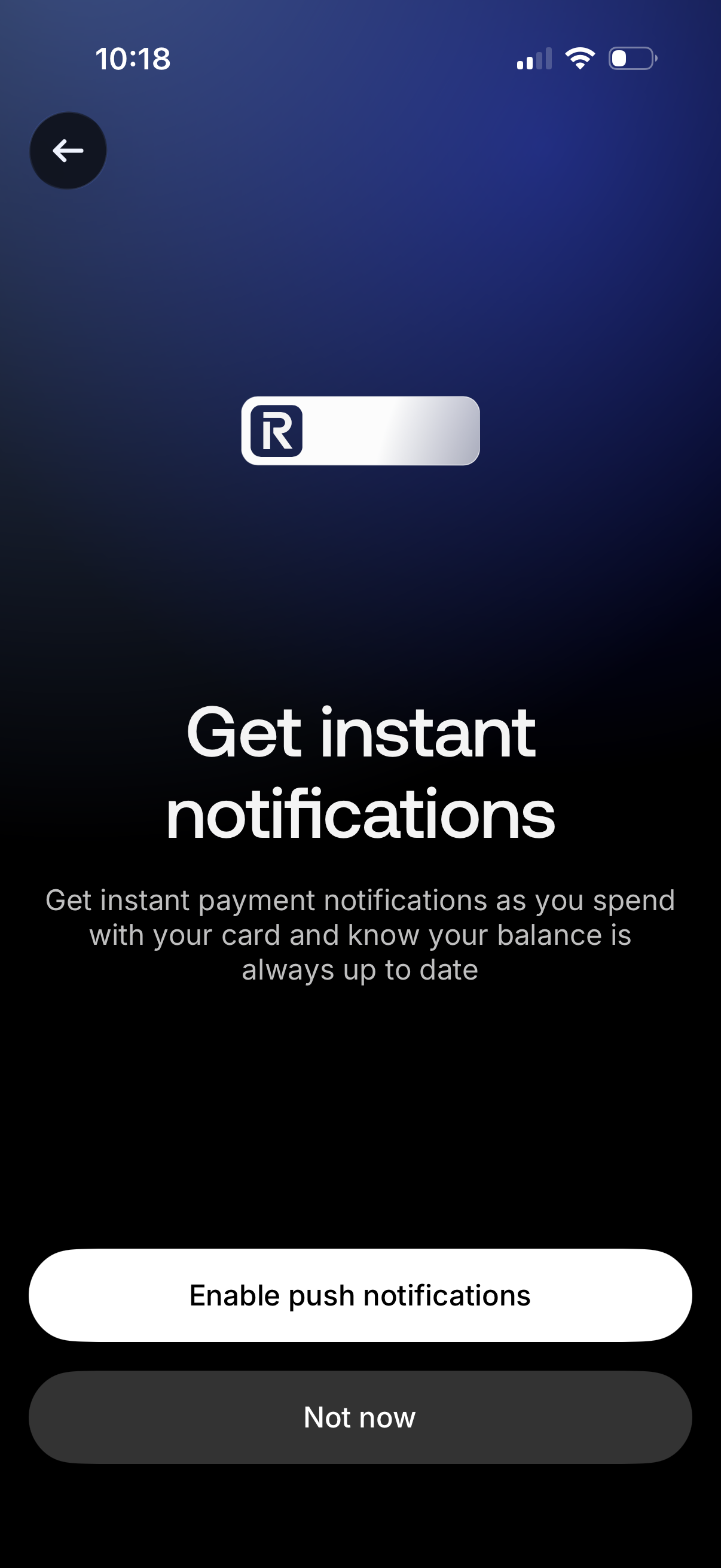
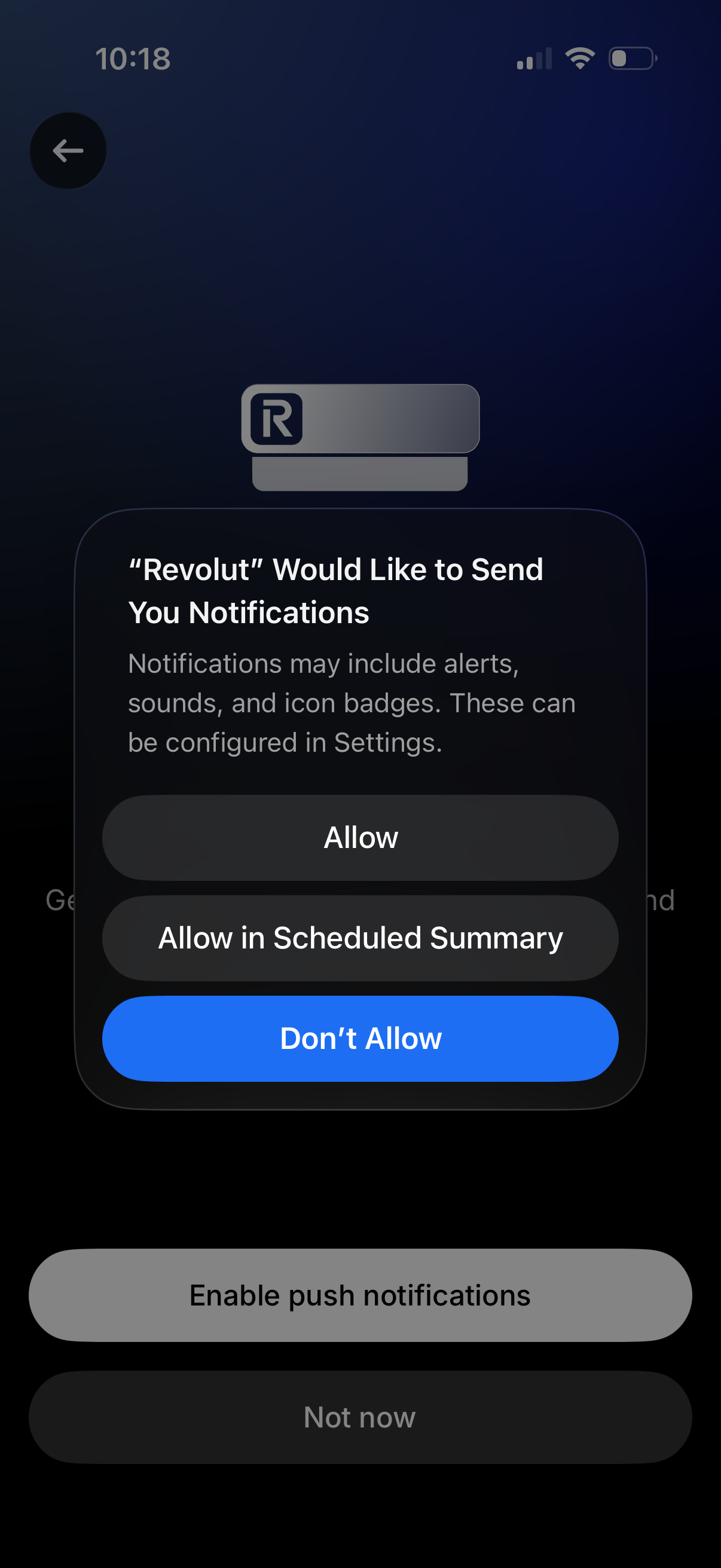
Revolut’s captured primer describes payment alerts and an up-to-date balance, with distinct enable and defer actions. The next screenshot shows the iOS permission dialog over the primer. This separates the product’s explanation from the operating system’s authorization decision. [1]
Product explanation, then permission
The first screenshot connects notifications to a concrete banking job: seeing card-payment activity and balance updates. A prominent enable action sits above a quieter Not now action. The second screenshot shows the iOS dialog, including allow, scheduled-summary and deny choices in that captured device state. [1]
Read repeated frames carefully
The four-screen archive also contains another primer frame and a loading-state frame. These are captured UI states; they do not prove four different onboarding questions or repeated permission requests. A screenshot sequence alone does not establish which system option the person chose or whether future notifications arrived. [1]
What to carry into another product
Explain the specific information a person will receive before asking for authorization, and distinguish postponing the product prompt from granting system permission. Evaluate whether that explanation helps users make an informed choice. The screenshots provide a design reference, not a measured opt-in uplift.
Sources & citations
- [1] Revolut enable-push-notifications capture Open source. Four archived screens; the page’s update metadata is February 2026. This review inspected all four and illustrates the first two. ↩
Source: Lazyweb Research — proprietary analysis of real, in-market app screens. Cite as Lazyweb Research, 2026-09-09.