Banking home screens: balances, actions, and empty activity
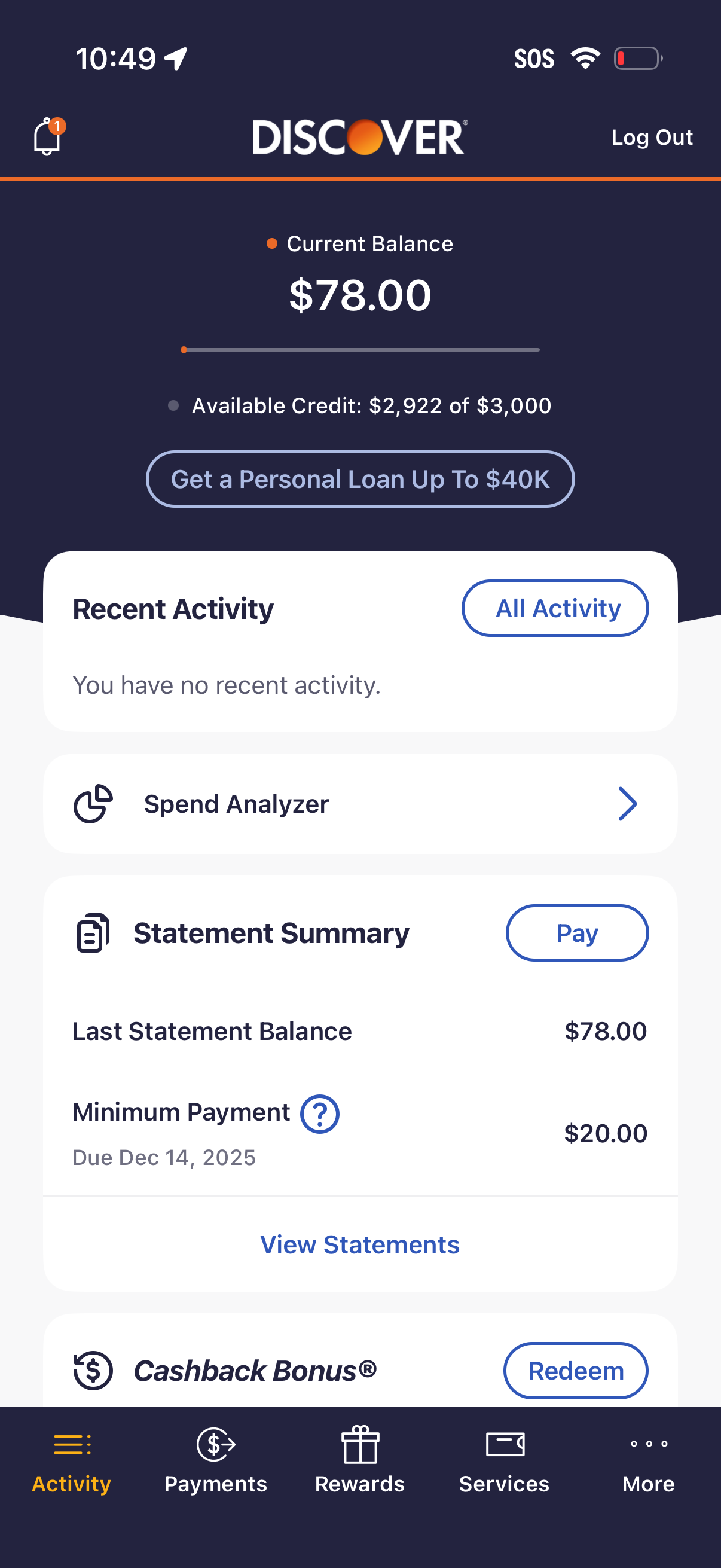
Capital One’s captured checking overview distinguishes available and current balance above money actions. Discover’s captured credit-card home separates current balance, payment information, and recent activity. Use the public screens to compare those jobs; do not copy the same balance label across account types.

Start with the question the balance answers
A checking balance and a credit-card balance do different jobs. I would choose the account type and the customer’s next decision before borrowing a dashboard layout. A large number can be easy to read and still leave the user unsure what they can do.
The Capital One checking screen names available and current balance separately, with an information affordance beside current balance. The Discover credit-card home names current balance and separately shows Last Statement Balance and Minimum Payment. These are visible labels in archived screens, not a specification for how either company calculates balances today. [1][2]
Compare the visible decisions
| Reference | Visible pattern | Decision for your design |
|---|---|---|
| Capital One checking overview | Available balance above current balance; pay, transfer, send, deposit, lock-card and statement actions below | Which balance supports the primary task, and where can the user learn its meaning? |
| Discover card home | Current balance, available-credit information, recent activity, and payment details in separate areas | Which payment obligation needs its own label instead of being folded into the headline balance? |
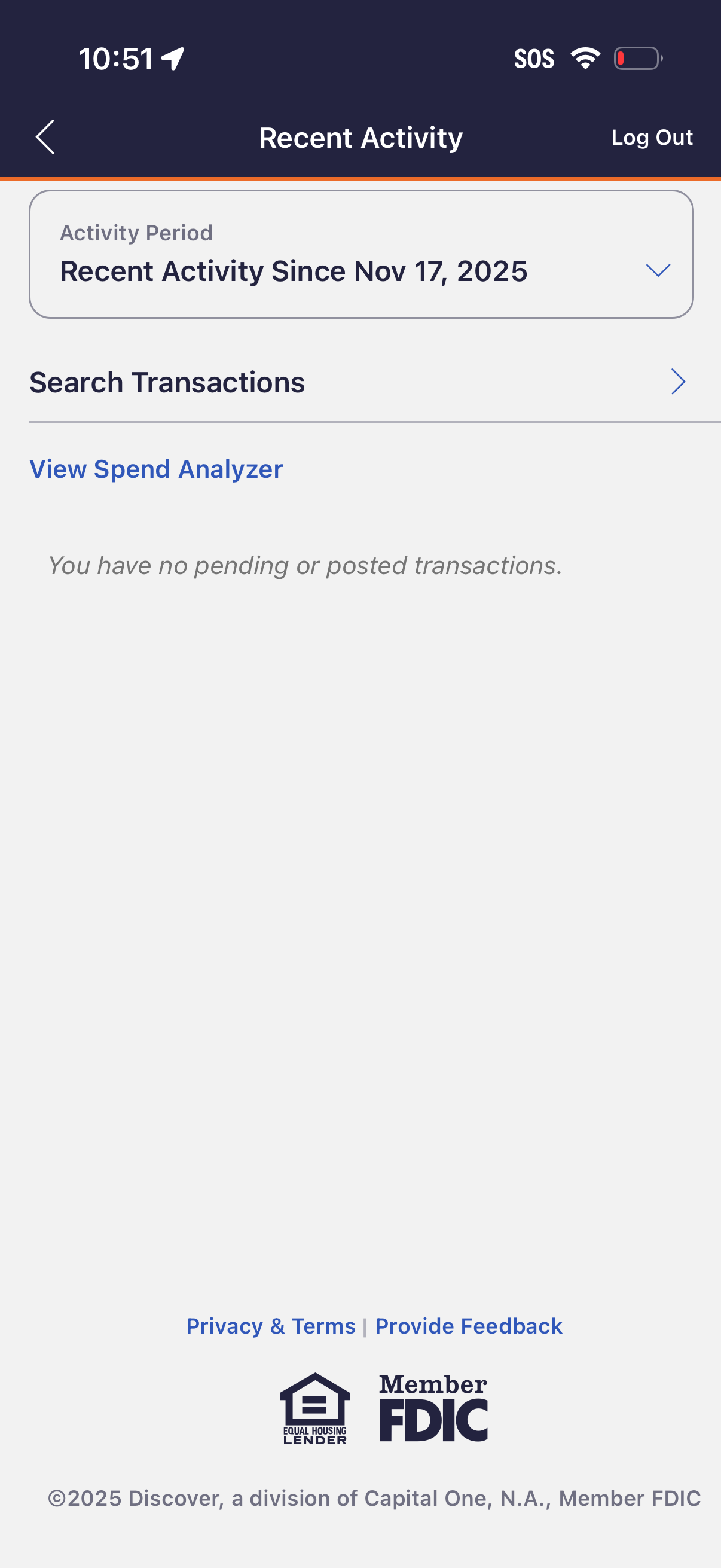
| Discover recent activity | A selected activity period and an empty transaction message | Is the empty result scoped to a period, account, or search? Show that scope. |
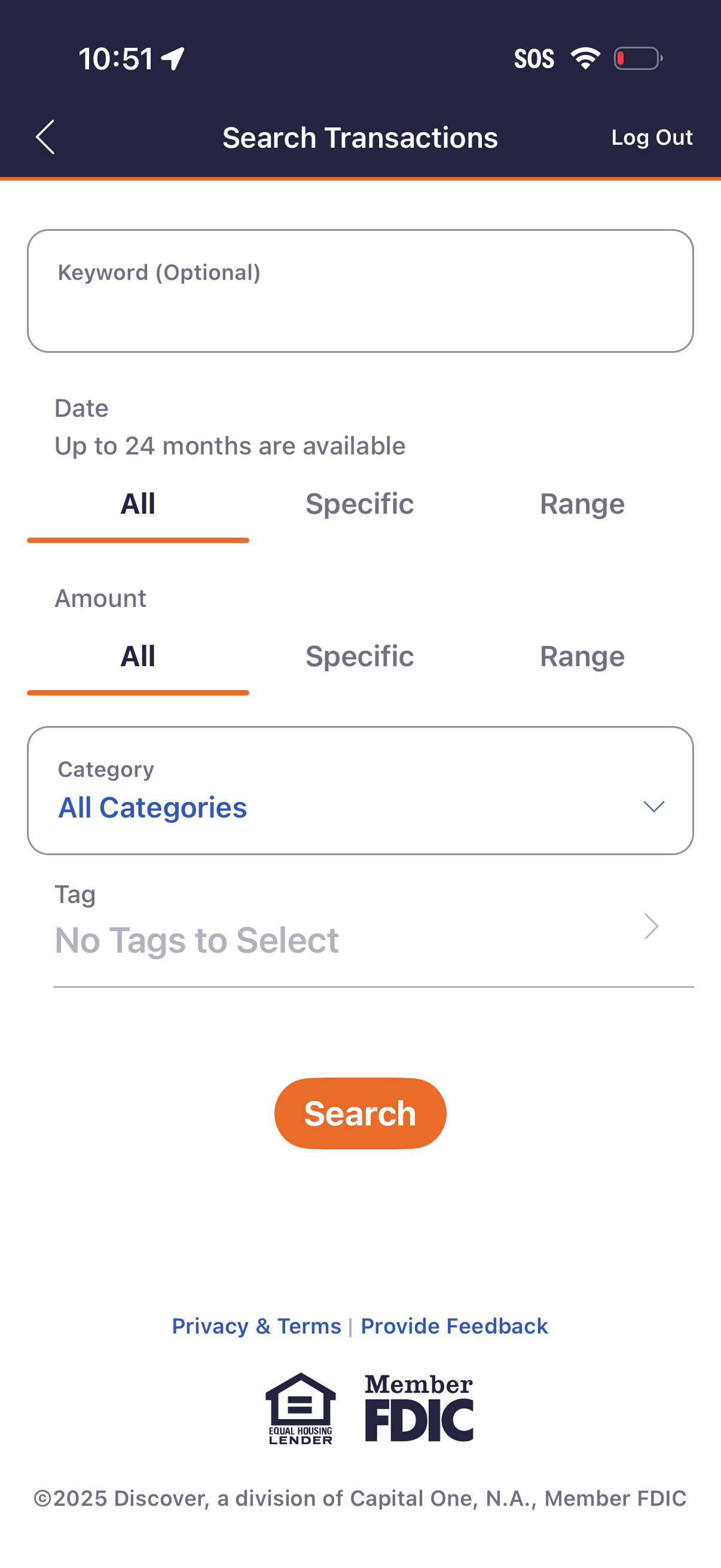
| Discover transaction search | Keyword, date, amount, category, and tag controls | Which filters help the user find the transaction they remember? |
The screenshots are selected examples from two products. They do not establish the most common layout, the best-performing design, or completed transfers. [1][2]
Do not make every empty state say zero
The Discover activity capture says there are no pending or posted transactions in the displayed activity view. That is different from a failed request or an account the user cannot access. [2]
Before implementation, specify loaded activity, no activity in the selected period, no search matches, loading, stale data, and unavailable data. Keep the selected account and date range visible when they explain the result. These are proposed acceptance states, not six states demonstrated by the screenshots.
If the service cannot retrieve a balance, show that it is unavailable. Substituting 0.00 gives the user a number with a different meaning. If an older value remains visible, label its freshness and keep the retry action separate from money movement.
Keep the first action understandable
Capital One groups money actions under the balance. Discover separates activity browsing from payment information. [1][2]
Choose the action that fits your account and evidence. For a money movement, the next screen needs to make the source, destination, amount, and confirmation understandable. A button in an overview screenshot proves only that the entry point is visible; it does not prove the transfer succeeded or that the flow is safe to imitate unchanged.
Use the references in an implementation brief
Design an account overview for my specified account type. Use the cited public screens to compare balance hierarchy, action grouping, and activity filters. Define available/current/owed labels from our product contract. Include loaded, empty, filtered-empty, stale, loading, and failed states. Never render an unavailable balance as zero. Preserve accessible labels and verify the same account and period across header and activity list.
Before coding, supply the account type, balance definitions, supported actions, refresh behavior, and permission rules. Mark missing answers rather than asking the agent to infer financial behavior from a screenshot. Use Connect Lazyweb below when you need more captured references.
Inspect the original flows
The Capital One page lists ten steps and publicly displays five. The Discover transaction-search page displays all three of its listed steps. The screenshots here are drawn only from those public previews. Both pages displayed February 2026 update metadata when reviewed on October 7; that is page metadata, not an independently verified capture-session date. [1][2]
Use the original pages to inspect the surrounding screens. A broader banking-home board needs more account types and real error-state captures before it can support a broader conclusion.
Sources & citations
- [1] Capital One: transfer between accounts, public preview Open source. Five public frames of ten listed; overview visually inspected October 7, 2026. ↩
- [2] Discover: search transactions, public preview Open source. Three public frames: card home, recent activity, transaction filters. Visually inspected October 7, 2026. ↩
Source: Lazyweb Research — proprietary analysis of real, in-market app screens. Cite as Lazyweb Research, 2026-10-07.
Related questions
More in Web product-surface censuses (dashboards, settings, feeds) →