add social link
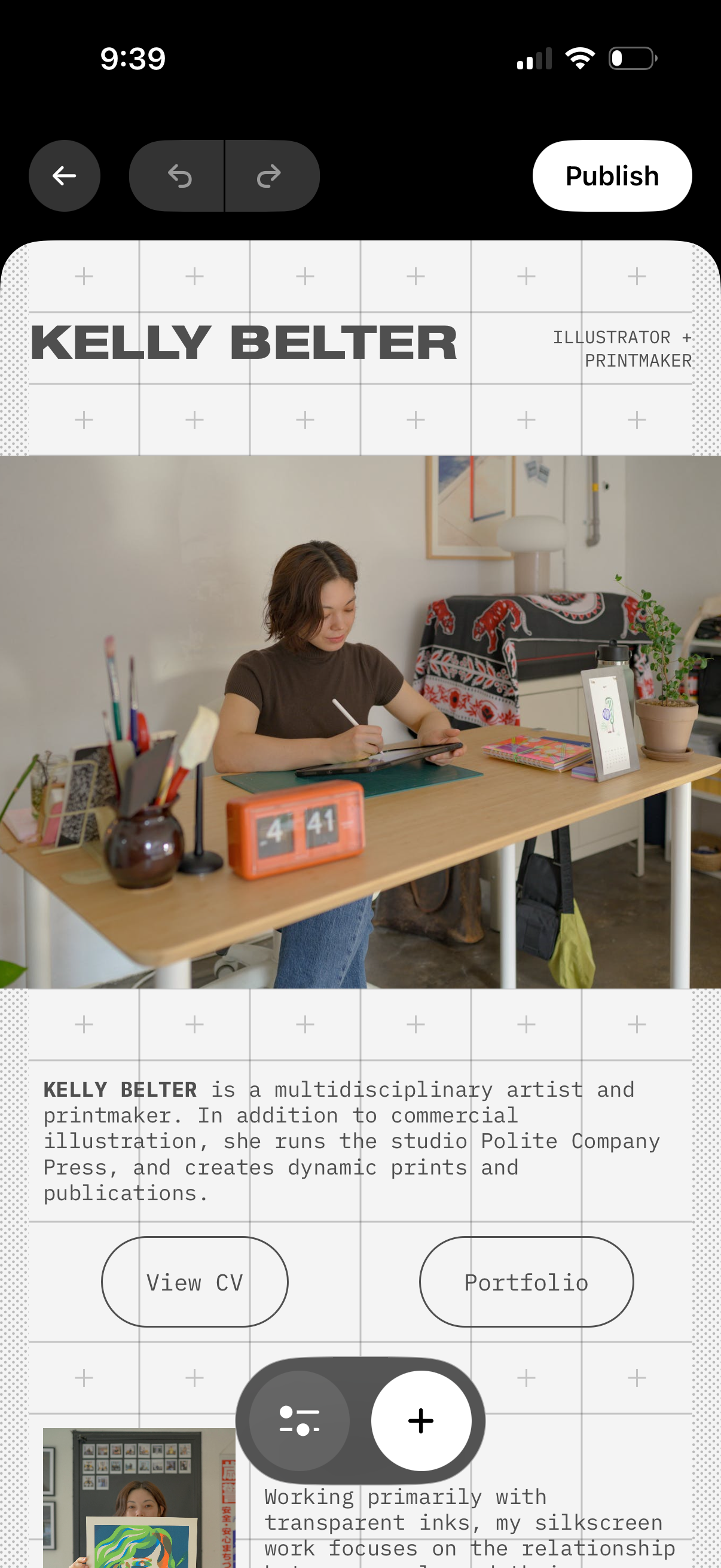
Mobile portfolio website editor showing a hero section with creator name/title, profile photo, and bio text with call-to-action buttons like View CV and Portfolio. Top controls include back navigation, undo/redo, and a Publish button, plus floating add (+) and settings actions to insert or adjust content blocks on the page.
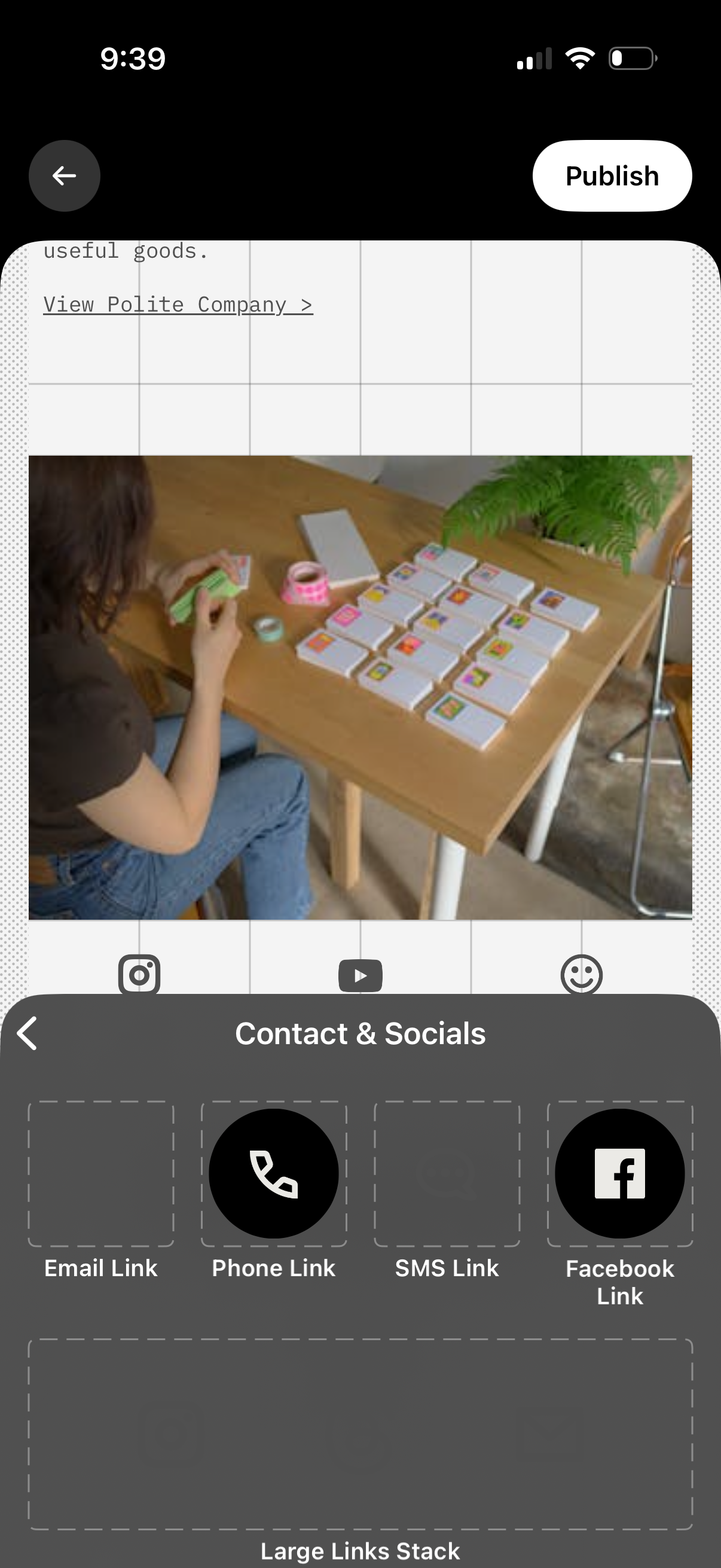
A link-in-bio page editor showing a preview of the profile page with a Publish button, while a bottom sheet titled “Contact & Socials” lets users add contact and social link modules such as email, phone, SMS, and Facebook links. The panel includes empty slots and a “Large Links Stack” area for arranging additional link buttons.
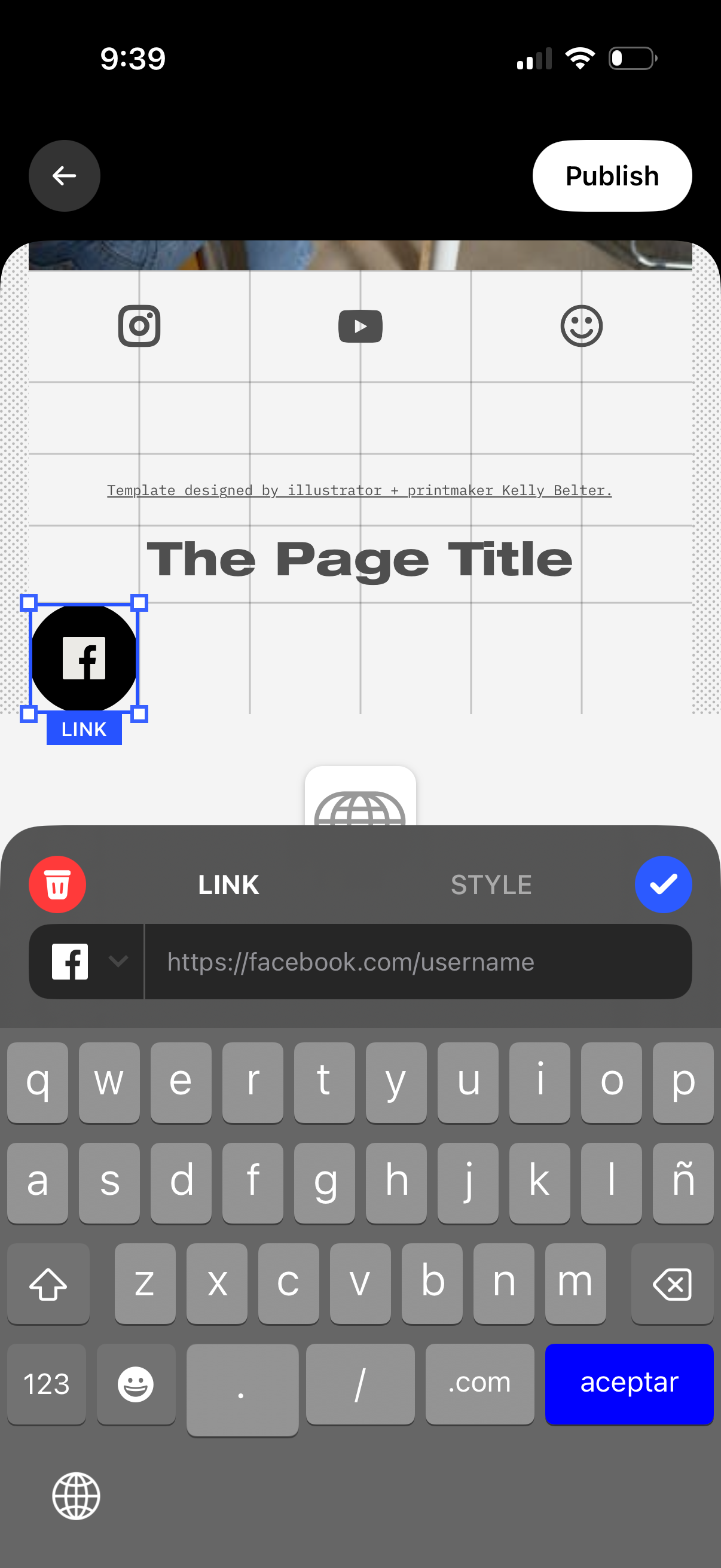
Mobile page editor for a social link landing page showing a draggable Facebook icon button selected on a grid canvas while the user edits its destination URL in a “Link” panel with delete, style options, and a confirm checkmark. A top navigation bar includes a back button and a Publish action to save and publish the page.