Your agent can search this library too. Lazyweb CLI →
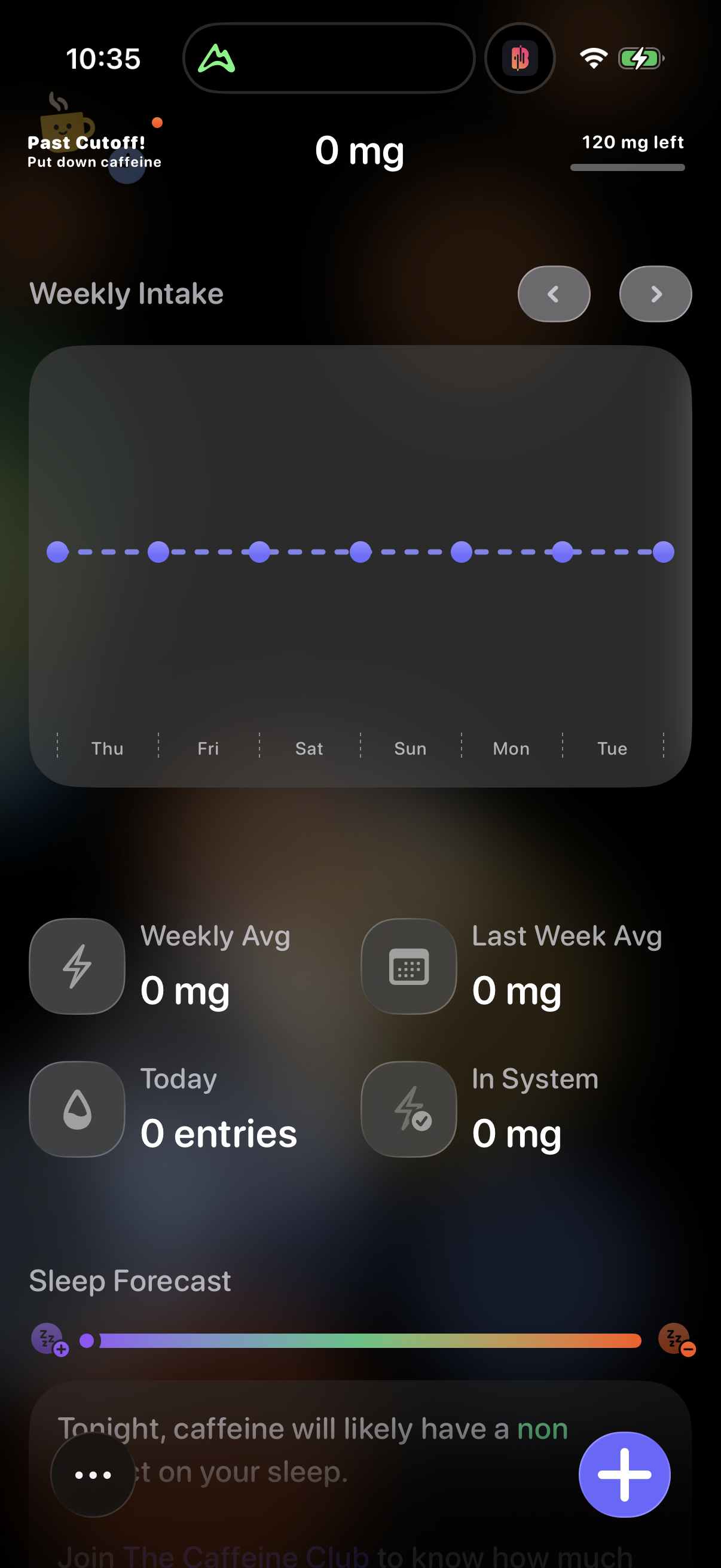
1 Step 1

Caffeine tracking dashboard showing current intake in mg, remaining daily limit, and a weekly intake chart by day with navigation arrows to switch weeks. Summary stats display weekly average, last week average, today’s entries, and caffeine in system, plus a sleep forecast section and a floating action button to add a new caffeine entry.

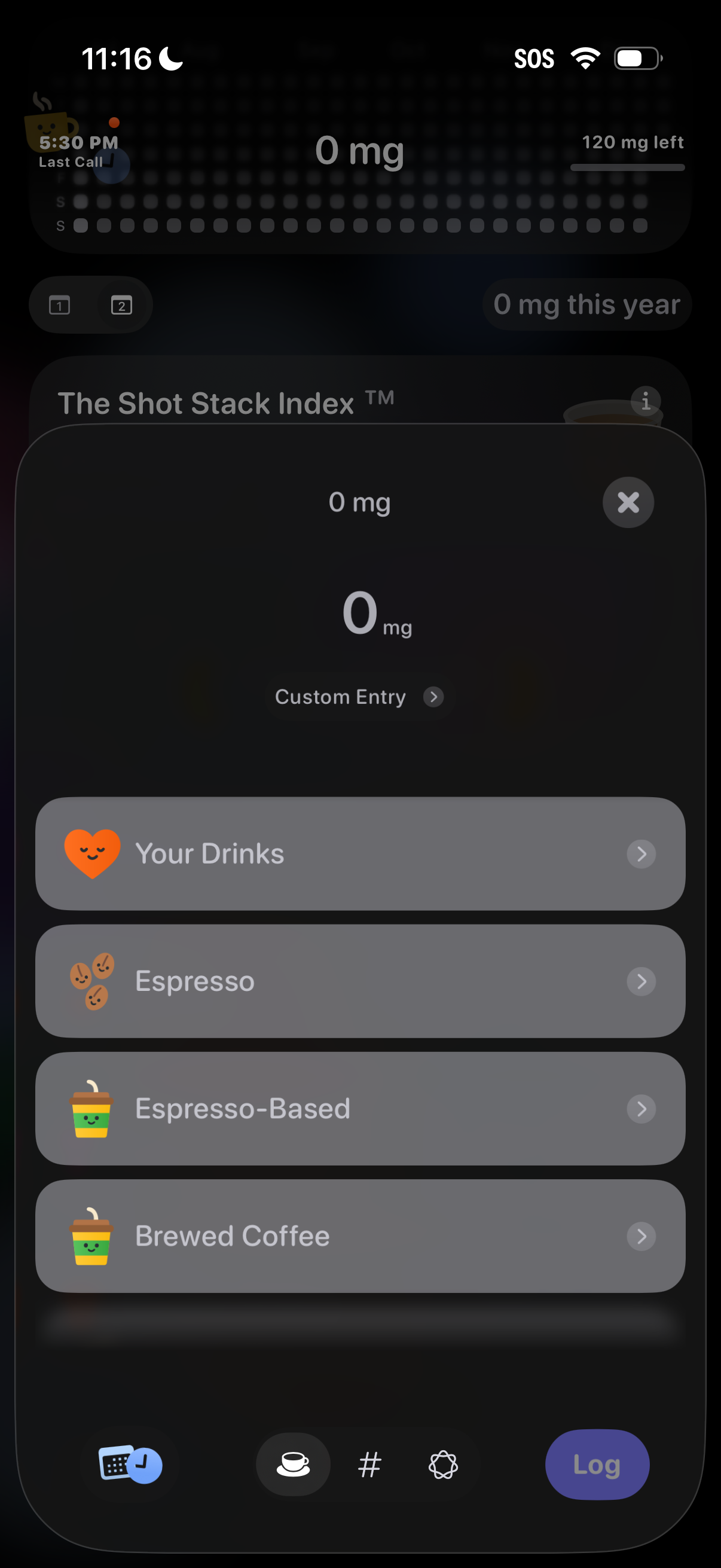
2 Step 2

Modal sheet for logging caffeine intake, showing current dose (0 mg) with a custom entry option and selectable drink categories like Your Drinks, Espresso, Espresso-Based, and Brewed Coffee. Includes a close button and a bottom Log action to add the selected beverage.