create folder in file
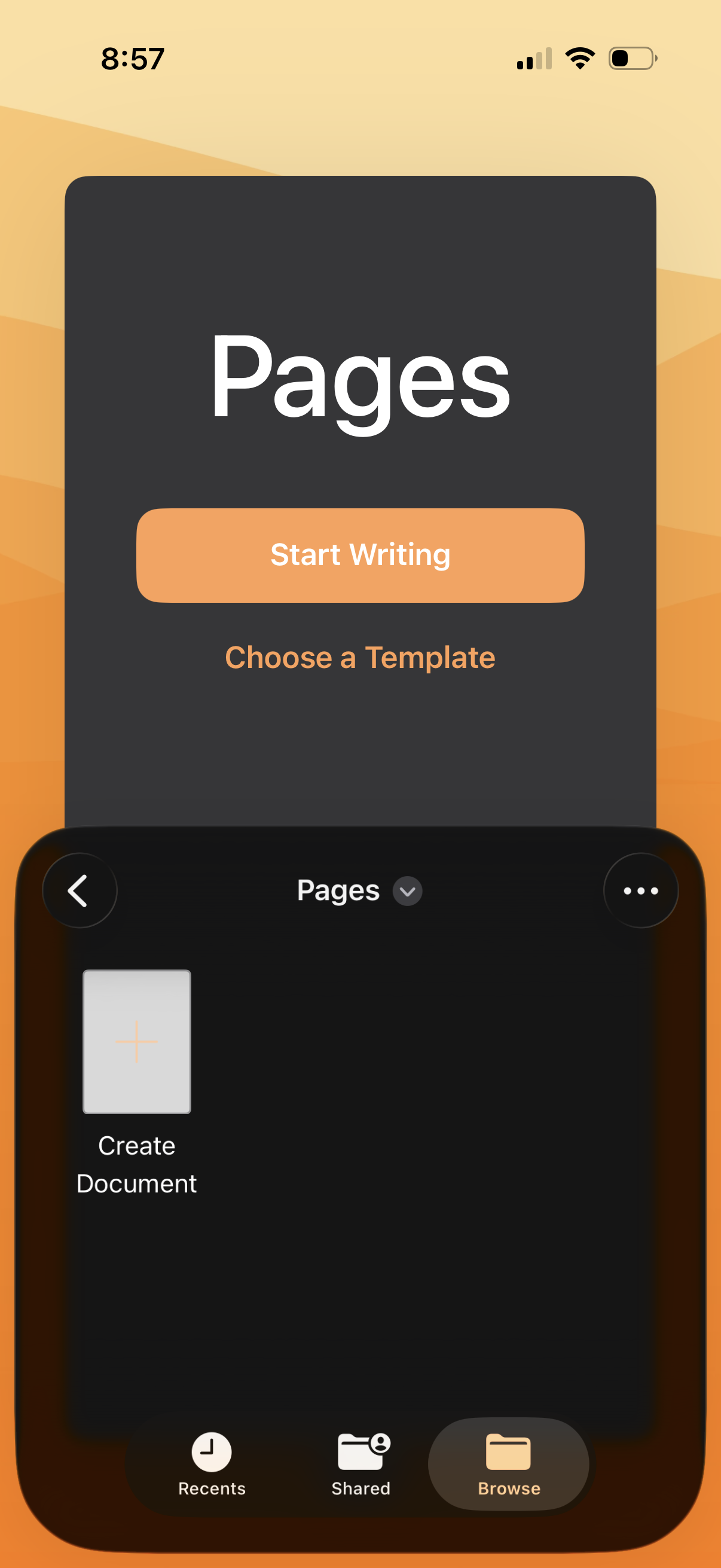
Document editor home screen that prompts users to start a new document with a primary “Start Writing” button or choose from templates. Bottom navigation supports browsing recent and shared files, with a create document tile and overflow menu for more actions.
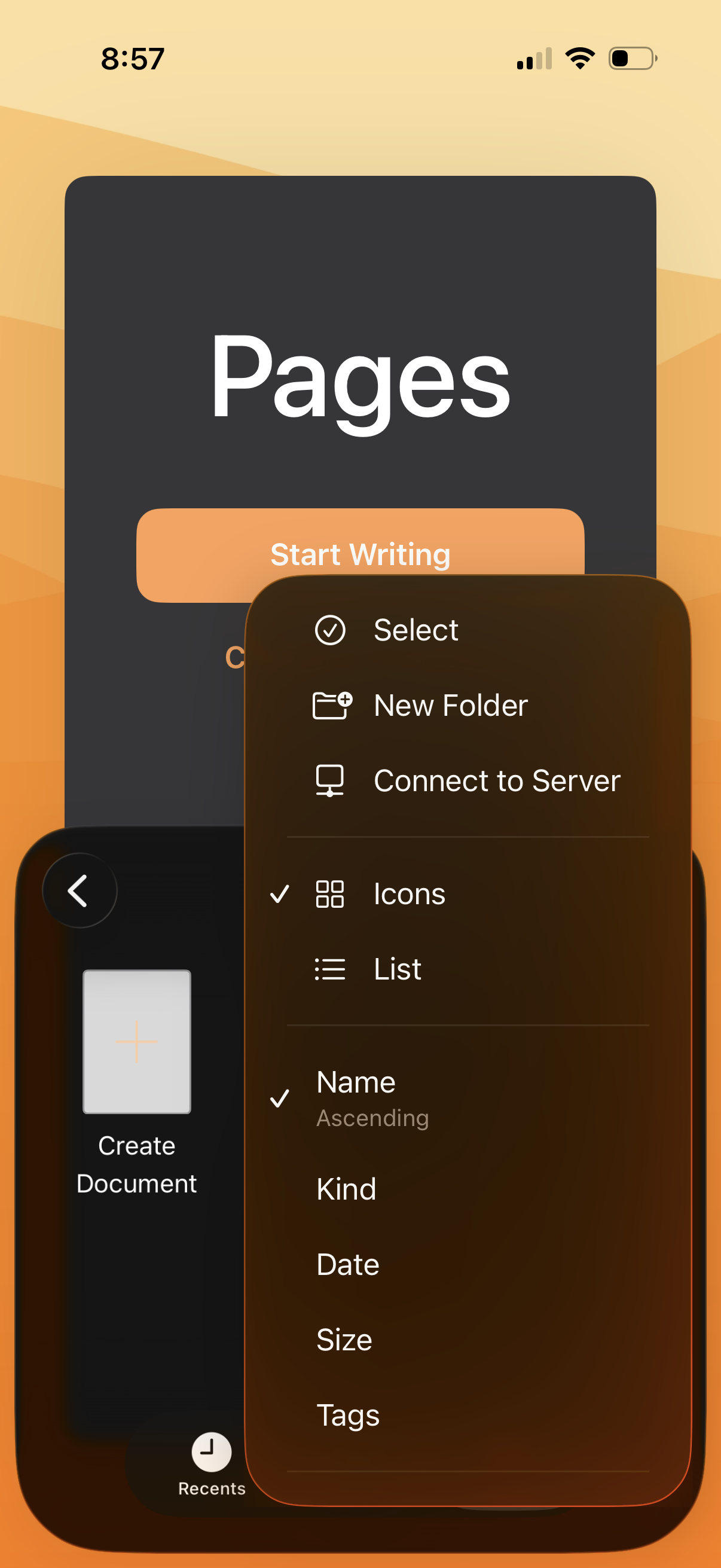
Document editor home screen showing a file browser with a contextual overflow menu for managing documents and folders. The menu includes actions like Select, New Folder, Connect to Server, switching view mode (icons vs list), and sorting options (name, kind, date, size, tags), plus a create document entry point.
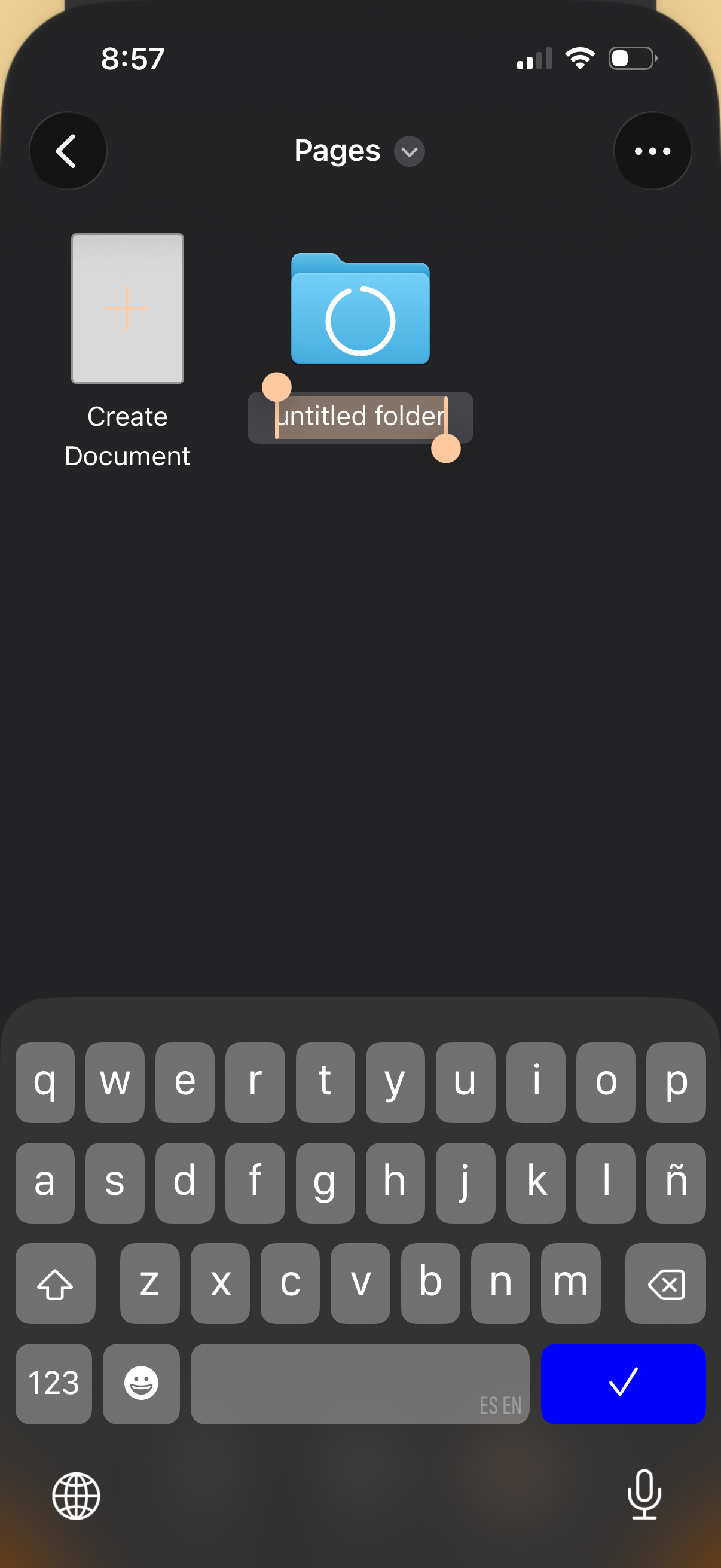
File manager “Pages” home screen showing tiles for creating a new document and a folder, with an inline text field to rename an untitled folder while the keyboard is open. Top navigation includes back and overflow menu actions.
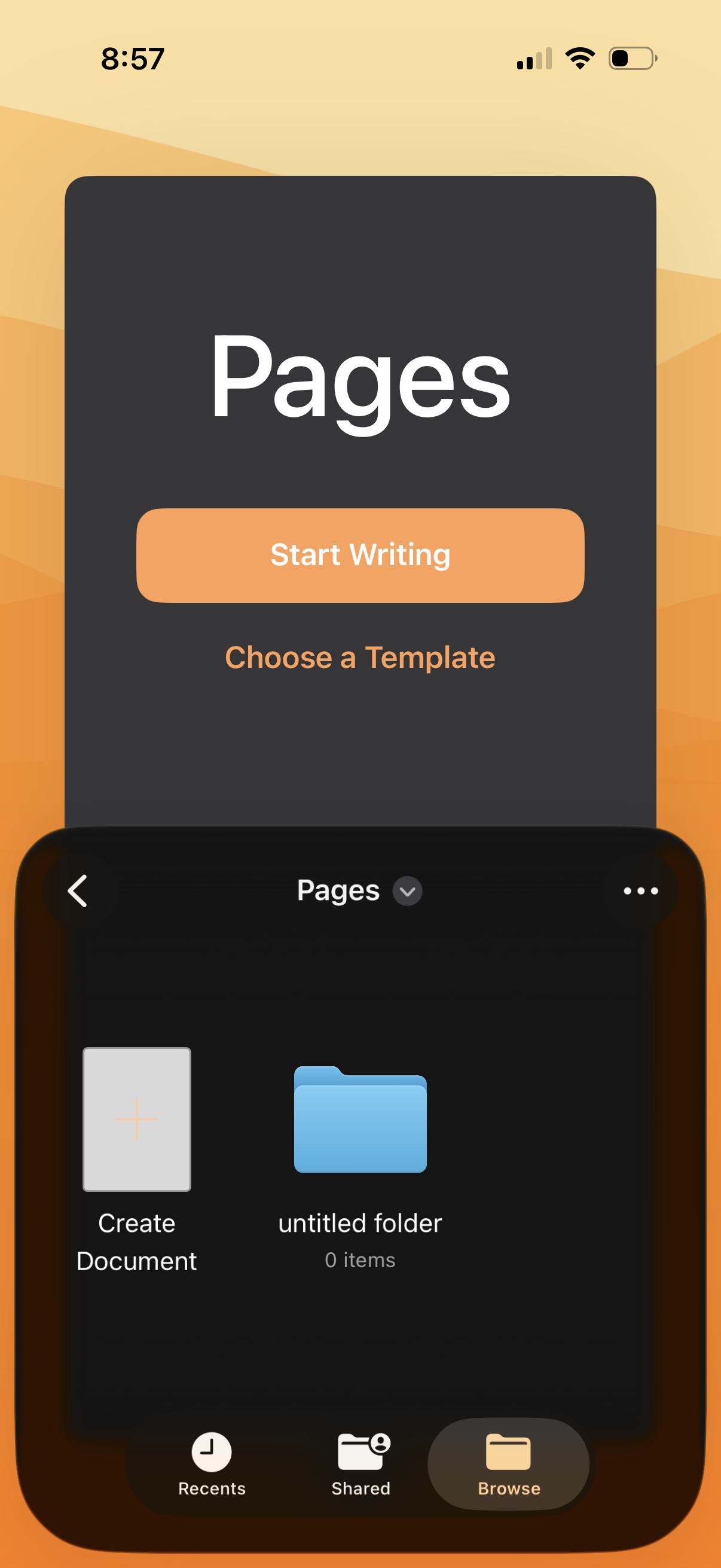
Document editor home screen showing Pages with primary actions to start writing or choose a template. A file browser view below displays options to create a new document, view folders, and navigate via recents/shared/browse with an overflow menu for more actions.