review account overview
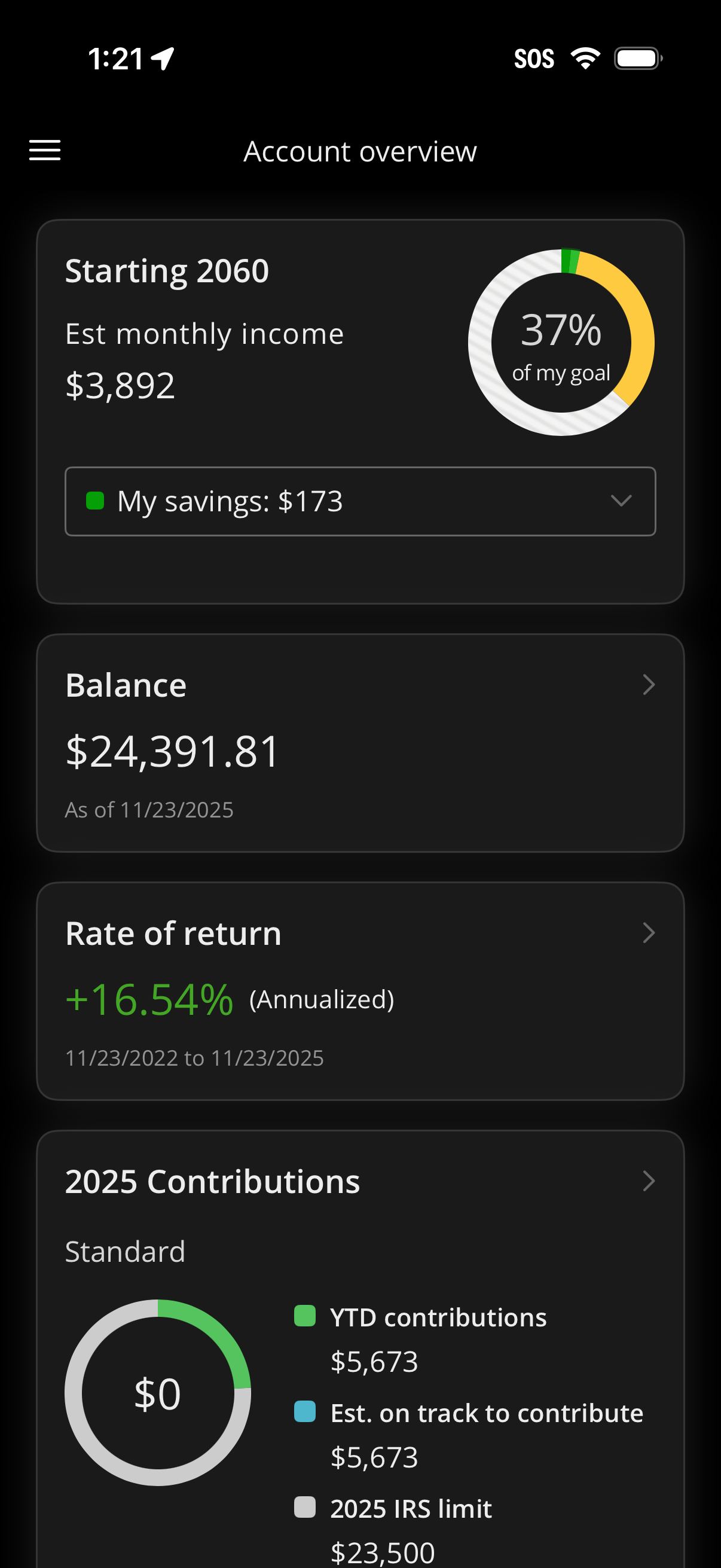
Retirement investment account overview dashboard showing projected retirement start year and estimated monthly income with a circular progress indicator toward goal and a savings dropdown. Below are tappable summary cards for current balance, annualized rate of return, and yearly contributions with YTD amounts and IRS limit progress.
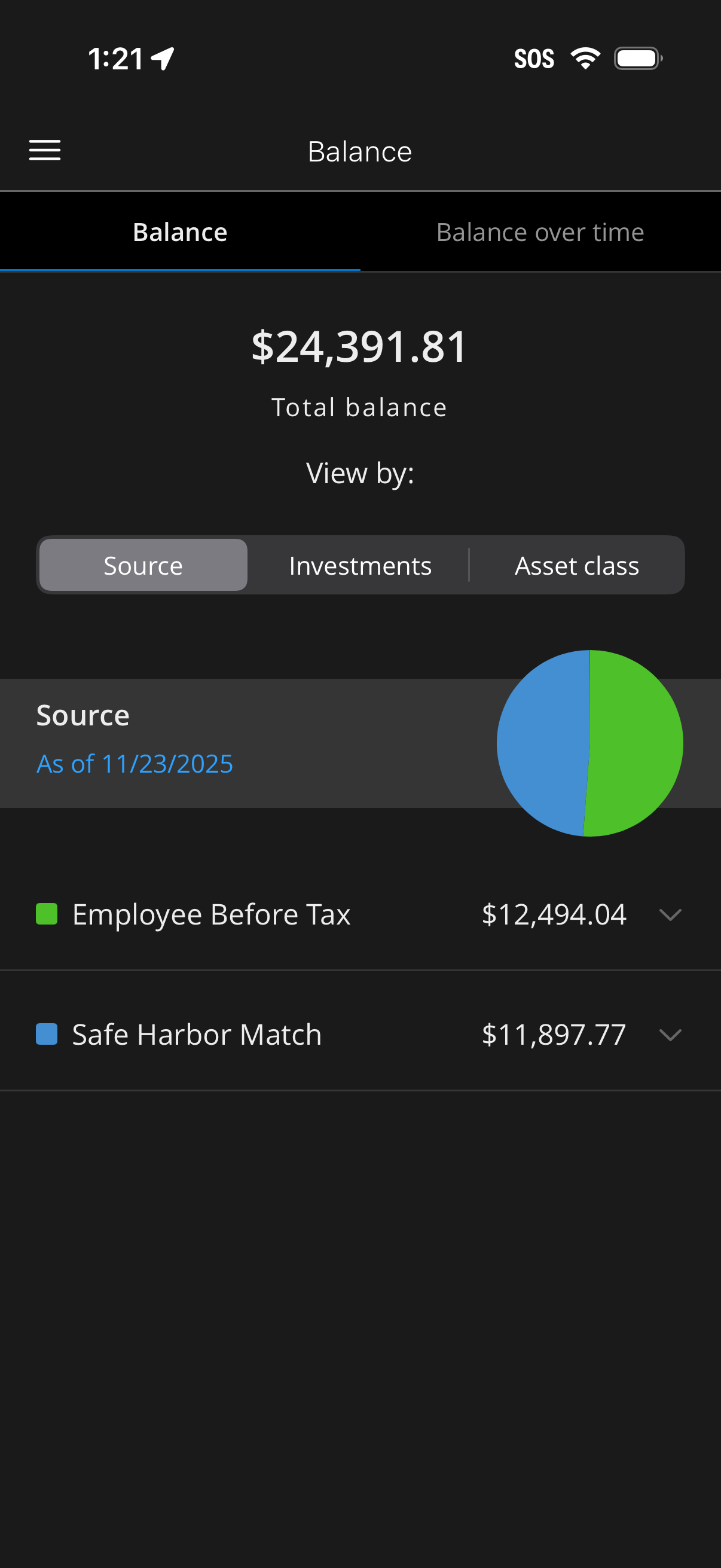
Retirement/investment account balance dashboard showing total balance with a toggle to switch between current balance and balance over time. Users can view breakdowns by source, investments, or asset class with a pie chart and line-item amounts (e.
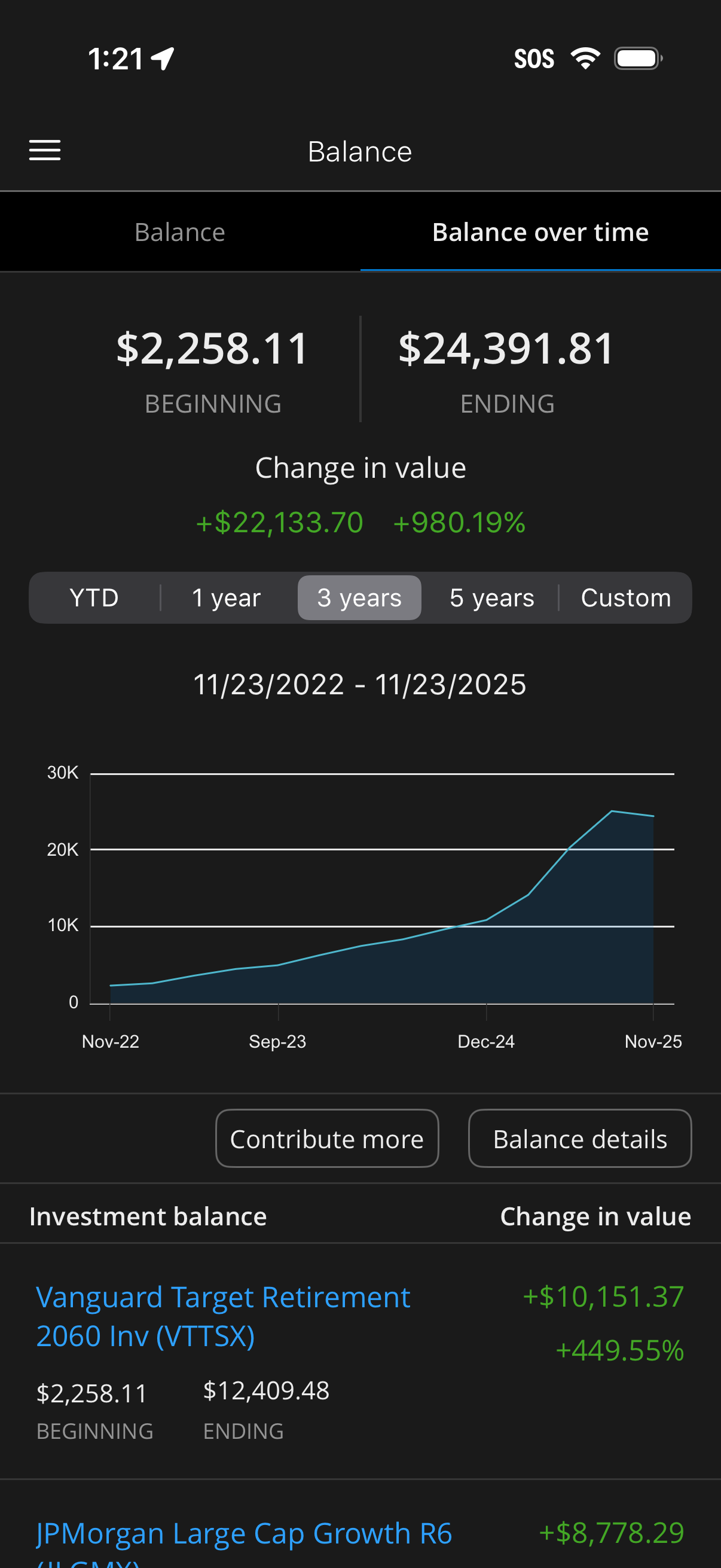
Investment account balance over time analytics screen showing beginning vs ending balance, total change in value in dollars and percent, and a line chart with selectable date ranges (YTD, 1 year, 3 years, 5 years, custom). Includes actions to contribute more or view balance details and a breakdown list of individual holdings with their balance and performance.
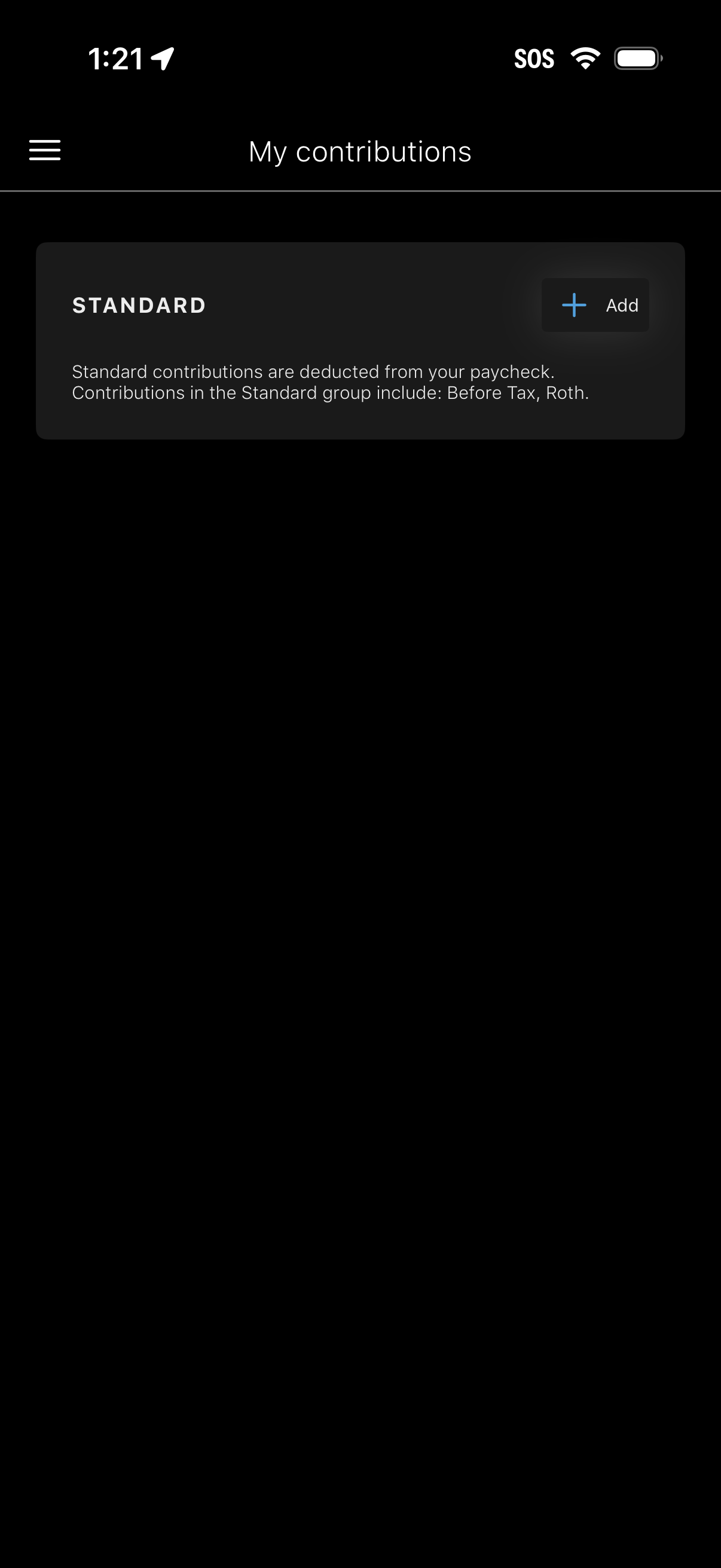
My contributions screen for managing retirement/paycheck contribution groups, showing a “Standard” contribution type with an explanation (before-tax and Roth) and an Add button to create or add a new contribution. Includes a hamburger menu for navigation.
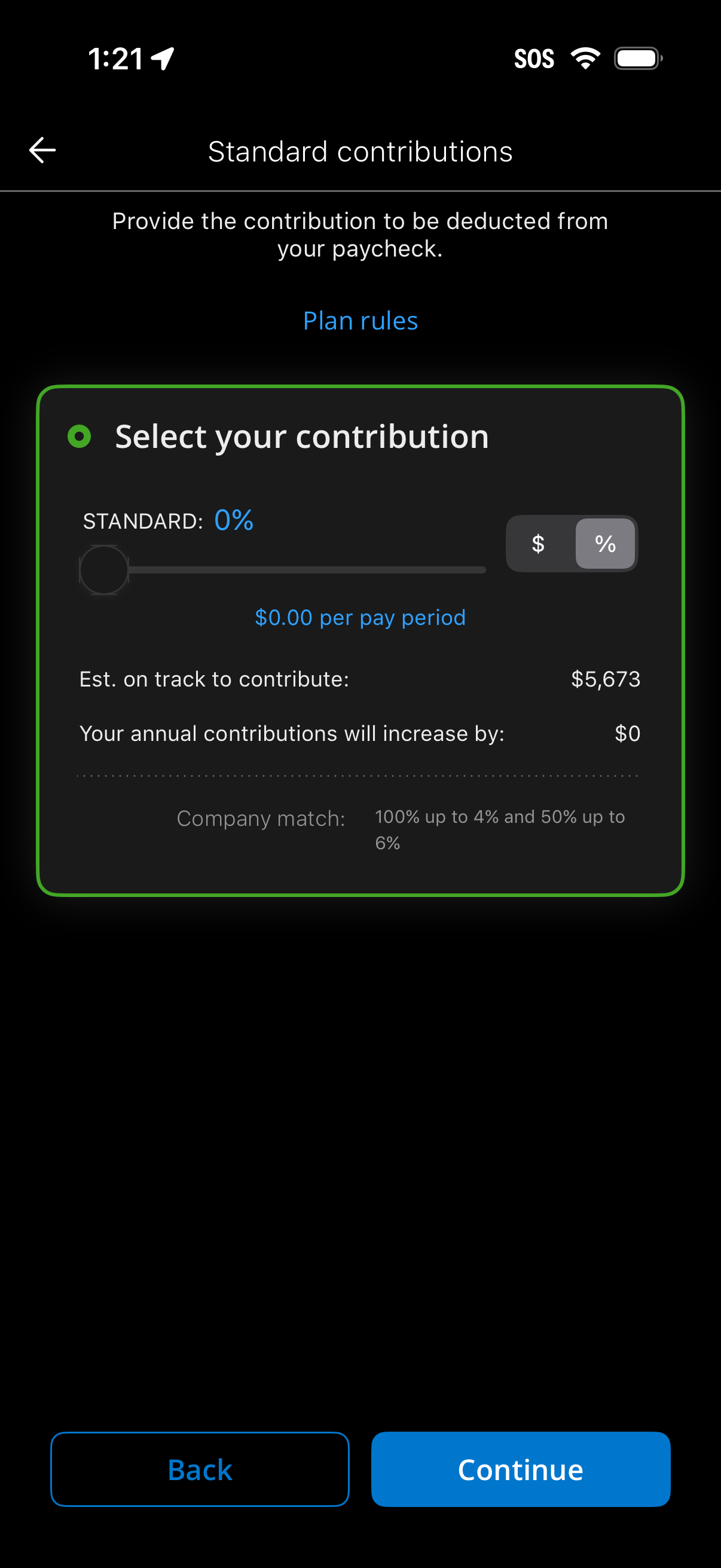
Retirement plan setup screen for selecting standard paycheck contributions, letting users adjust a slider and toggle between dollar amount or percentage. It shows per-pay-period contribution, estimated annual total, impact on annual contributions, and company match details, with Back and Continue actions and a link to view plan rules.
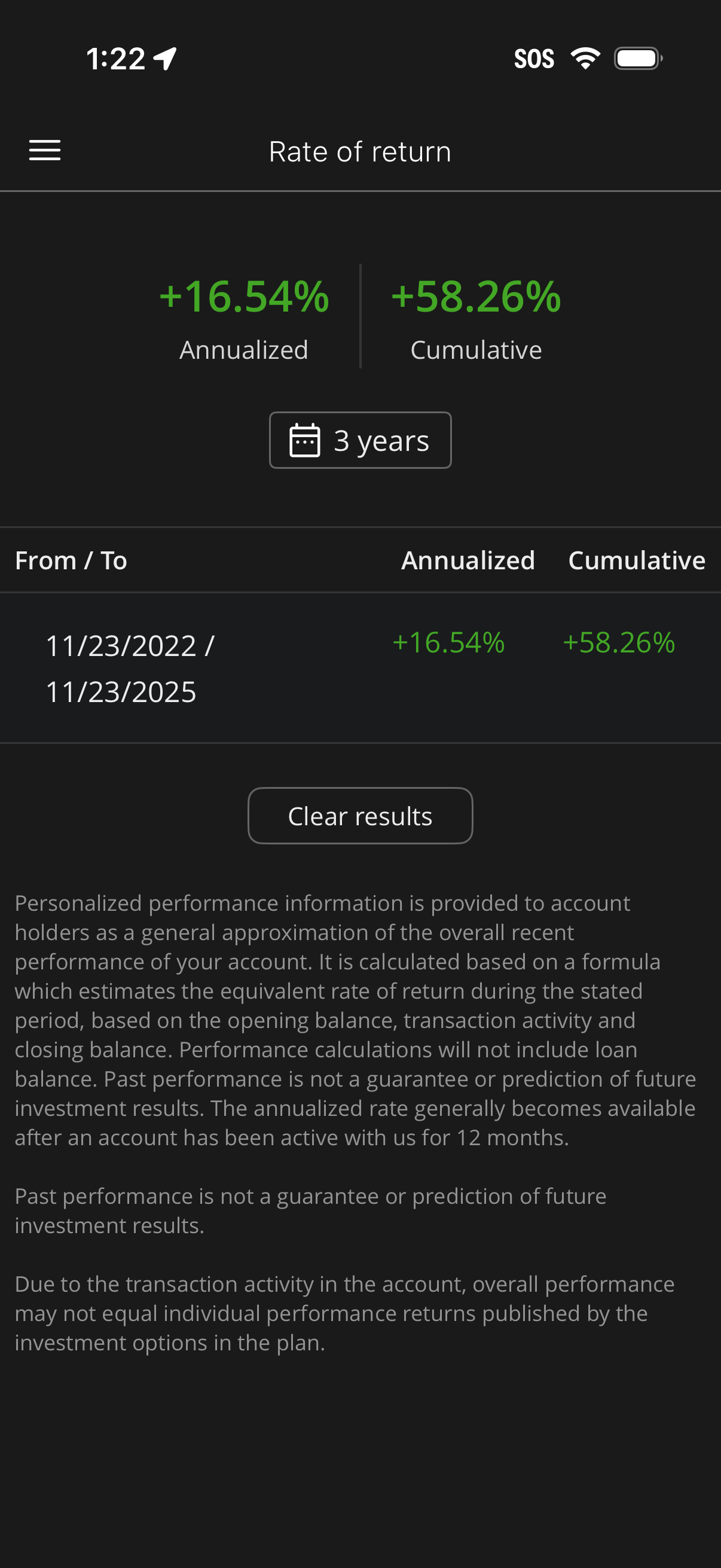
Investment account performance screen showing rate of return with annualized and cumulative percentages for a selected time range. Users can choose a period (e.
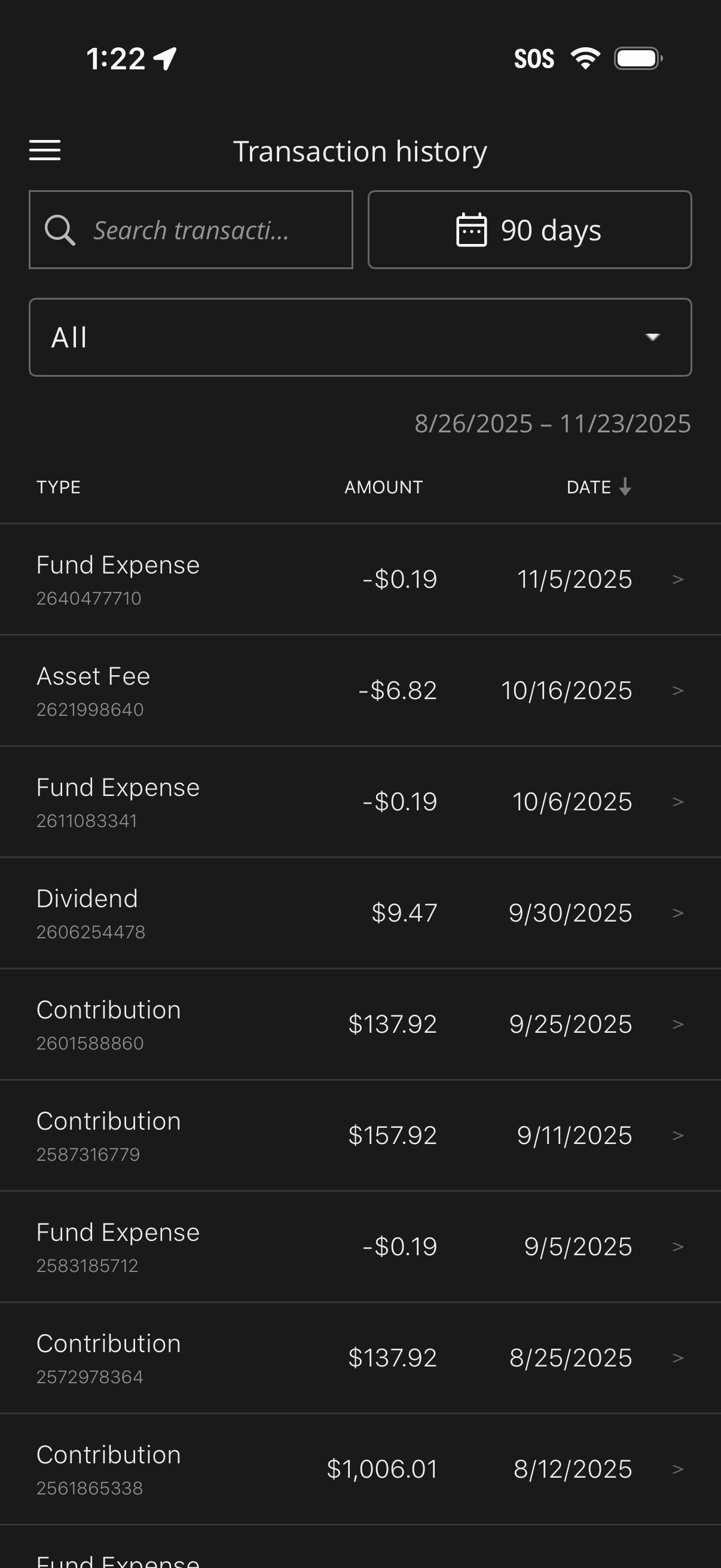
Investment account transaction history screen showing a searchable list of transactions with type, amount, and date, sorted by date. Includes filters for time range (e.