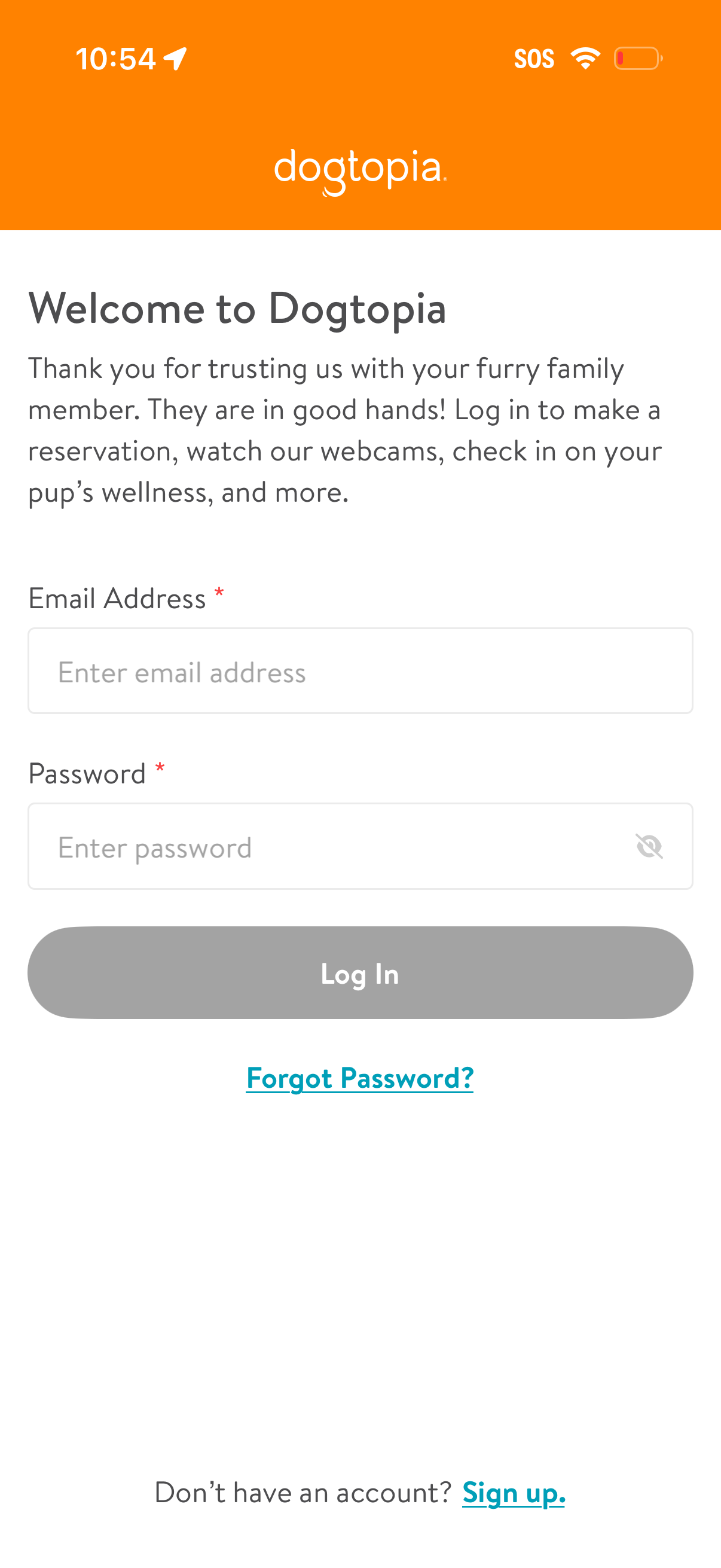
Welcome/login screen for a pet care or dog daycare app that lets users sign in with email and password, including password visibility toggle and a primary Log In button. Provides account recovery via “Forgot Password?
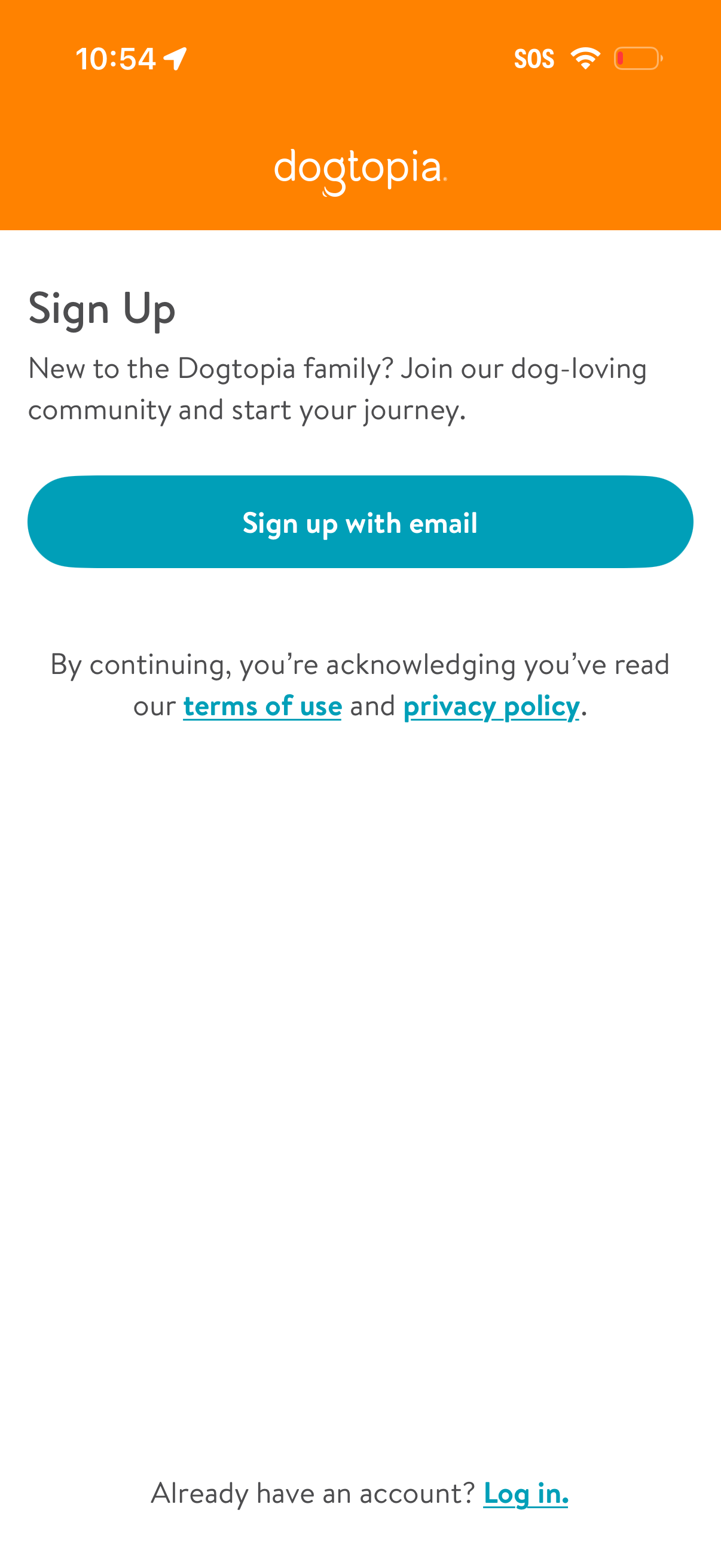
Sign up onboarding screen for a pet community app with a primary “Sign up with email” CTA. Includes terms of use and privacy policy links for consent and a secondary link for existing users to log in.
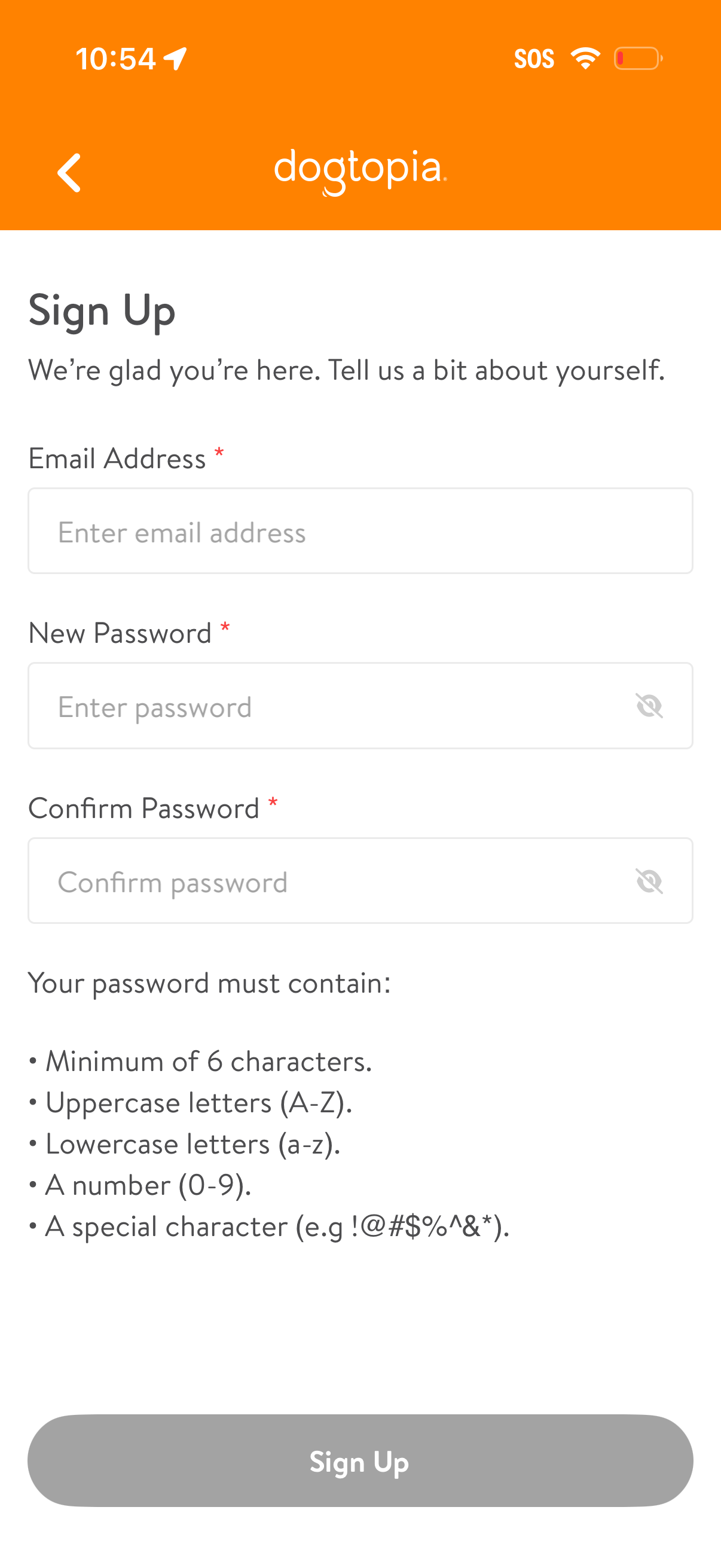
Account sign-up screen with form fields for email address, new password, and confirm password, including eye icons to toggle password visibility. Displays password complexity requirements (minimum length, uppercase/lowercase, number, special character) and a primary Sign Up button with a back navigation option.
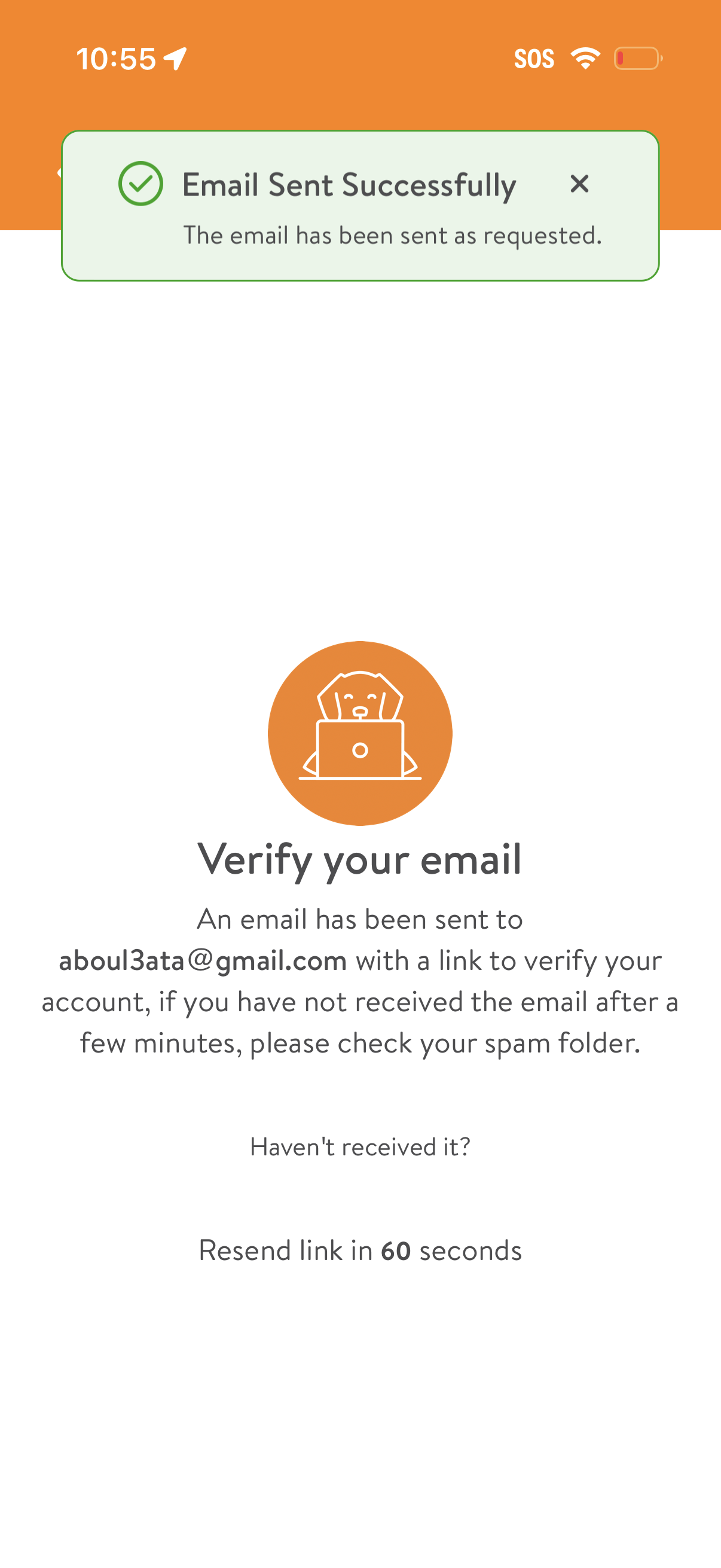
Email verification screen confirming that a verification link has been sent to the user’s email, with instructions to check spam if not received. Includes a success toast notification (“Email Sent Successfully”) and a timed resend link option with countdown.
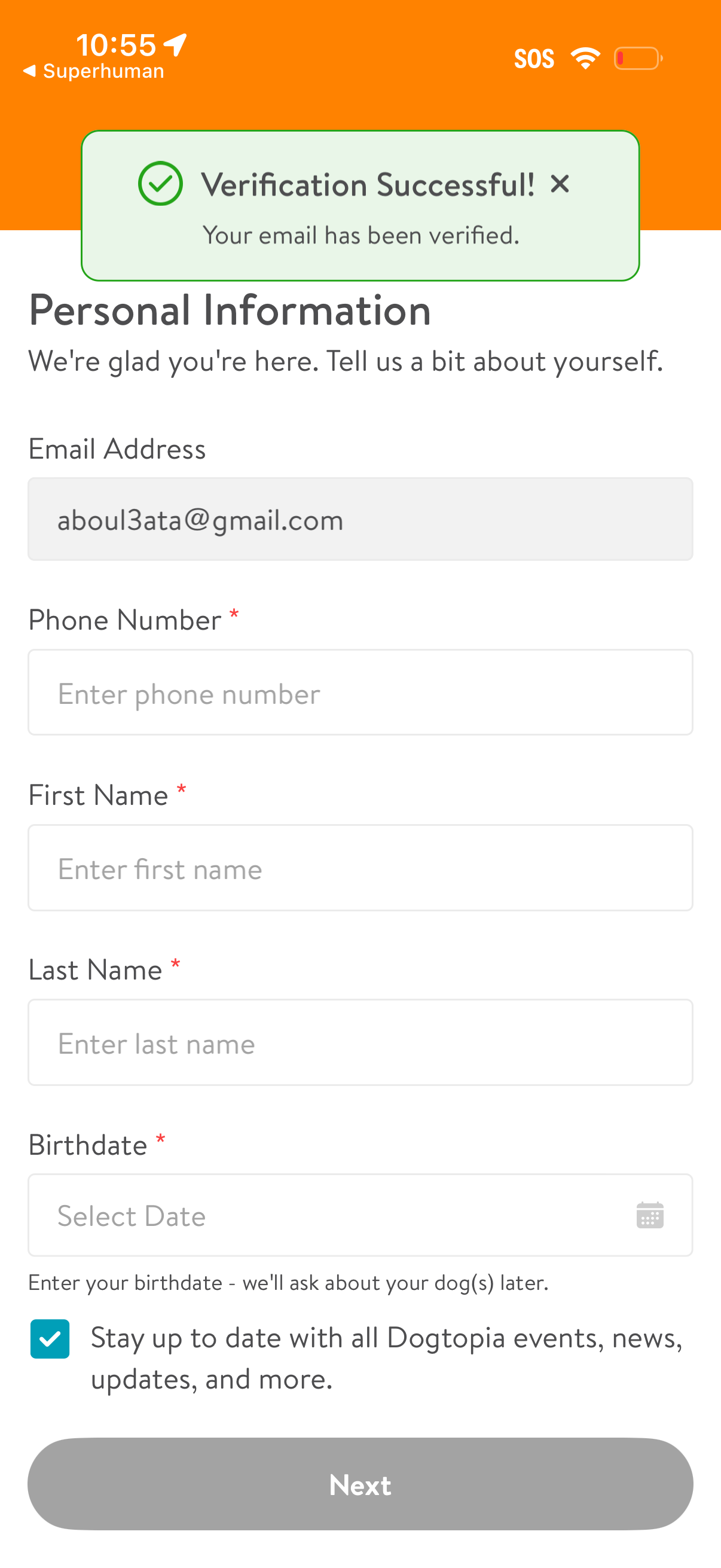
Onboarding personal information form screen with a success toast confirming email verification. Collects contact details and identity fields (email, phone number, first/last name, birthdate with date picker), includes an opt-in checkbox for updates/news, and a primary “Next” button to continue.