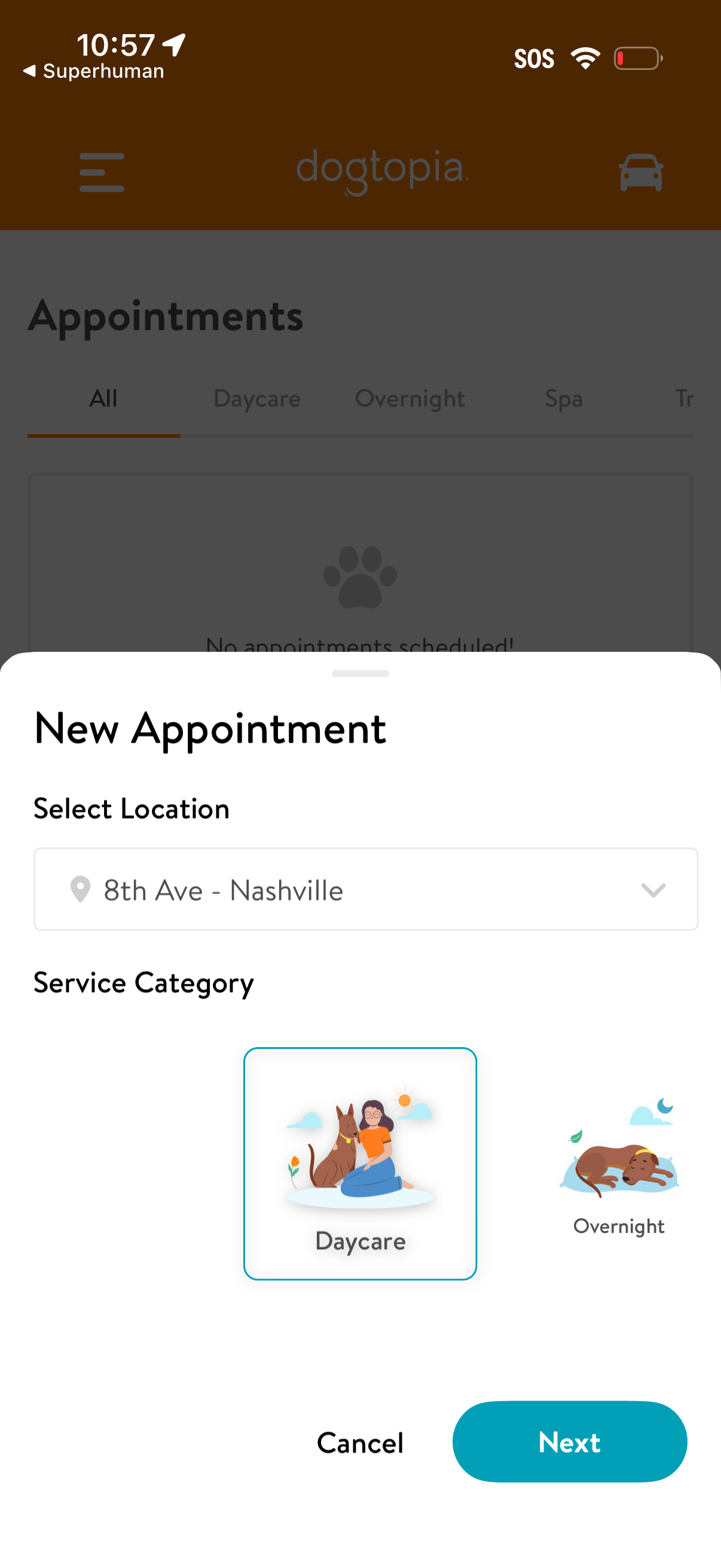
Bottom-sheet modal for creating a new pet care appointment, letting users choose a location from a dropdown and pick a service category (e. g.

Pet daycare appointment booking screen showing the selected location, an eligibility notice that only dogs who passed a Meet & Greet can book daycare, and a “Select your dog(s)” section with a checkbox list and a primary action to “Book Meet & Greet.
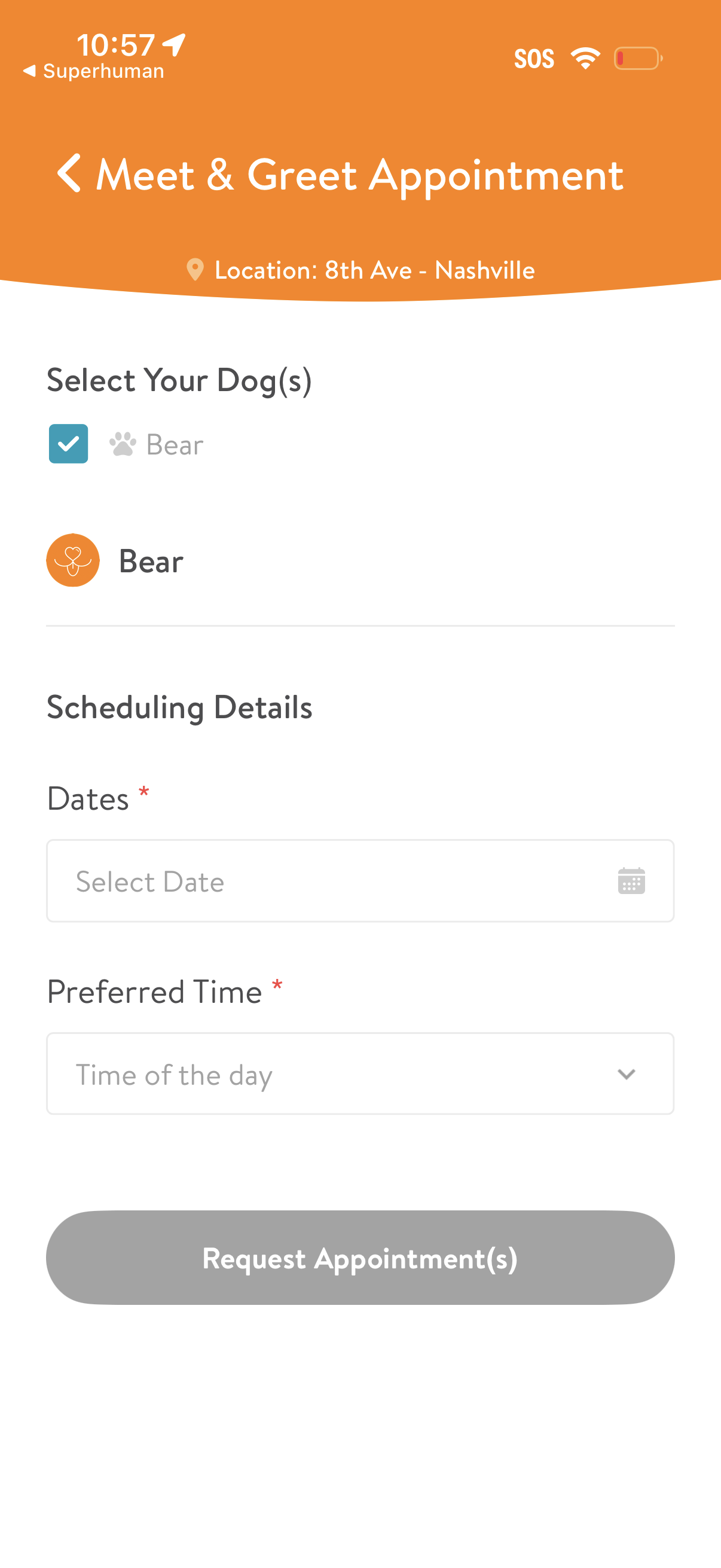
Appointment request form for a pet service meet-and-greet, showing the location, a checklist to select one or more dogs, and scheduling fields to choose a date and preferred time. Includes a primary call-to-action button to submit and request the appointment(s).
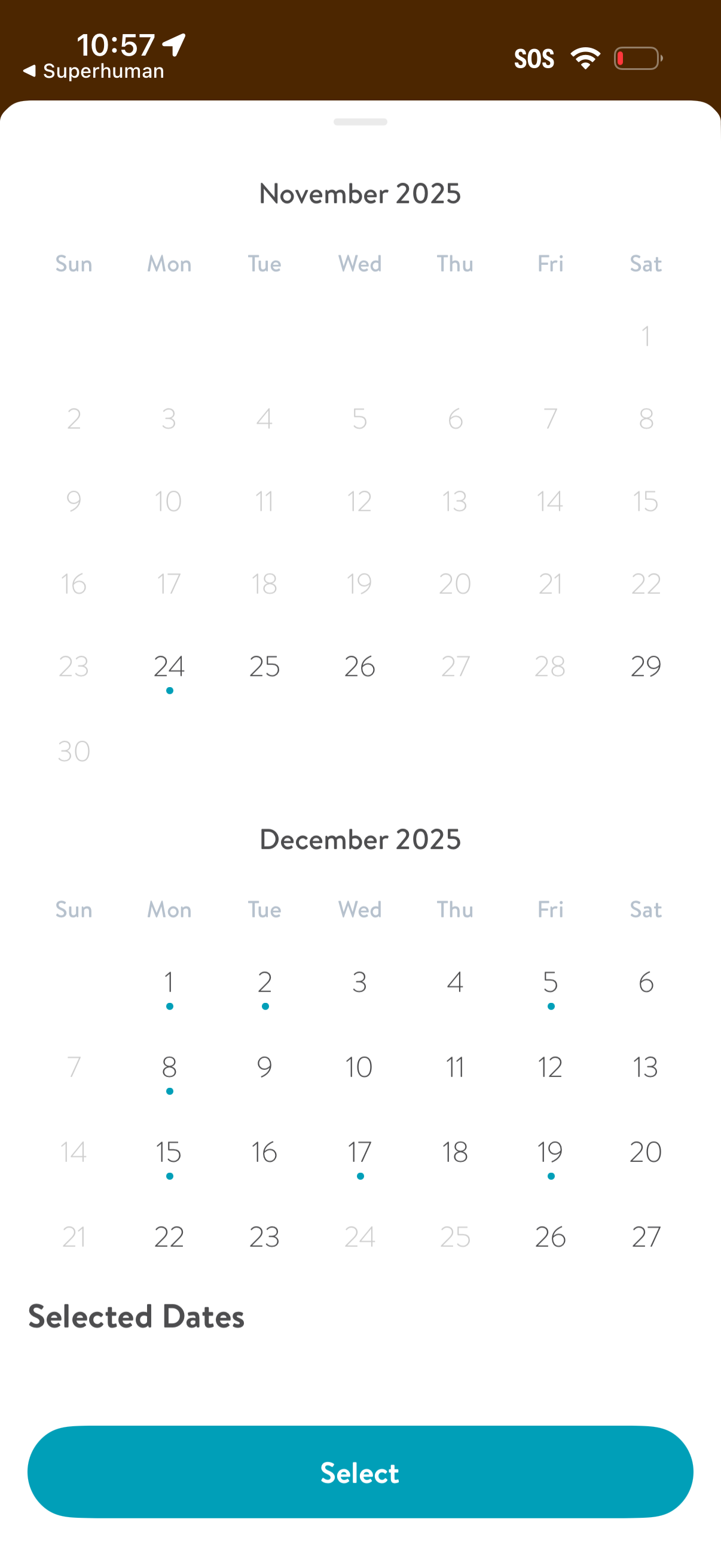
Multi-month calendar date picker showing November and December with specific days marked/selected via dots and a “Selected Dates” summary section. Users can tap dates to choose multiple days and confirm the selection with a prominent “Select” button.
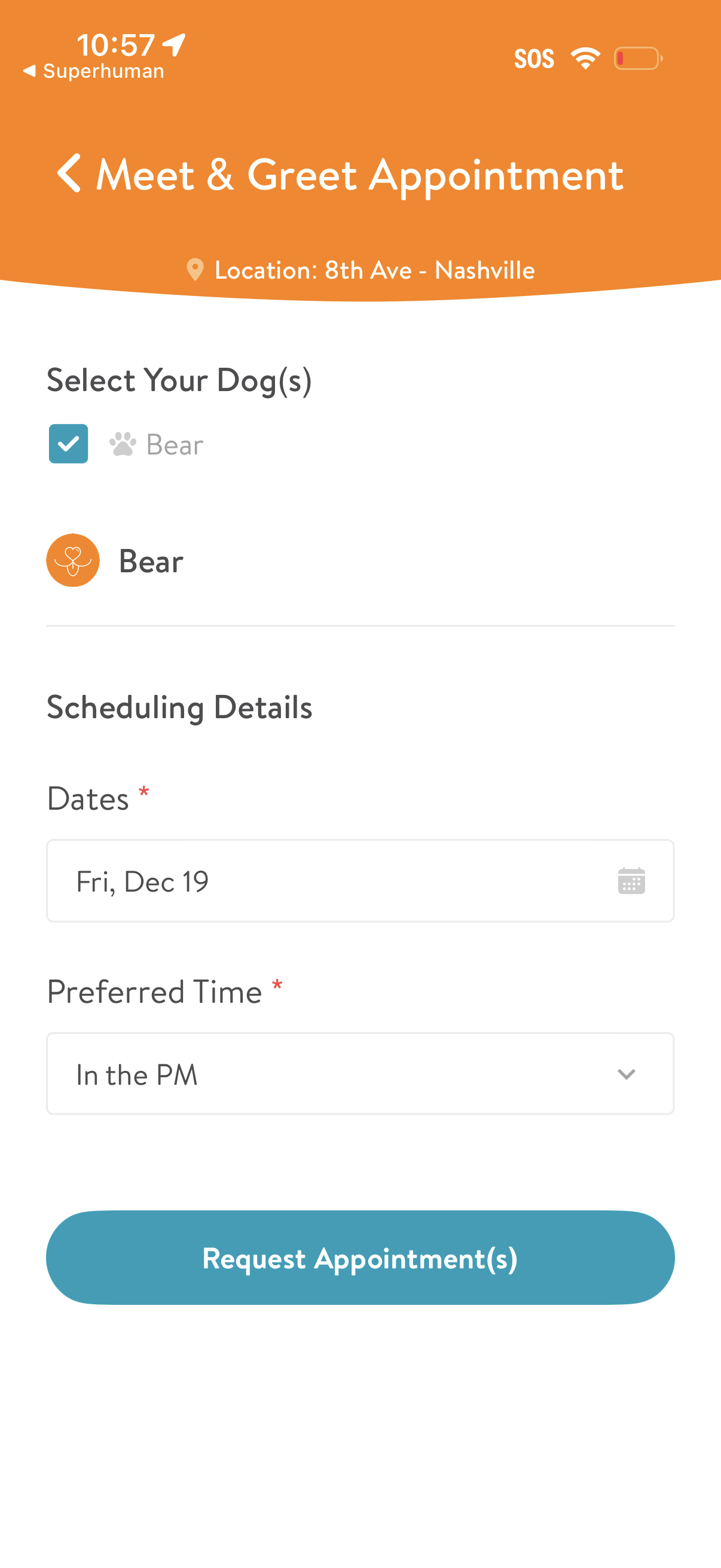
Appointment request screen for a pet meet-and-greet, showing the service location and letting users select one or more dogs, choose a required date via calendar picker and a preferred time from a dropdown. A primary CTA button submits the form to request appointment(s).
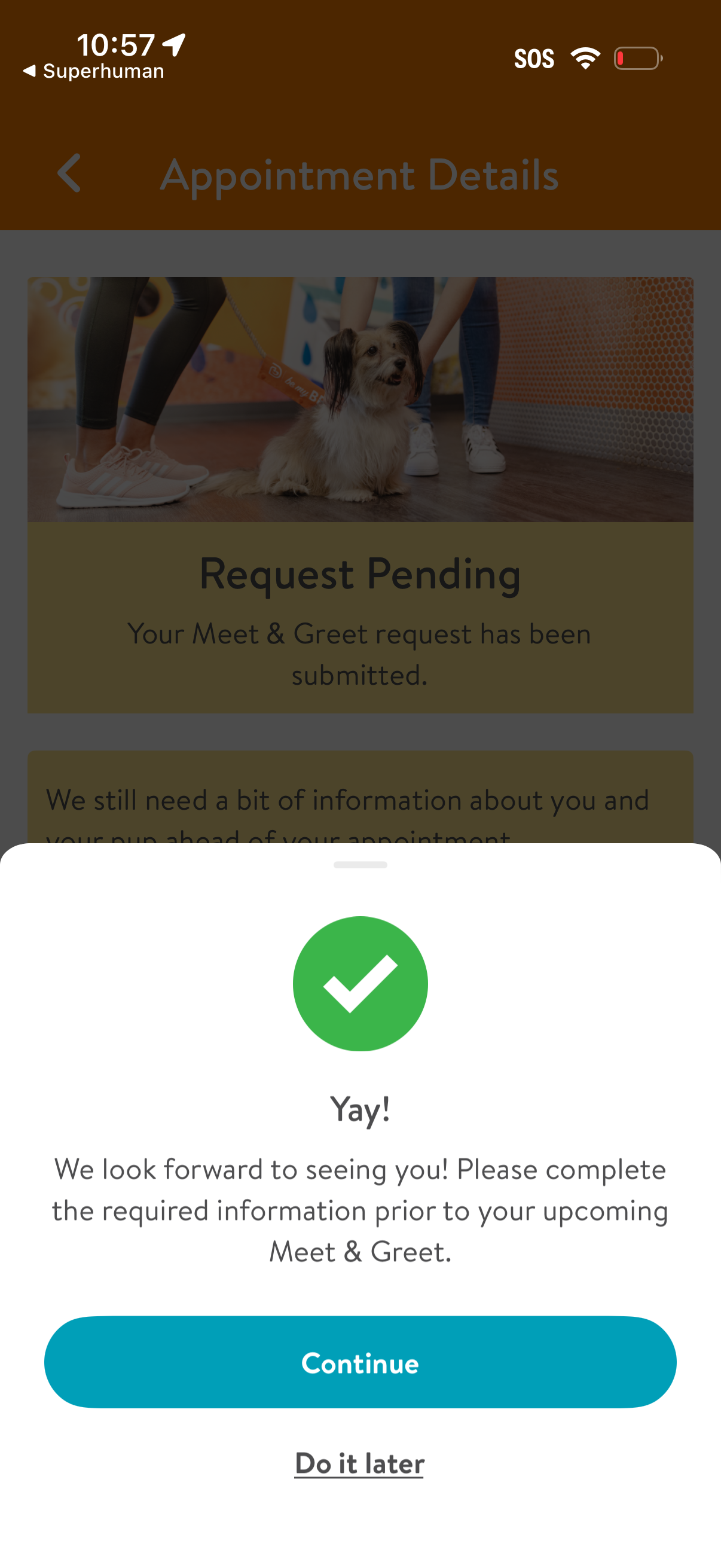
Appointment details screen with a success confirmation bottom sheet indicating a Meet & Greet request is pending and prompting the user to complete required pre-appointment information. Modal provides primary action to Continue and a secondary option to Do it later.