grant contacts access
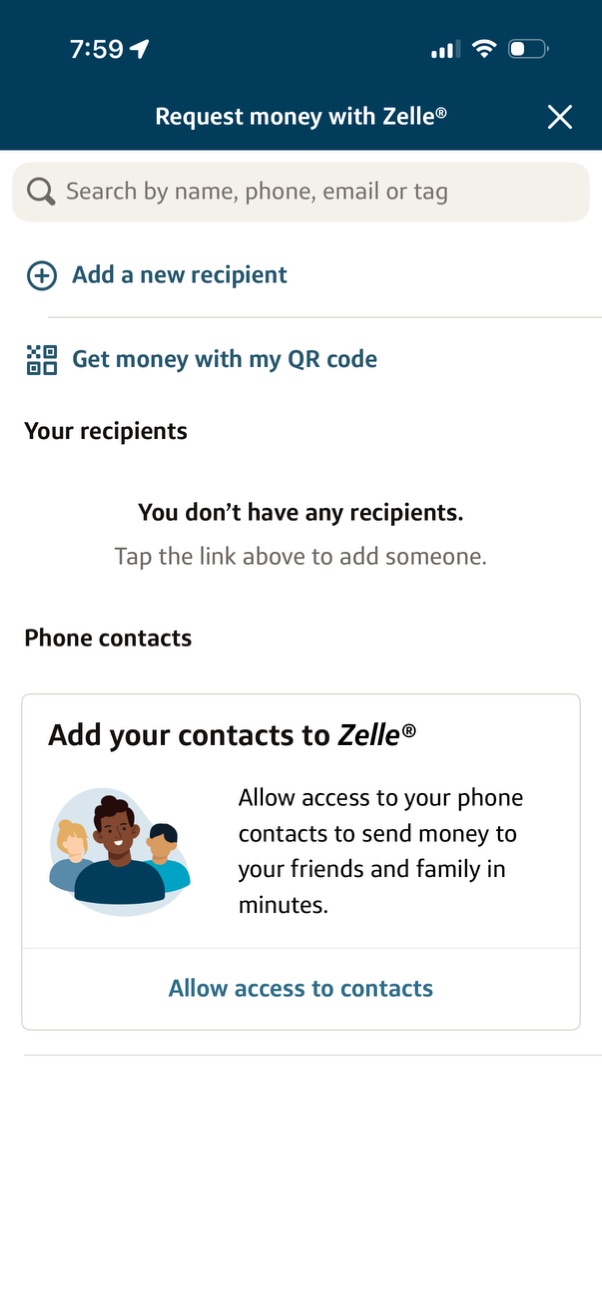
Zelle “Request money” recipient selection screen with a search field to find people by name, phone, email, or tag, plus actions to add a new recipient or request money via your QR code. Shows an empty recipients state and a prompt to allow access to phone contacts with a button to enable contacts permissions.
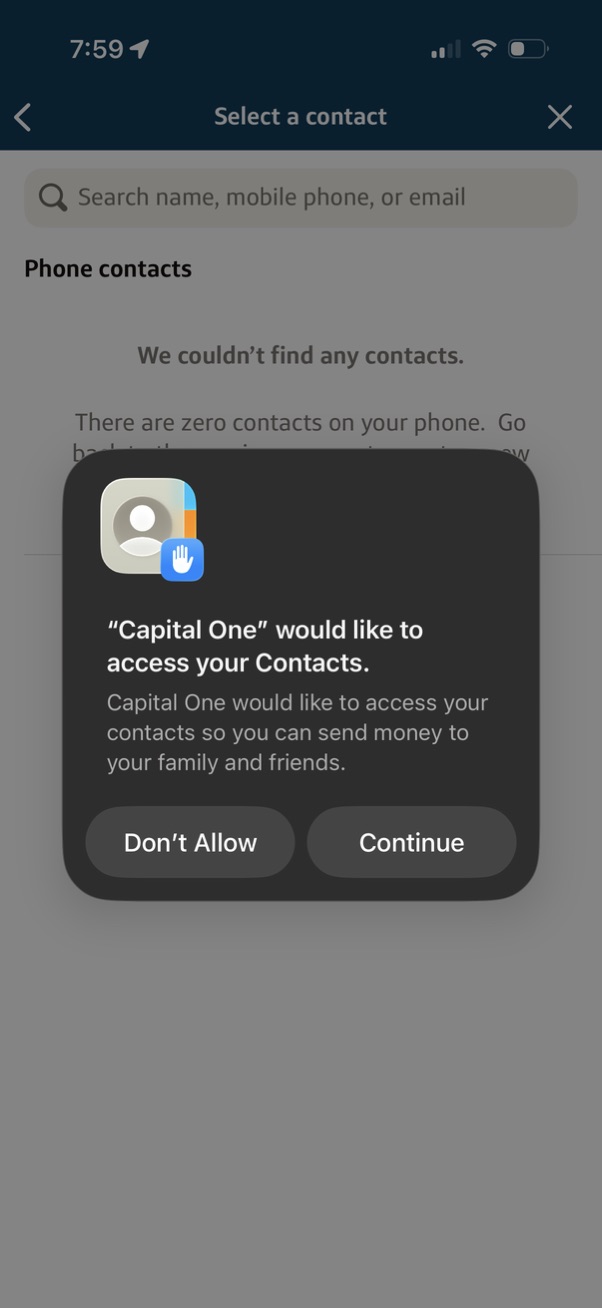
A “Select a contact” screen for sending money includes a search bar for name/phone/email and a phone contacts section, overlaid by an iOS permission modal requesting access to Contacts. The dialog explains the need for contacts to send money and offers primary actions to Continue (allow access) or Don’t Allow.
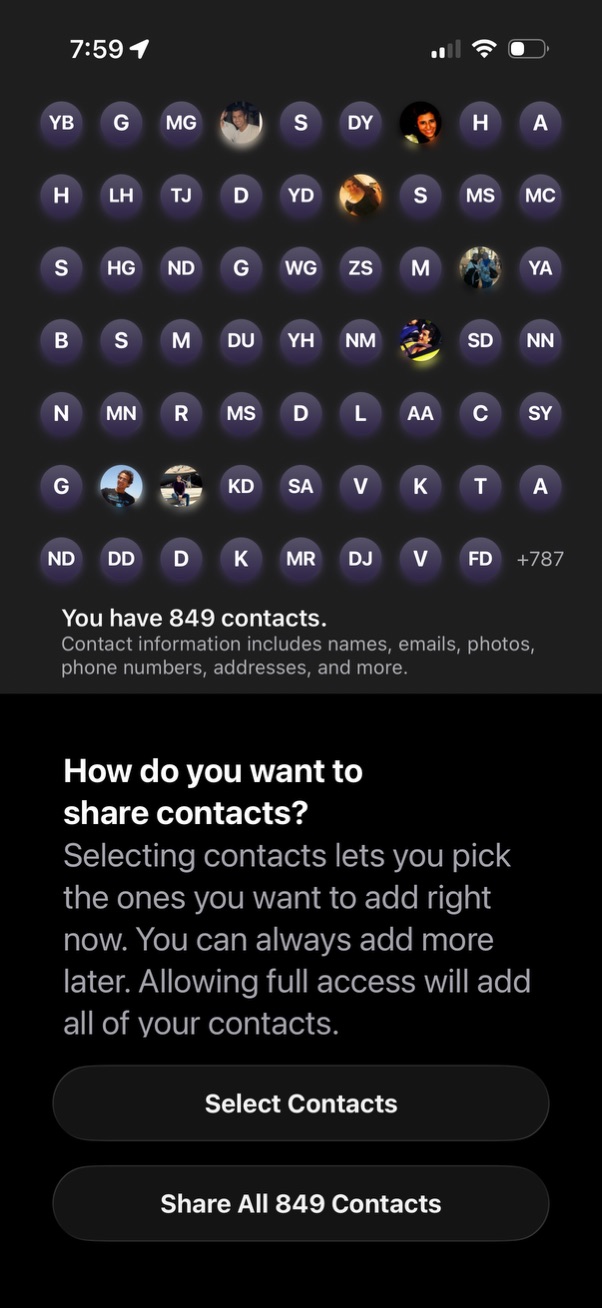
A contacts access permission screen showing a grid preview of contact avatars/initials and the total number of contacts available to share. Users can choose between selecting specific contacts to share now or granting full access to share all contacts at once.
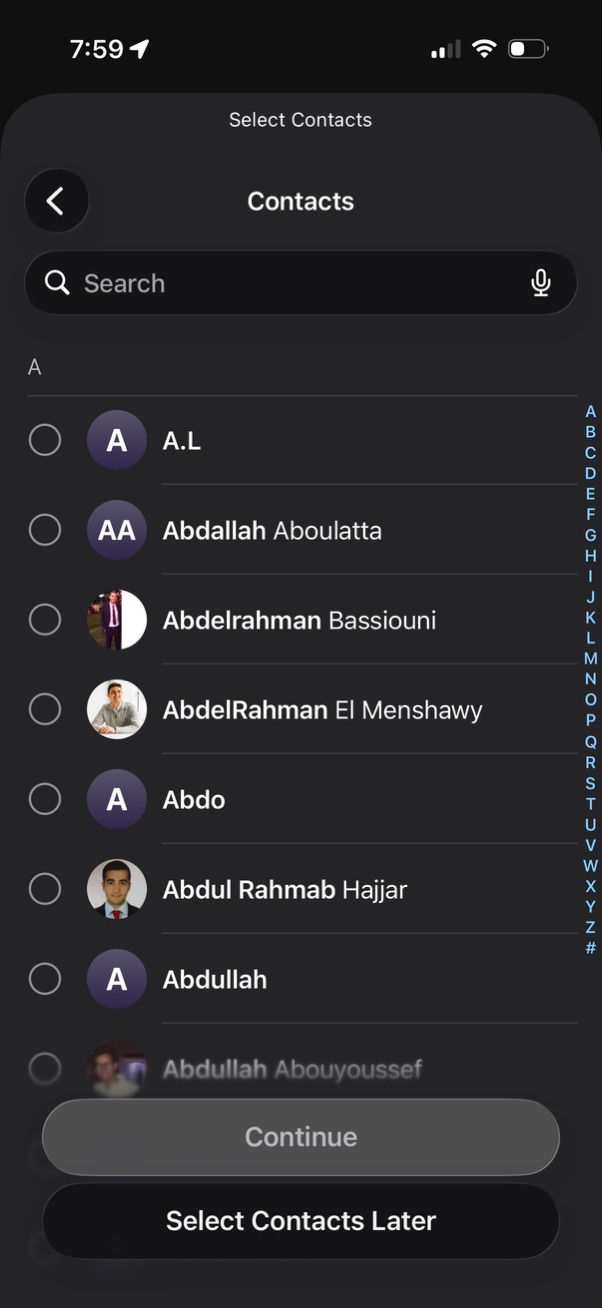
Contact picker screen for selecting multiple contacts from an address book, featuring a search bar with voice input, alphabetical scroll index, and circular selection checkboxes next to each contact. Bottom actions include a disabled “Continue” button until selections are made and an option to “Select Contacts Later.