_png_pixar.png)
Explore up to date dashboard, search, wishlist, notifications, and paywall flows from Apple Weather and more on Lazyweb.
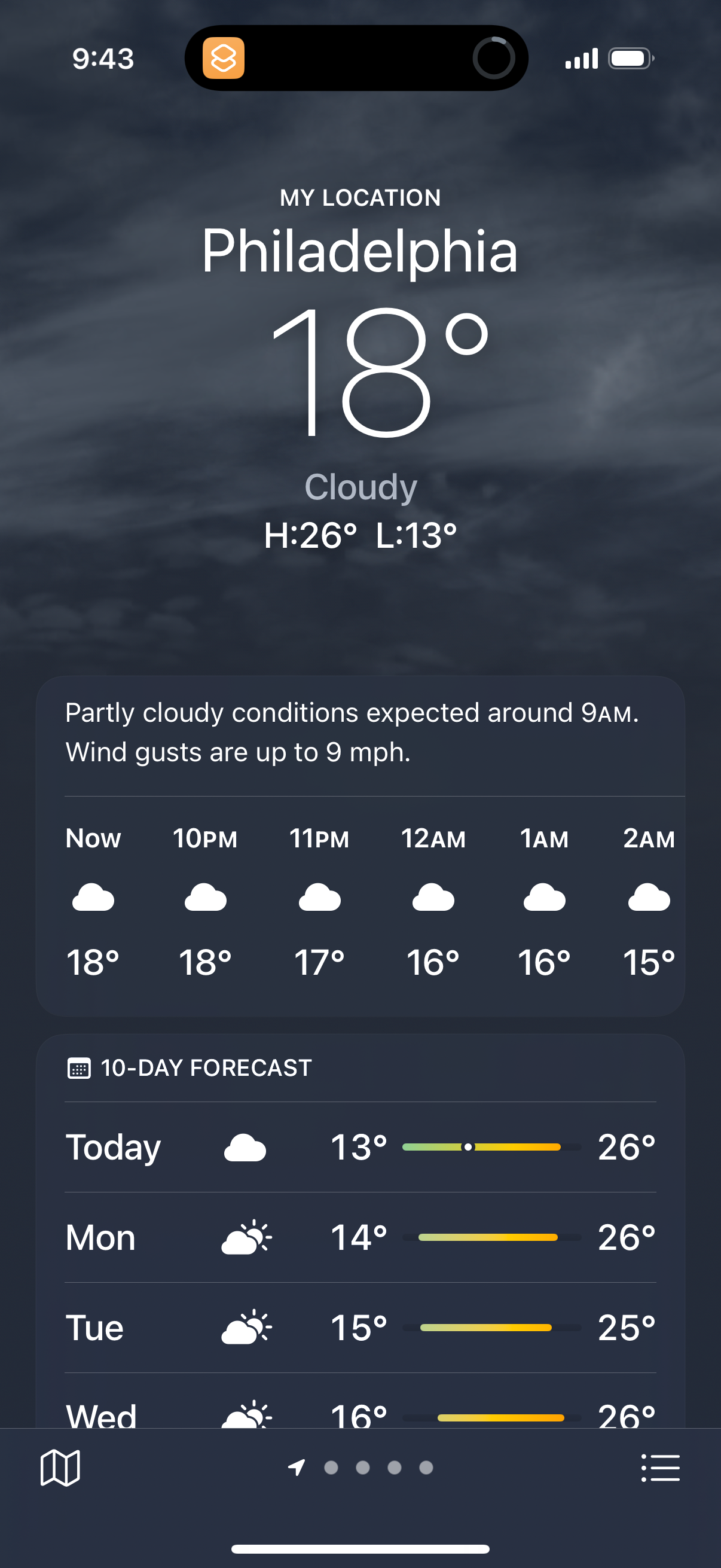
Apple Weather in Weather — see 27 app screens across Today flows. Compare onboarding, paywall, and pricing patterns against real competitors inside Lazyweb.
Lazyweb is a blazing-fast design research library with 281k+ real app screens, user flow examples, UI patterns, and product design patterns for competitive analysis and benchmarking.
Screenshots


Company metadata
| Category | Weather |
|---|---|
| Subcategory | Sunrise/Sunset & Golden Hour |
| Tagline | We’re a diverse collective of thinkers and doers, continually reimagining what’s possible to help us all do what we love in new ways. And the same innovation that goes into our products also applies to our practices — strengthening our commitment to leave the world better than we found it. |
| Business model | Cross-subsidized Funnel / Companion App |
| Product archetype | Consumer |
| Growth engine | Network effects (social graph), Hardware/Distribution bundling, PR, Word of mouth |
| Money raised | $101,920,000 |
| Public company | Yes |
| Market leader | Unknown |
| Website | https://www.apple.com |
| App Store | https://apps.apple.com/us/app/weather/id1069513131 |
| X / Twitter | https://x.com/Apple |
| https://www.instagram.com/apple | |
| https://www.linkedin.com/company/apple | |
| TikTok | https://www.tiktok.com/@apple |
| Crunchbase | https://www.crunchbase.com/organization/apple |
App Store description
Weather keeps you informed about conditions including temperature, rain, snow, and wind. Check out the forecast by the hour for the next ten days. Use maps to help you explore weather patterns in your area. Stay notified about upcoming adverse conditions. With iCloud your favorite locations are always synced and easily accessible whether you’re on your Mac, your iPad, your Apple Watch, or on your iPhone. Features Forecasts Quickly check current and forecasted conditions by the hour for the next 10 days for temperature, wind, humidity, dew point, feels like temperature, UV index, barometric pressure, and visibility. Stay aware of adverse conditions through severe weather alerts. Follow precipitation intensity over the next hour by the minute. Get more clarity about the weather at your location through relevant news articles. Locations Search for the weather at any location and save your favorites. Conveniently check the weather at your favorite locations on your iPhone, your iPad, or your Mac. Weather Maps Track the path and intensity of storms for the next‑hour by the minute or for the next 12 hours through animated maps of precipitation. Observe wind patterns including direction and speed for the next 24 hours through an animated wind map visualization. Explore maps that depict how conditions such as temperature and air quality vary near you. Notifications Receive notifications when rain or snow is about to start or stop, or for severe weather events such as tornadoes, hurricanes, and flash floods. Air Quality Stay informed about the current level of air quality, how it compares to yesterday, as well as relevant health recommendations. Historical Trends Plan your future travels and events using visualizations of seasonal averages of temperature and precipitation conditions. Sun and Moon Track today’s sunrise and sunset times, and comprehensive details about daylight. Learn about today’s moon phase, and moonrise and moonset times. Tap to see more intricate details such as the next full moon, and current illumination level as well as a full lunar calendar. More ways to view Weather See the forecast at a glance by adding Weather widgets to your Home Screen and Lock Screen. Track the weather on‑the‑go from your Apple Watch. Ask Siri questions such as “What’s the weather like today?”, “How windy is it out there?” or “What time is sunrise in Paris?” Some features available for select countries or regions.