Sign-In
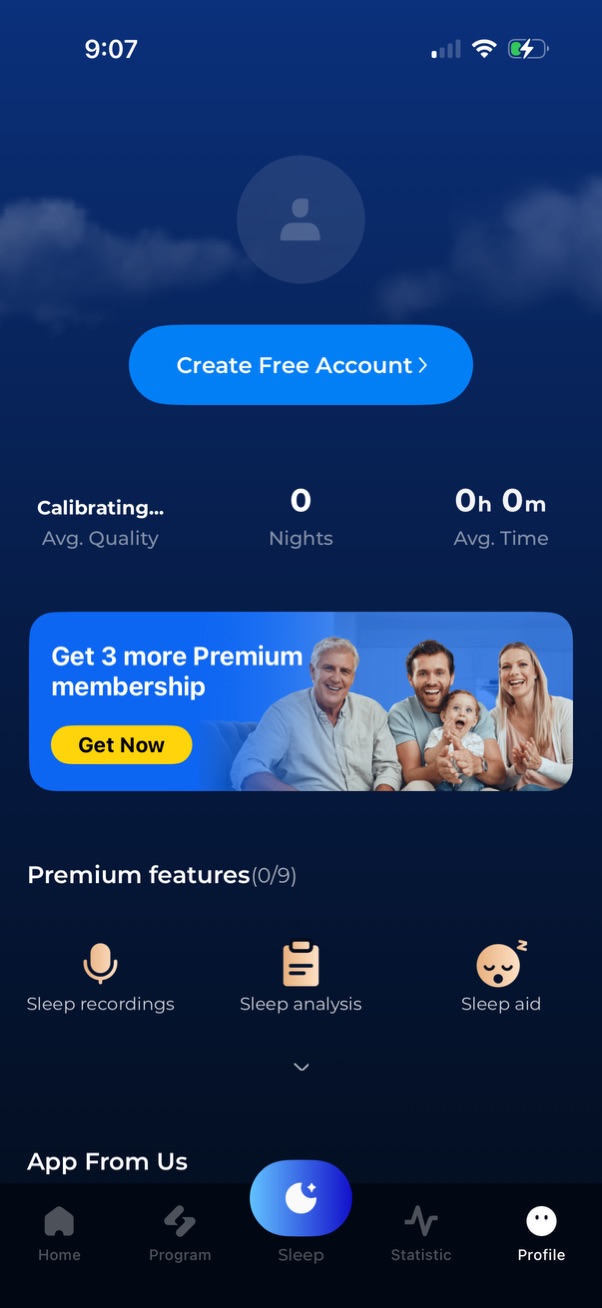
Sleep tracking app profile/dashboard screen prompting users to create a free account, showing calibration status and sleep stats like nights tracked and average time. Includes a premium membership upsell banner with “Get Now” CTA, a list of premium features (sleep recordings, sleep analysis, sleep aid), and a bottom tab bar for navigation.

Account connection authentication screen prompting users to log in or create a free account to sync and keep data safe across devices. Offers sign up with email, a link to log in for existing users, and social login options via Google, Facebook, and Apple, with a close/dismiss button.
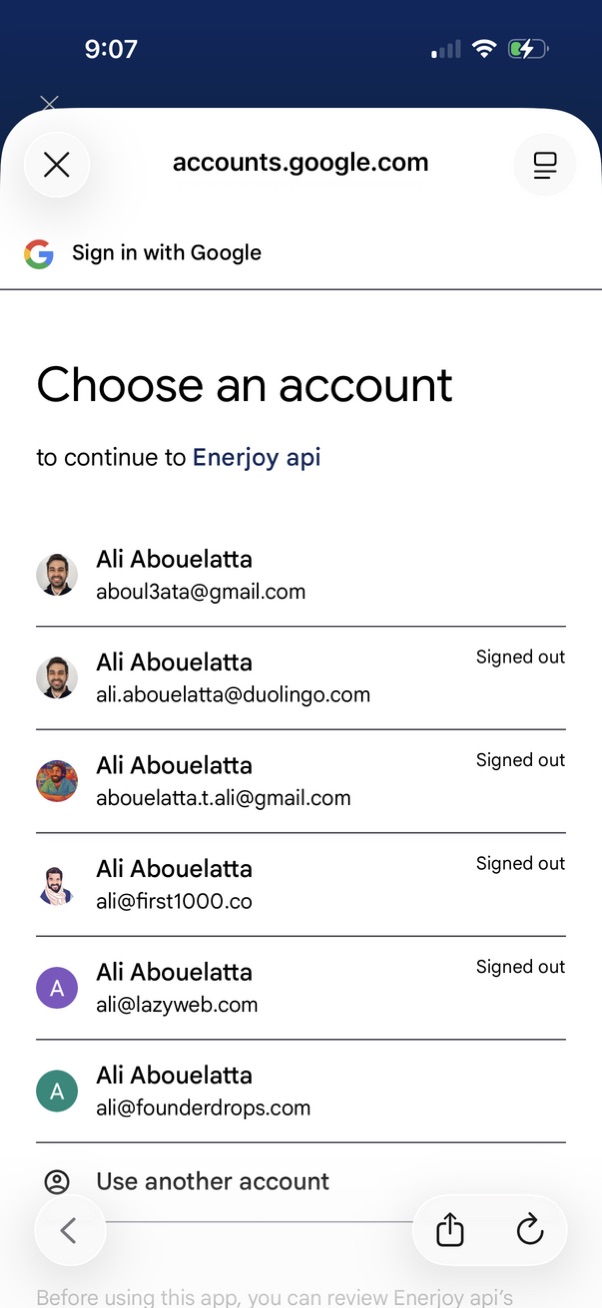
Google OAuth “Sign in with Google” account chooser screen prompting the user to select from a list of saved Google accounts (showing avatars, emails, and signed-out status) to continue to an app. Includes a “Use another account” option and a close/dismiss control.
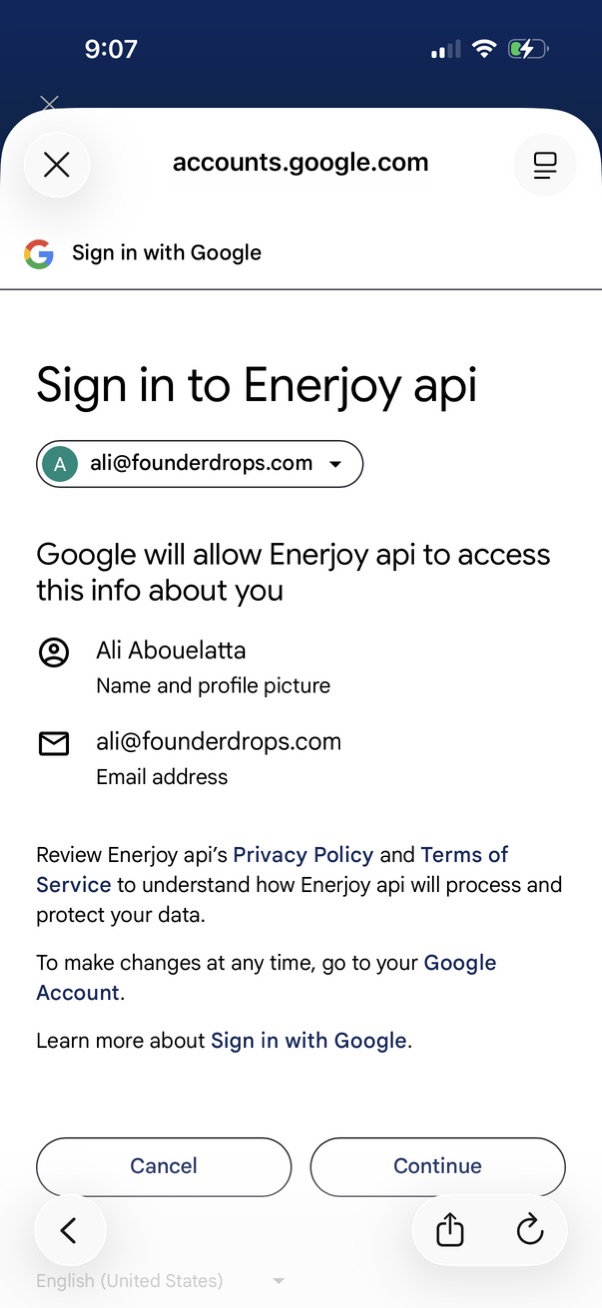
Google OAuth “Sign in with Google” consent screen for signing into a third‑party app, showing the selected Google account and the specific profile data permissions (name/profile picture and email) the app will access. Primary actions are Cancel or Continue to approve access, with links to privacy policy and terms.
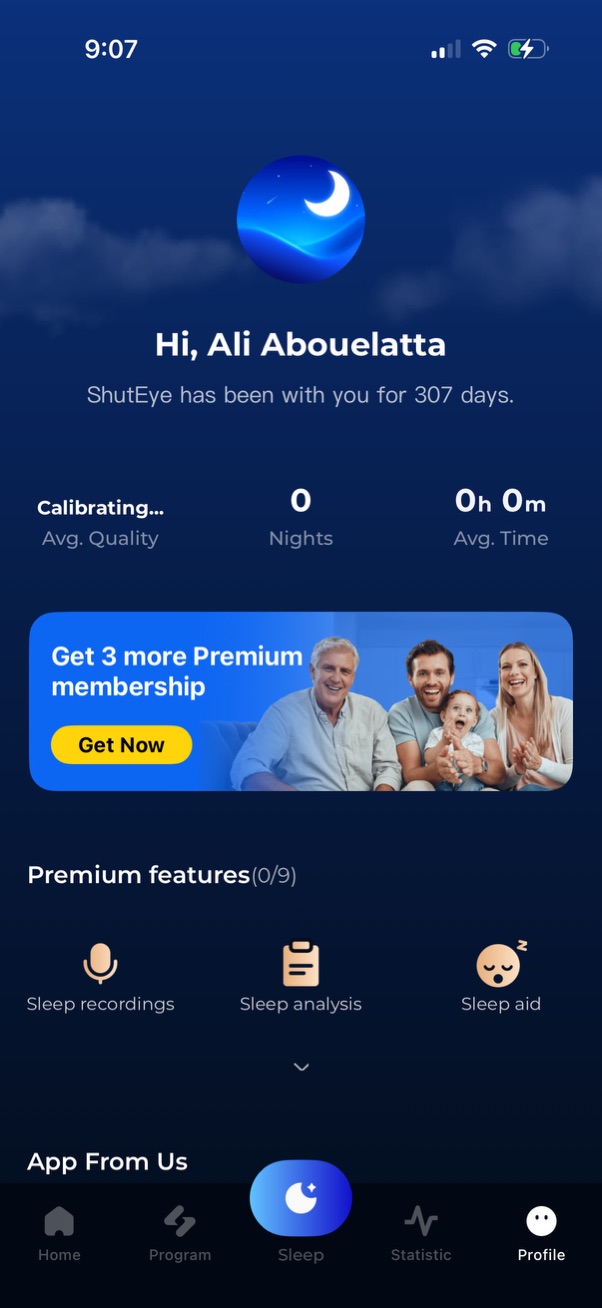
Sleep tracking app home/dashboard screen greeting the user and showing key sleep stats like average quality, number of nights, and average time, plus a promotional banner to upgrade to Premium. Includes quick access to premium features such as sleep recordings, sleep analysis, and sleep aid, with a bottom navigation bar for Home, Program, Sleep, Statistics, and Profile.