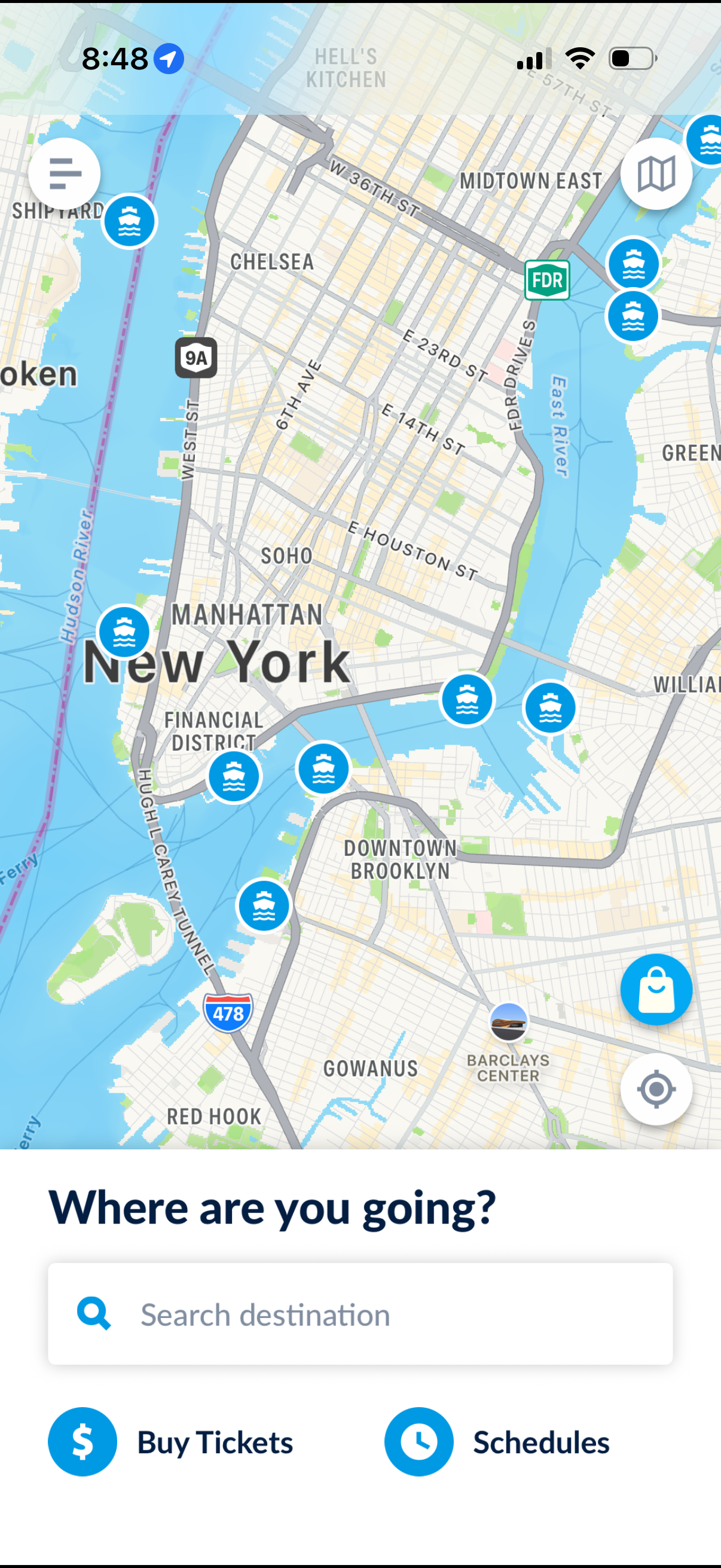
Map-based transit app home screen showing a city map with ferry/route markers and quick controls, prompting “Where are you going? ” with a destination search bar.

Ticket store screen for purchasing ferry passes, with tabs to switch between ticket types and a list of options (one-way, multi-ride, and 2-day) showing prices, info icons, and “Add to Cart” buttons. Includes a shopping cart summary with total cost and a disabled/enabled checkout action at the bottom.
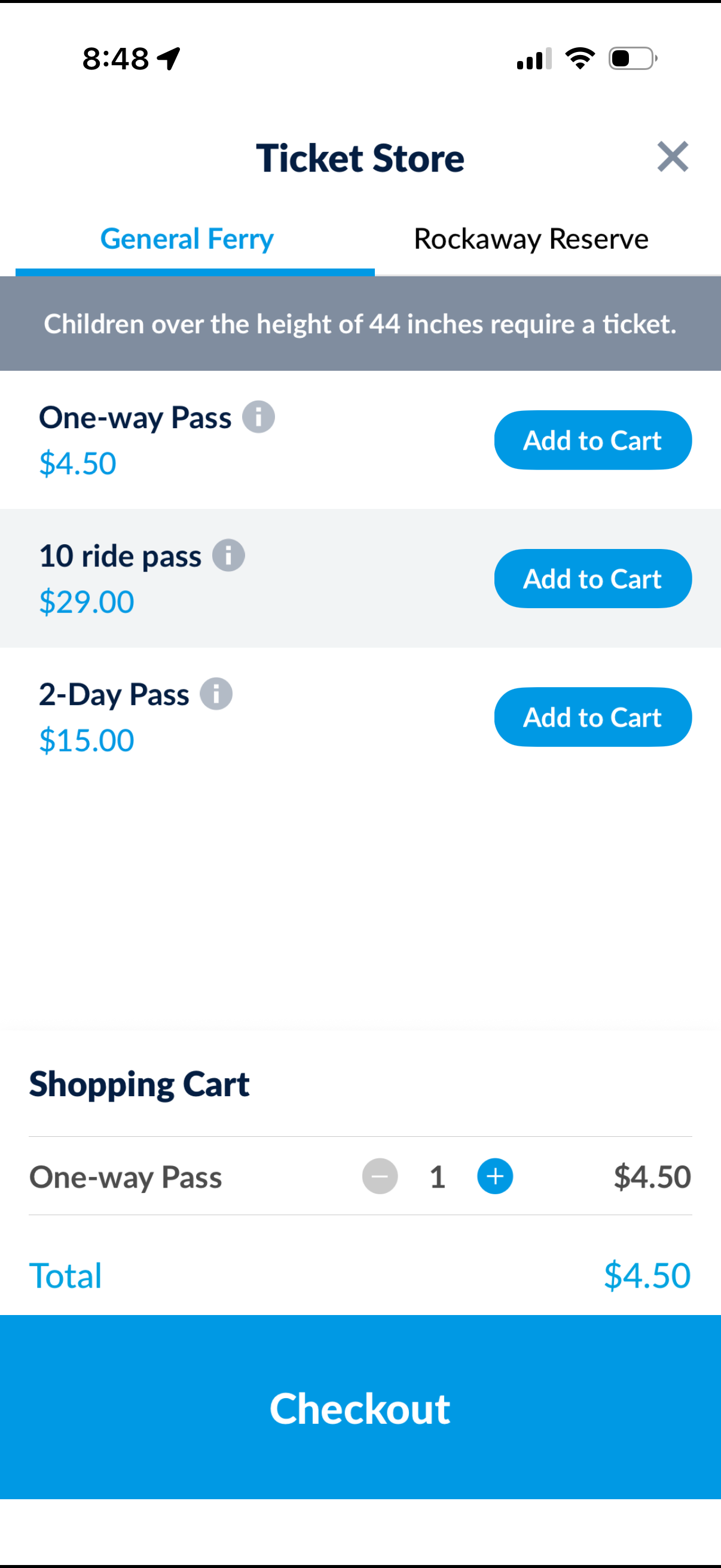
Ticket store screen for purchasing ferry passes, with tabs to switch routes, a list of ticket options showing prices and info icons, and “Add to Cart” actions. A shopping cart summary at the bottom lets users adjust quantity with plus/minus controls, view total cost, and proceed to checkout.
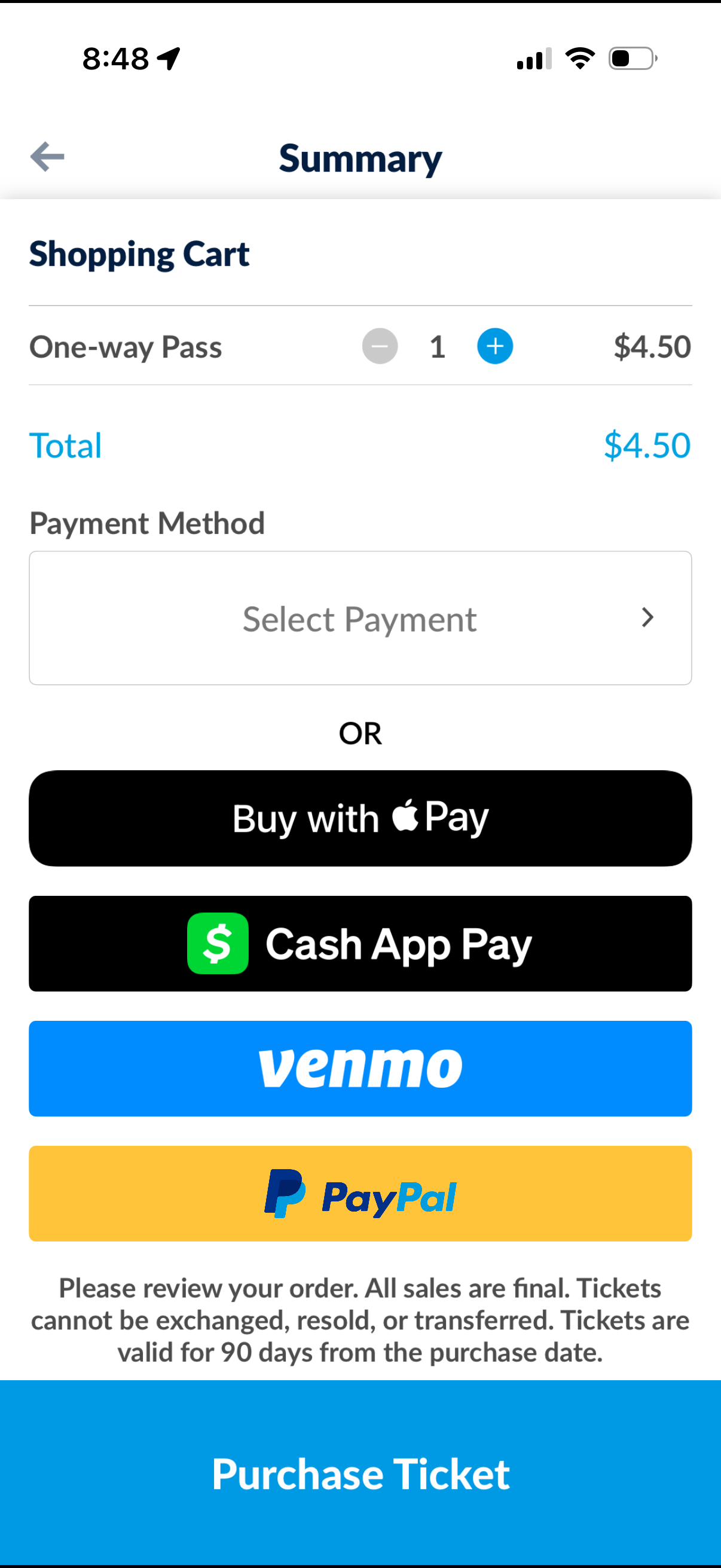
Checkout summary screen for purchasing a ticket, showing a shopping cart item with quantity stepper, total price, and payment method selection. Users can choose a payment option (manual select payment, Apple Pay, Cash App Pay, Venmo, PayPal) and complete the order with a “Purchase Ticket” button.
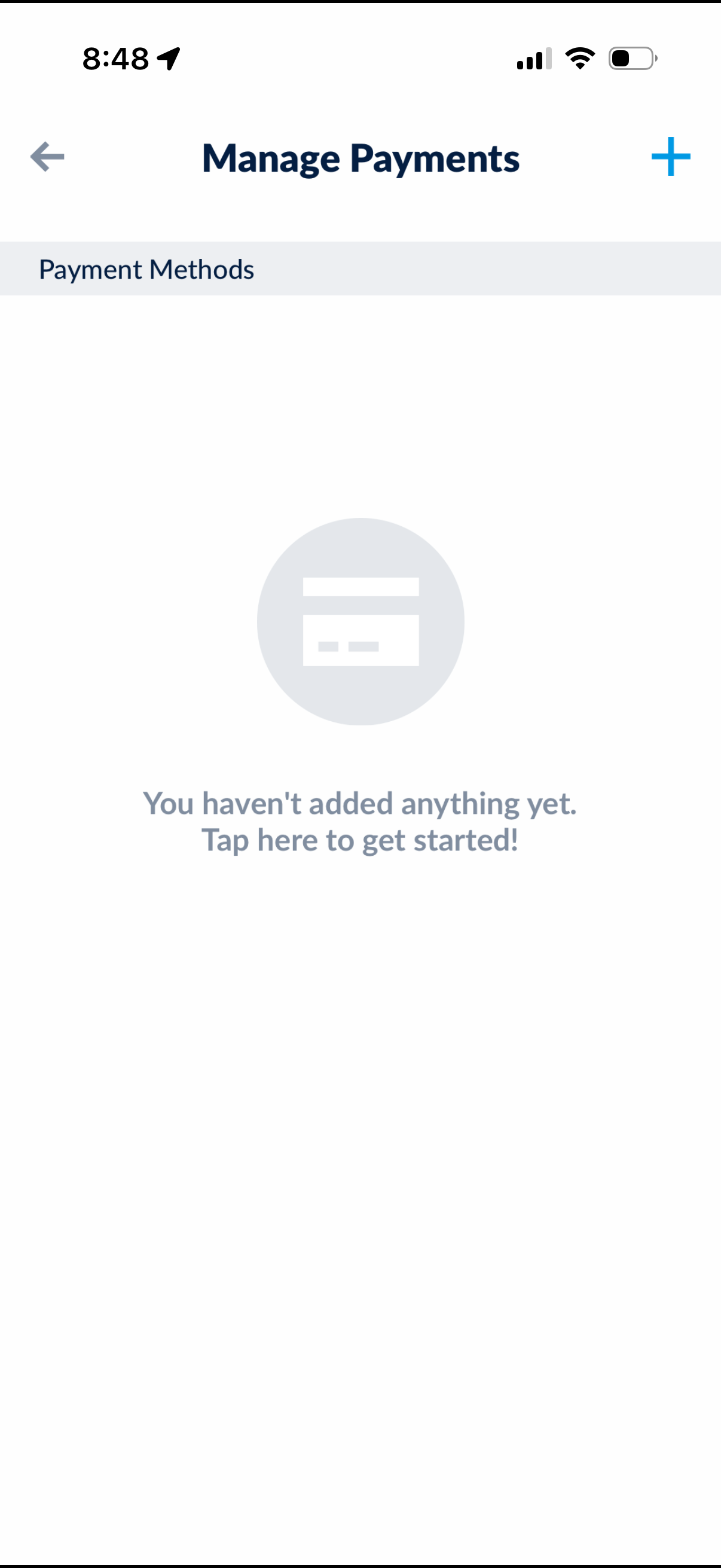
Manage Payments screen for viewing and managing saved payment methods, currently showing an empty state with a prompt to add the first payment method. Includes a back navigation control and a plus icon to add a new payment method.