manage notification settings
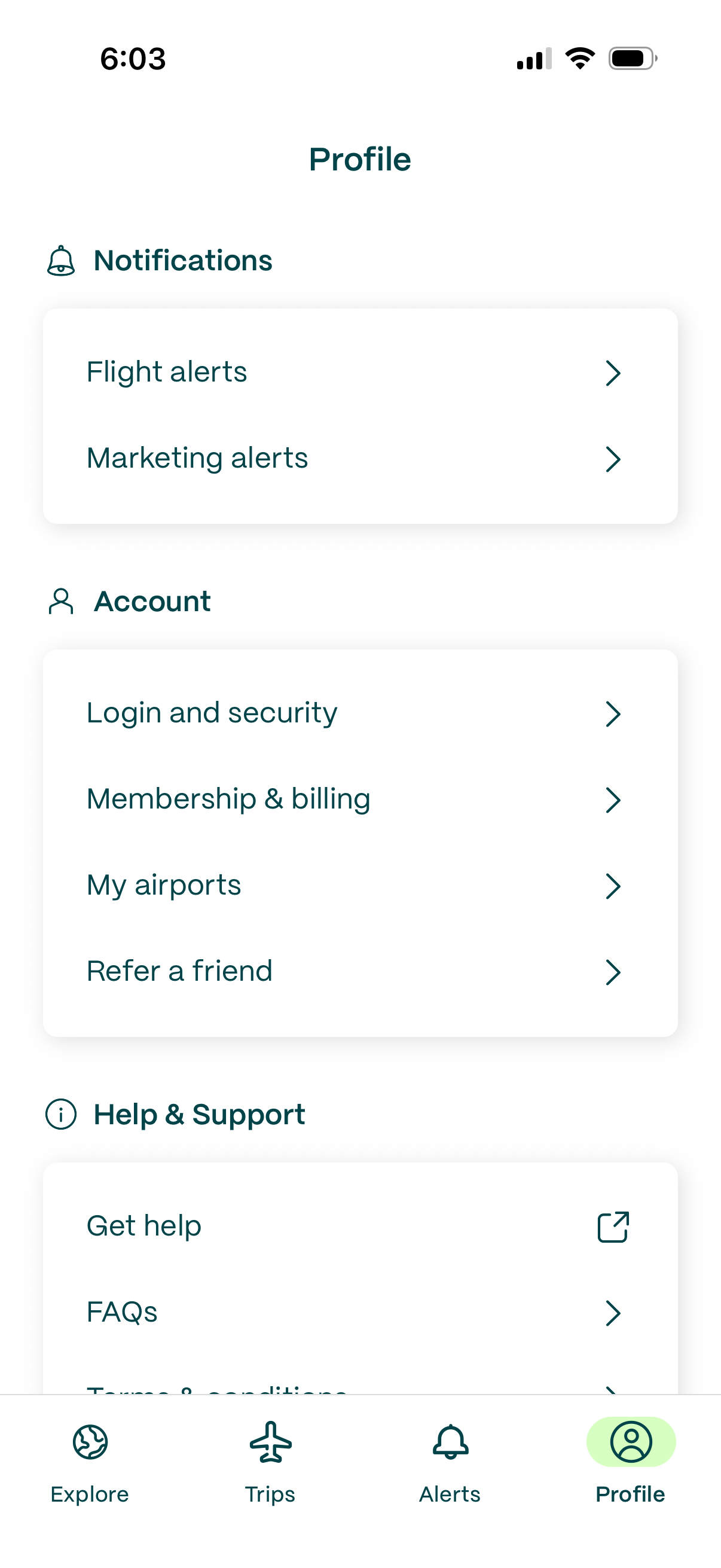
Profile settings screen in a travel/flight app with grouped menu options for managing notification preferences (flight alerts, marketing alerts), account settings (login & security, membership & billing, saved airports, refer a friend), and help & support (get help, FAQs). Includes a bottom tab bar for navigating between Explore, Trips, Alerts, and Profile.
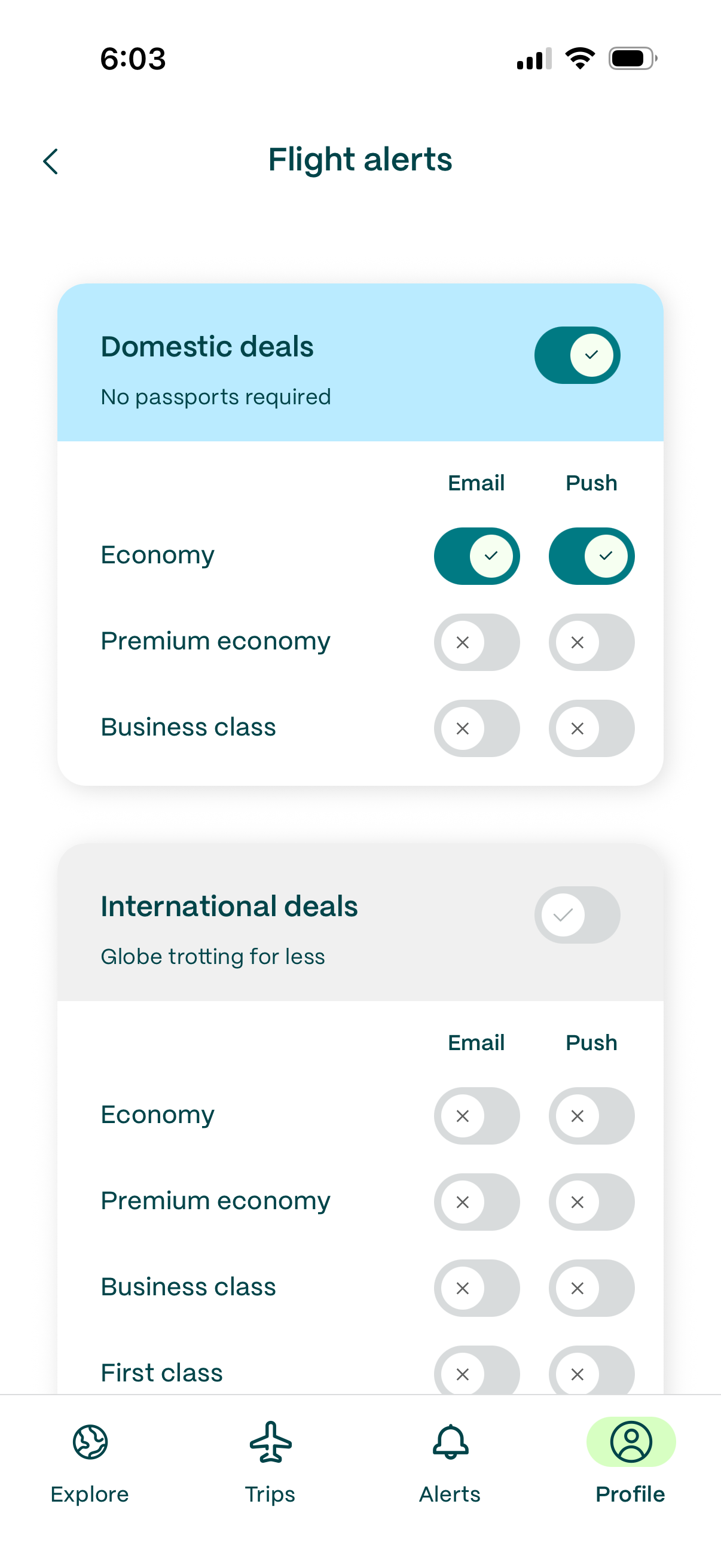
Flight alerts settings screen where users toggle deal alerts for domestic and international flights and choose notification channels (email and push) by cabin class (economy, premium economy, business, first). Includes master on/off switches for each deal category and per-class toggles to customize what alerts to receive.
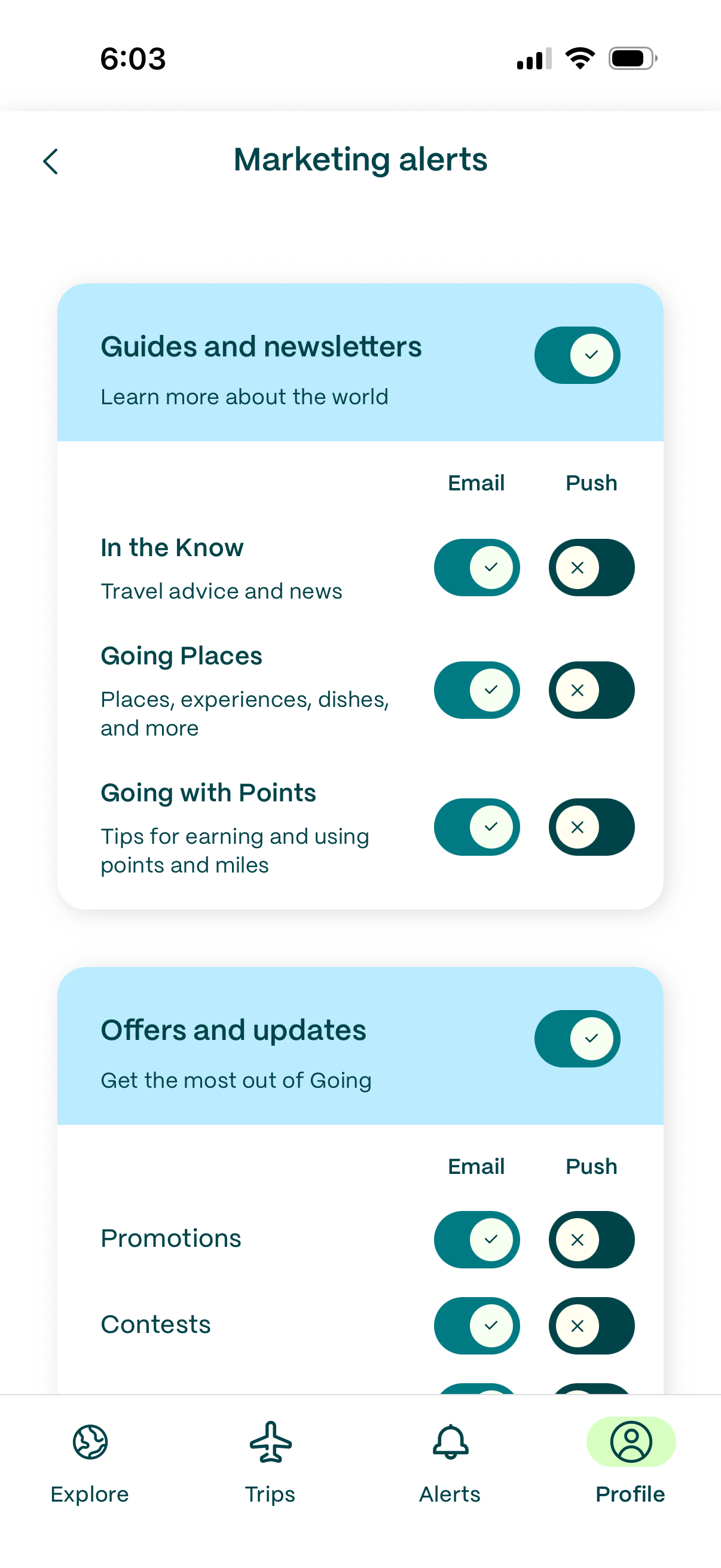
Marketing alerts settings screen where users manage subscription preferences for guides/newsletters and offers/updates, with category-level toggles and per-topic controls. Each topic can enable or disable Email and Push notifications via switches, organized in grouped cards with descriptions.