add friends from profile

User profile screen for a language learning app showing avatar, username, membership tier, and stats for courses, following/followers, streak days, league/rank, and total XP. Primary actions include an “Add friends” button, viewing friend streaks, and navigating to monthly badges and settings.
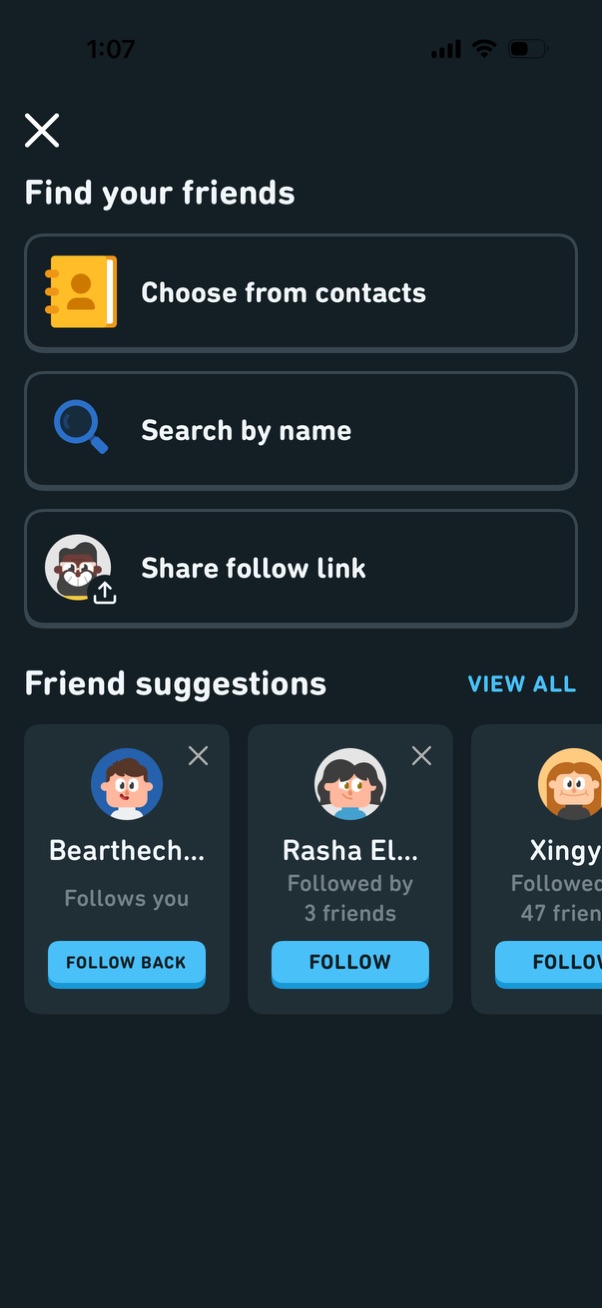
Friend discovery screen with options to find and follow people by choosing from contacts, searching by name, or sharing a follow link. Below, a horizontal carousel of friend suggestions shows avatars, mutual context (e.

A “Find your friends” screen prompts users to connect with others by choosing from contacts or searching by name, with suggested profiles to follow. An iOS system permission modal asks to allow the app to access Contacts, offering “Don’t Allow” or “Continue.
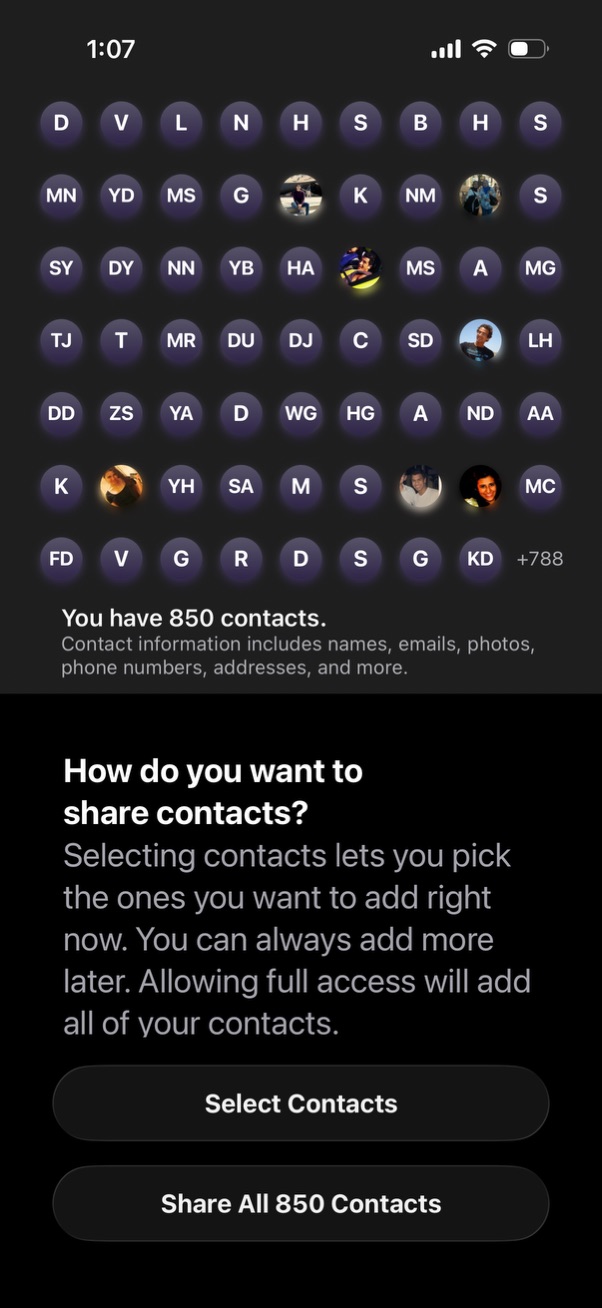
Permission onboarding screen asking how the user wants to share their phone contacts, showing a preview grid of contact avatars/initials and the total contact count. Provides two primary actions: select specific contacts to share now or grant full access to share all contacts.
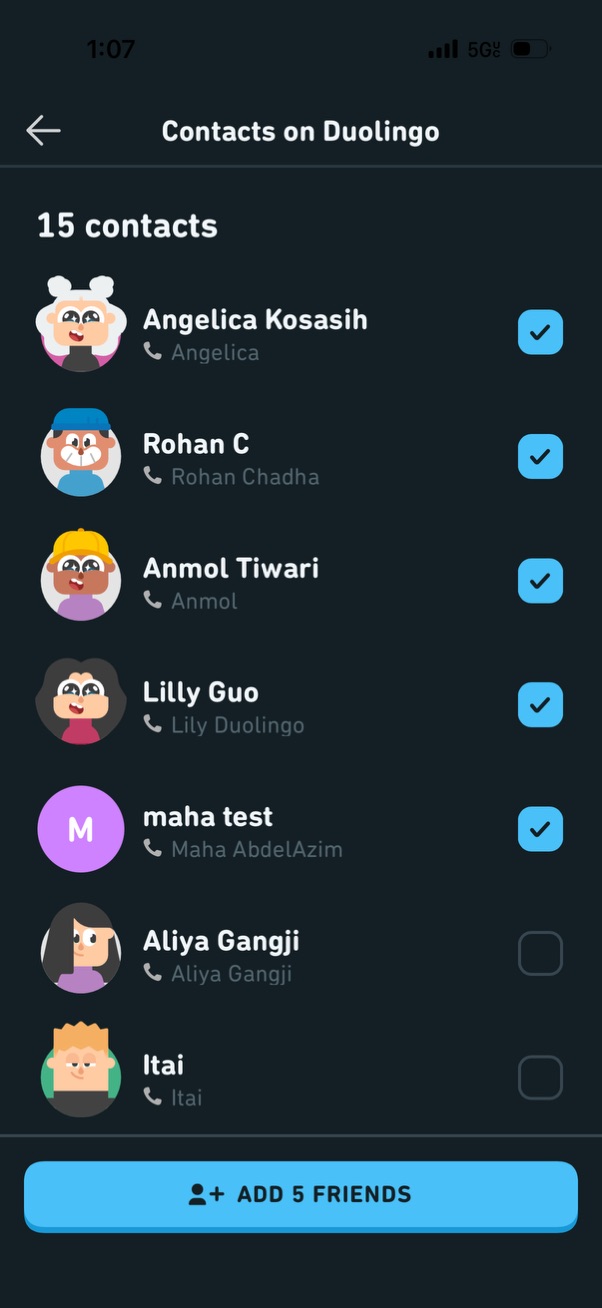
Contacts syncing screen for adding friends, showing a list of phone contacts on Duolingo with avatars, names, and per-contact selection checkmarks. Users can toggle which contacts to add and tap a bottom “Add friends” button to send friend requests.