Purchase Credit
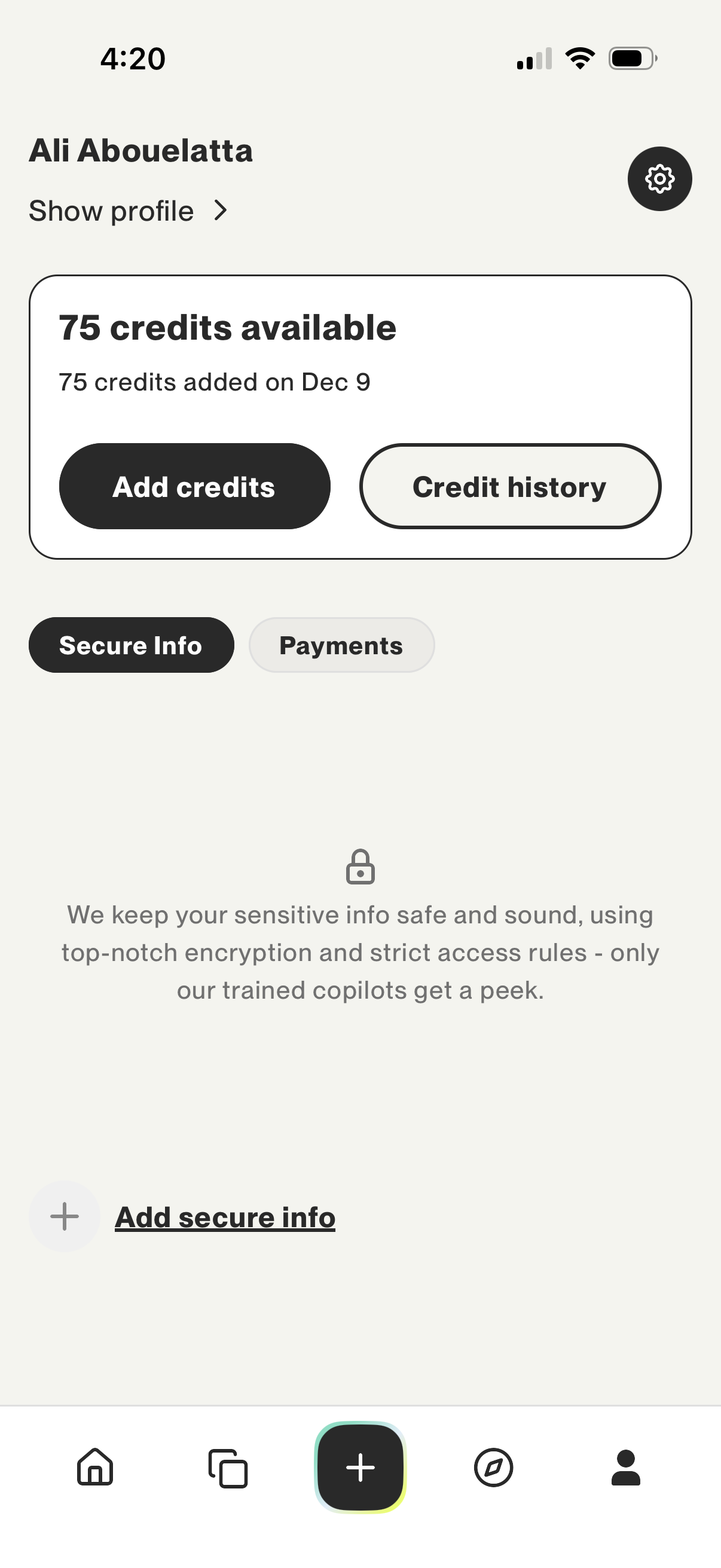
Account wallet and profile screen showing available credit balance with primary actions to add credits and view credit history. Includes tabs for Secure Info vs Payments, a settings icon, and an option to add secure information with an explanation of encryption and access rules.
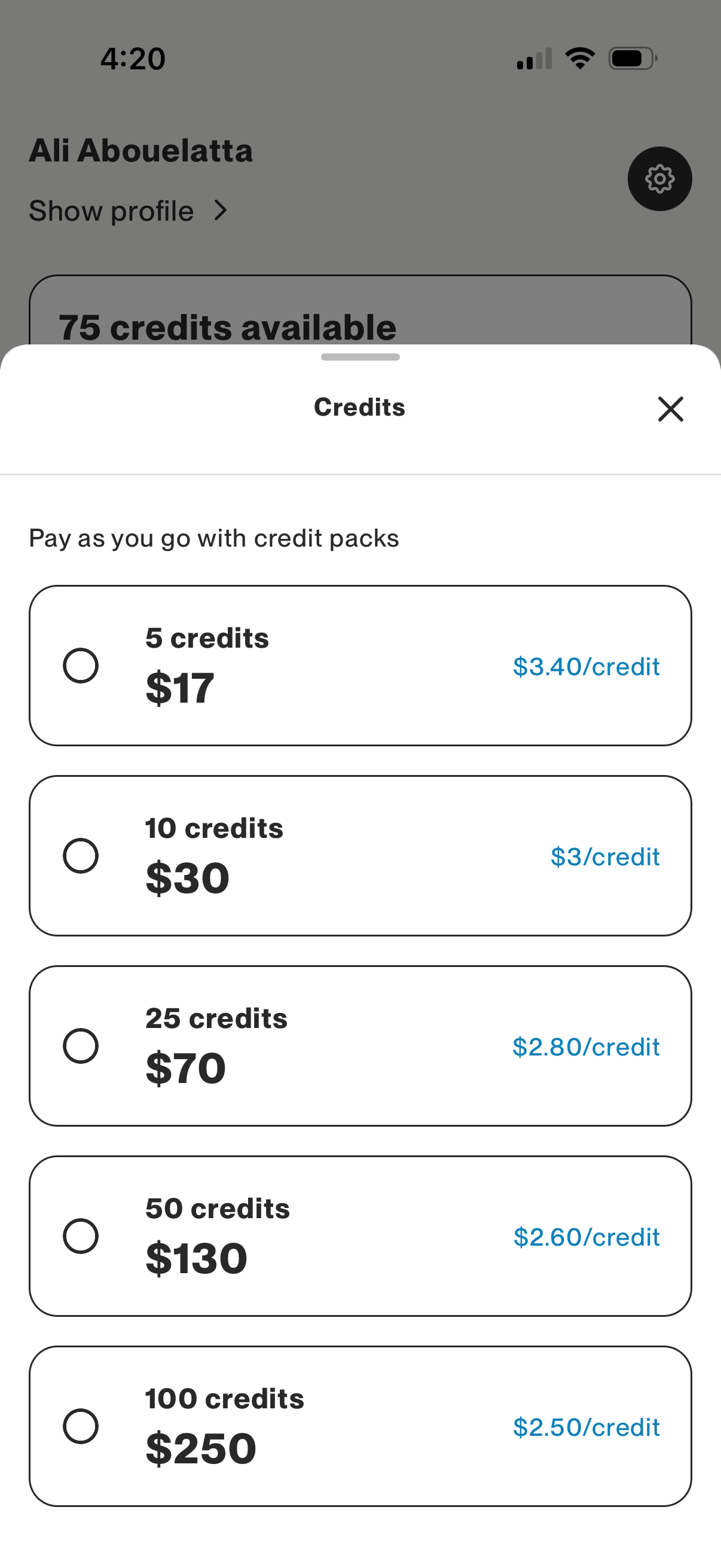
Credits purchase bottom sheet for a pay-as-you-go model, letting users select a credit pack size with radio buttons and see total price and per-credit rate. Includes multiple bundle options (5, 10, 25, 50, 100 credits) and a close button to dismiss the modal.
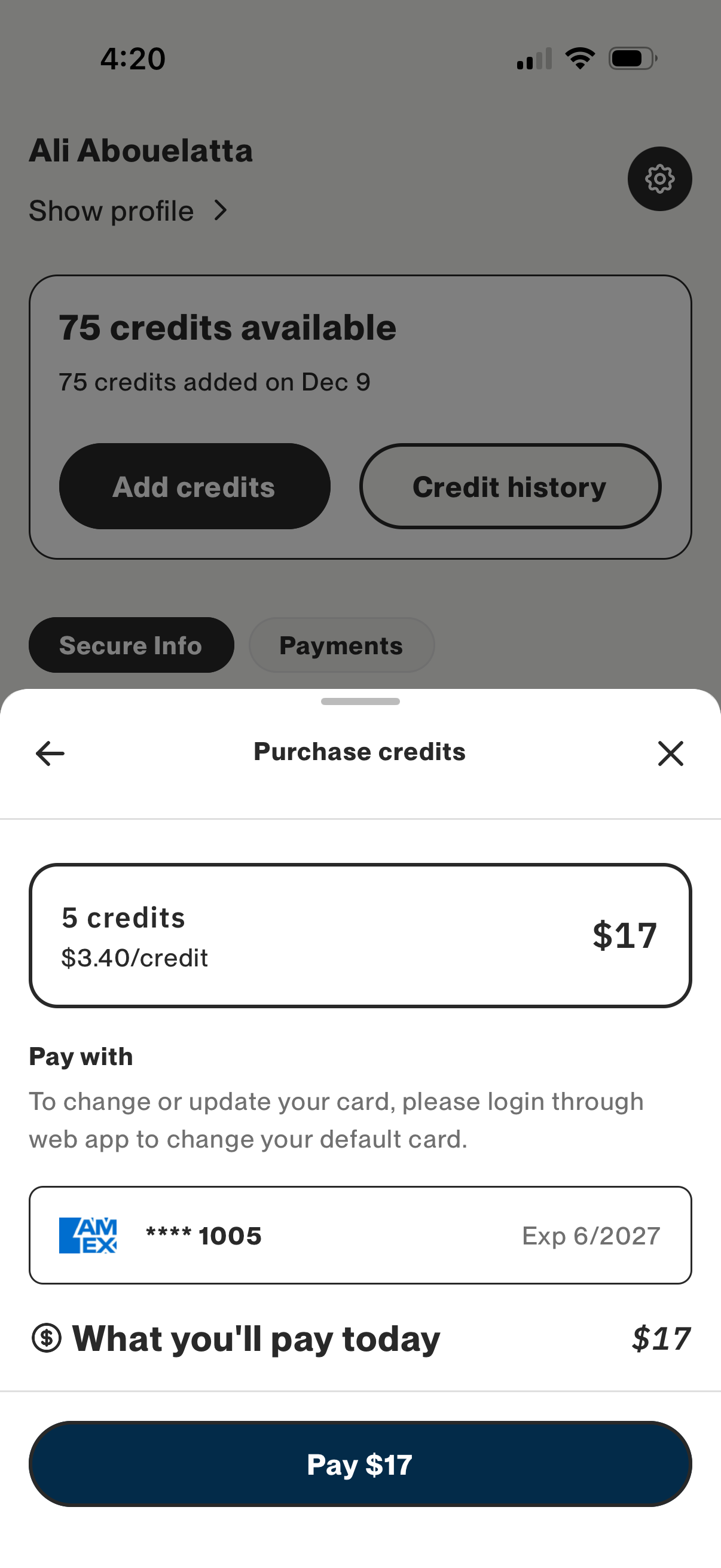
Credits purchase checkout modal showing a selected credit pack with per-credit price and total cost, plus the saved payment method details and amount due today. Primary action is to confirm payment with a “Pay” button, with options to go back or close the flow.