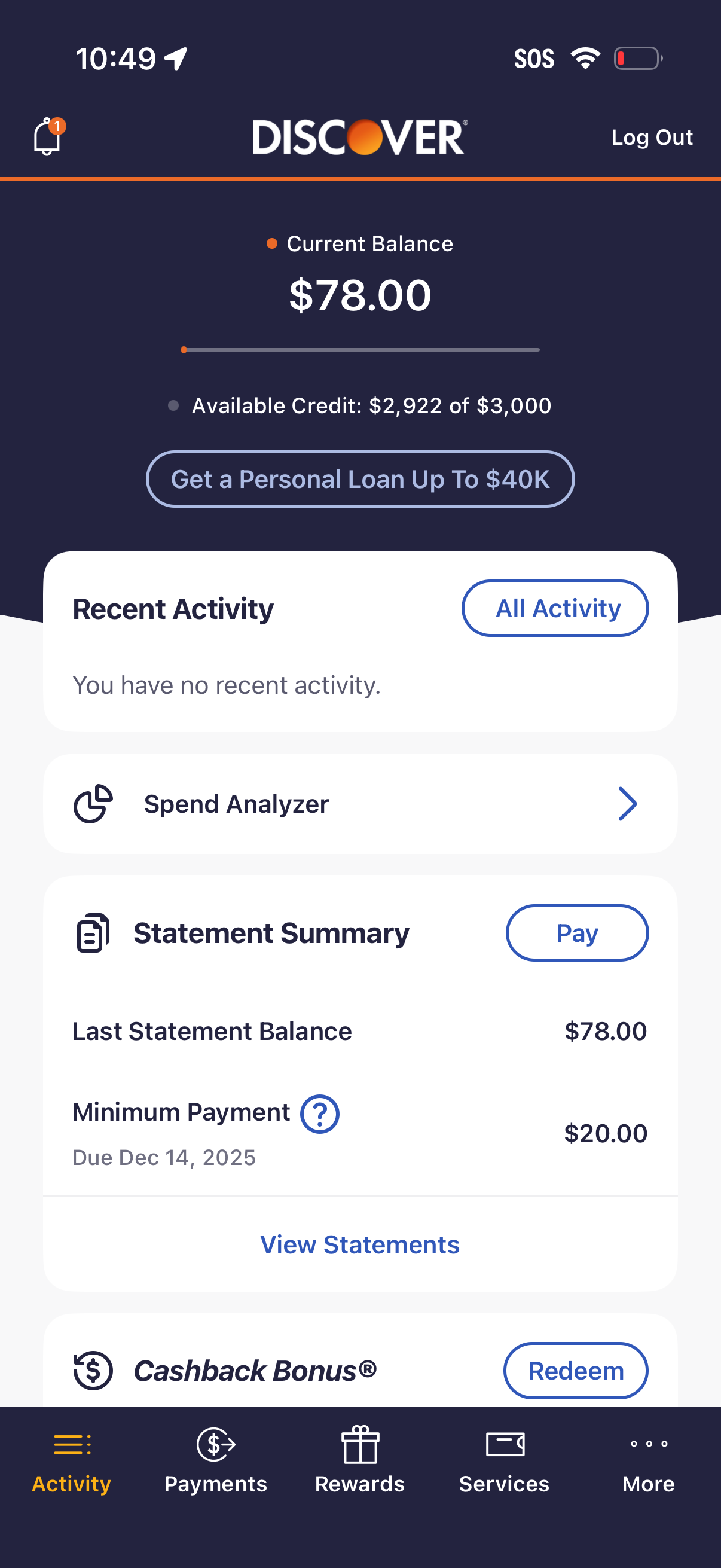
Credit card account dashboard showing current balance and available credit, with a CTA to apply for a personal loan. Includes cards for recent activity, spend analyzer, statement summary with minimum payment due and a Pay button, plus access to view statements and redeem cashback rewards via bottom navigation.
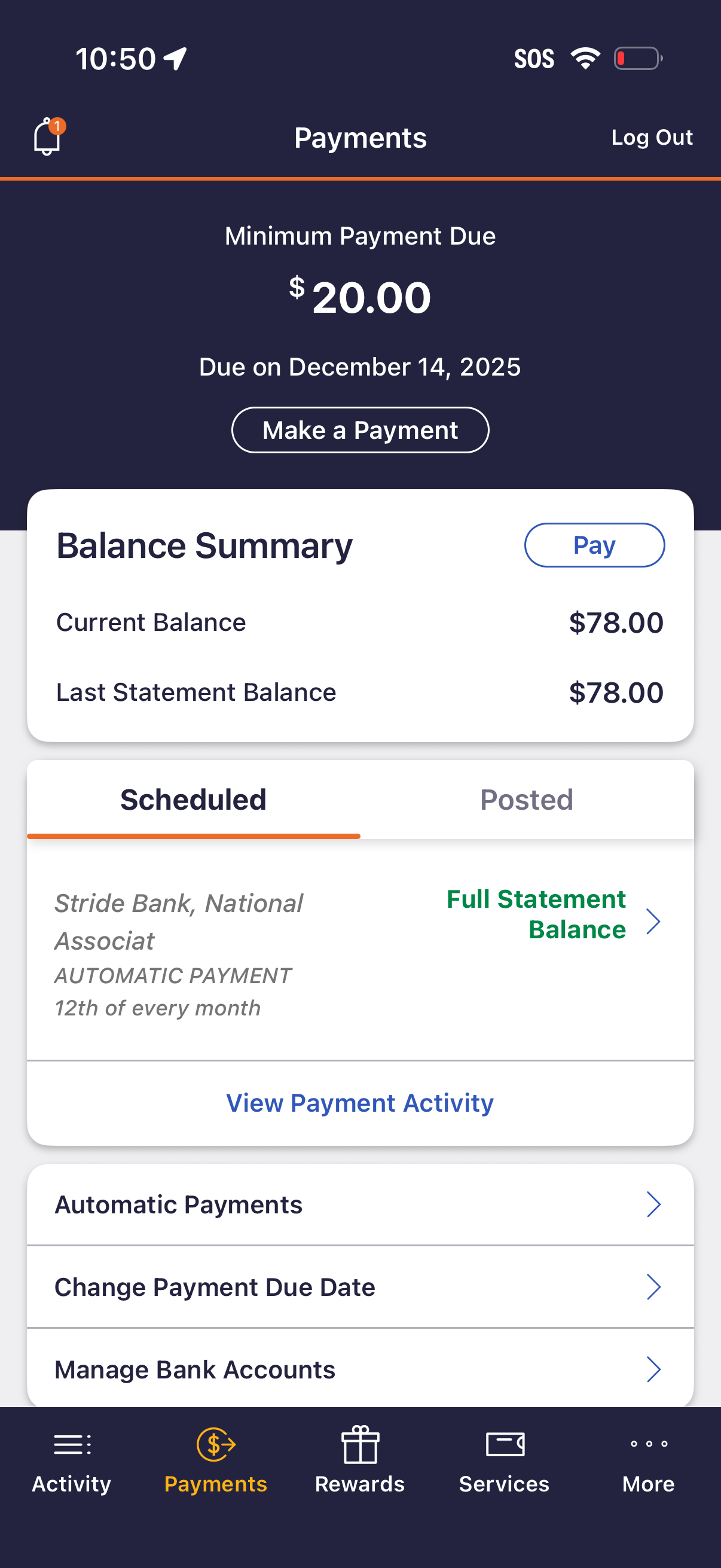
Credit card payments dashboard showing minimum payment due with due date and a primary “Make a Payment” action, plus a balance summary with current and last statement balances. Includes tabs for scheduled vs posted payments, a card displaying automatic payment details and links to view payment activity, manage autopay, change payment due date, and manage bank accounts.
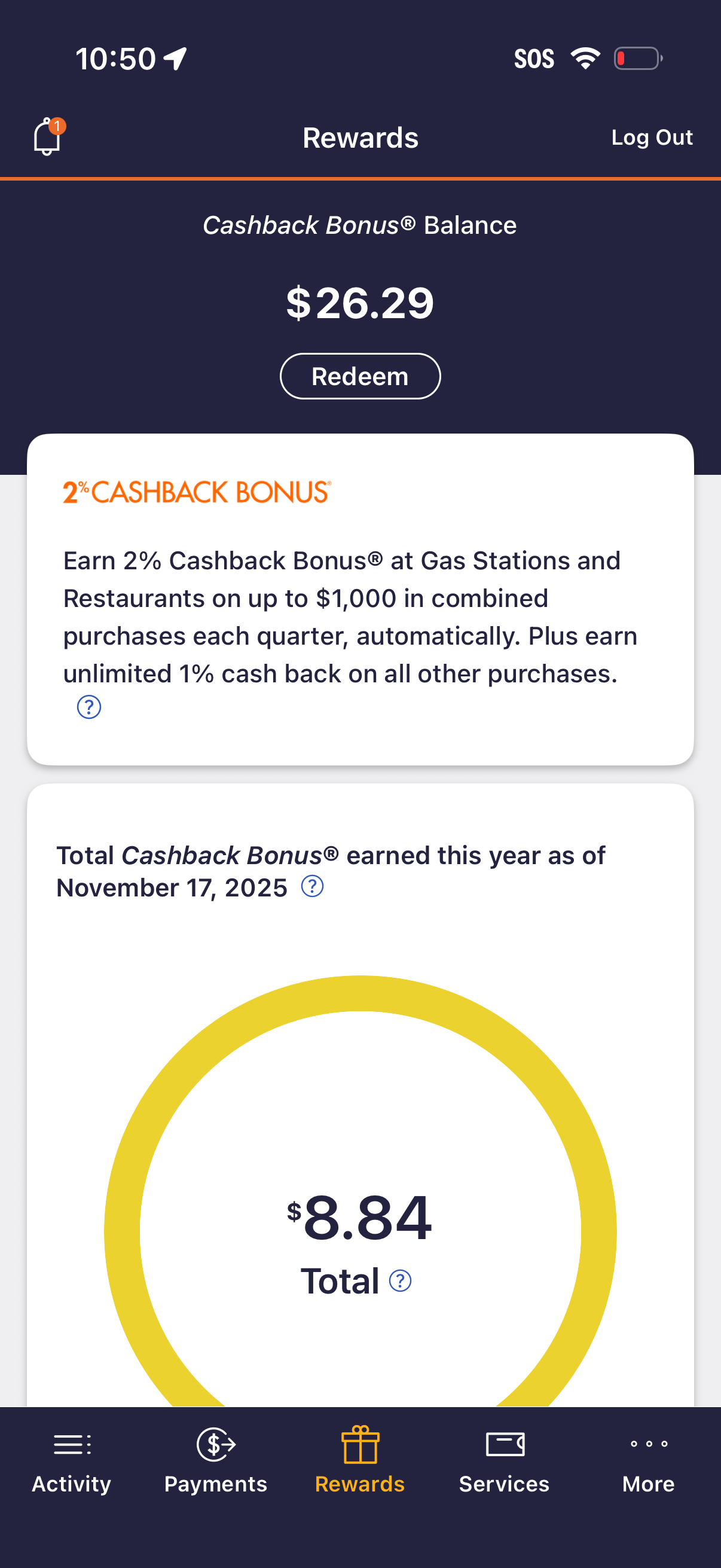
Rewards dashboard for a financial/credit card app showing the user’s cashback bonus balance with a primary Redeem button. The screen also explains earning rates and displays year-to-date cashback total with a circular progress-style summary, plus access to notifications and logout.
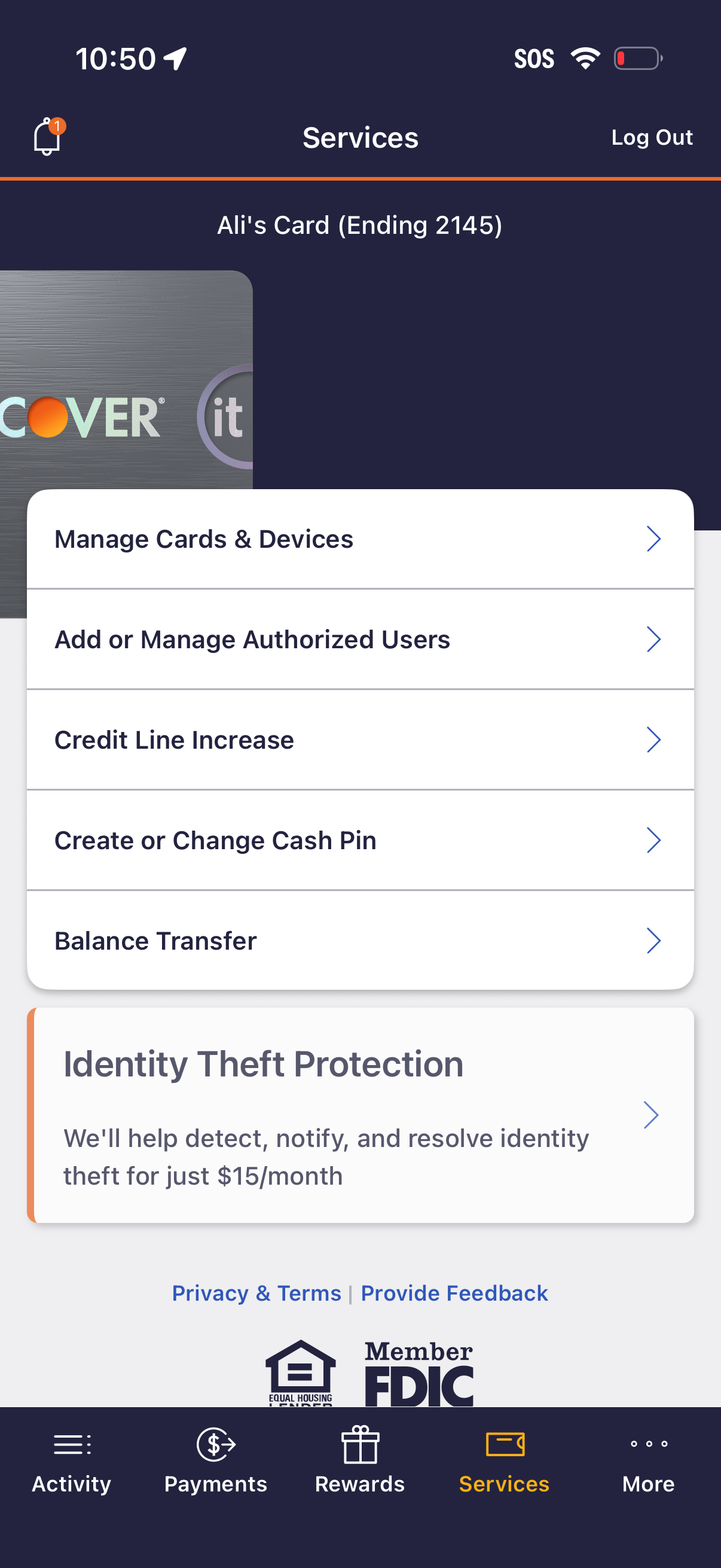
Credit card app Services screen for a selected card, presenting a list of account management actions such as manage cards and devices, add/manage authorized users, request a credit line increase, create or change cash PIN, and transfer balances. Includes a promotional card for identity theft protection subscription and navigation options like notifications and log out.
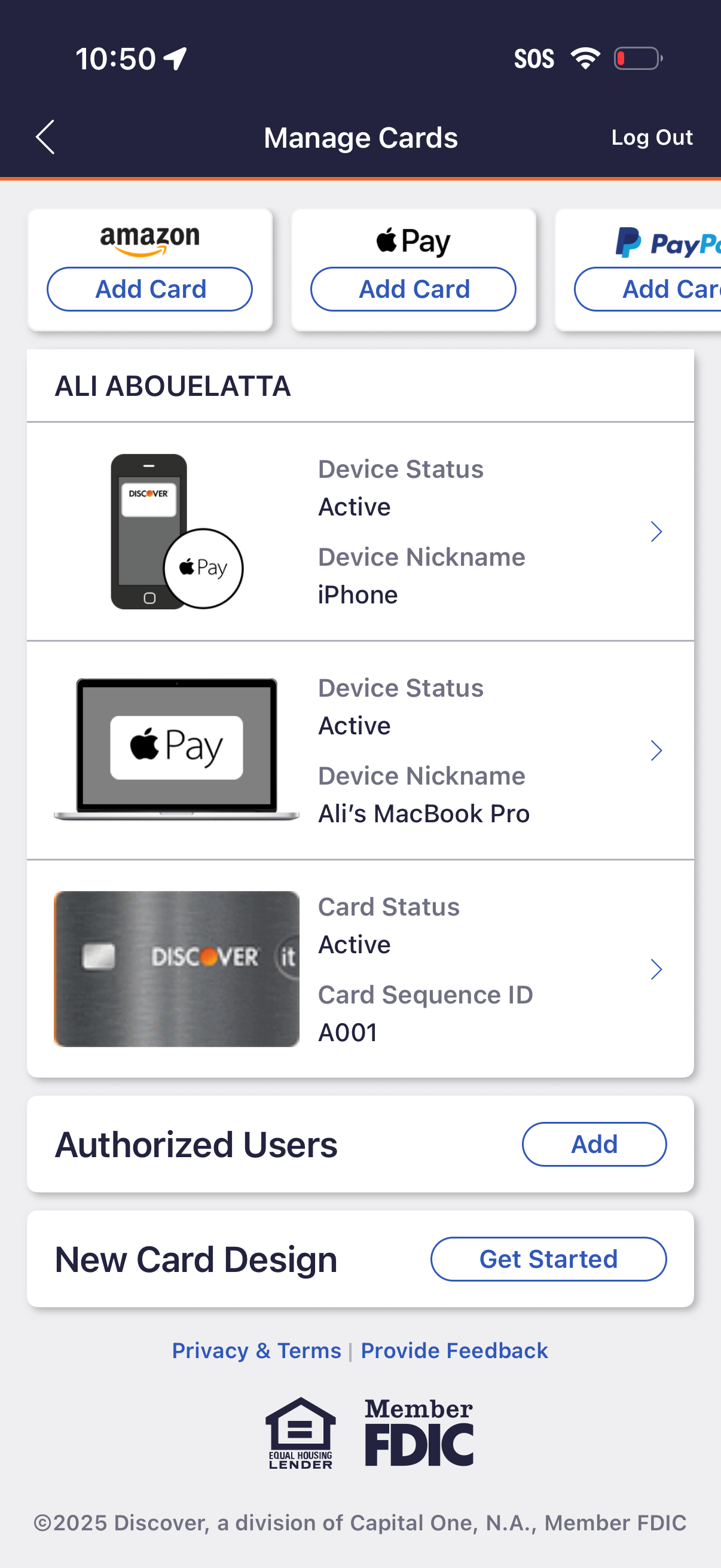
Card management screen in a banking app showing options to add cards to Amazon, Apple Pay, or PayPal and a list of linked devices and payment cards with active status and nicknames, each opening details via a chevron. Includes actions to log out, add authorized users, and start a new card design customization.
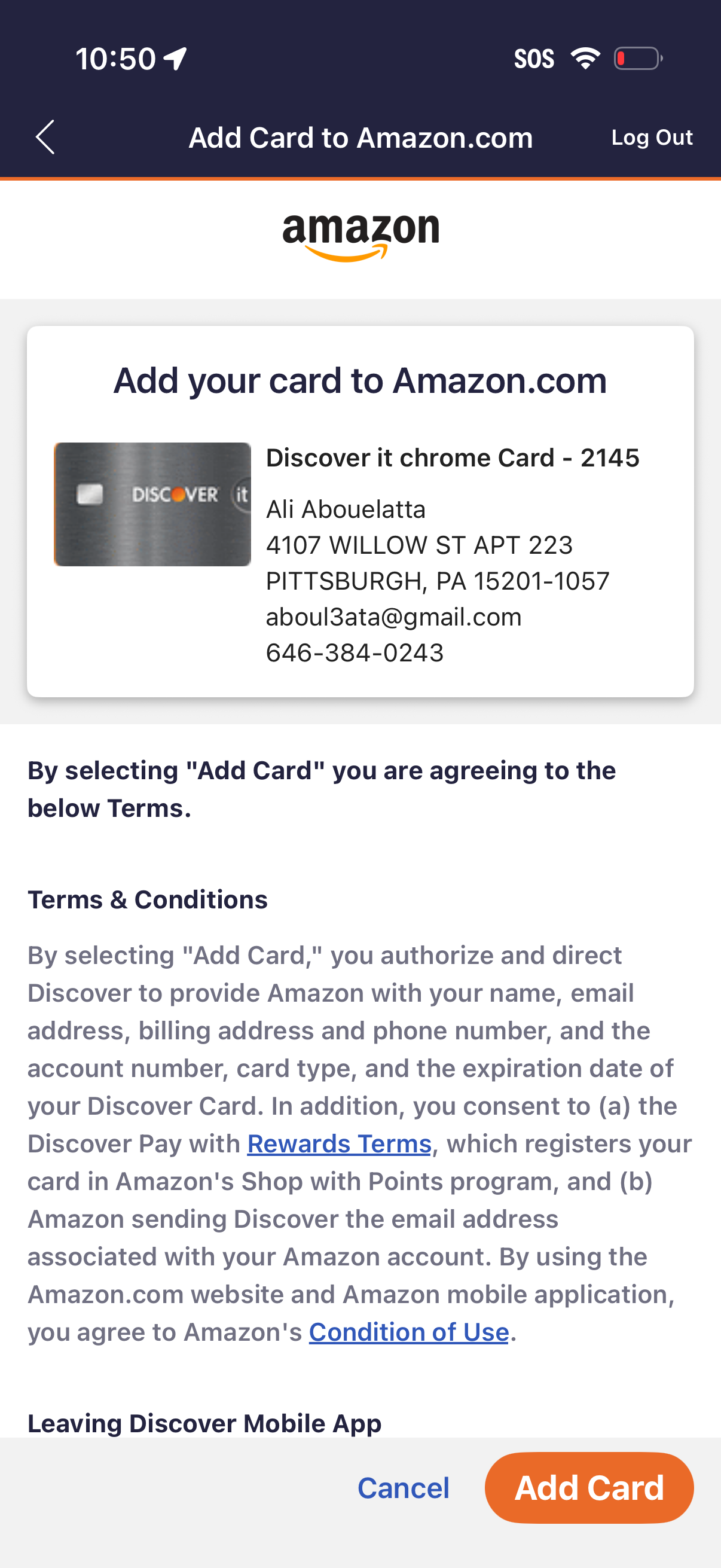
Confirmation screen for adding a saved payment card to an Amazon. com account, showing the selected card preview and associated contact/billing details with terms and conditions.
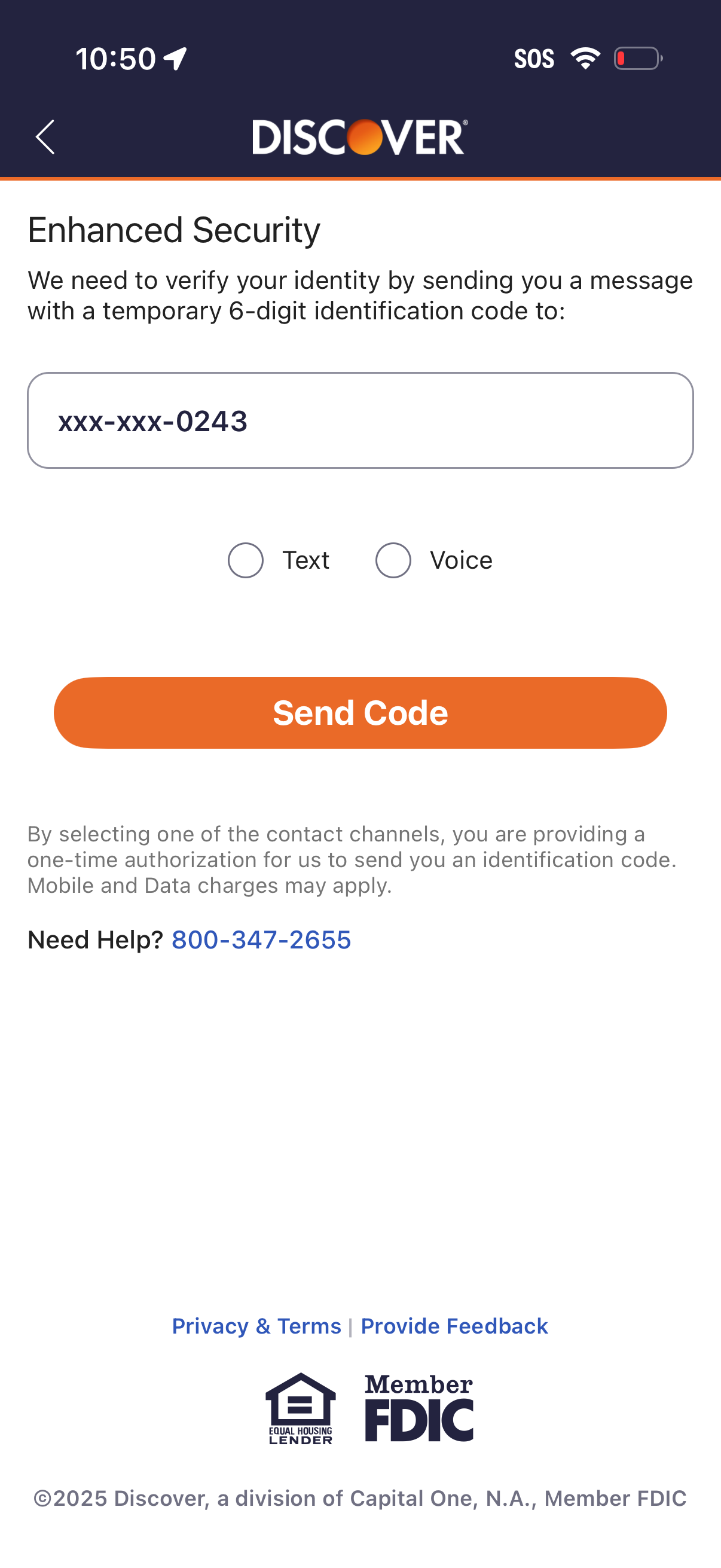
Enhanced security identity verification screen prompting the user to receive a temporary 6-digit one-time code sent to a masked phone number. Users choose the delivery method via Text or Voice and tap “Send Code,” with help/contact and privacy/terms links included.
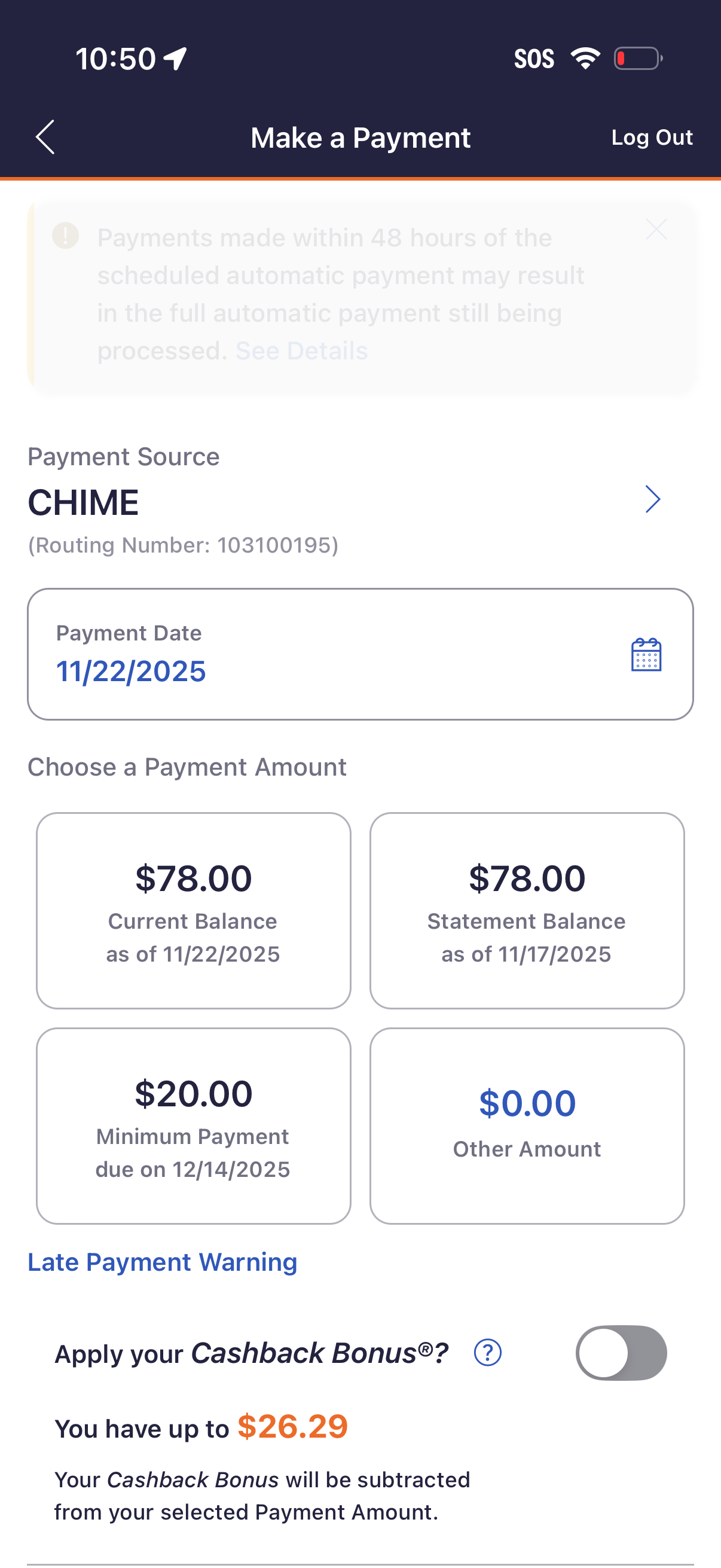
Make a payment screen for a credit card/account where the user selects a payment source bank account, chooses a payment date via calendar picker, and picks a payment amount from preset options (current balance, statement balance, minimum payment, or other amount). It also shows late payment warning info and a toggle to apply available cashback/bonus credit to reduce the payment amount.
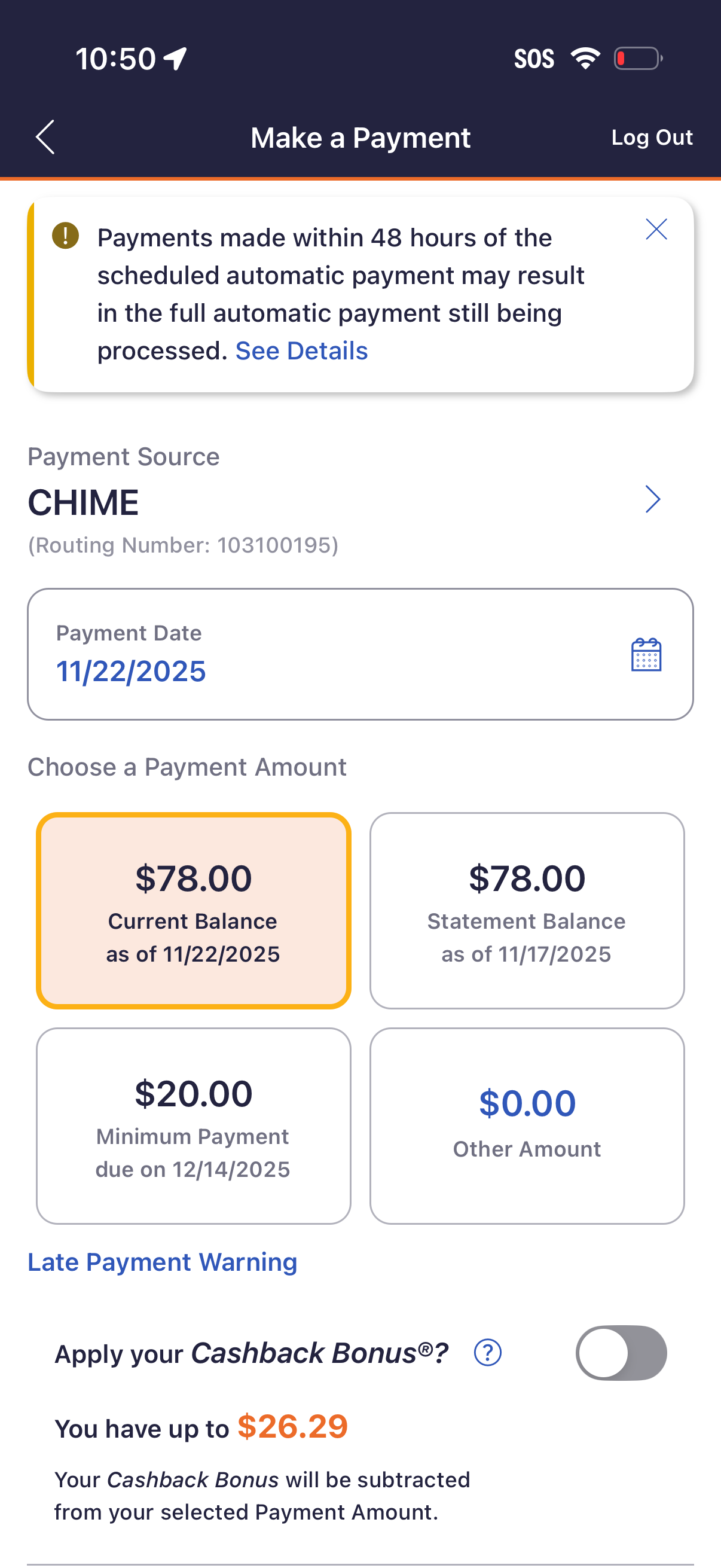
Credit card “Make a Payment” screen where users select a payment source (linked bank account), choose a payment date via calendar, and pick a payment amount option such as current balance, statement balance, minimum payment, or other amount. Includes an alert about payments near scheduled autopay and a toggle to apply available cashback bonus toward the payment amount.
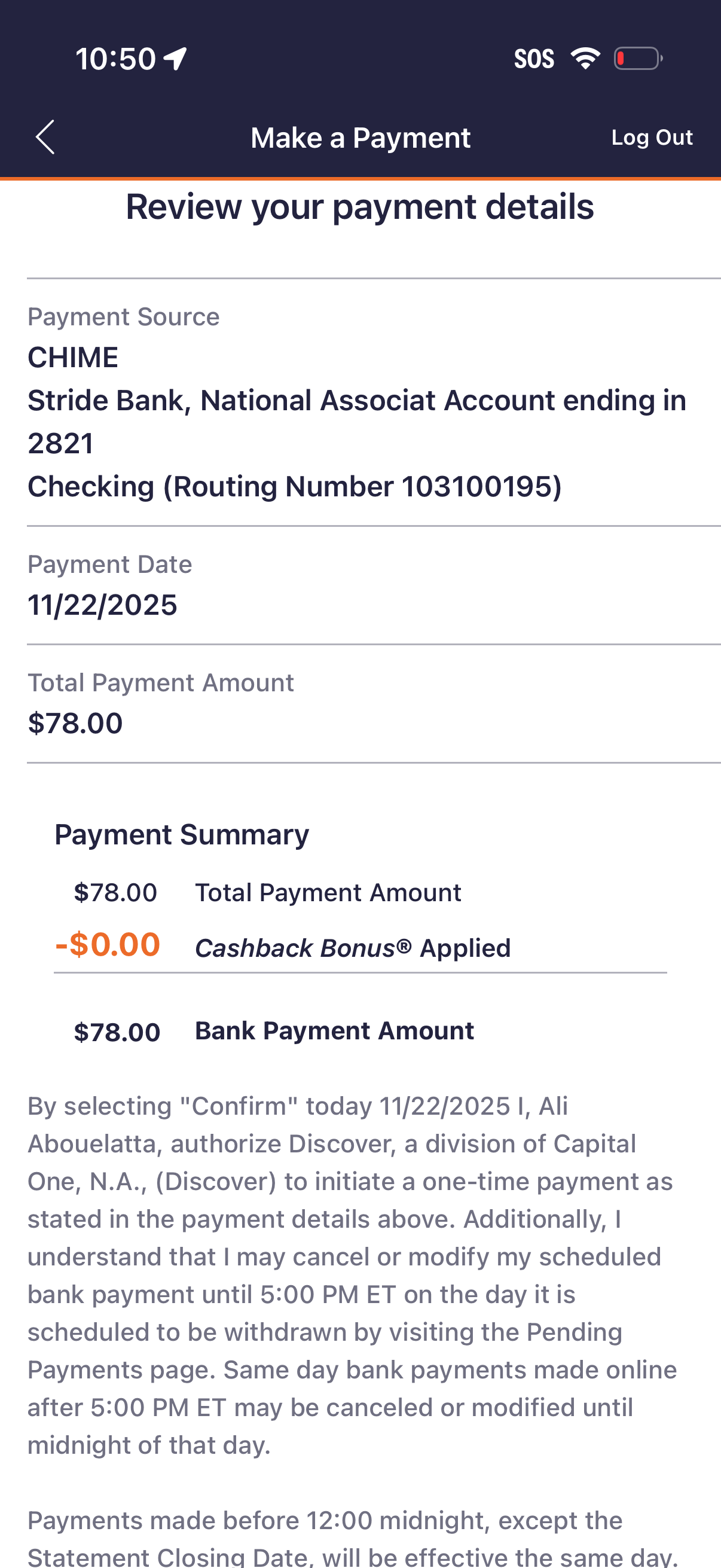
Payment confirmation review screen for making a one-time bank payment, showing selected payment source/account, scheduled payment date, and total payment amount. Includes a payment summary with applied cashback/credits, final bank payment amount, and authorization terms before confirming or going back.
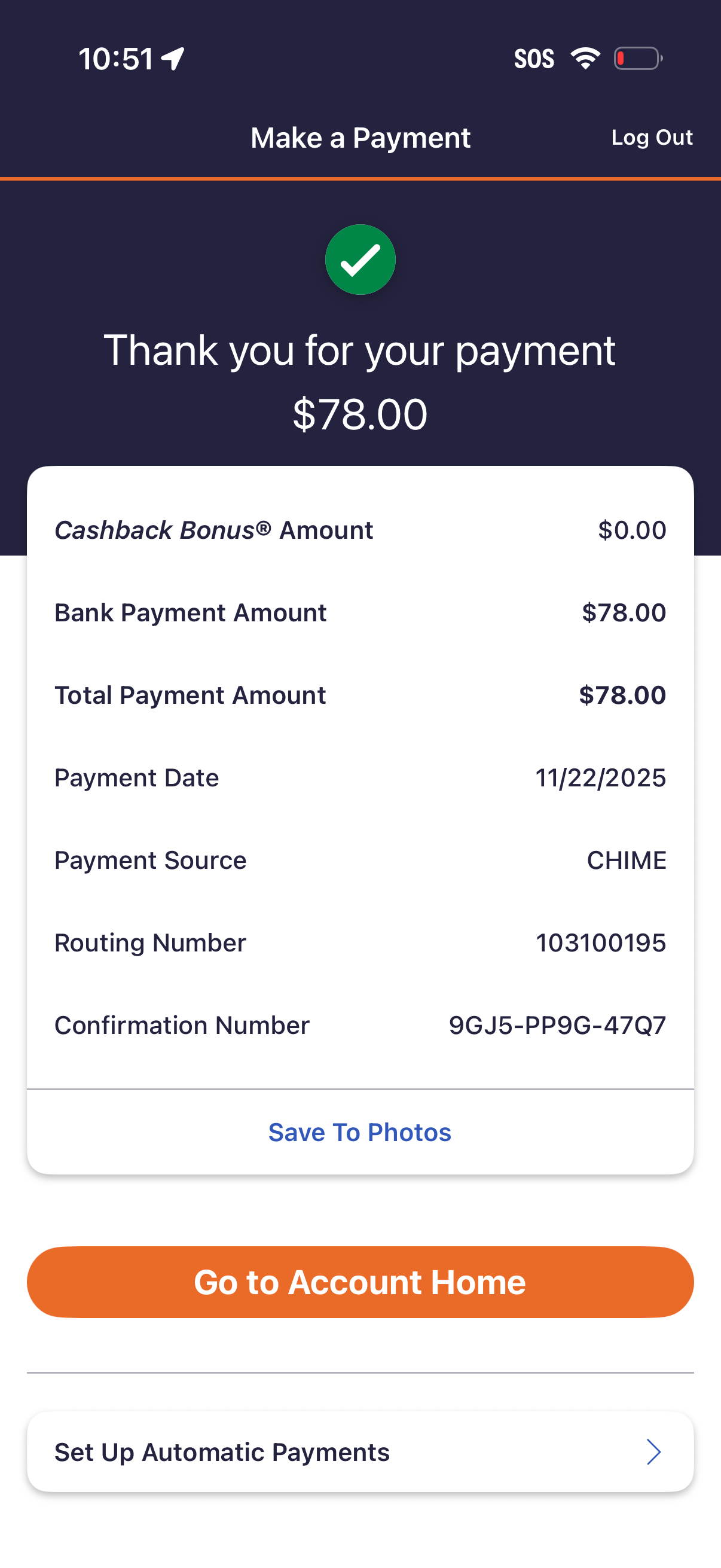
Payment confirmation screen after making a bank payment, showing a success message with total paid amount and a detailed receipt breakdown including cashback bonus, payment date, payment source, routing number, and confirmation number with an option to save to photos. Primary actions include going back to account home and setting up automatic payments, plus a log out link.