manage meal plan actions
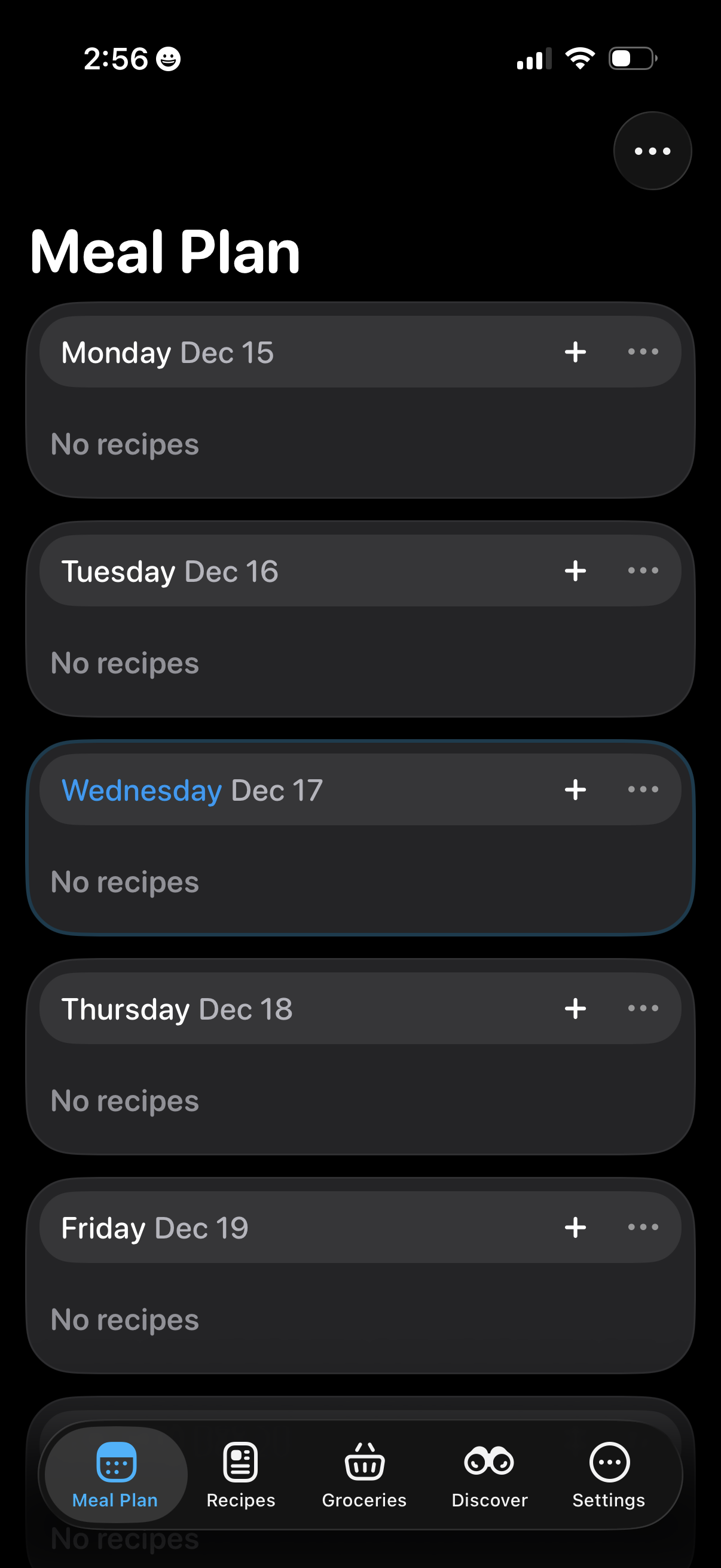
Meal planning screen showing a weekly list of days and dates, each section indicating whether recipes are assigned and offering a plus button to add a recipe plus an overflow menu for more options. Bottom tab navigation lets users switch between Meal Plan, Recipes, Groceries, Discover, and Settings.
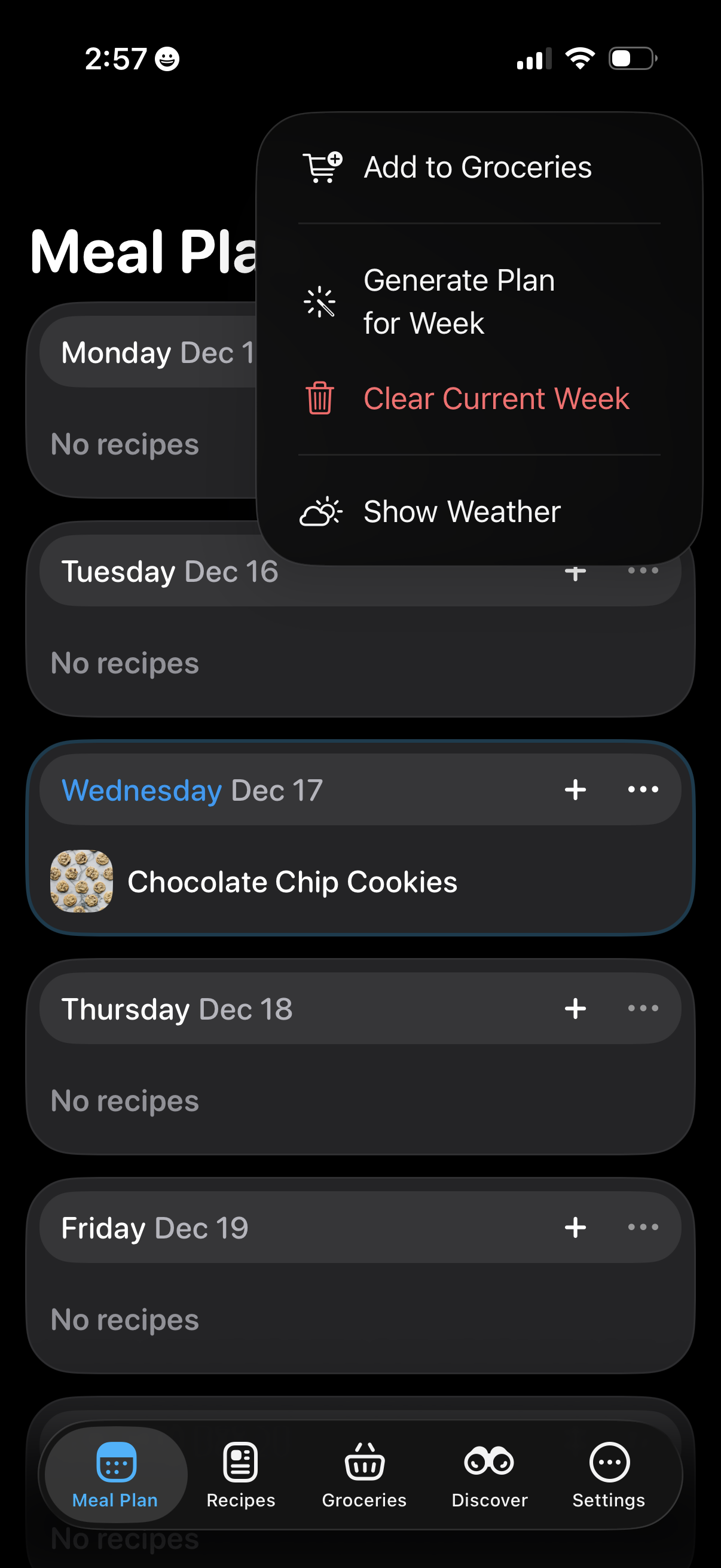
Weekly meal planning screen showing a day-by-day list of recipes with add (+) and more options per day, including empty states for days with no recipes. An overflow actions menu lets users add ingredients to groceries, auto-generate a plan for the week, clear the current week, and toggle showing weather.
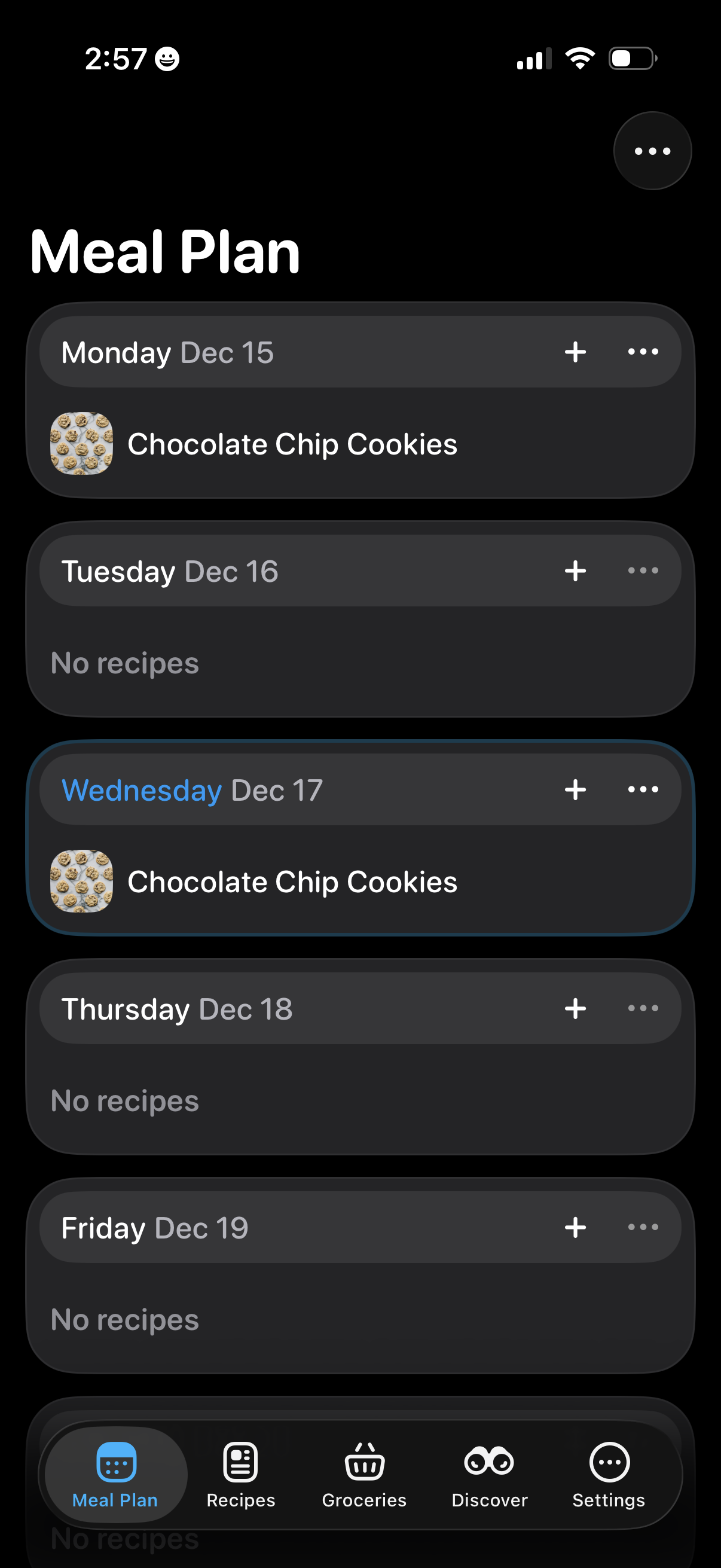
Weekly meal plan calendar screen showing each day as a card with scheduled recipes, thumbnails, and “No recipes” placeholders. Users can add a recipe to a specific day via a plus button and access more actions with an overflow menu, with bottom navigation to Meal Plan, Recipes, Groceries, Discover, and Settings.