enable hands free mode
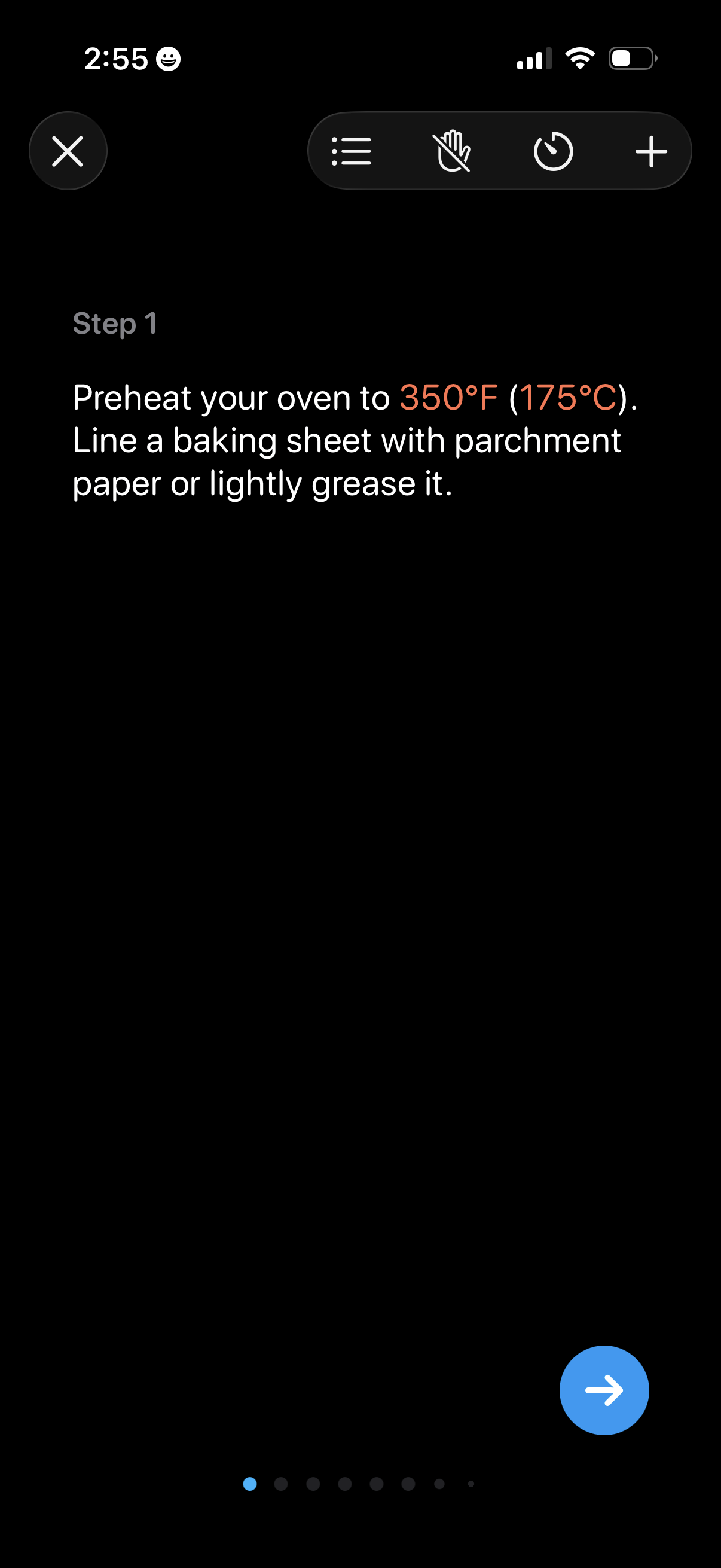
Cooking recipe step-by-step instruction screen showing “Step 1” with detailed prep text and highlighted temperature, plus controls to close, view steps list, start/stop voice or hands-free mode, set a timer, and add items. A pagination indicator and next-step arrow button let users advance through the recipe steps.
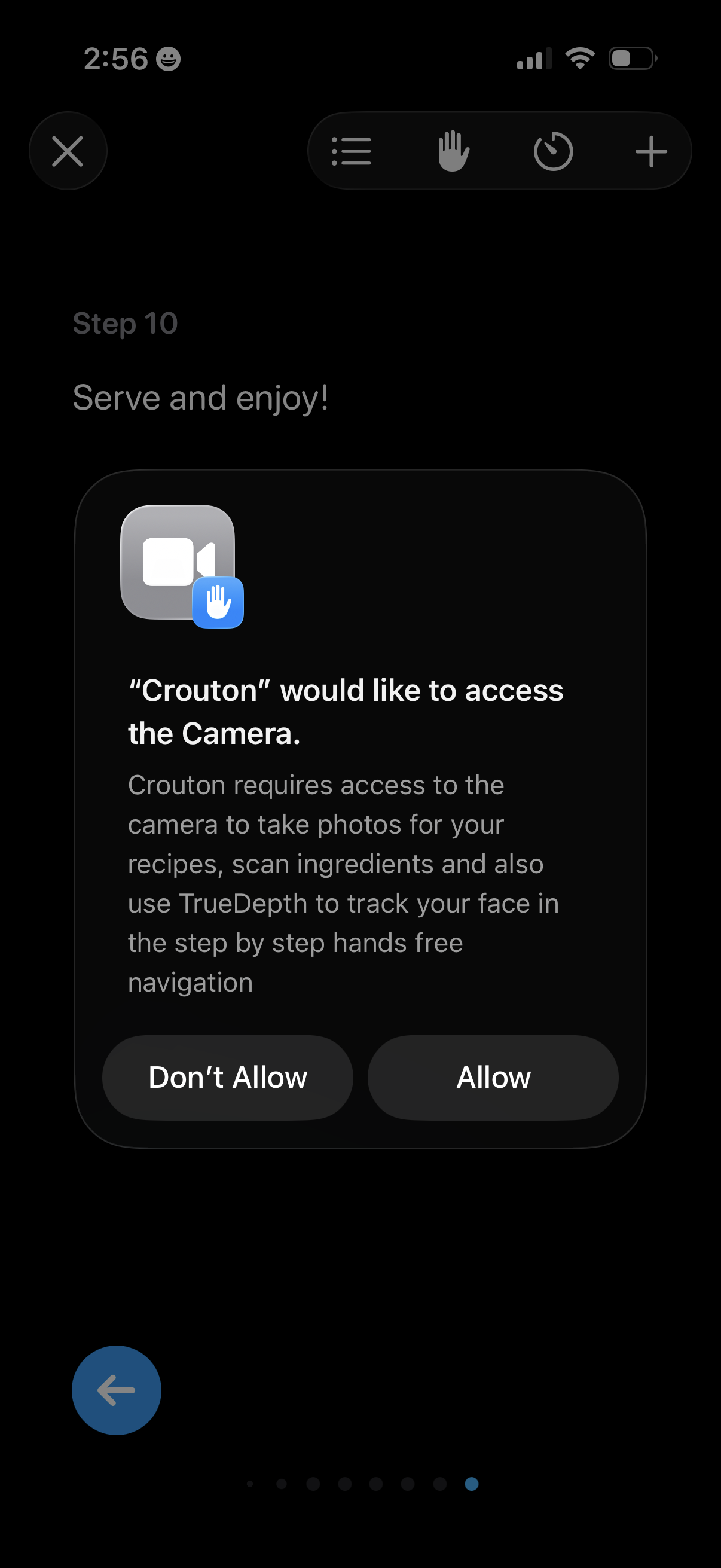
A cooking recipe step screen shows an iOS system permission prompt requesting camera access for taking recipe photos, scanning ingredients, and enabling hands-free step navigation with face tracking. The modal provides primary actions to Allow or Don’t Allow camera access.
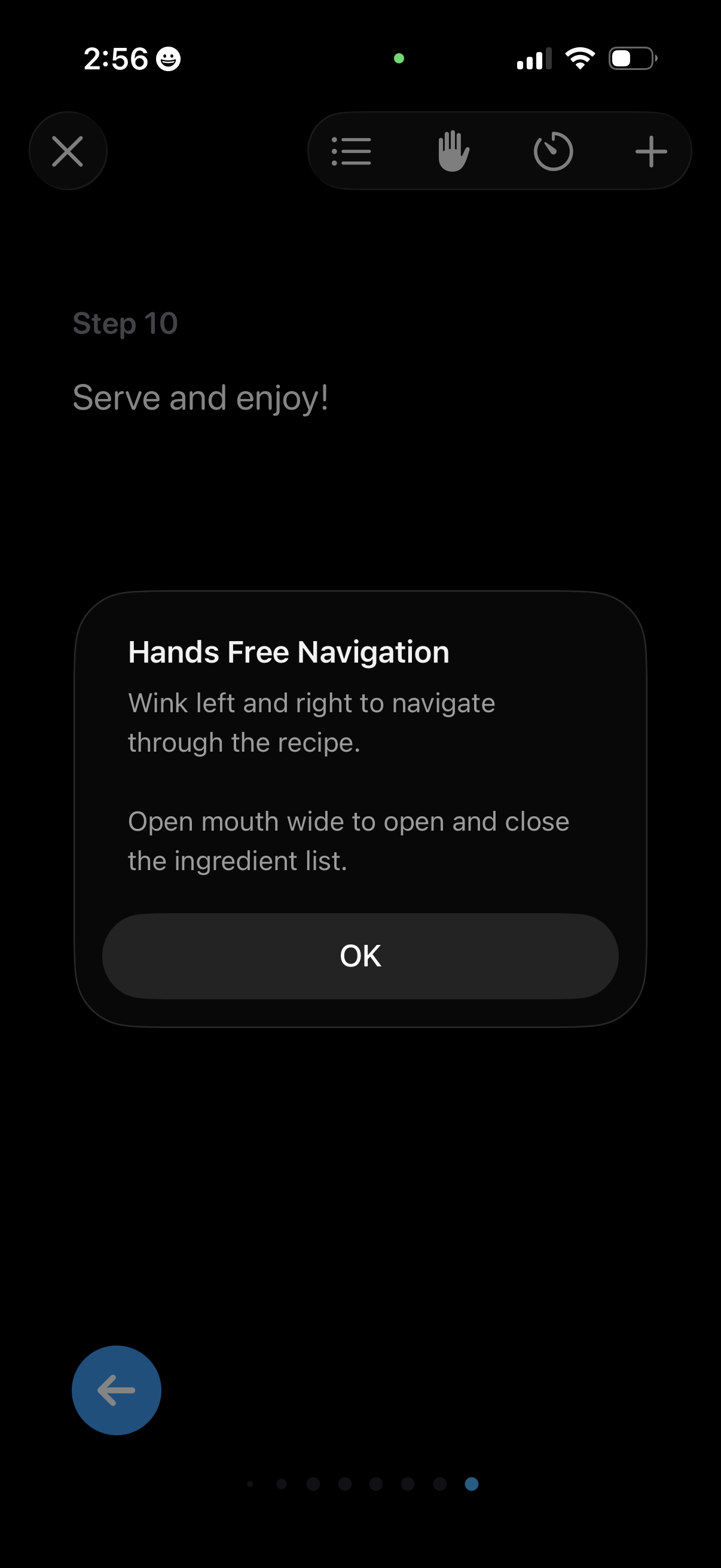
In-recipe step view showing the final instruction (“Serve and enjoy”) with a modal tip explaining hands-free navigation using facial gestures (wink left/right to move between steps, open mouth to toggle the ingredient list) and an OK button to dismiss. The screen also includes controls for closing the recipe, opening a step list, enabling hands-free mode, using a timer, and adding items.