Your agent can search this library too. Lazyweb CLI →
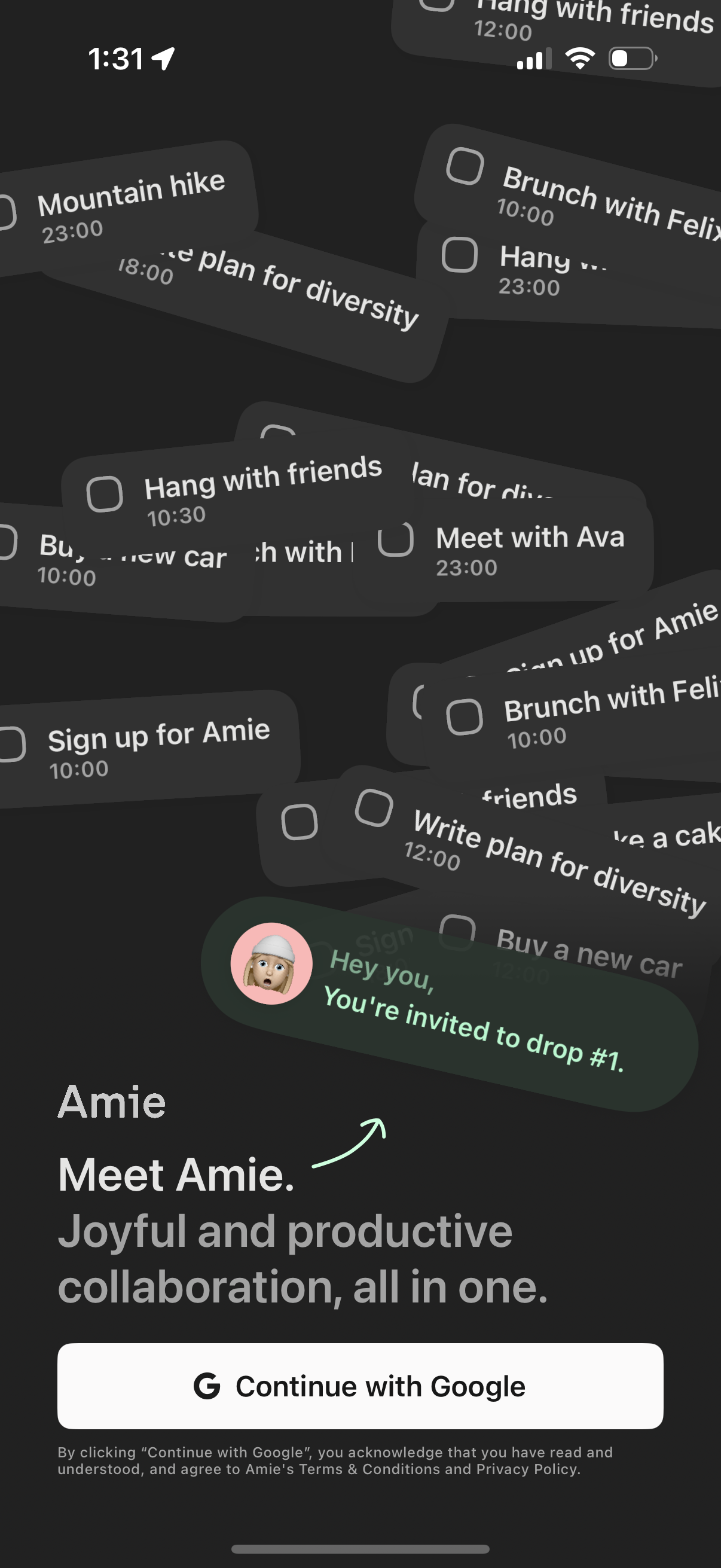
1 Step 1

Onboarding welcome screen for a collaboration and productivity app introducing the product and value proposition, with an invitation message preview. Primary action is a single sign-in CTA to continue with Google, plus terms and privacy acknowledgment text.

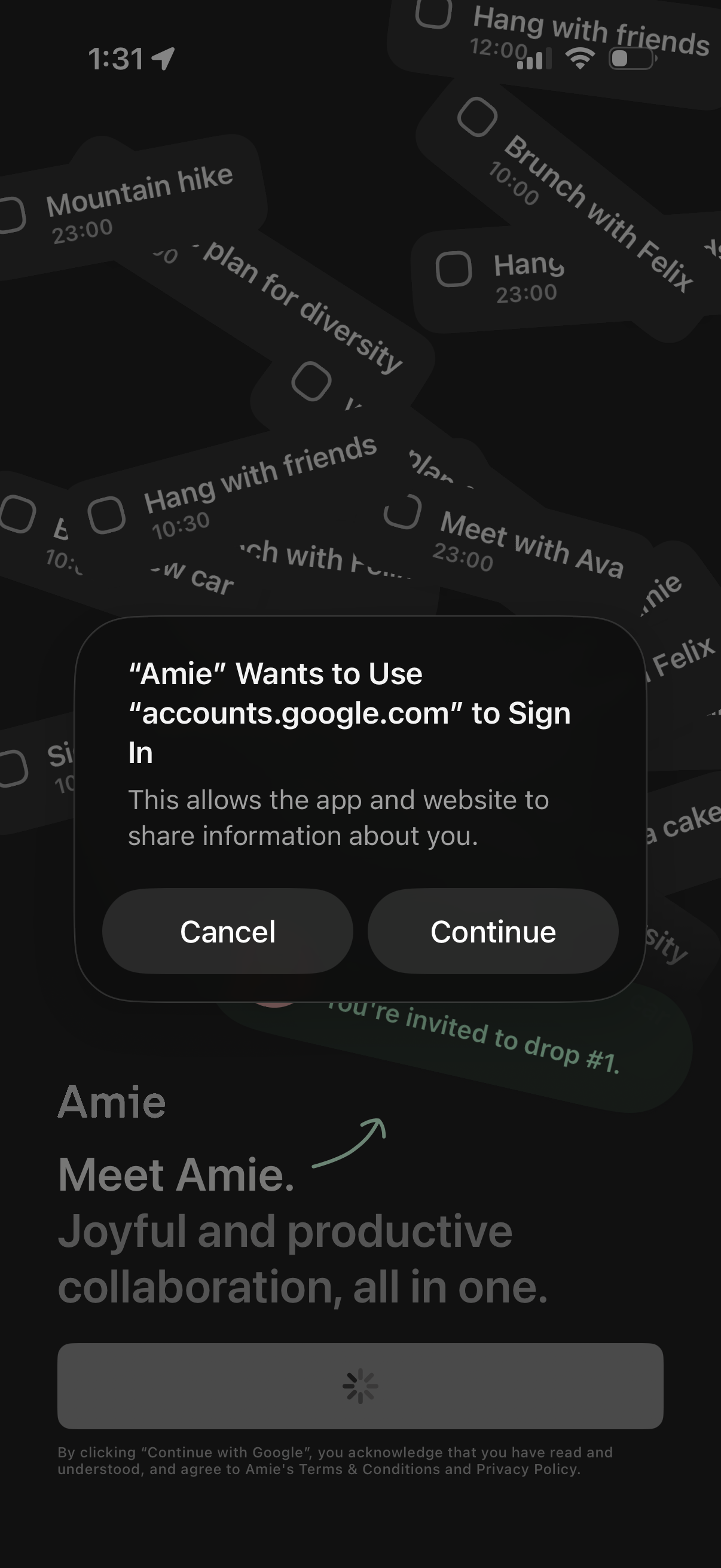
2 Step 2

System permission alert during onboarding asking to use google. com for sign-in (OAuth/web login), explaining data sharing and offering Cancel or Continue actions over a “Continue with Google” login screen.

3 Step 3

Google OAuth sign-in screen prompting the user to choose an account to continue to the app, showing a list of saved Google accounts with avatars, emails, and signed-out status indicators. Includes options to use another account and close or dismiss the authentication flow.

4 Step 4

Google OAuth “Sign in with Google” consent screen for signing into an app, showing the selected Google account dropdown and the permissions/data the app will access (name, profile photo, email address) with links to privacy policy and terms before continuing or canceling.

5 Step 5

Google OAuth consent screen in a mobile web view where a third-party app requests permission to access the user’s Google Account. The user can review requested scopes (e.

6 Step 6

Onboarding/login screen for a collaboration and scheduling app introducing the product and requesting permissions to access Google Calendar and Contacts. Primary call to action is a “Continue with Google” sign-in button with terms and privacy acknowledgment.