manage streak vacation mode
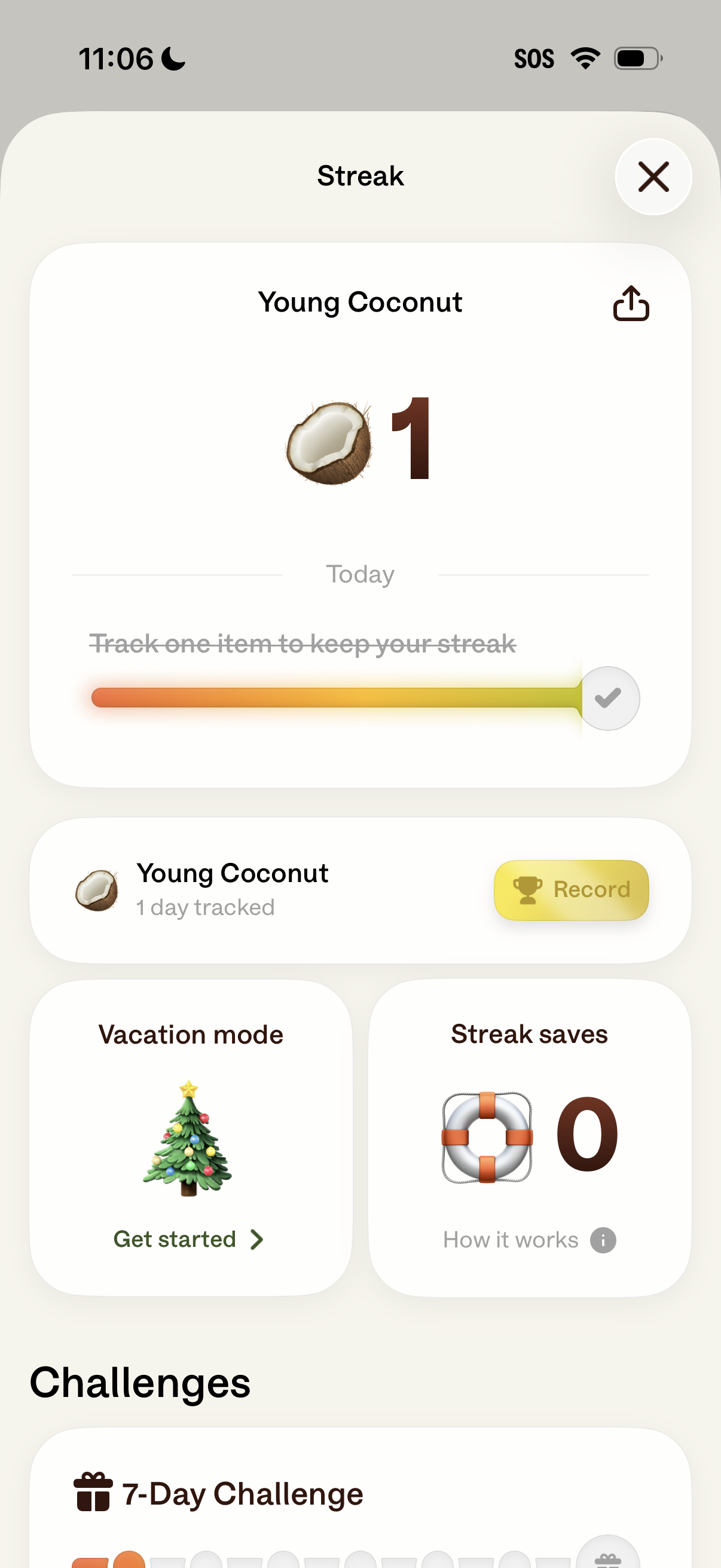
Streak tracking screen for a habit/item showing today’s streak count, progress bar, and a share option, with a primary action to record the day’s completion. It also includes shortcuts for Vacation mode and Streak saves plus a Challenges section for joining timed challenges.
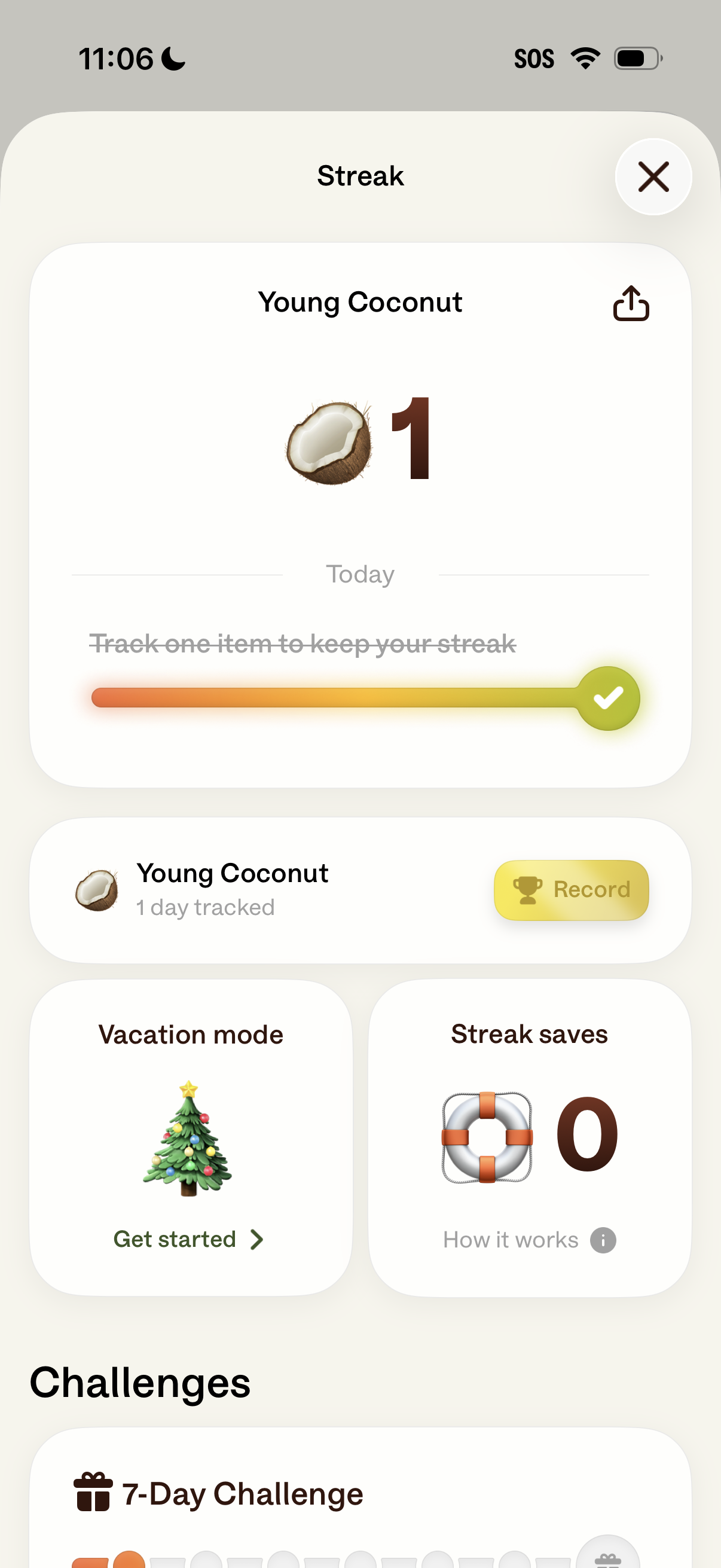
Streak tracking screen for a habit/item showing today’s streak count, progress indicator, and a prompt to track the item to keep the streak, with share and close actions. Includes quick actions to record today, enable vacation mode, view streak saves/how it works, and browse streak challenges like a 7‑day challenge.
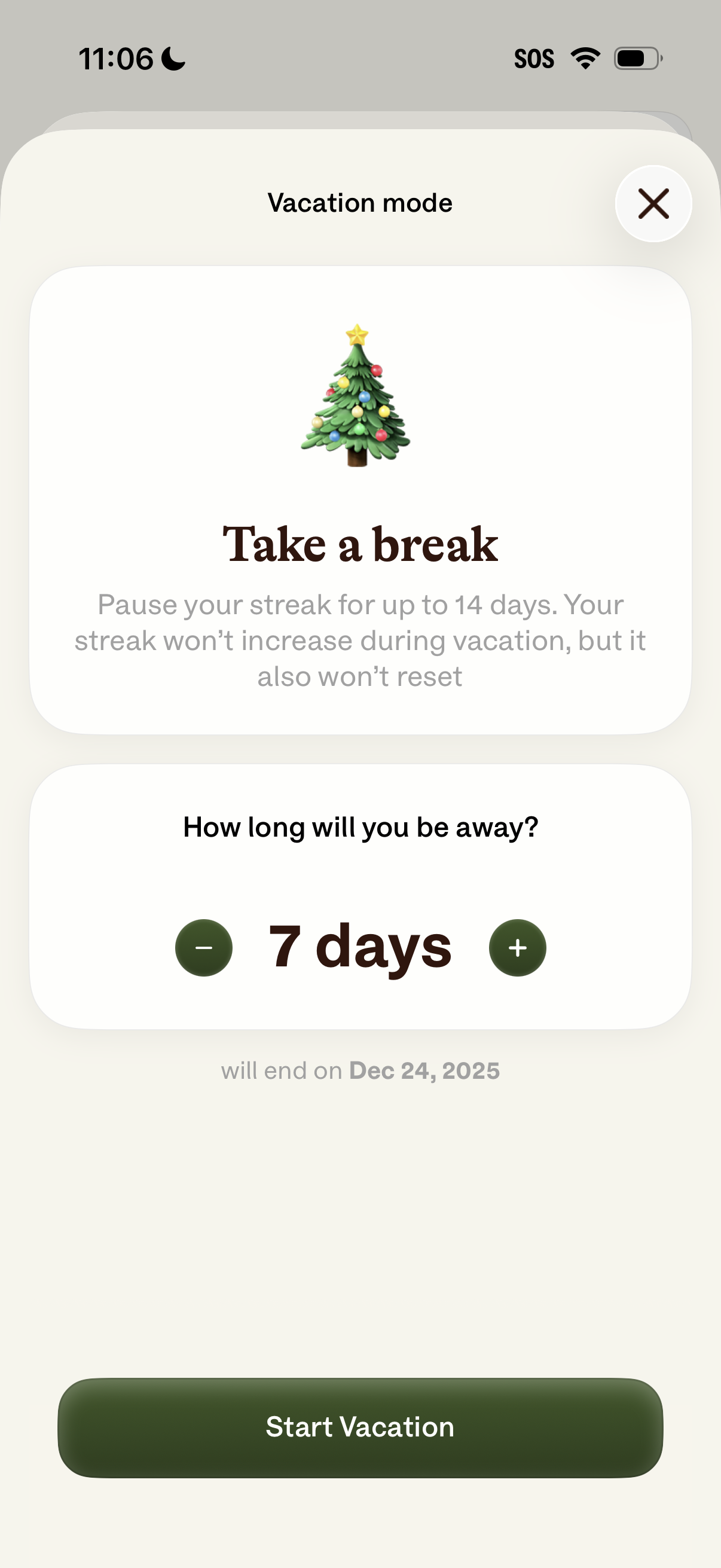
Vacation mode setup screen that lets users pause their streak for up to 14 days without losing progress. Users choose how many days they’ll be away with plus/minus stepper controls, see the end date, and tap a “Start Vacation” button to activate or close the modal.
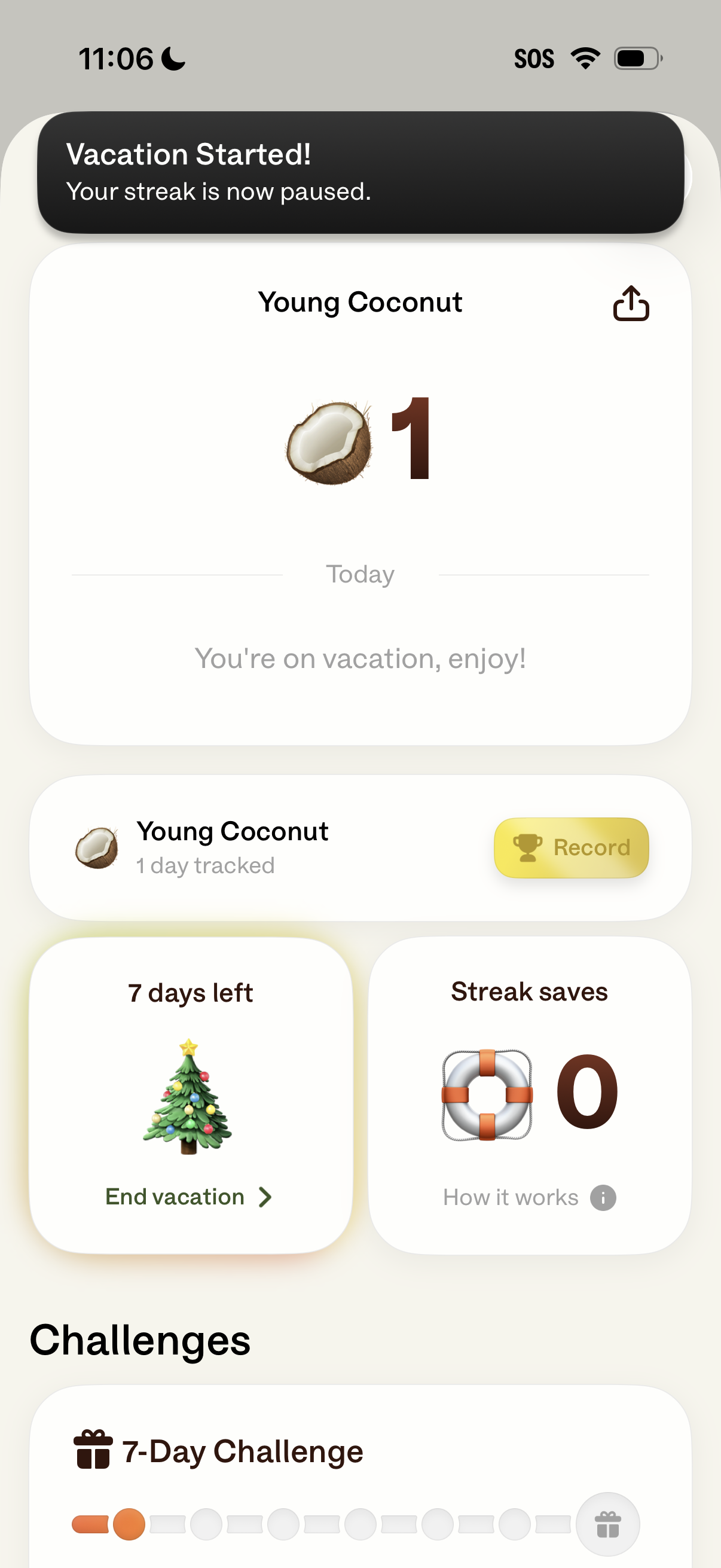
Habit tracking dashboard showing a “Vacation Started” state where the user’s streak is paused, displaying today’s progress for a habit and a share button. The screen includes a primary action to record today, controls to end vacation with days remaining, streak saves info, and a section for ongoing challenges like a 7‑day challenge.
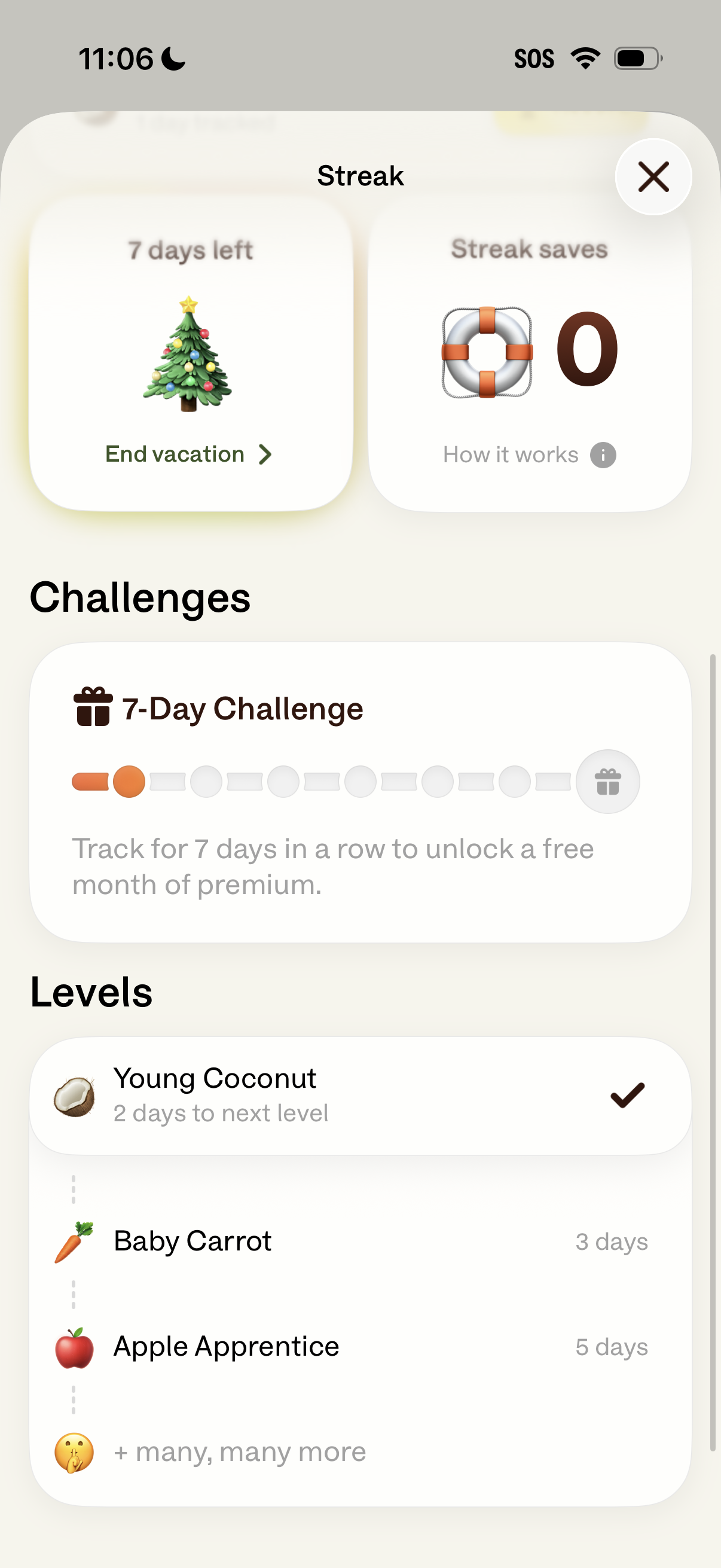
Streak and gamification progress screen showing vacation mode status with days left and an option to end vacation, plus a counter for streak saves with a “how it works” info link. Includes a Challenges card with a 7-day tracking progress bar to unlock a reward and a Levels section listing current level and upcoming levels with days to next level.