create weight loss goal
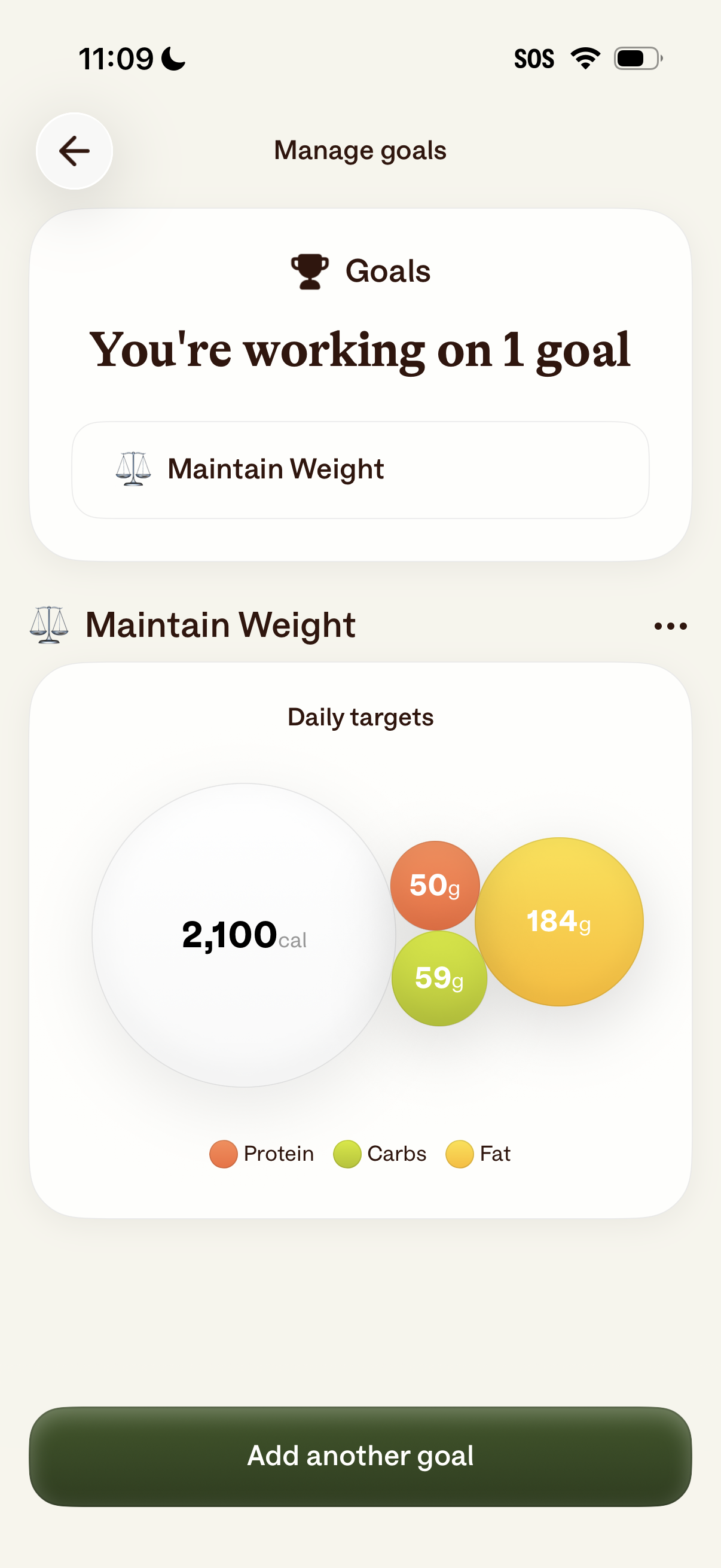
Goal management screen in a nutrition/fitness app showing the user’s active goal (e. g.
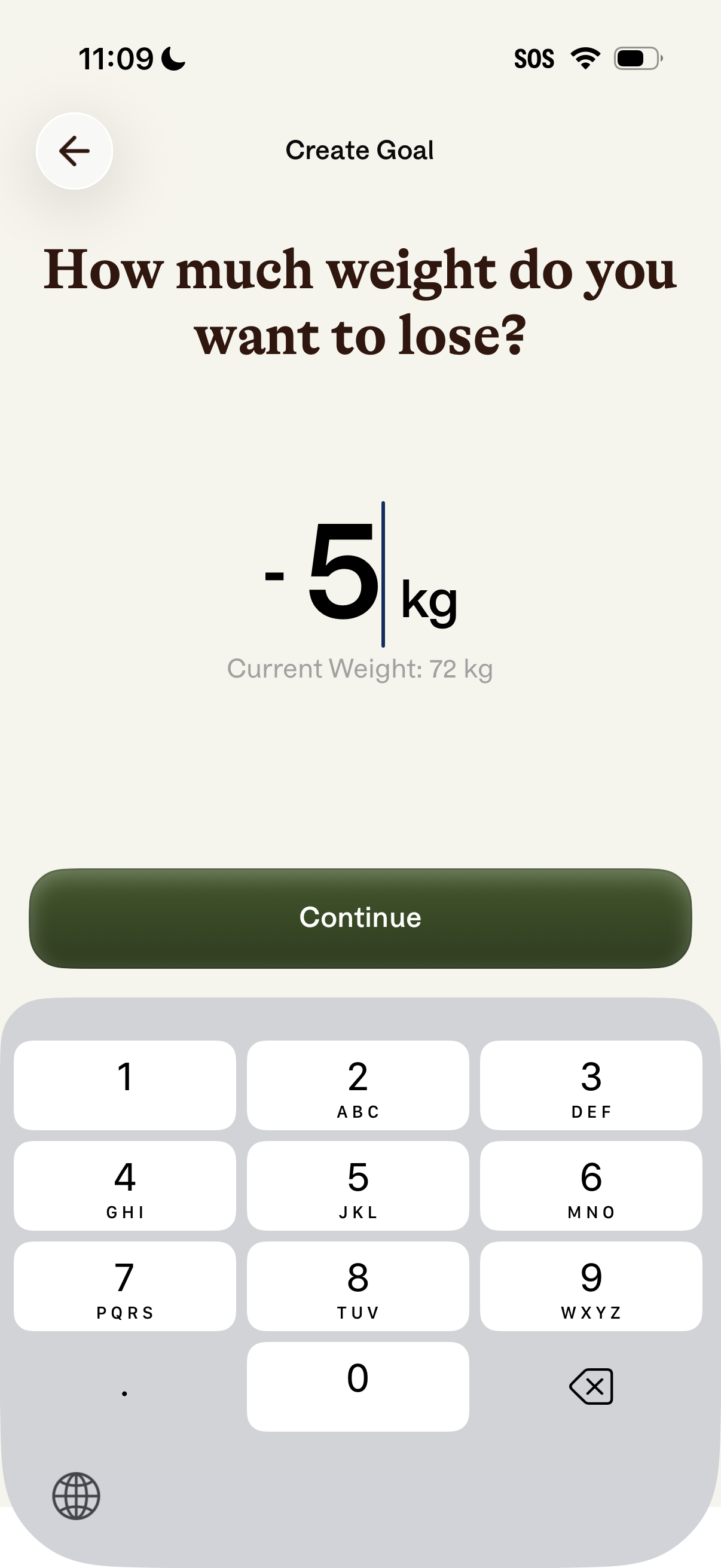
Weight loss goal creation screen asking the user how much weight they want to lose, with a numeric input in kilograms and a reference to current weight. Includes a back button and a prominent Continue CTA to proceed after entering the target weight change.
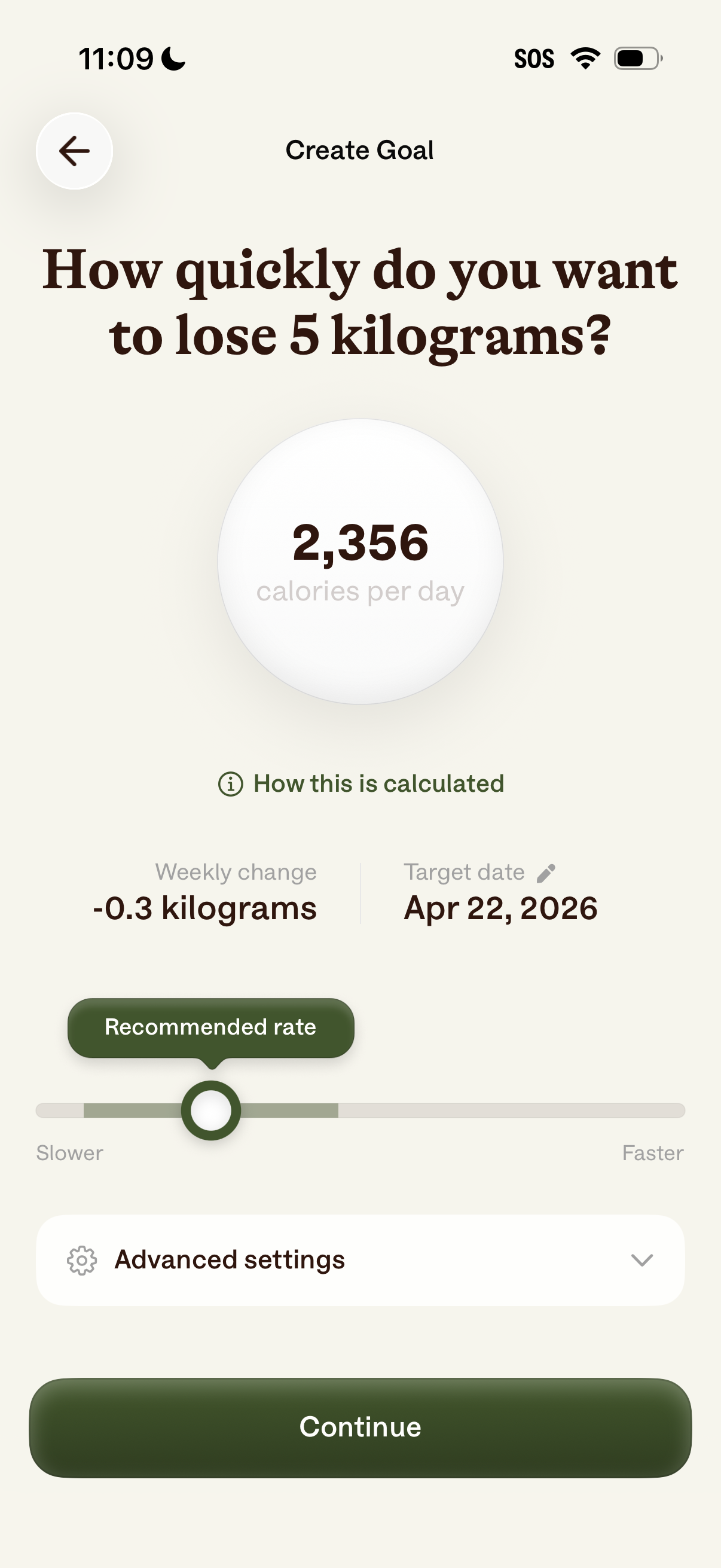
Weight loss goal creation screen where the user chooses how quickly to lose a set amount of weight using a slower–faster slider, showing the resulting daily calorie target, weekly change, and target date. Includes a link to see how the calculation works, an expandable advanced settings section, and a primary Continue button.
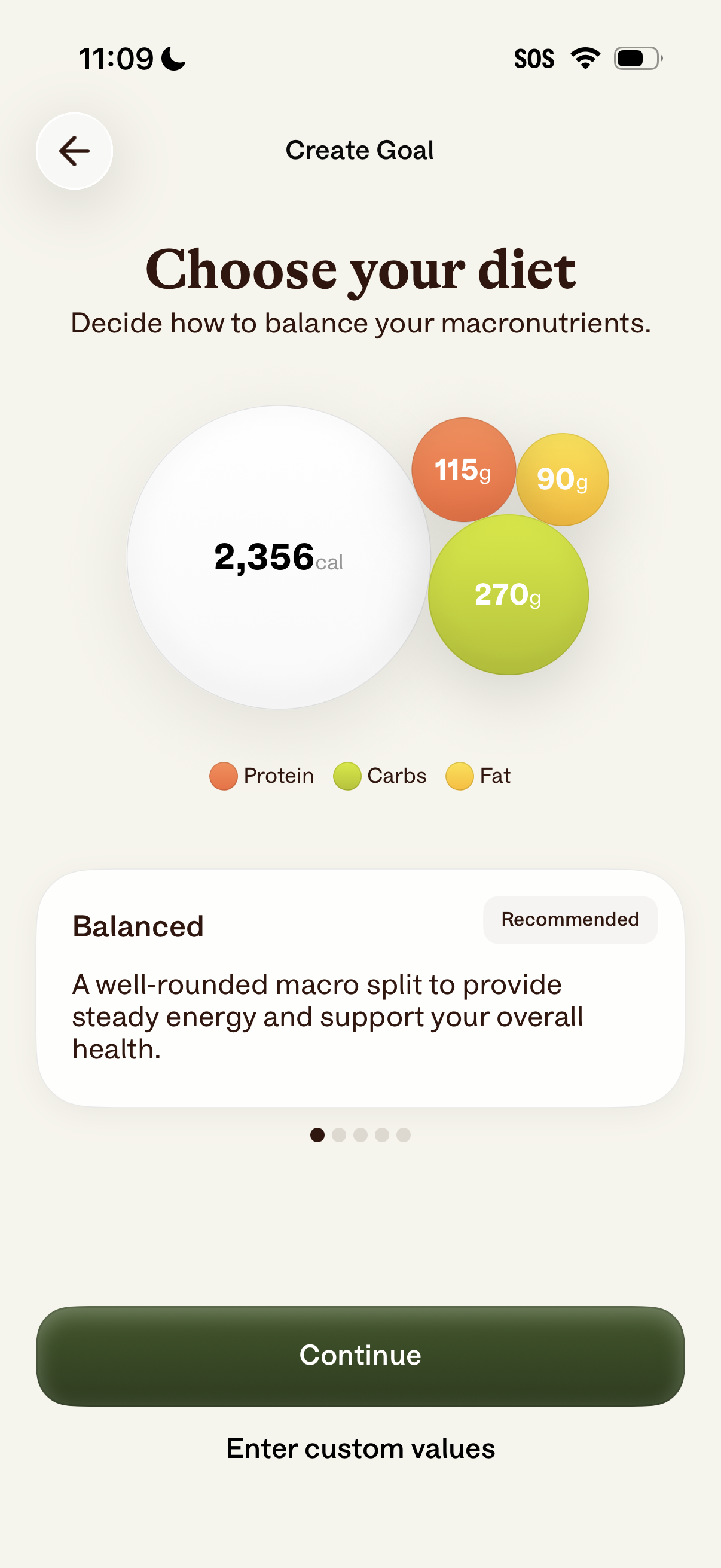
Goal creation screen for a nutrition app where users choose a diet macro split, showing daily calorie target and grams for protein, carbs, and fat with a recommended “Balanced” option description. Users can proceed with Continue or enter custom macro values.
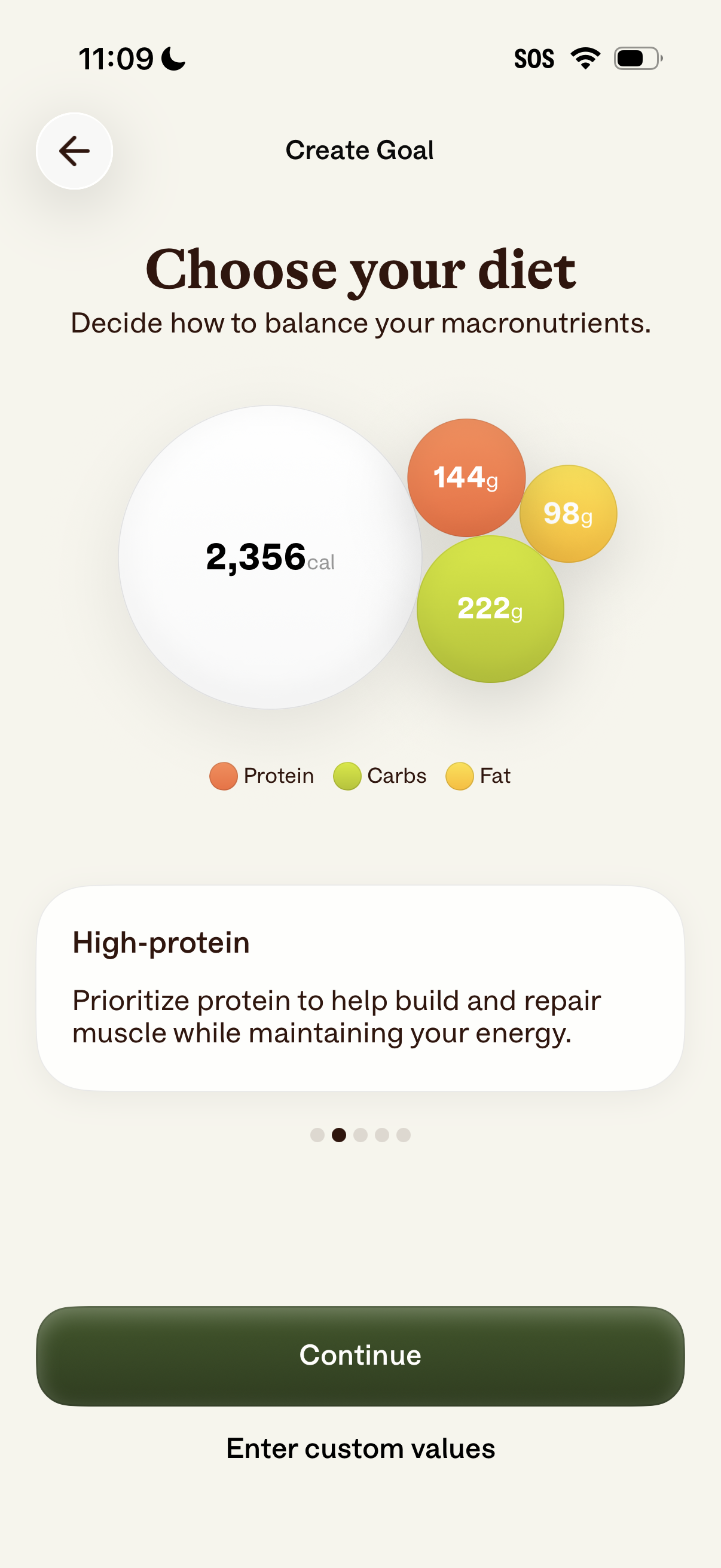
Diet goal setup screen for a nutrition/fitness app where users choose a macronutrient balance for a calorie target, showing grams for protein, carbs, and fat with a recommended “High-protein” preset. Users can continue with the selected plan or enter custom macro values.
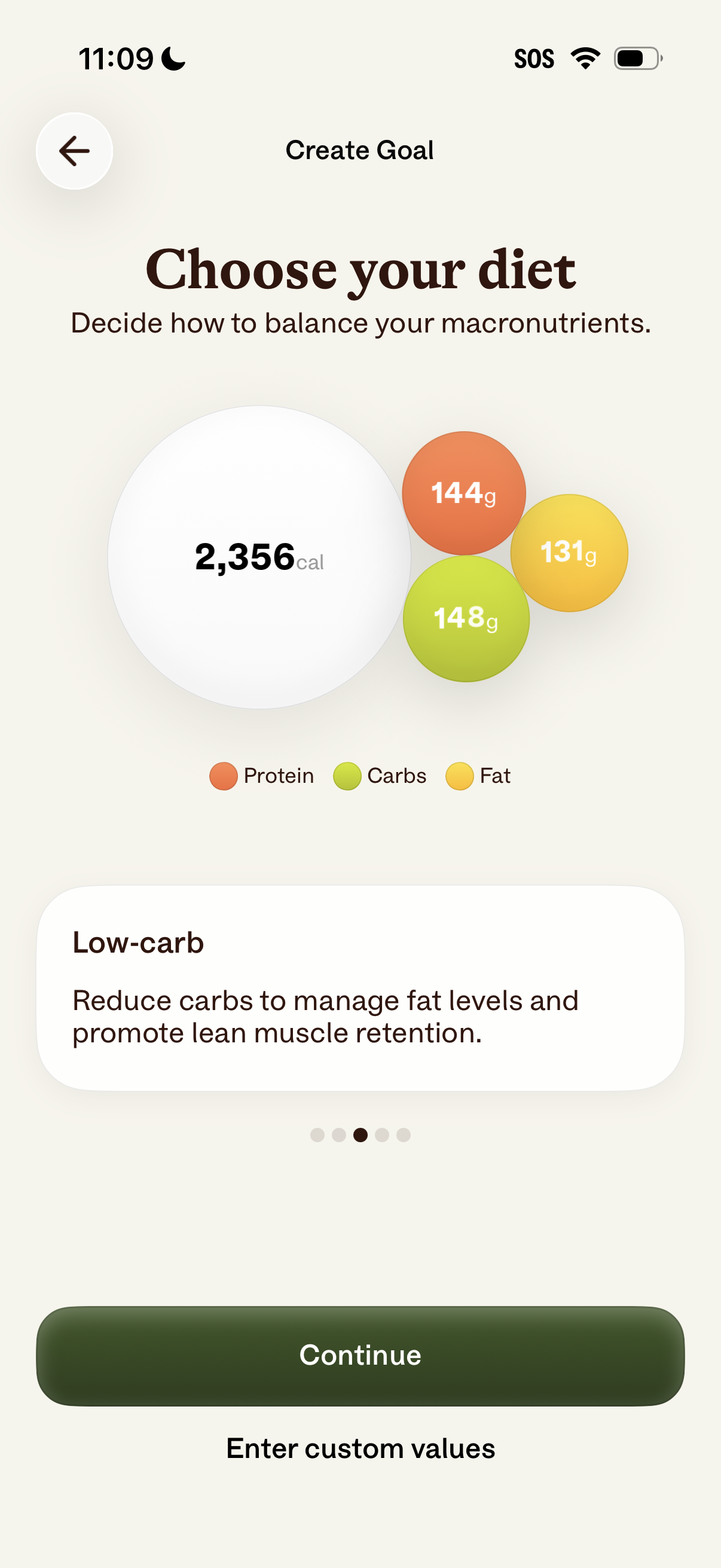
Diet goal setup screen for a nutrition/fitness app where users choose a macronutrient plan, showing total daily calories and protein/carbs/fat gram targets with a “Low-carb” preset description. Primary actions are to continue with the selected plan or enter custom macro values.
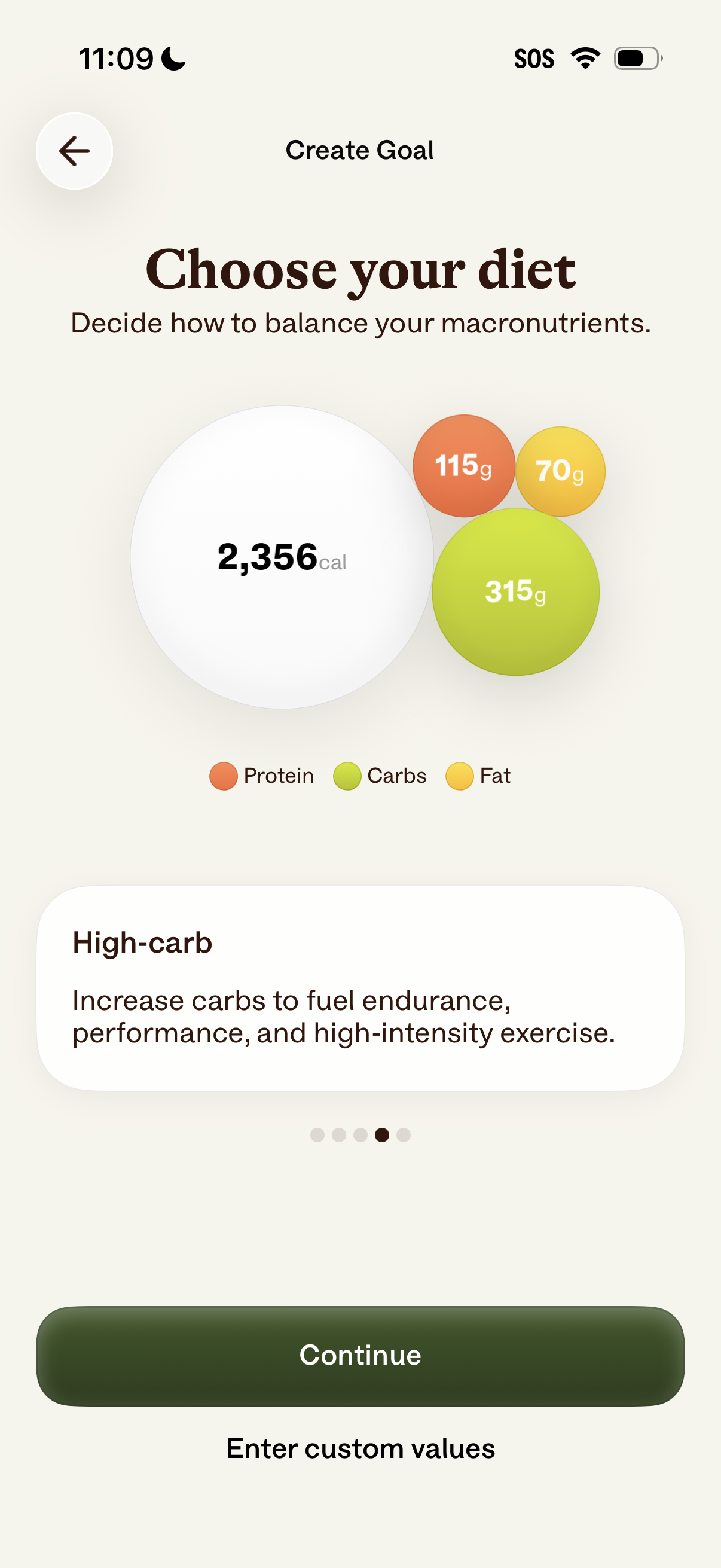
Create Goal screen in a nutrition/fitness app where users choose a diet macro split by viewing daily calories and grams for protein, carbs, and fat with a visual chart and preset option description (e. g.
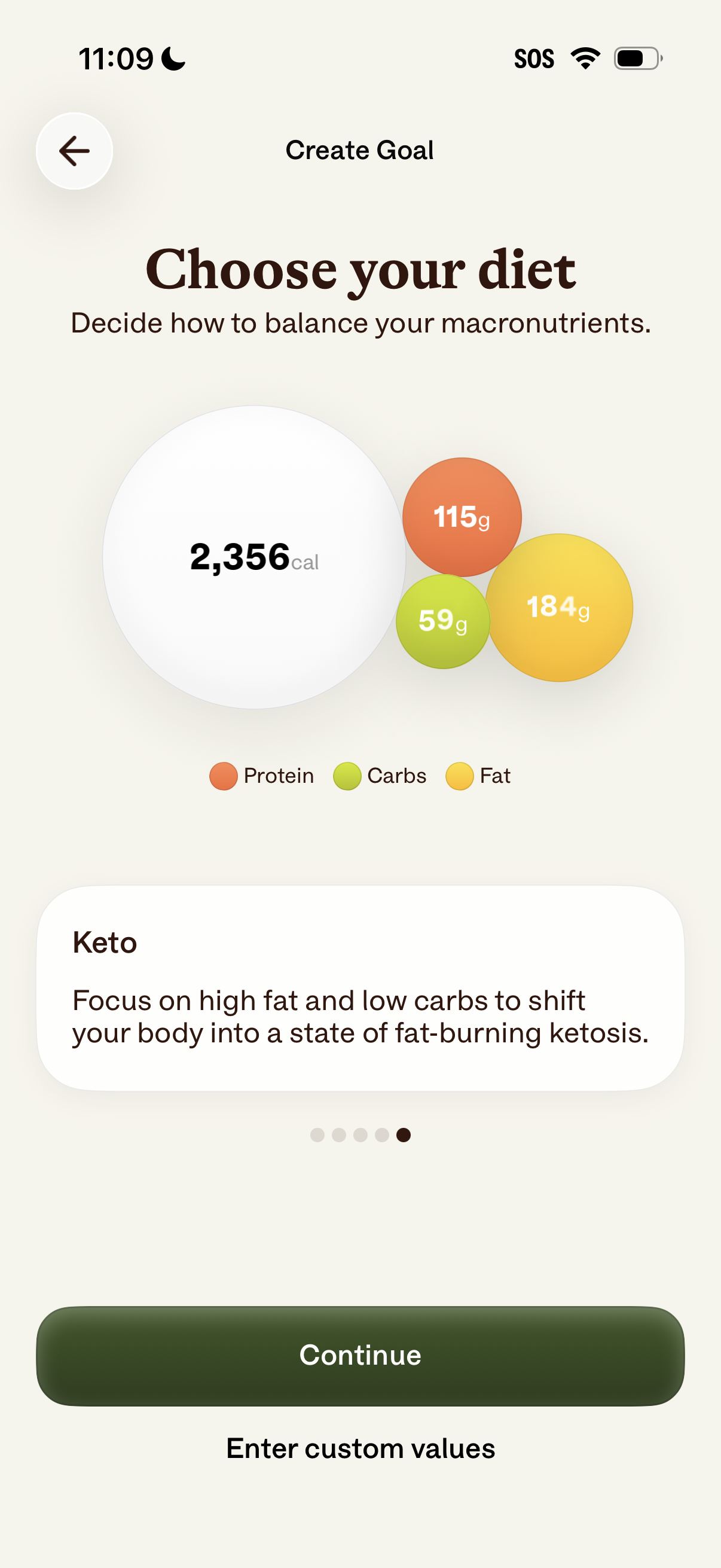
Diet goal setup screen for a nutrition or calorie tracking app where users choose a diet plan and see recommended daily calories and macro targets (protein, carbs, fat) visualized in a chart. Provides a diet description (e.
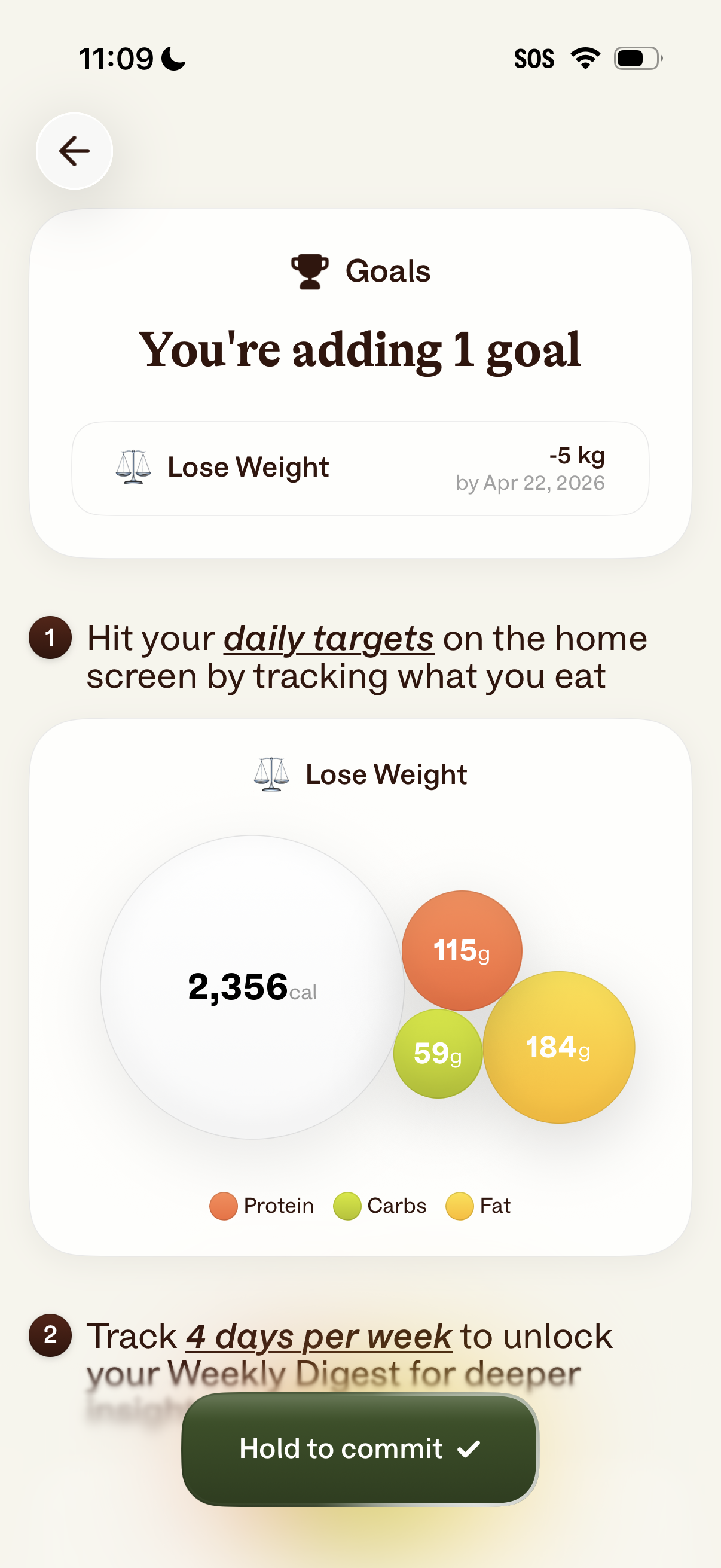
Goal setup screen in a nutrition/weight loss app confirming you’re adding a “Lose Weight” goal with a target amount and deadline, and explaining how to achieve it by tracking food to hit daily calorie and macro targets. Includes progress visualization for calories, protein, carbs, and fat plus a “hold to commit” action to finalize the goal.
Minimal confirmation screen with a back arrow and a prominent “Hold to commit” slide/hold-to-confirm button, requiring a long press to finalize an action and prevent accidental taps.
Minimal confirmation/commit screen showing a large checkmark success indicator and a bottom “Hold to commit” button requiring a long-press to confirm an action, with a back arrow for navigation. This UI supports deliberate, accidental-tap prevention for finalizing or submitting a change.
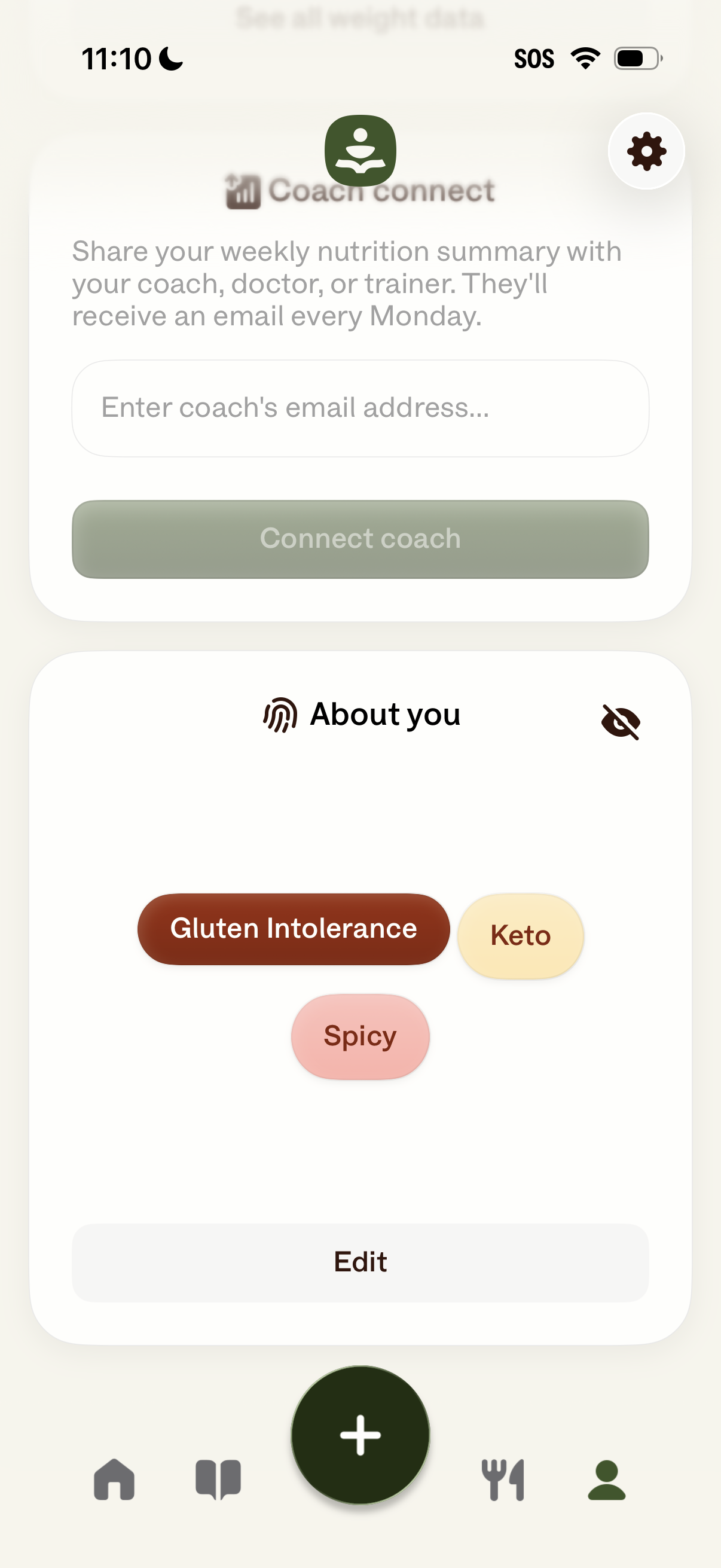
Profile/settings screen for a nutrition tracking app that lets users connect a coach by entering an email address to share weekly nutrition summaries via automatic Monday emails. It also shows an “About you” section with dietary preferences/tags (e.