disable analytics
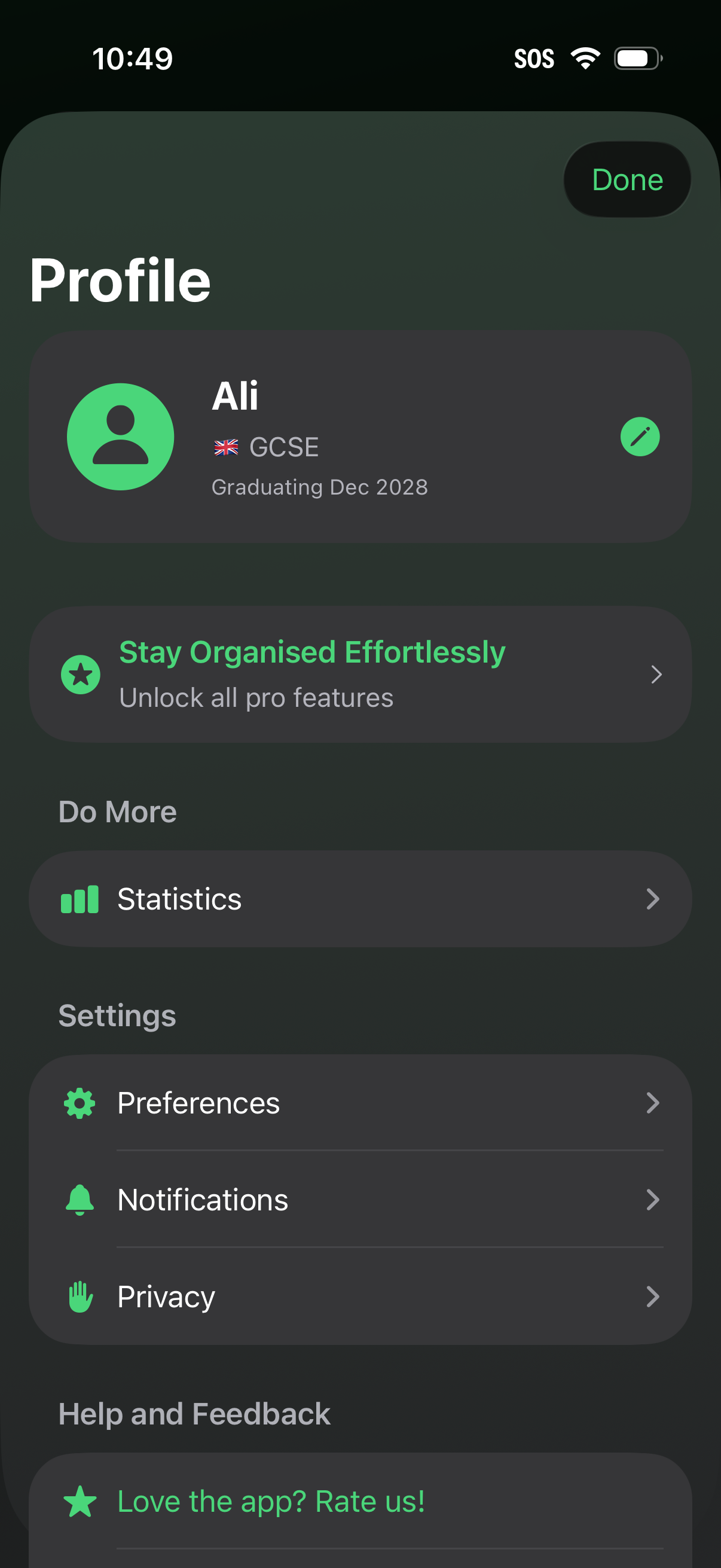
User profile and settings screen showing account details with an edit profile action, plus a CTA to upgrade to pro features. Provides navigation to statistics, preferences, notifications, privacy controls, and a help/feedback option to rate the app, with a Done button to exit.
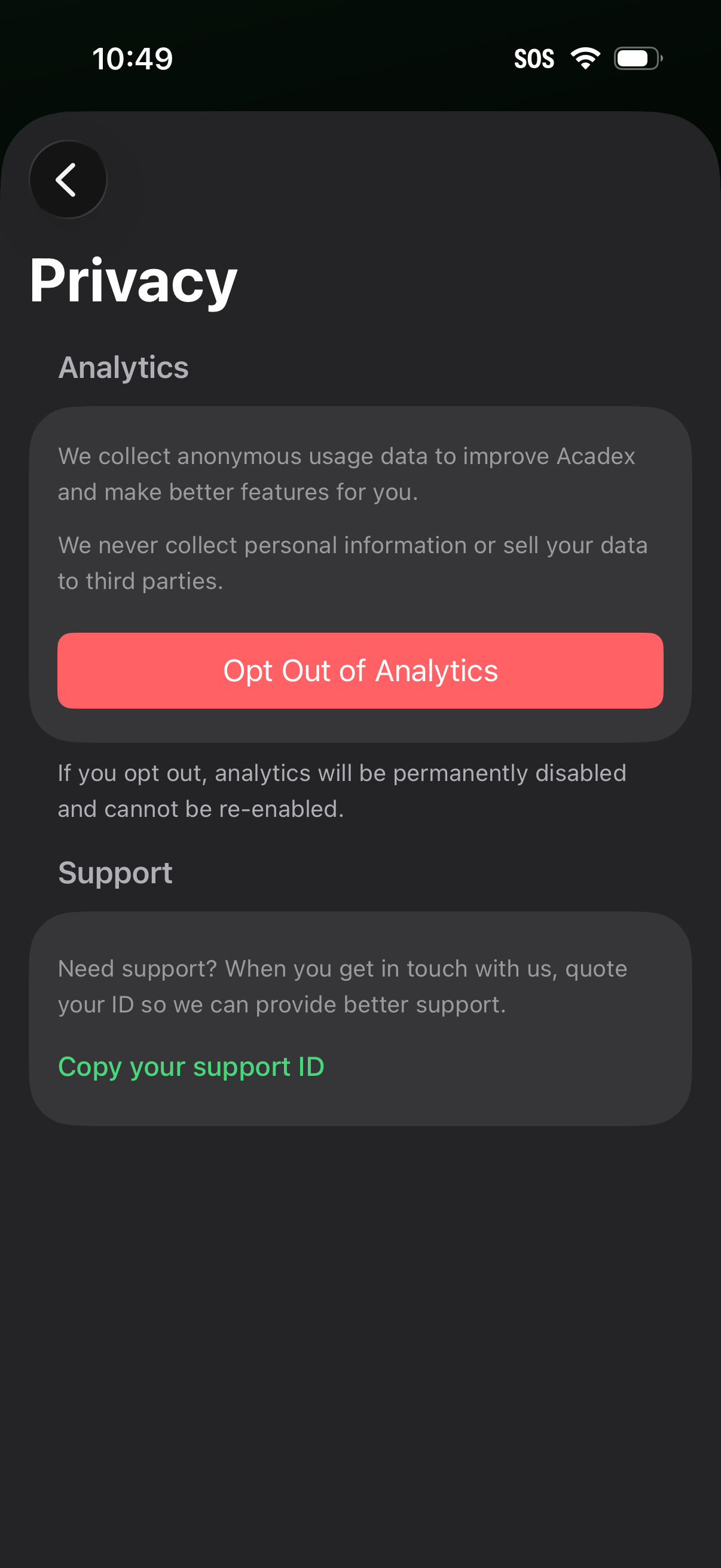
Privacy settings screen explaining anonymous analytics collection and allowing users to permanently opt out of analytics via a prominent button. Includes a support section with an action to copy a support ID for contacting customer support.
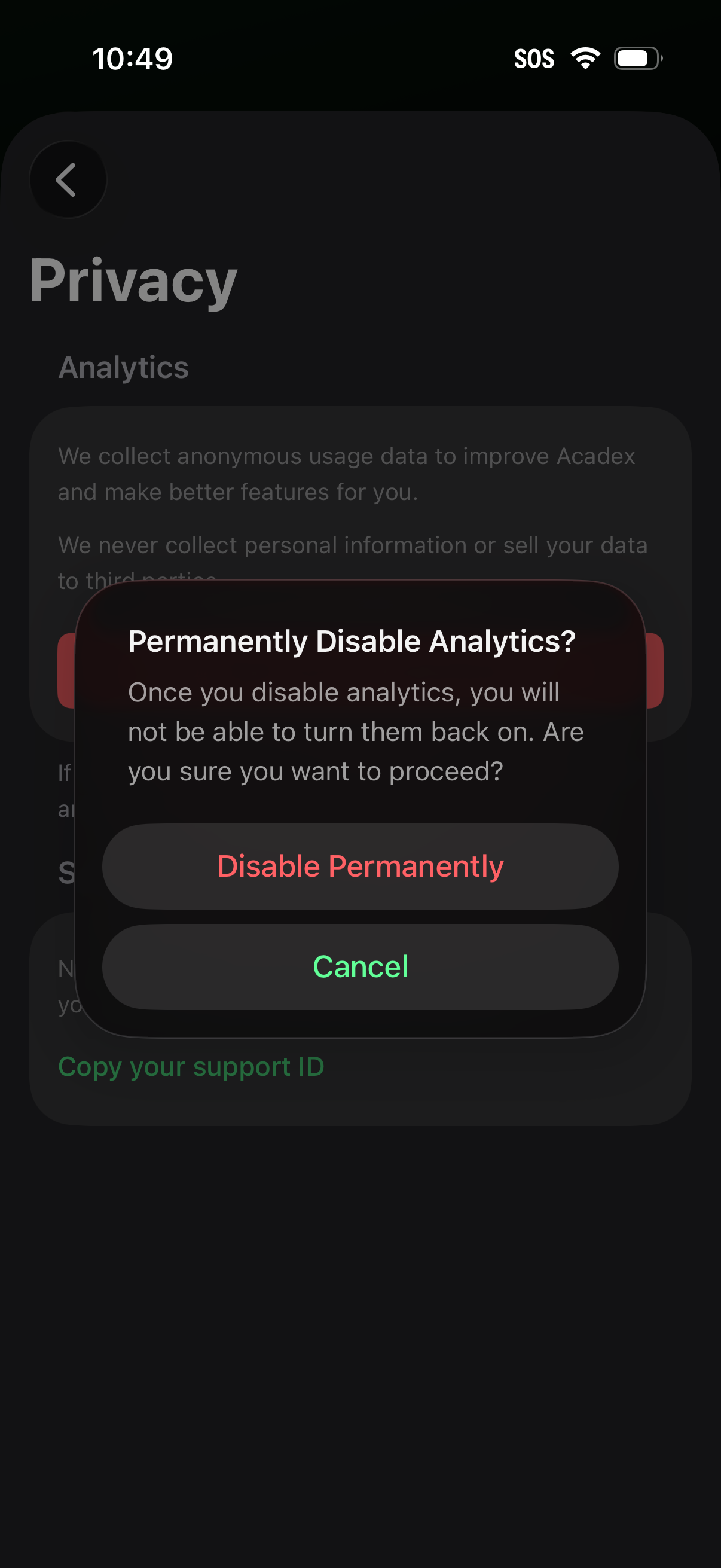
Privacy settings screen for analytics with a confirmation modal asking to permanently disable analytics, warning it can’t be re-enabled. The dialog provides primary and secondary actions: “Disable Permanently” and “Cancel.
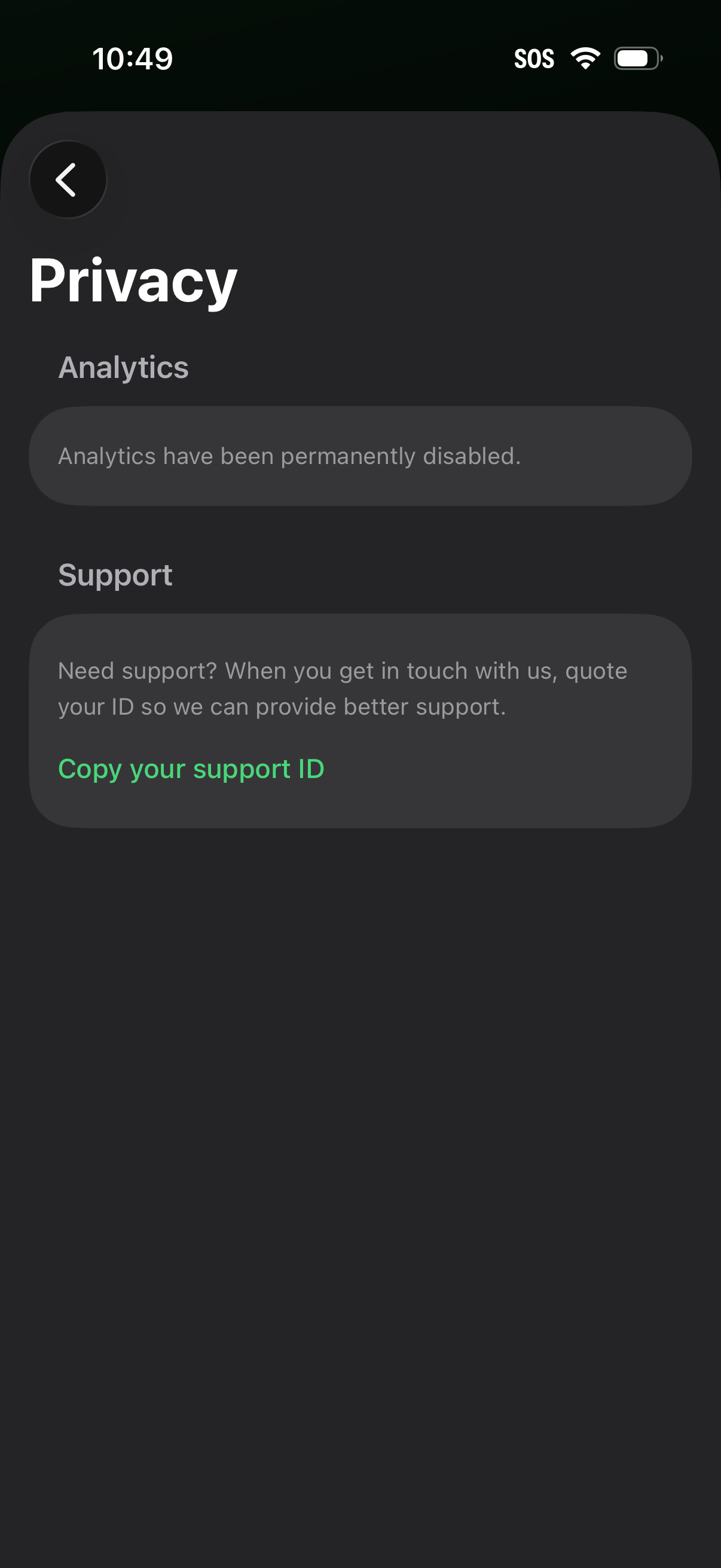
Privacy settings screen showing analytics tracking status (analytics permanently disabled) and a support section that lets users copy their support ID for customer service, with a back navigation button.