customize album detail layout
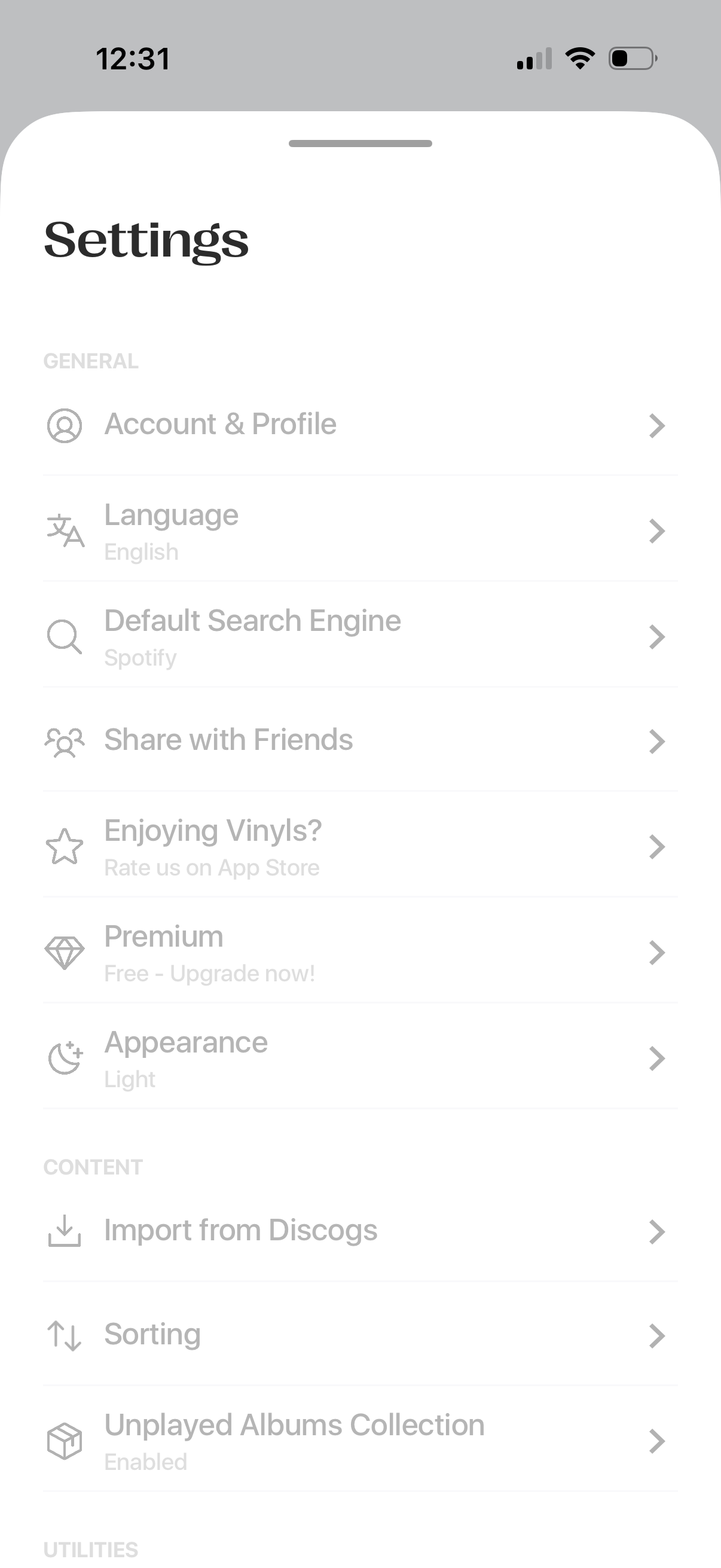
Settings screen with a list of navigation options for general preferences like account & profile, language, default search engine, sharing with friends, app rating, premium upgrade, and appearance/theme. Includes content management settings such as importing from Discogs, sorting preferences, and enabling an unplayed albums collection.
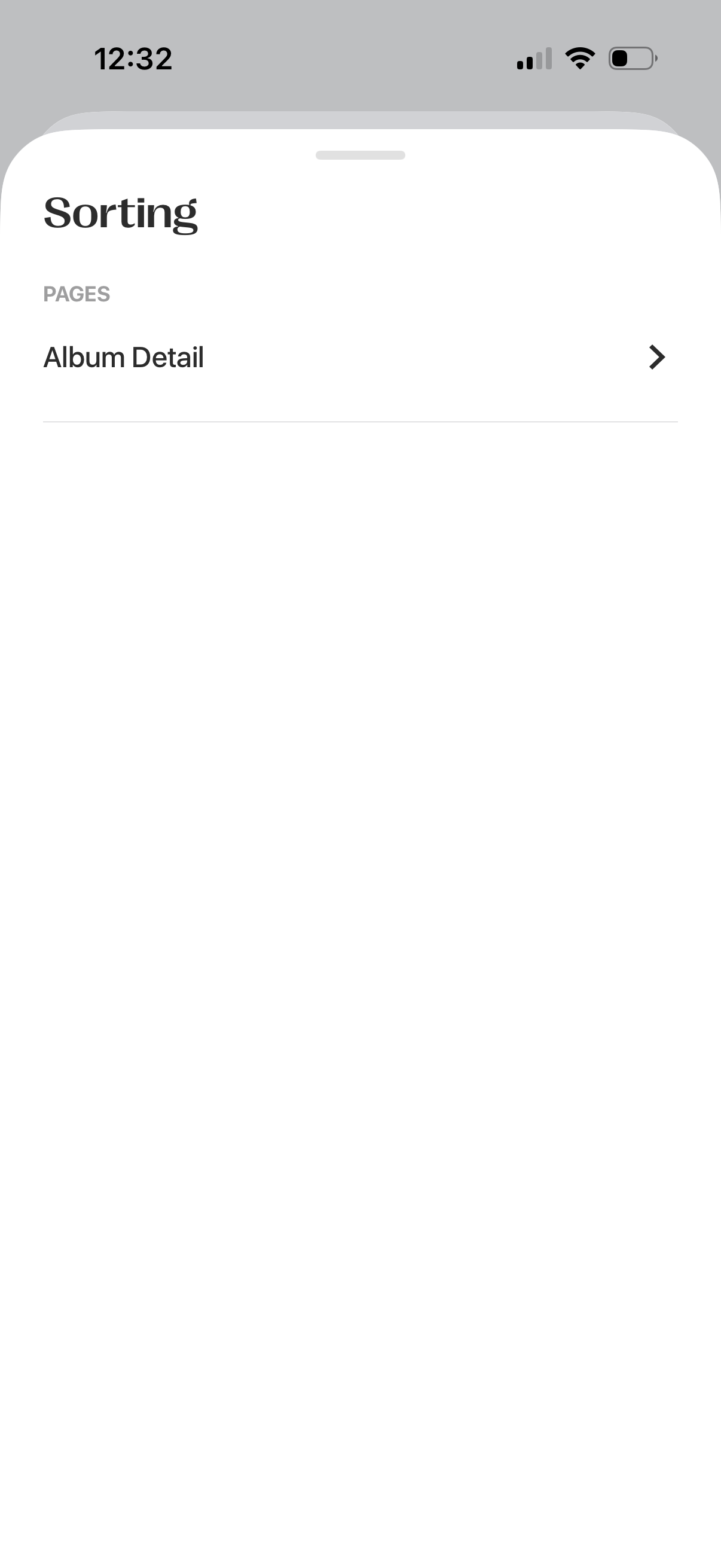
A bottom-sheet sorting menu that lets users choose how content is ordered, showing a list of navigation options under a “Pages” section. Tapping an item like “Album Detail” drills into the selected sorting or organization view.
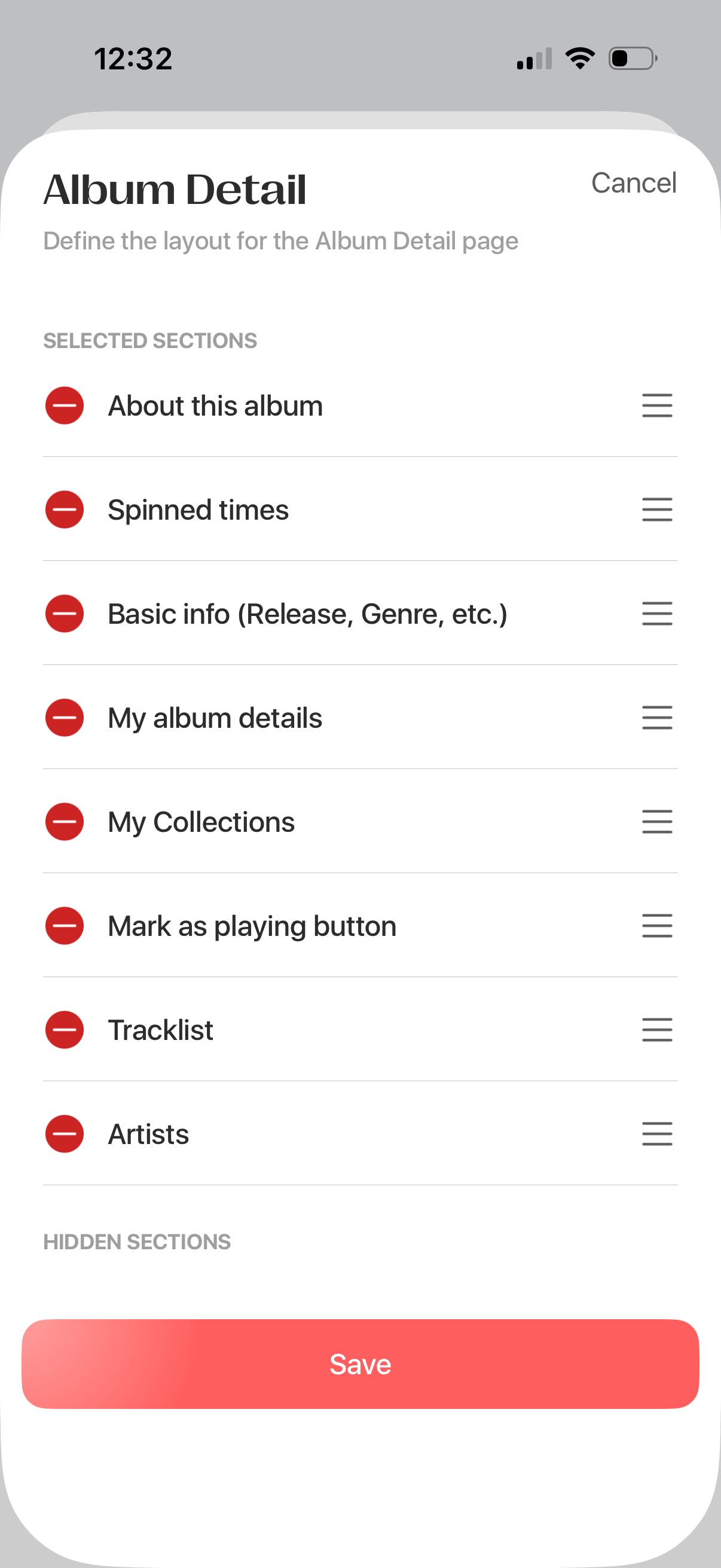
Settings screen for customizing the layout of an album detail page, showing a list of selected sections (about, spun times, basic info, personal details, collections, mark as playing button, tracklist, artists) with drag handles to reorder and minus icons to remove. Includes cancel and a prominent Save button to apply the new section arrangement and visibility.
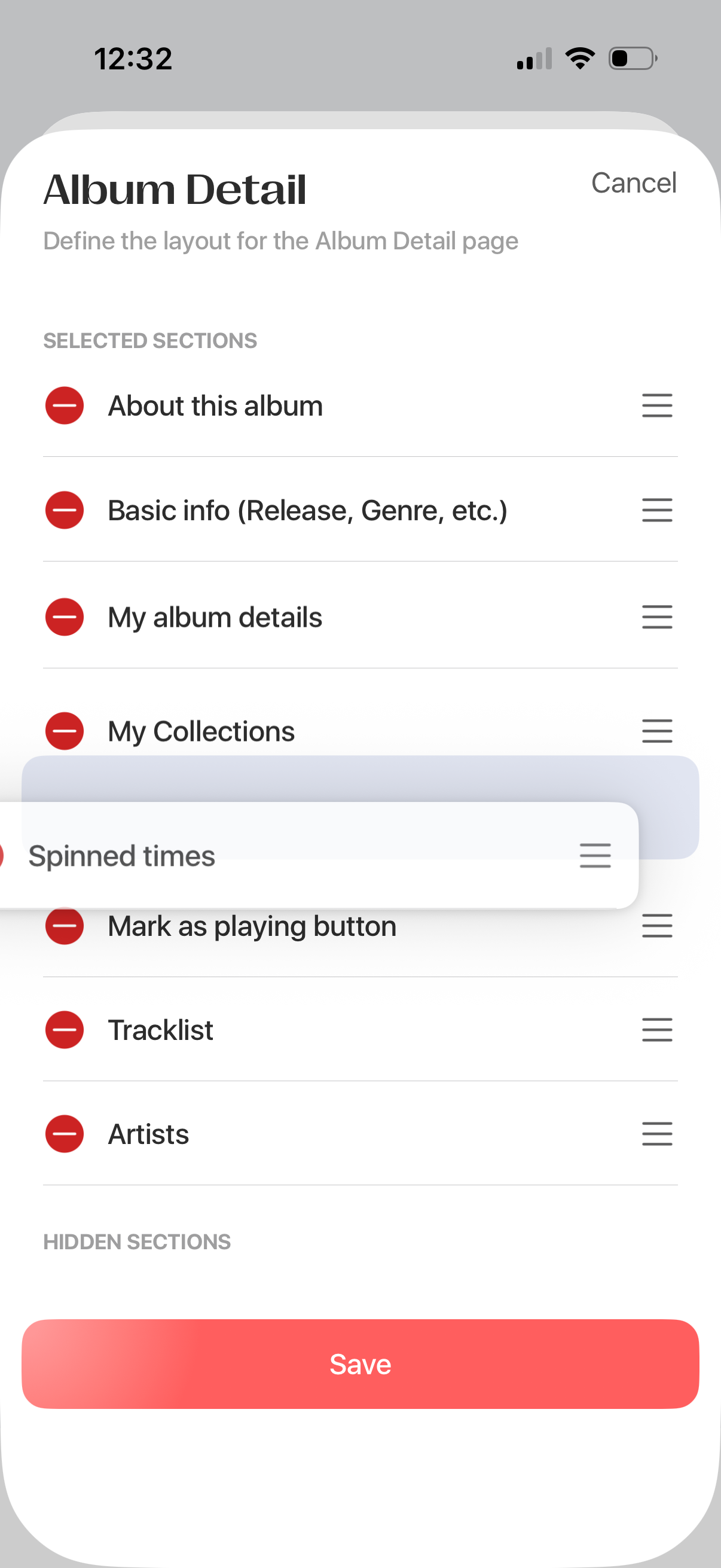
Album detail layout customization screen showing selected sections in a reorderable list with drag handles and remove icons, allowing users to rearrange or hide modules like about, basic info, collections, tracklist, and artists. Includes Cancel and a prominent Save button to apply changes.
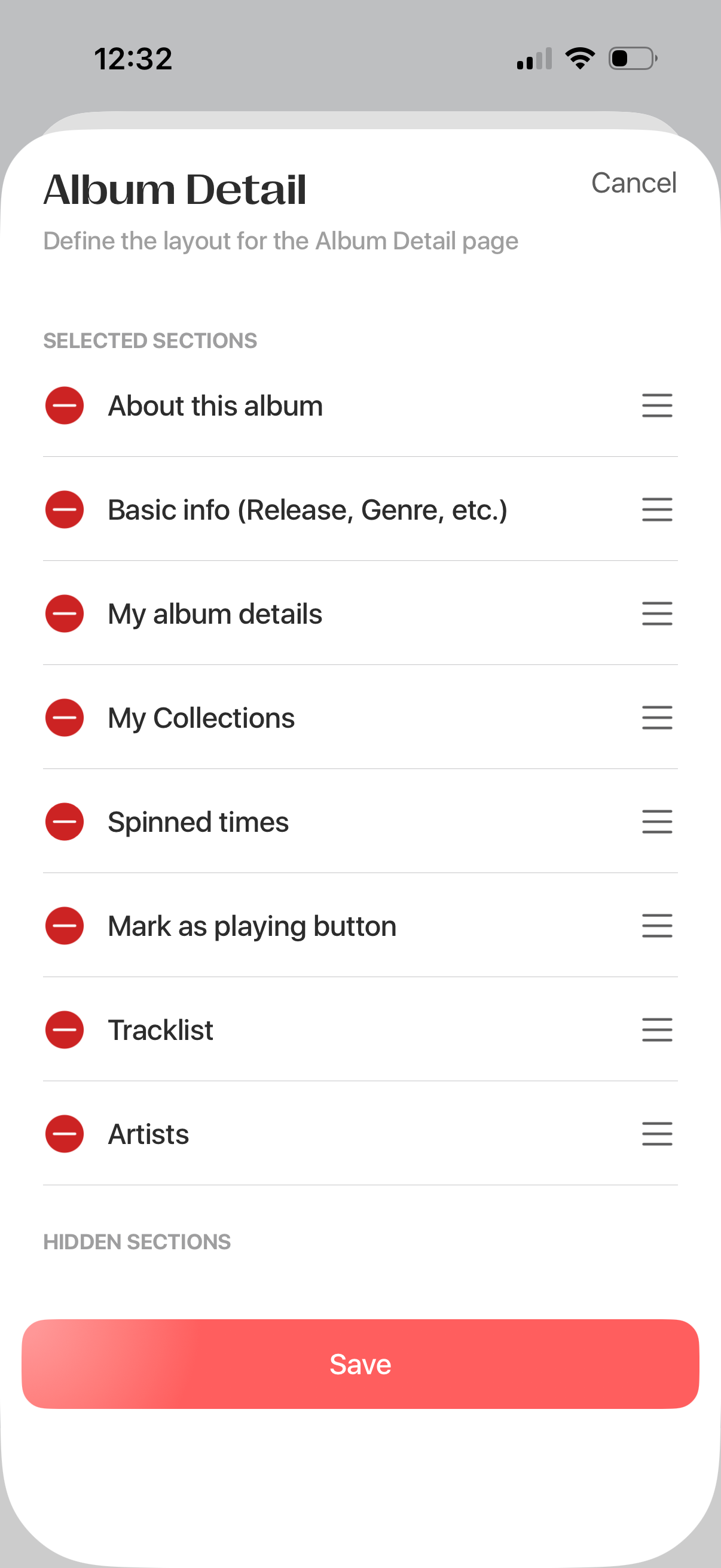
Album Detail layout customization screen showing a list of selected sections (about, basic info, personal details, collections, play count, mark as playing, tracklist, artists) with drag handles to reorder and minus icons to remove/hide sections. Includes Cancel and a prominent Save button to apply the changes.