Sign in
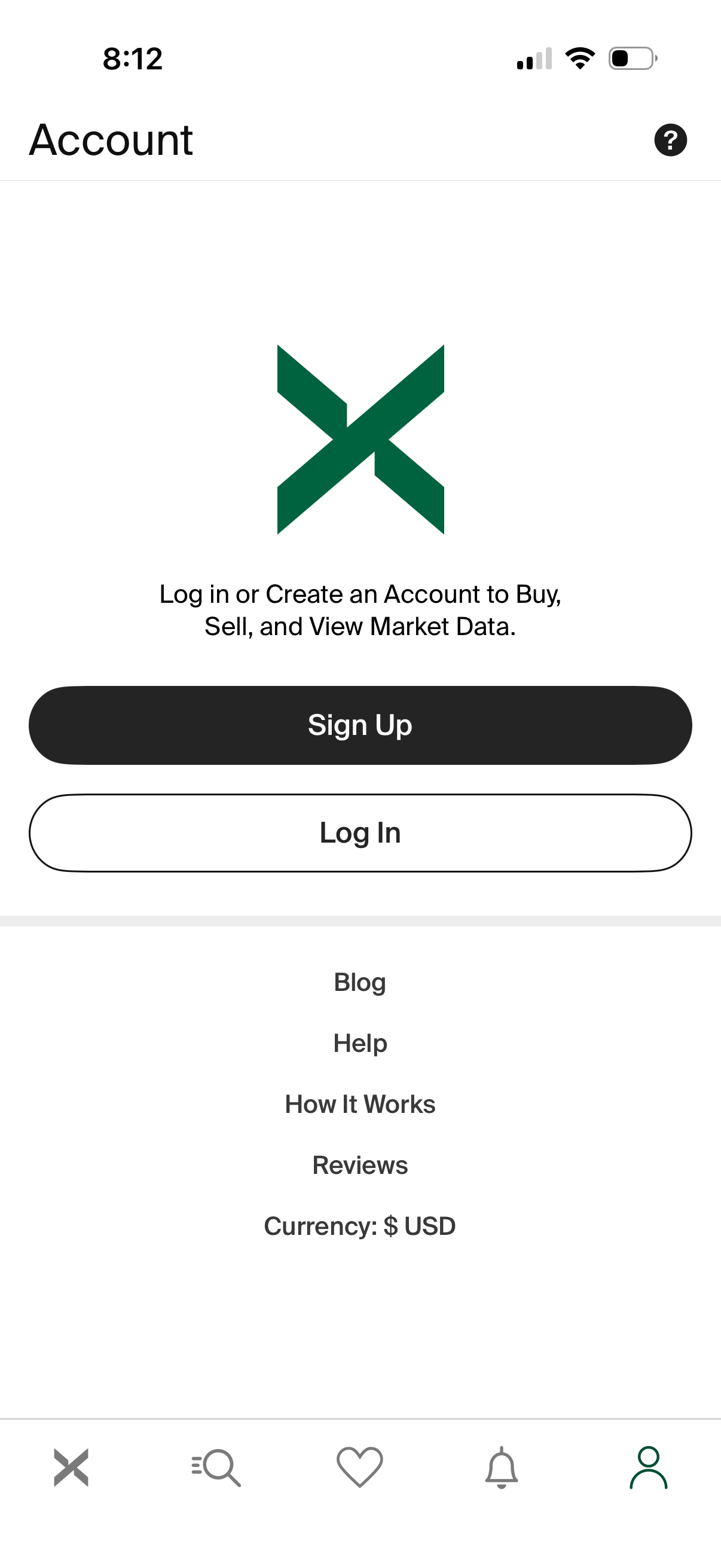
Account landing screen prompting users to log in or create an account to buy, sell, and view market data, with primary CTA buttons for Sign Up and Log In. Includes quick links to Blog, Help, How It Works, Reviews, a currency display setting, and a help icon in the header with bottom navigation.
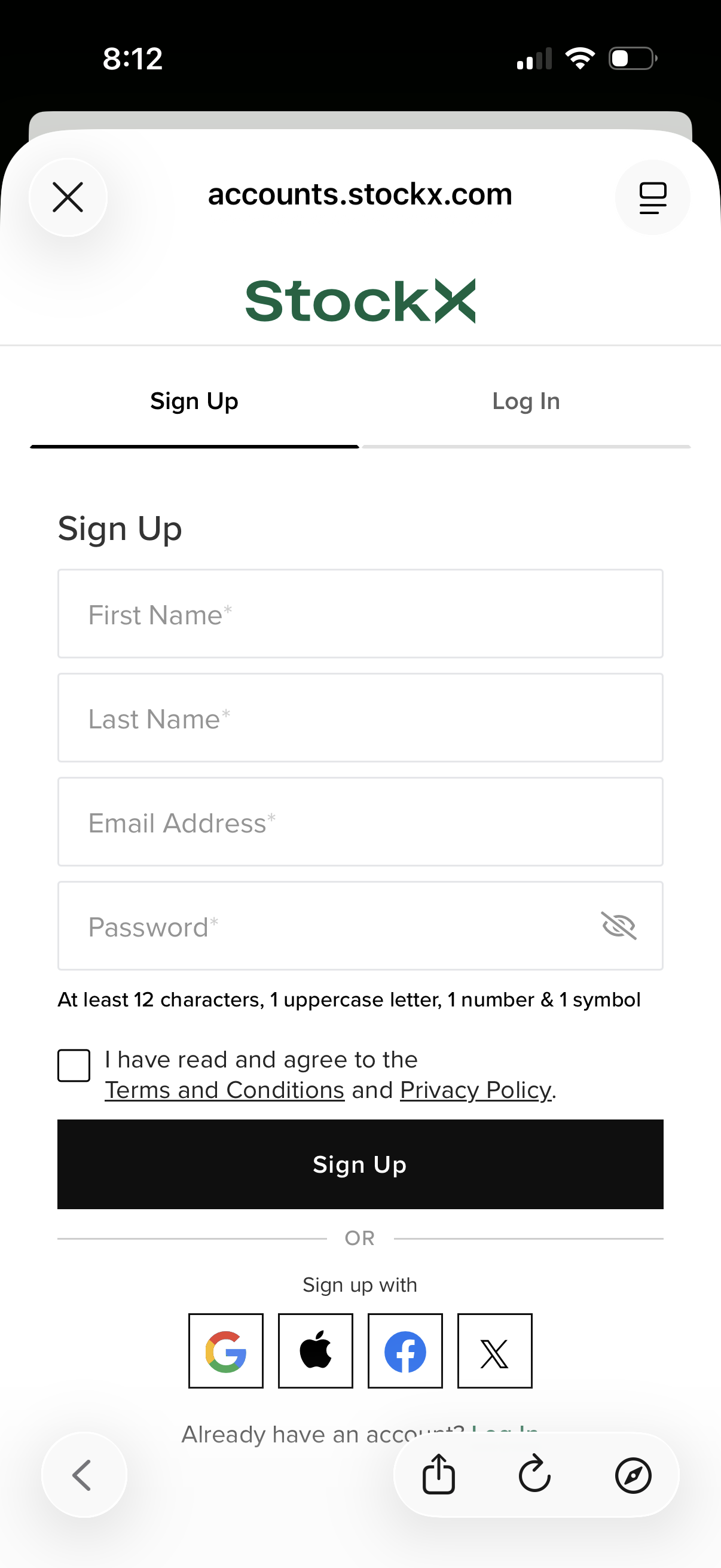
Account registration screen for StockX with a tab switcher between Sign Up and Log In. The sign-up form collects first name, last name, email, and password with visibility toggle and password requirements, includes a required checkbox to agree to terms and privacy policy, a primary “Sign Up” button, and social sign-up options (Google, Apple, Facebook, X).
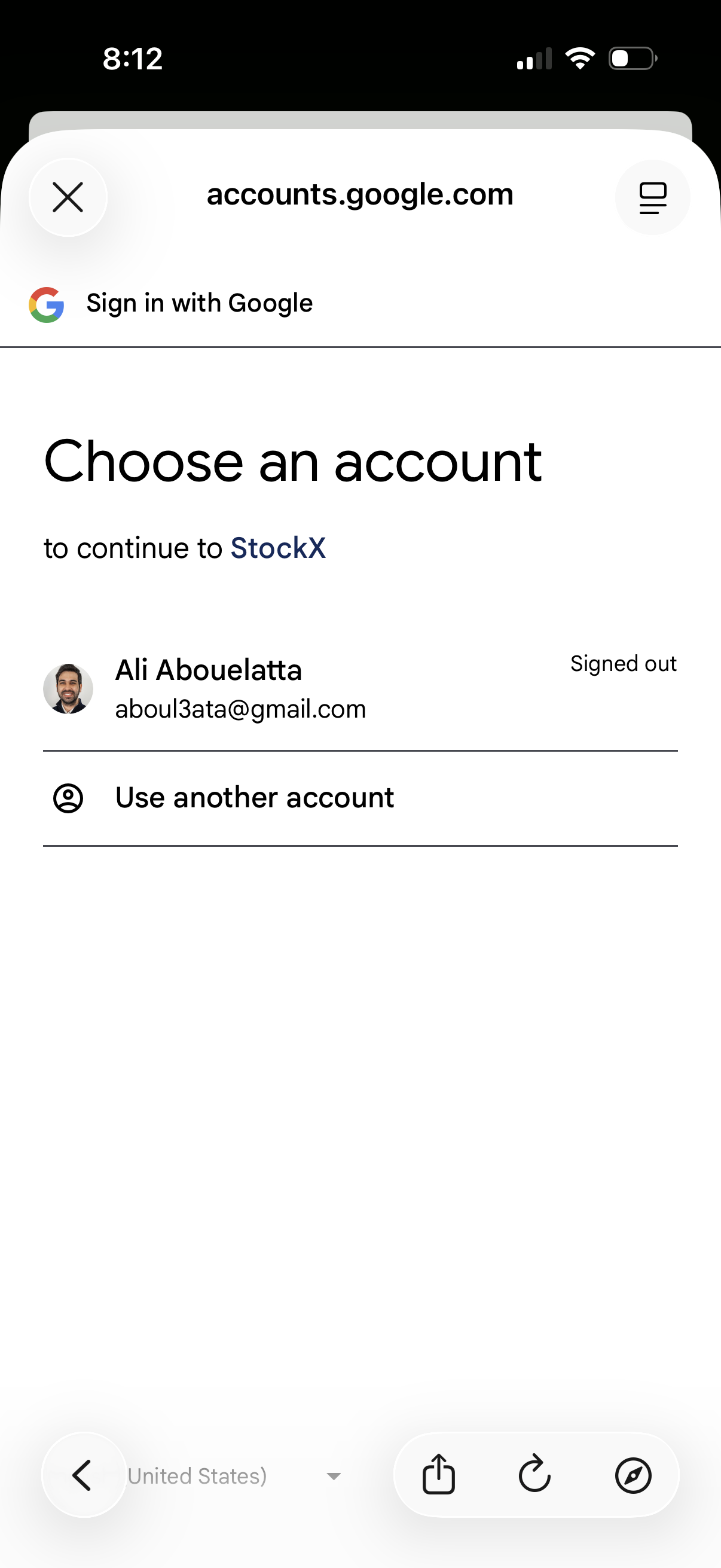
Google sign-in account chooser screen for continuing to a third-party app, letting the user select an existing Google account (showing signed-out status) or choose “Use another account” to log in with a different email.
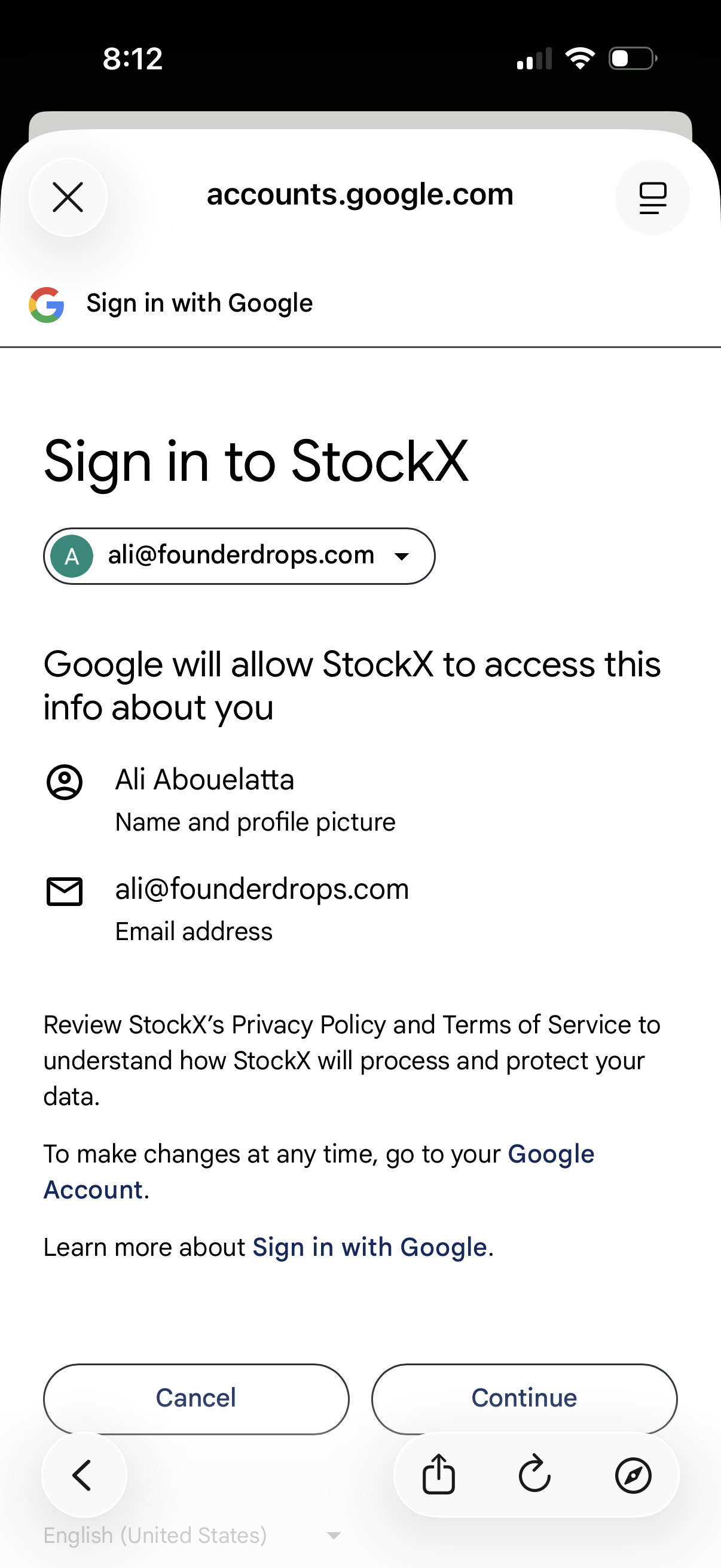
Google OAuth “Sign in with Google” consent screen for logging into an app, showing the selected Google account and the permissions/data the app will access (name/profile photo and email). Primary actions are Cancel or Continue to authorize the login, with links to privacy policy, terms, and account settings.
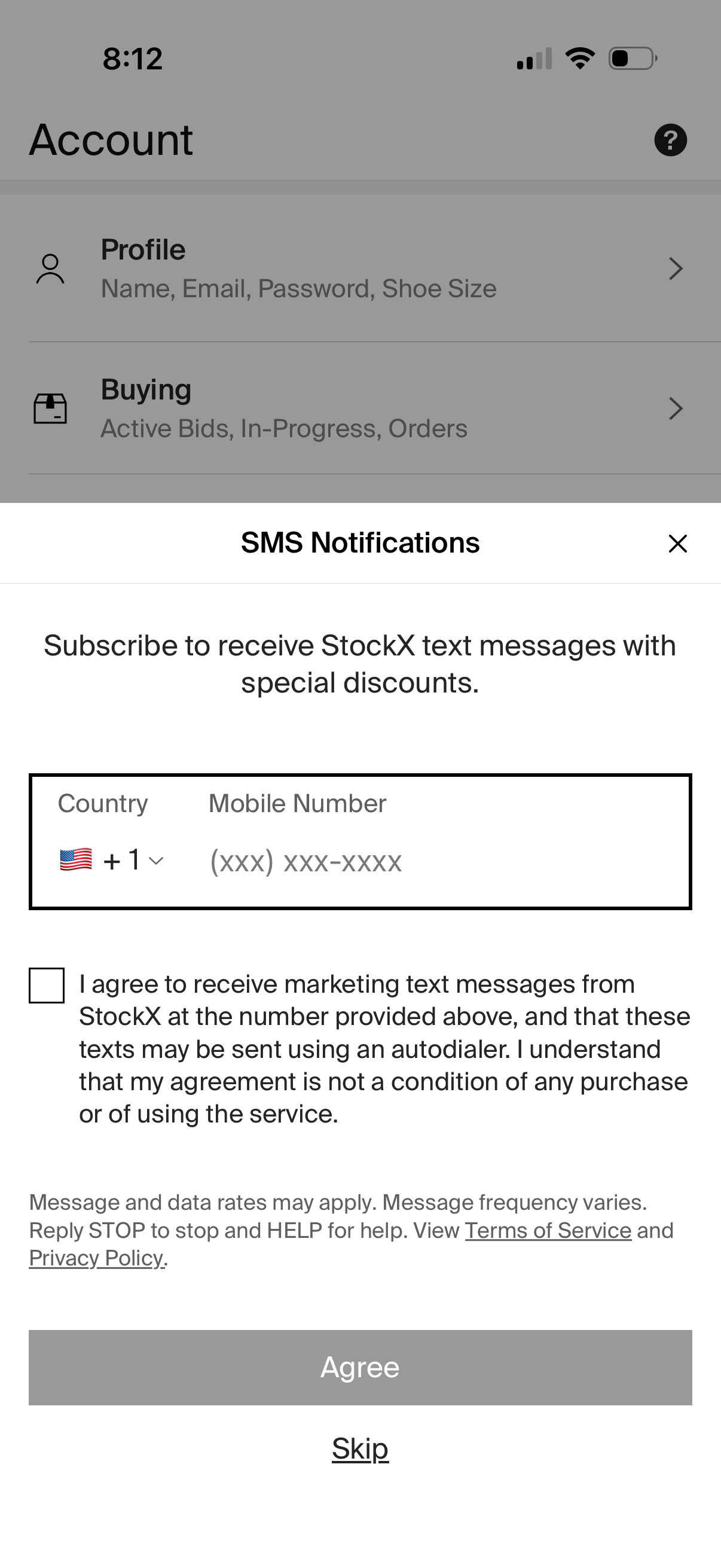
Account settings screen with a modal prompting the user to subscribe to SMS notifications for promotions, including country code selector, mobile number field, and consent checkbox. Primary actions let the user agree to receive marketing texts or skip/close the prompt, with links to terms of service and privacy policy.