sign up with phone

Welcome/onboarding screen for the Shine app introducing “AI-powered private social networking” with a photo collage hero and pagination indicator. Primary call-to-action button lets users set up Shine to begin account/app setup.
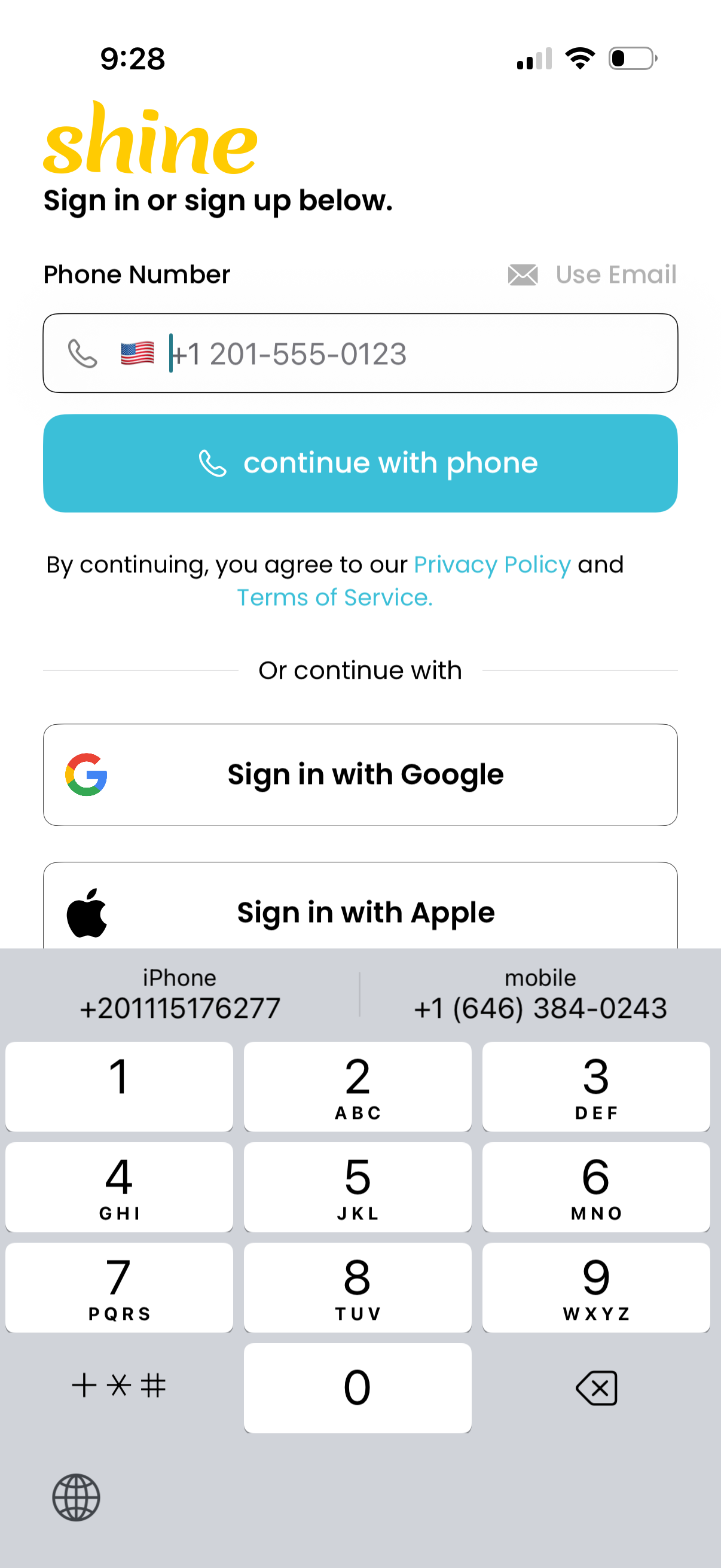
Login/sign-up screen offering phone number authentication with a country code selector and a primary “continue with phone” button, plus a toggle to use email instead. Includes alternative social sign-in options for Google and Apple and links to Privacy Policy and Terms of Service.
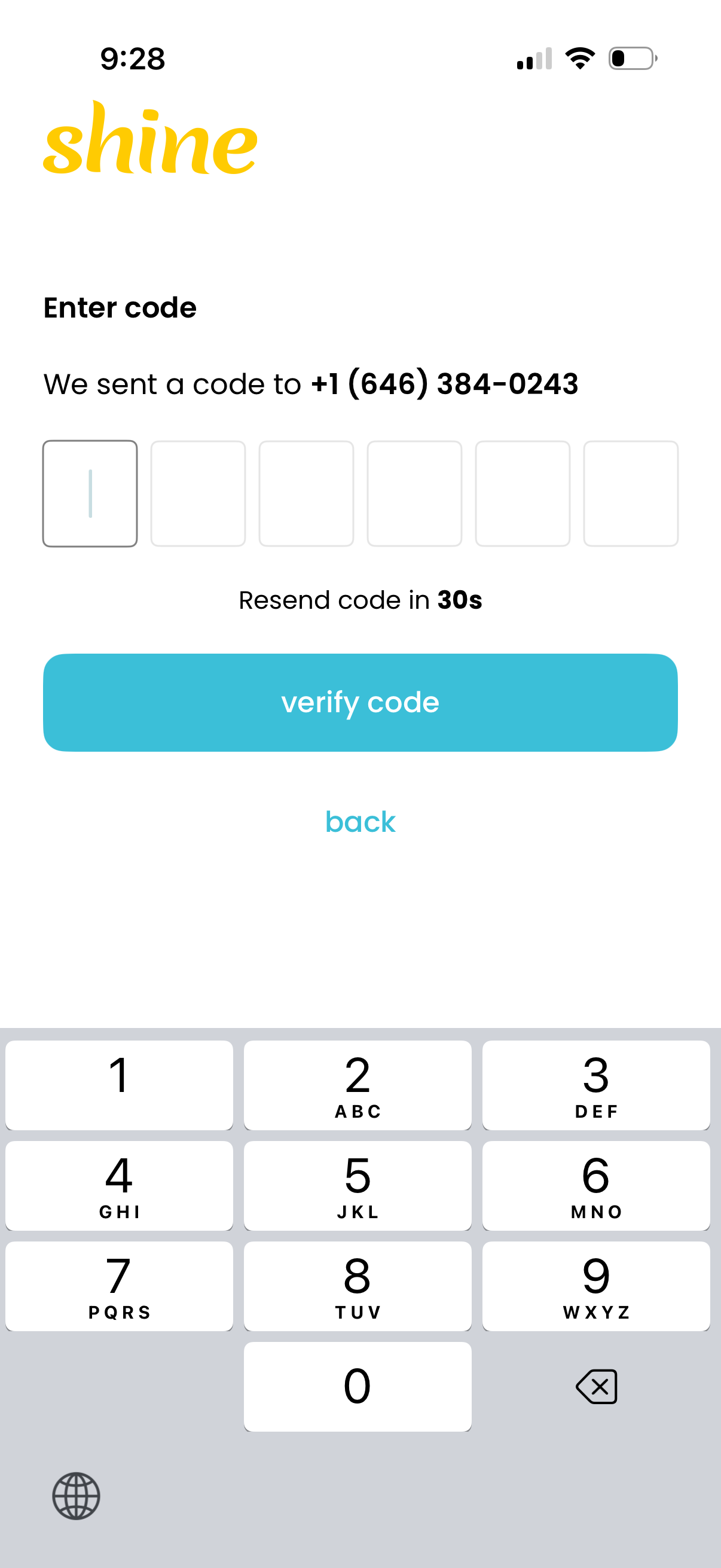
SMS verification code entry screen for phone number authentication, showing six OTP input fields, a “verify code” primary button, and a resend code countdown timer. Includes a back link to return to the previous step.
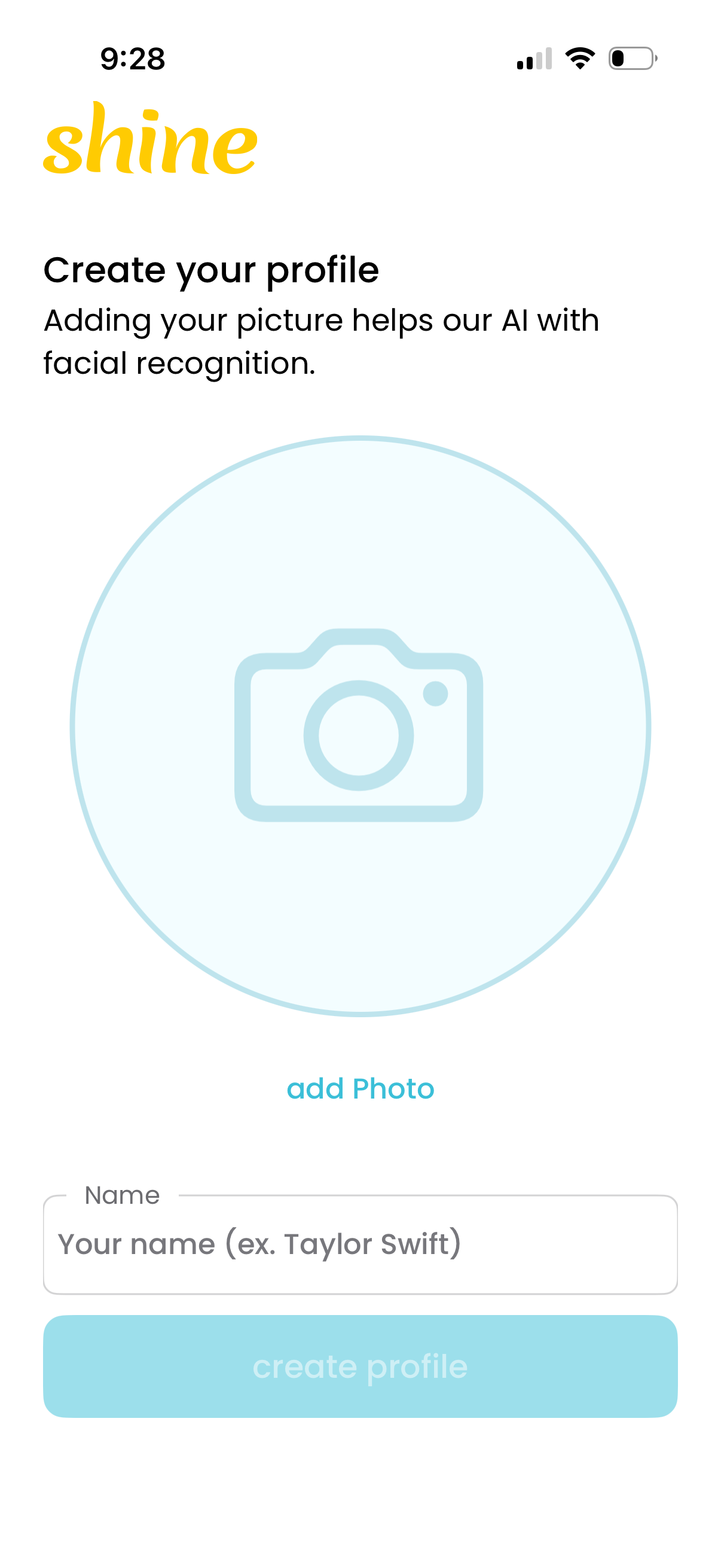
Profile creation onboarding screen prompting the user to add a profile photo for AI facial recognition and enter their name. Includes a large photo placeholder with “add photo” action, a name input field, and a primary “create profile” button.