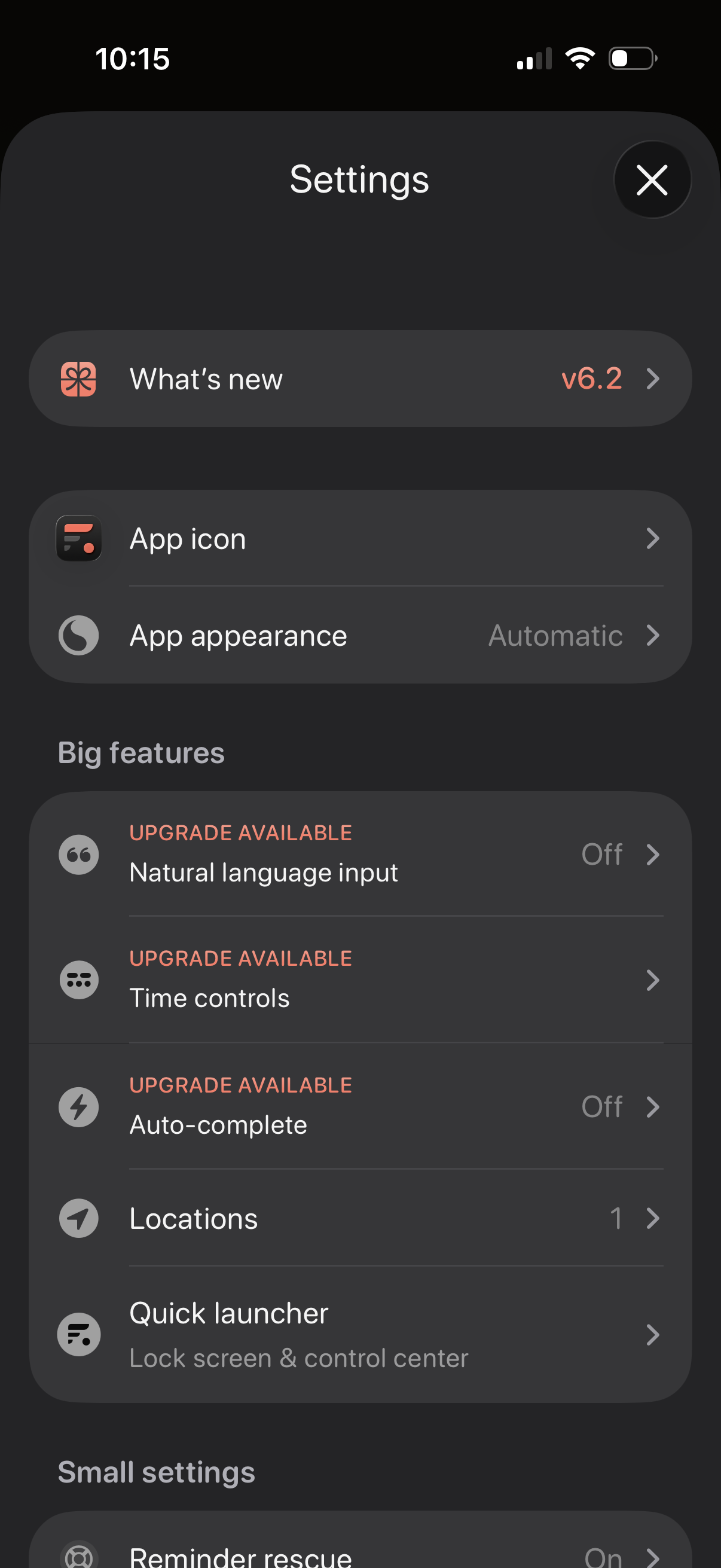
Settings screen for a productivity app with sections for “What’s new” release notes, customizing the app icon and appearance/theme, and managing feature options. Includes a “Big features” list with upgrade-gated toggles like natural language input, time controls, and auto-complete, plus options for locations and a quick launcher for lock screen/control center.
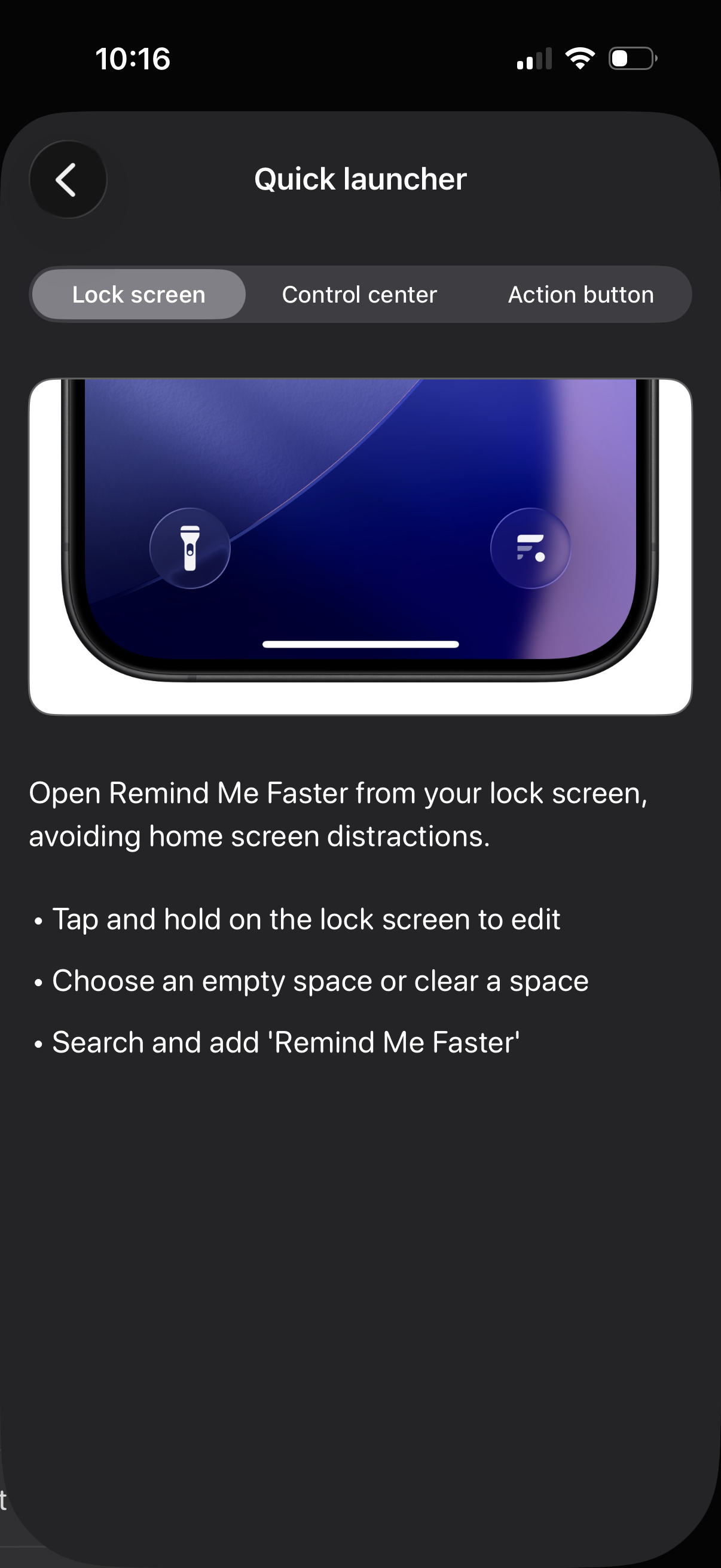
Quick launcher settings screen explaining how to add an app shortcut to iOS entry points, with tabs for Lock screen, Control center, and Action button. The page provides step-by-step instructions to add the “Remind Me Faster” shortcut to the lock screen by editing, clearing a slot, and searching to add it.
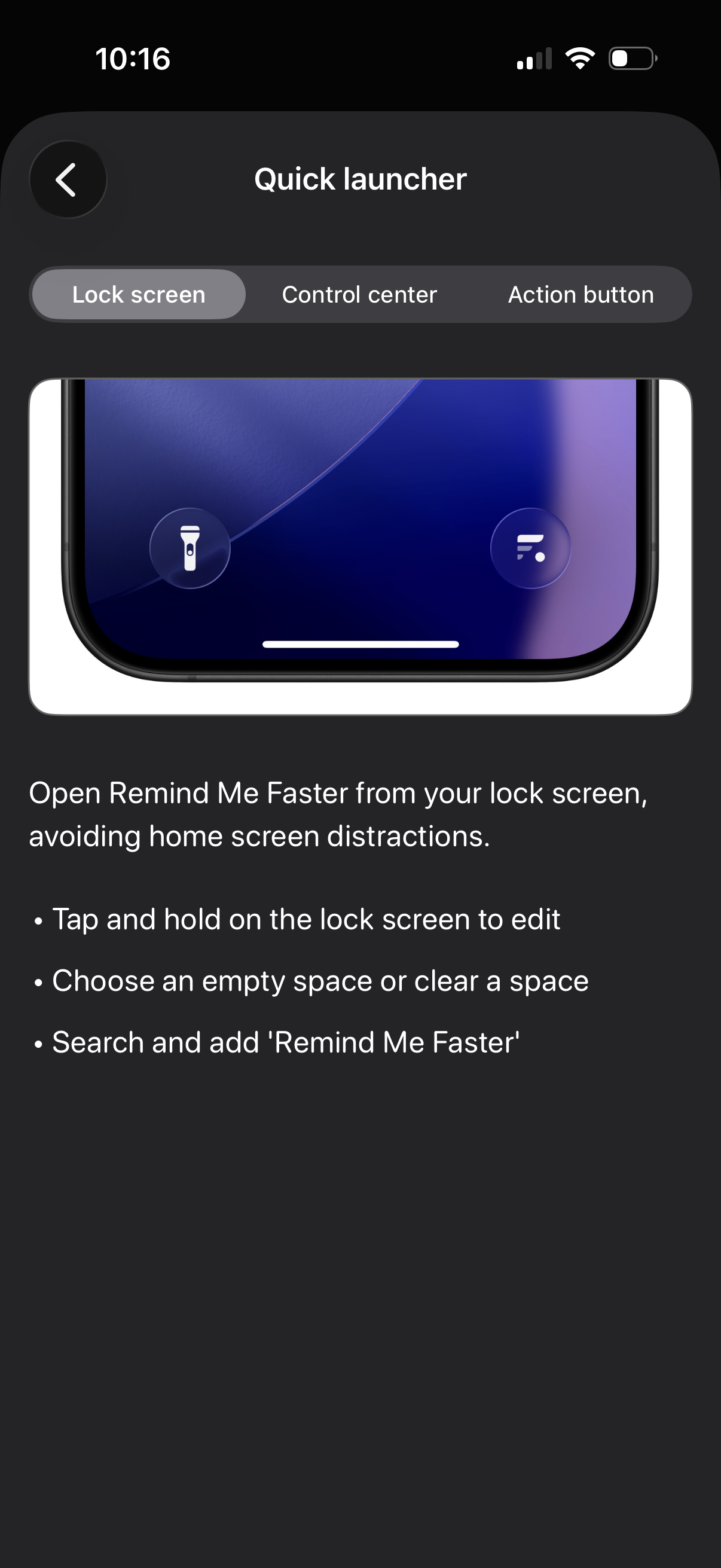
Settings/help screen for configuring a “Quick launcher” shortcut, with tabs for Lock screen, Control center, and Action button. The Lock screen tab explains how to add the app to the iOS lock screen by entering edit mode, choosing or clearing a slot, and searching to add the shortcut for faster access.
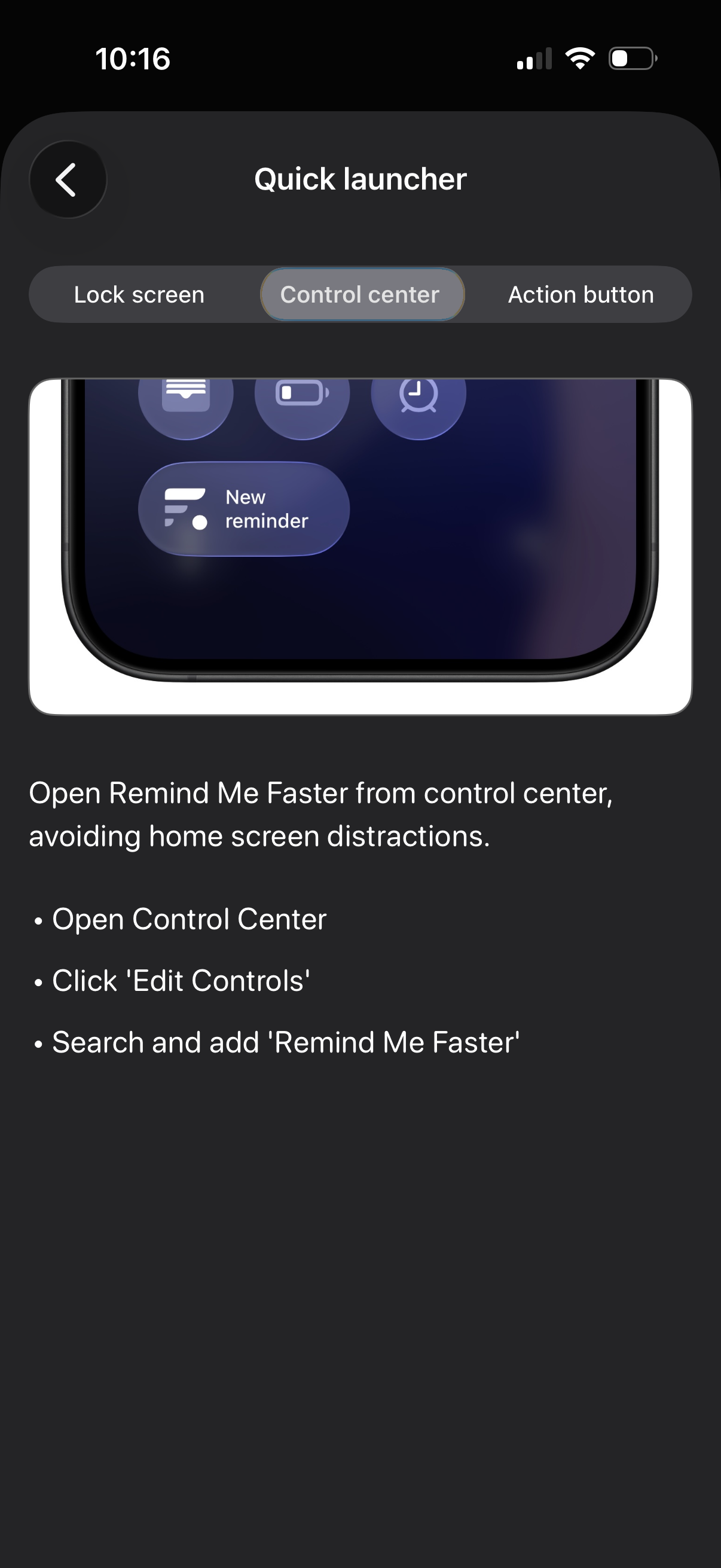
Quick launcher onboarding/help screen explaining how to open the app faster from iOS Control Center, with segmented tabs for Lock screen, Control center, and Action button. Provides step-by-step instructions to edit Control Center controls and add the app shortcut.
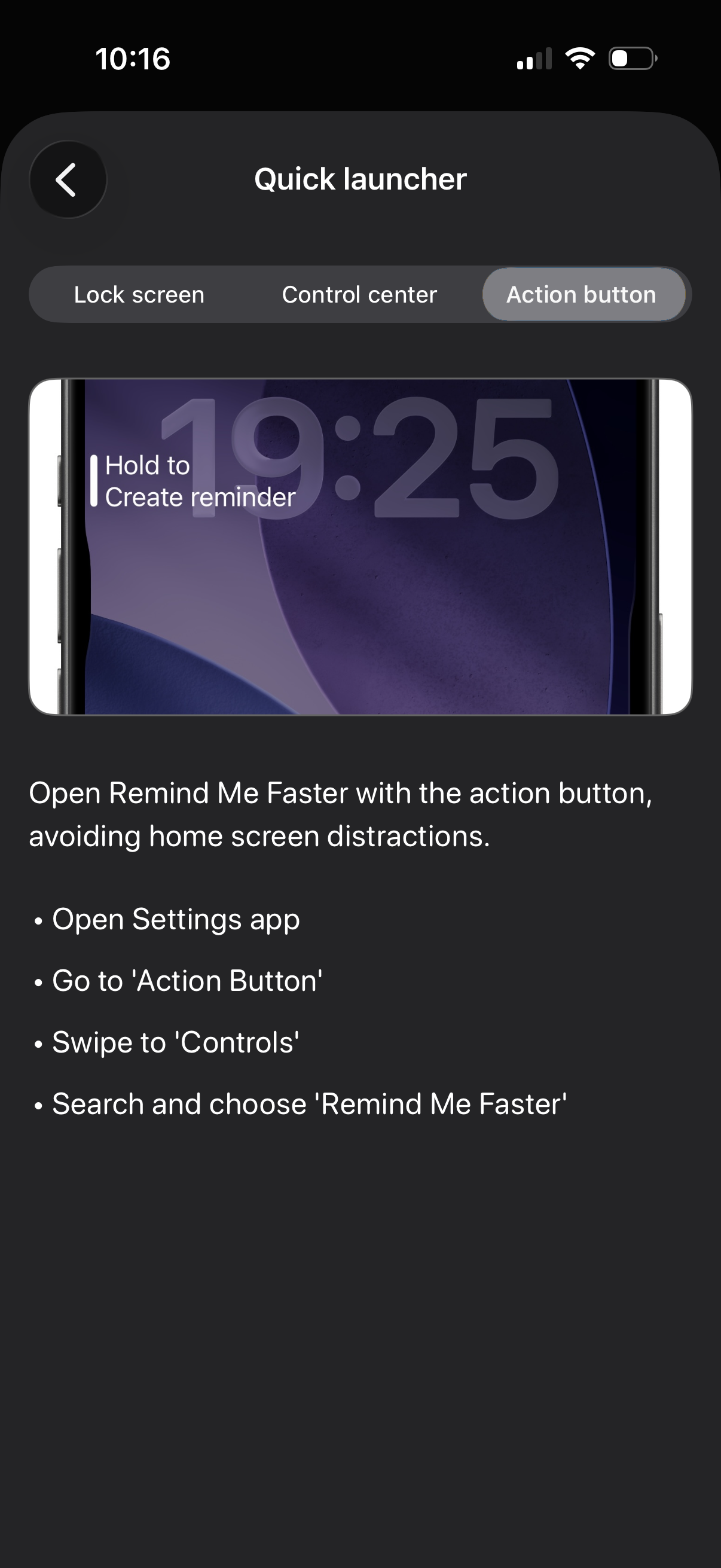
Quick launcher onboarding screen showing tabs for Lock screen, Control center, and Action button, explaining how to open the app faster and create a reminder via the iPhone Action Button. Includes step-by-step setup instructions directing users to iOS Settings > Action Button > Controls to search and select the app’s shortcut.