Signup
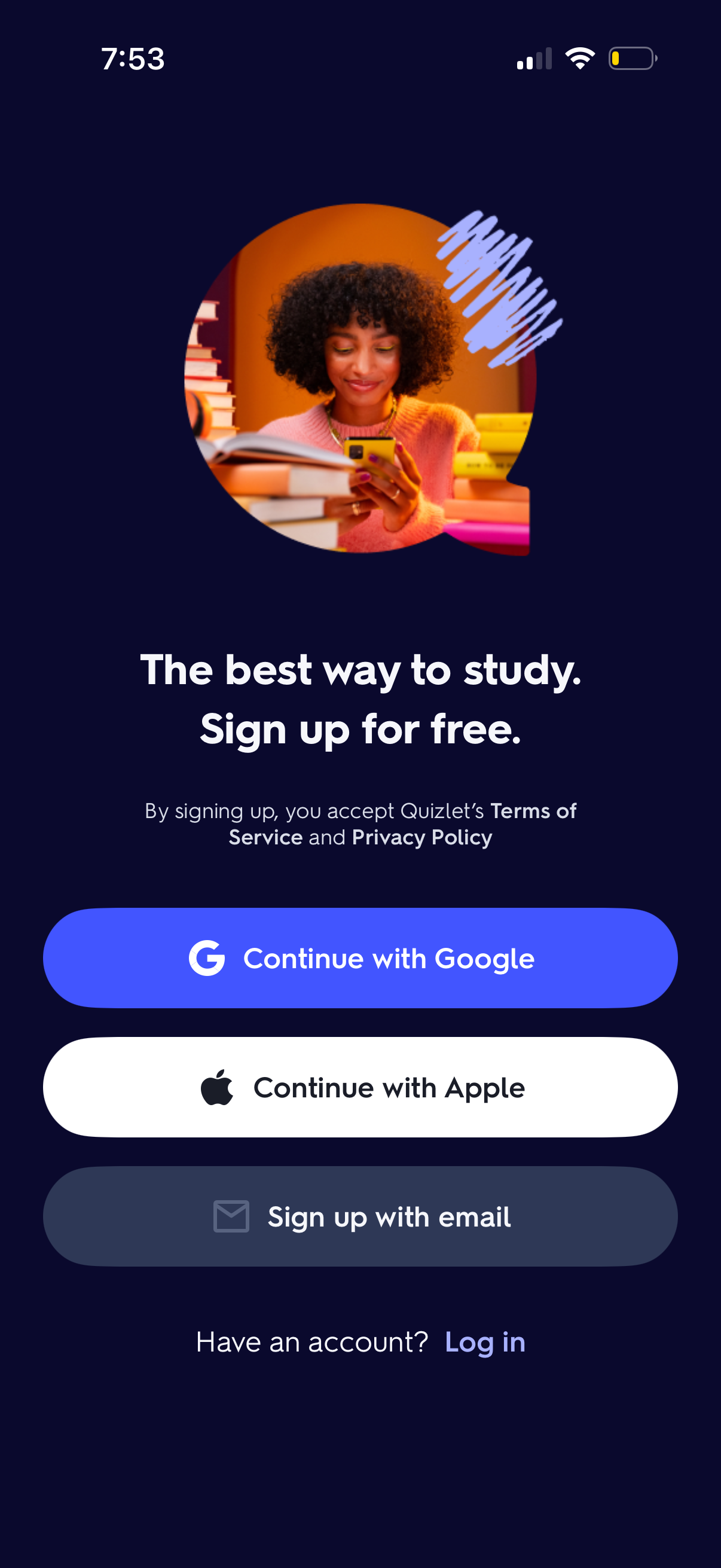
Education app onboarding sign-up screen promoting free account creation, with options to continue with Google or Apple, sign up with email, and a link to log in for existing users plus Terms of Service and Privacy Policy consent text.
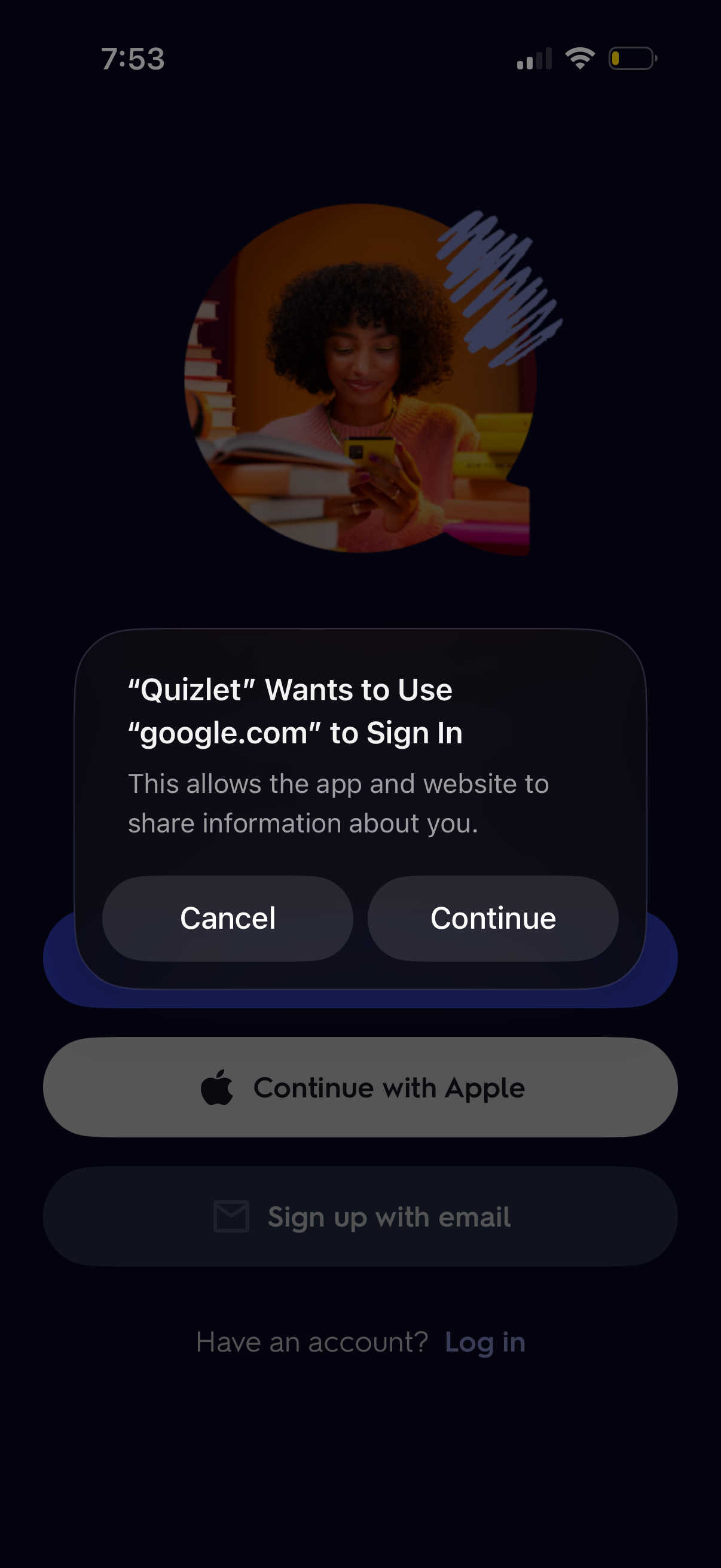
iOS system permission dialog shown during OAuth login, asking to allow the app to use google. com to sign in and share account information.
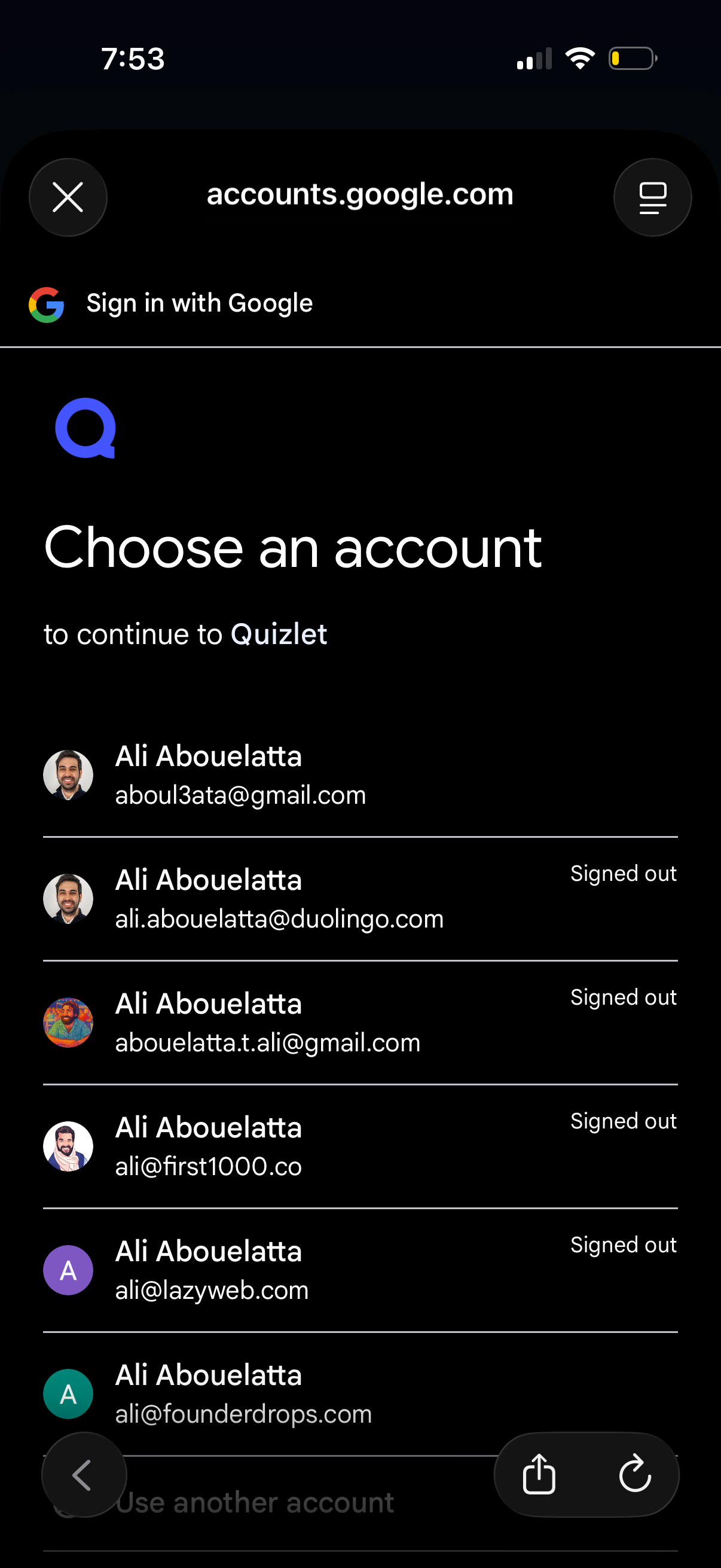
Google OAuth “Choose an account” sign-in screen for continuing to an app, showing a scrollable list of saved Google accounts with avatars, emails, and signed-out status. Users can select an account to log in, use another account, or close the authentication flow.
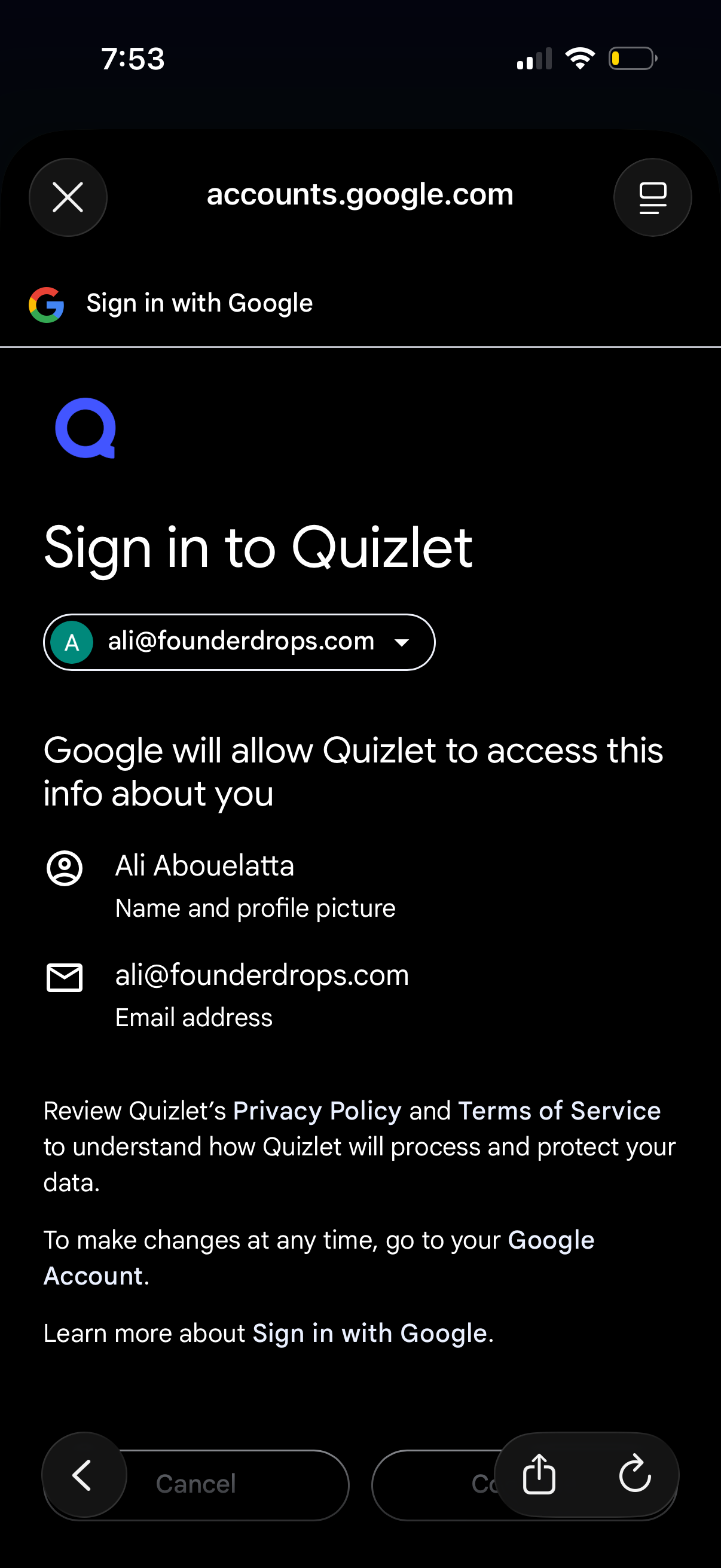
Google OAuth “Sign in with Google” consent screen for logging into Quizlet, showing the selected Google account and the permissions/data Quizlet will access (profile name/photo and email). Primary actions include confirming/continuing sign-in or canceling, with links to privacy policy and terms.
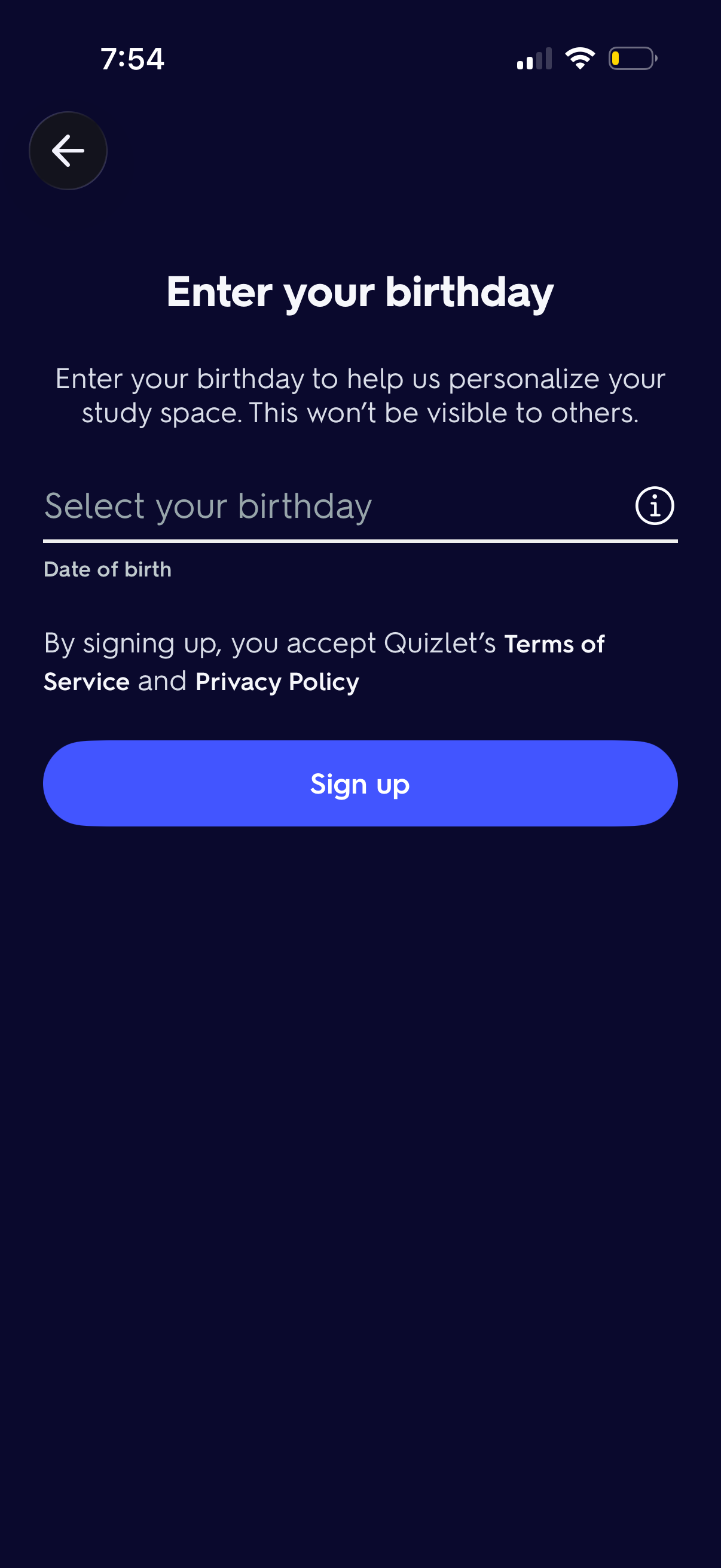
Sign-up onboarding screen prompting the user to enter and select their date of birth to personalize the app, with an info/help icon, Terms of Service and Privacy Policy acknowledgment, and a primary “Sign up” CTA plus a back button.
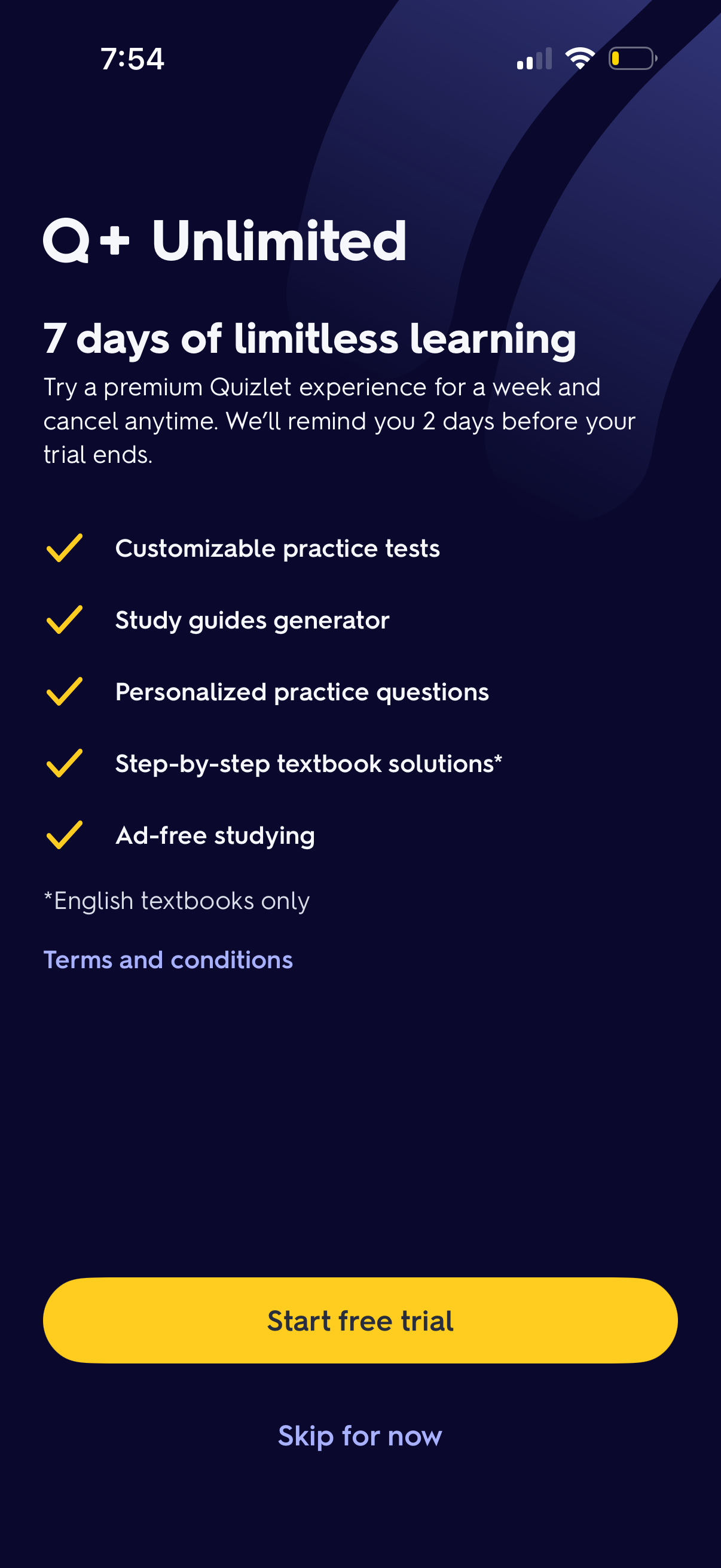
Premium subscription upsell screen promoting a 7-day free trial for an “Unlimited” learning plan, highlighting included benefits like customizable practice tests, study guide generator, personalized questions, step-by-step textbook solutions, and ad-free studying. Primary action is a prominent “Start free trial” button with an option to “Skip for now” and a link to terms and conditions.
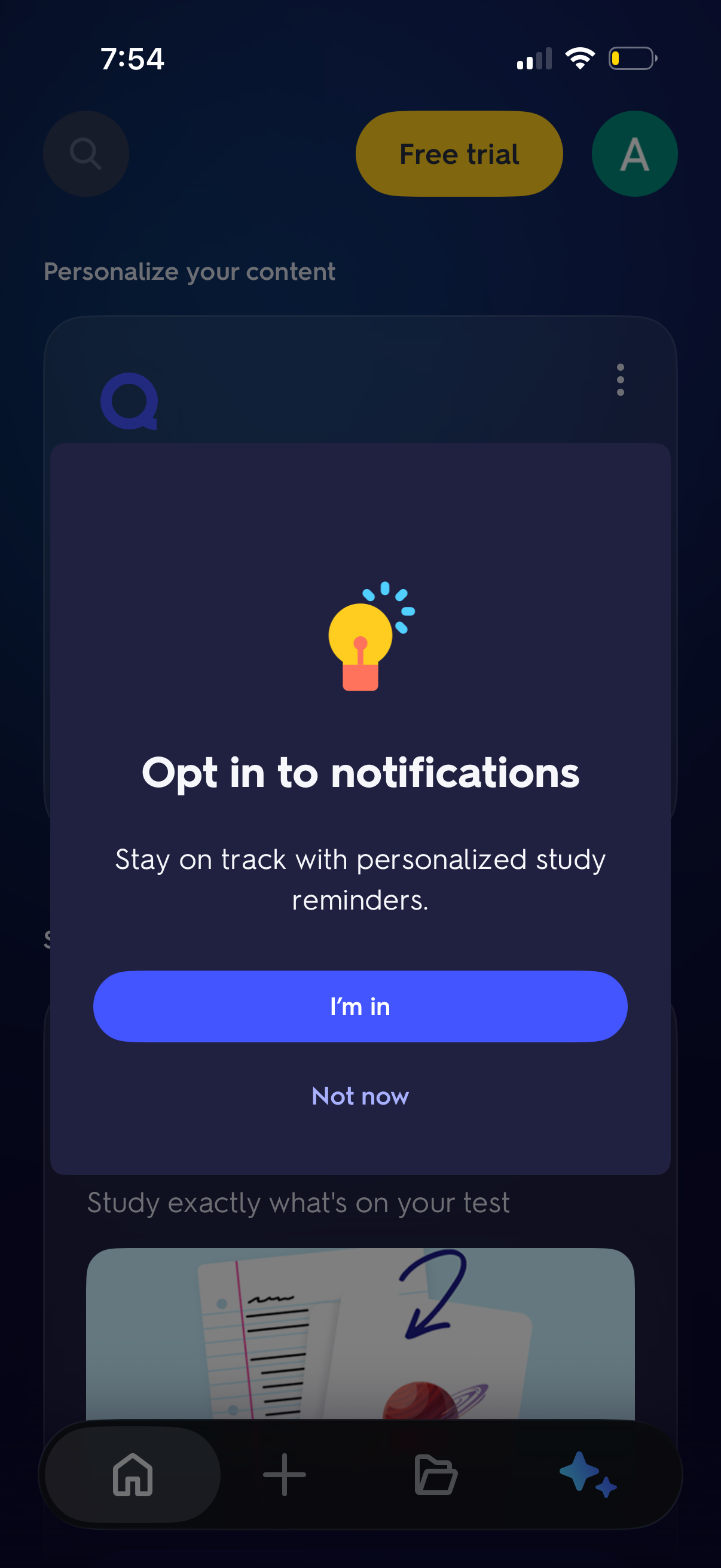
In-app modal prompting users to opt in to push notifications for personalized study reminders, with a primary “I’m in” CTA and a secondary “Not now” dismiss option over a personalized content home screen. The background includes top actions like search and free trial plus a bottom navigation bar.
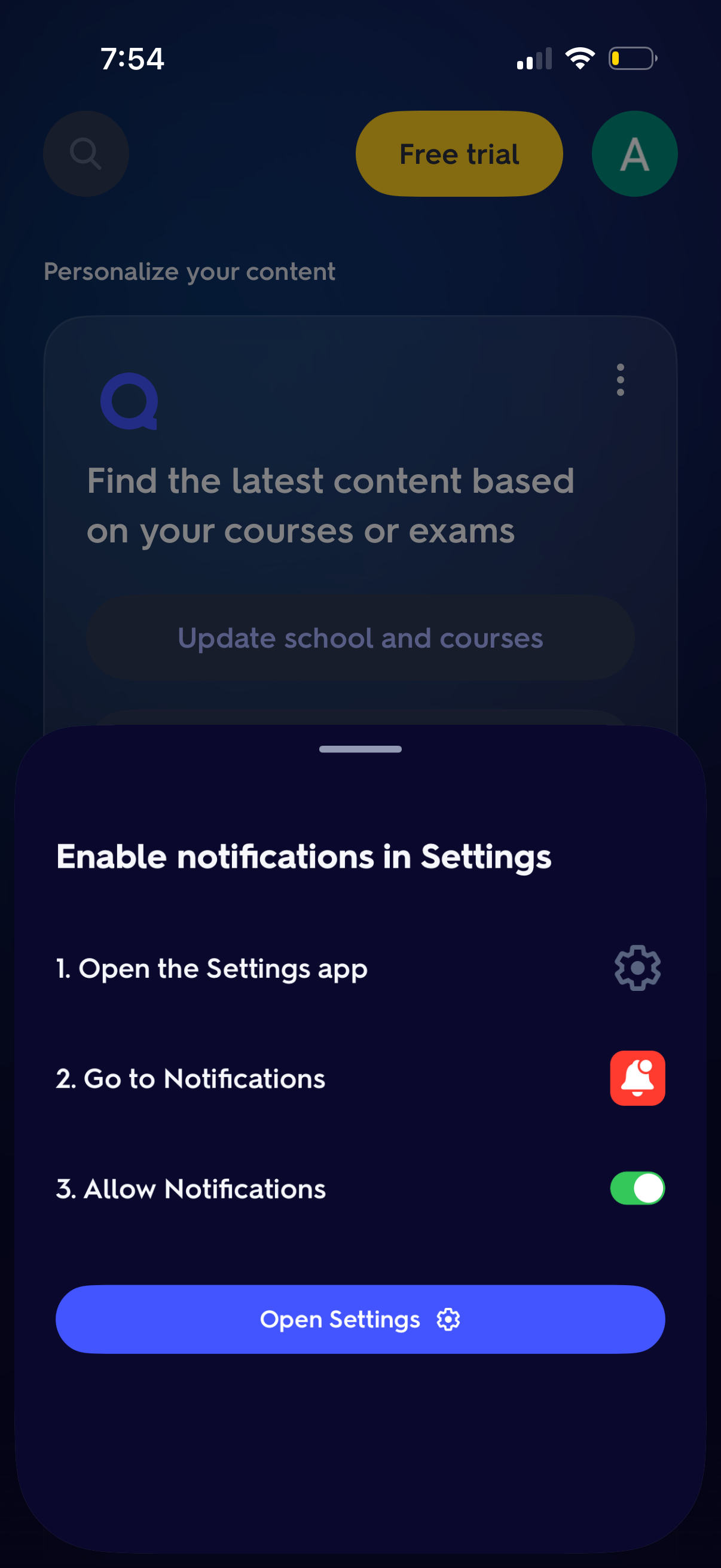
Bottom-sheet prompt asking users to enable app notifications in iOS Settings, showing step-by-step instructions (open Settings, go to Notifications, allow notifications) and a primary “Open Settings” button to deep-link to device settings. The background is the app home/content screen with personalization and free trial elements blurred behind the modal.