rsvp to public event
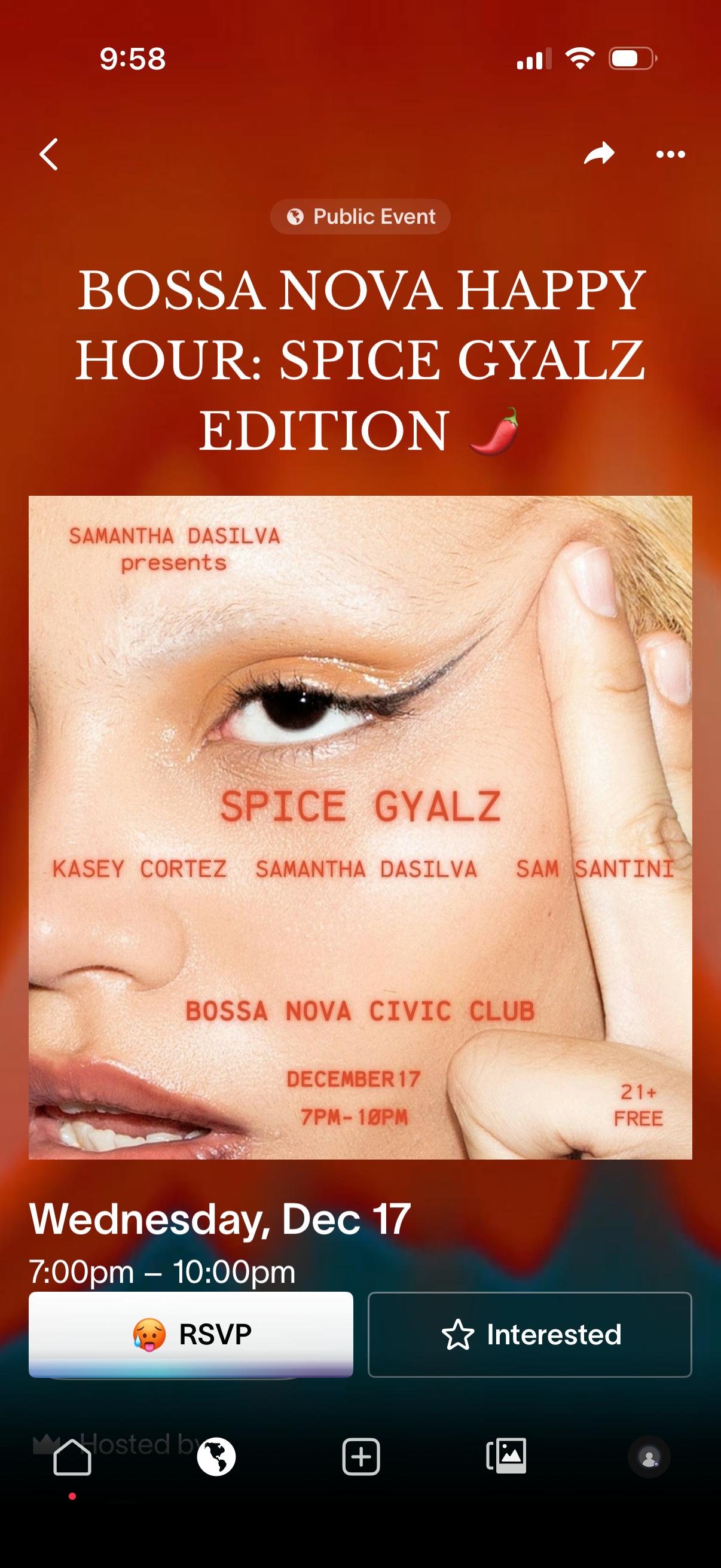
Public event detail screen showing a large cover image, event title, and date/time information, with navigation controls and share/more options. Primary actions let users RSVP or mark themselves as Interested.
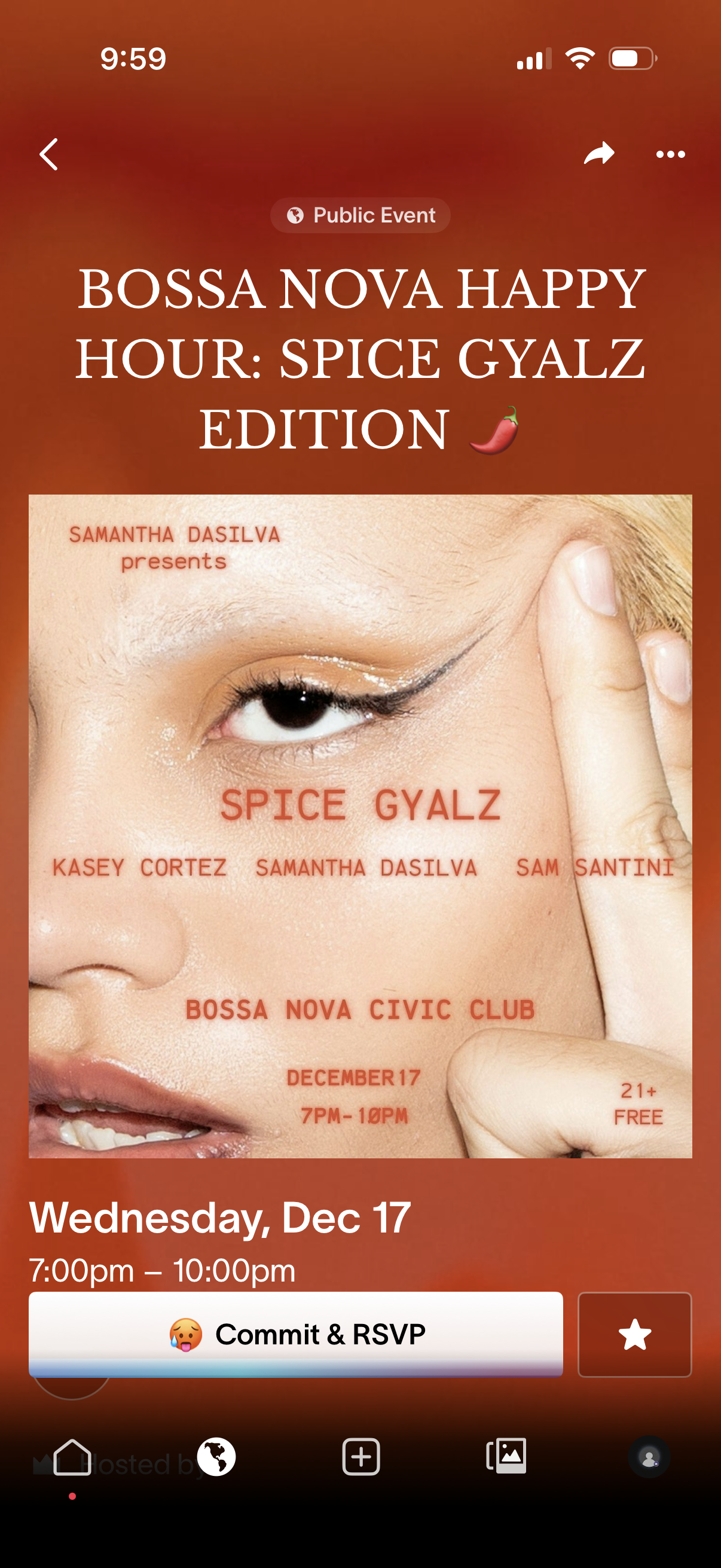
Public event details screen showing a large event poster, event title, and date/time information, with navigation plus share and overflow actions. Primary CTA lets users commit and RSVP to the event, with a secondary favorite/bookmark button.
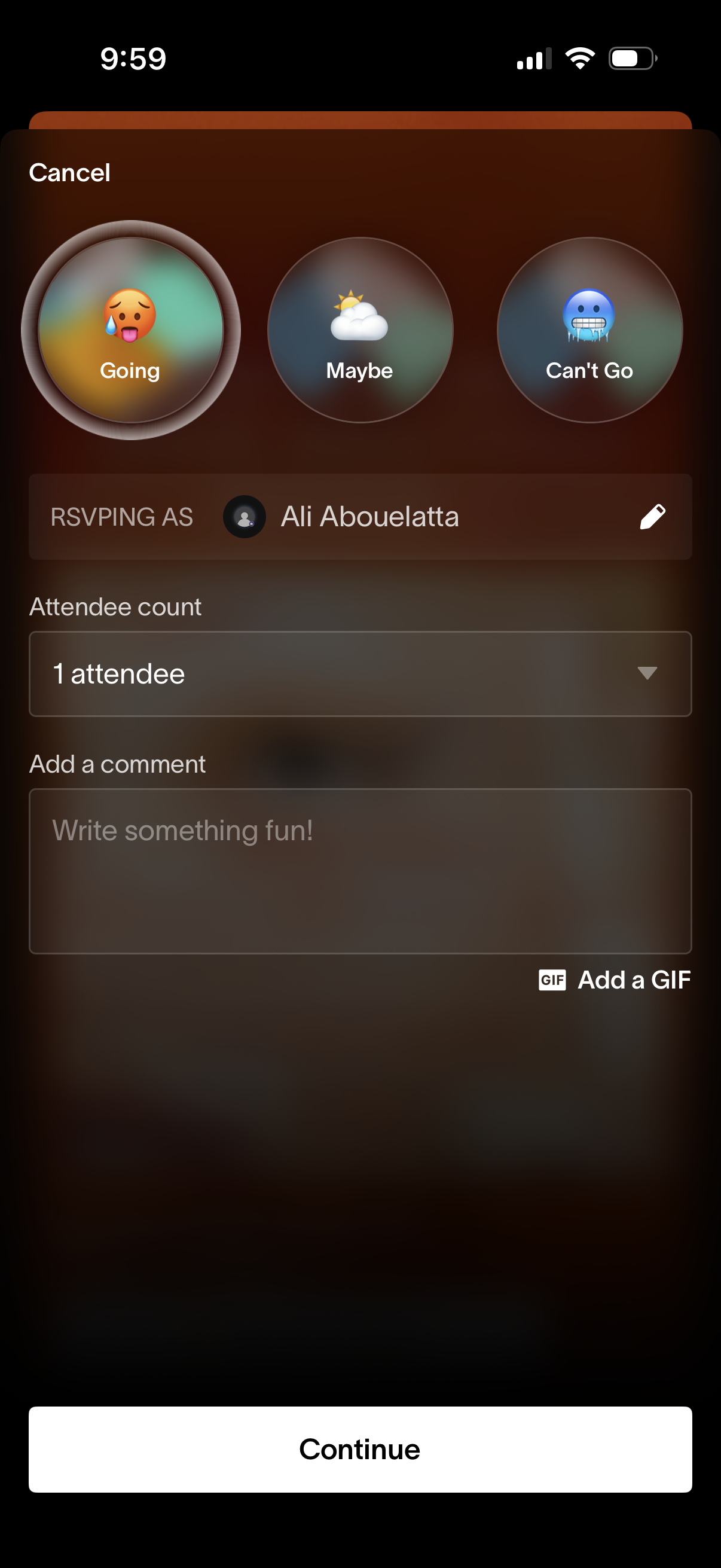
Event RSVP confirmation screen where users choose a response status (Going, Maybe, Can’t Go), select attendee count, and add an optional comment or GIF. Includes an option to edit the RSVP name and a primary Continue button to submit.
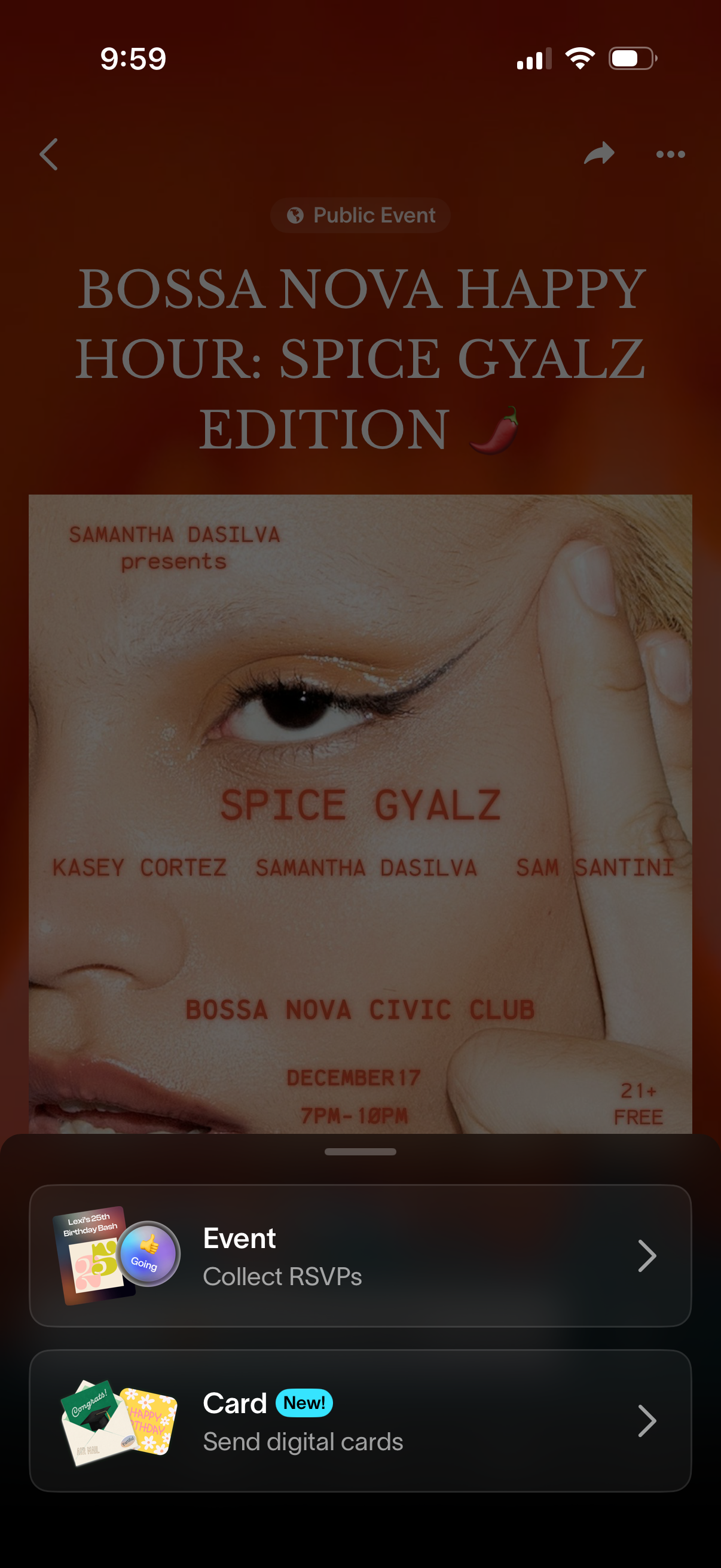
Public event detail screen showing a large event flyer/cover image and title, with navigation back plus share and overflow actions. A bottom action sheet offers quick next steps like “Collect RSVPs” for the event and “Send digital cards,” each as tappable cards with chevrons.