start ticket order
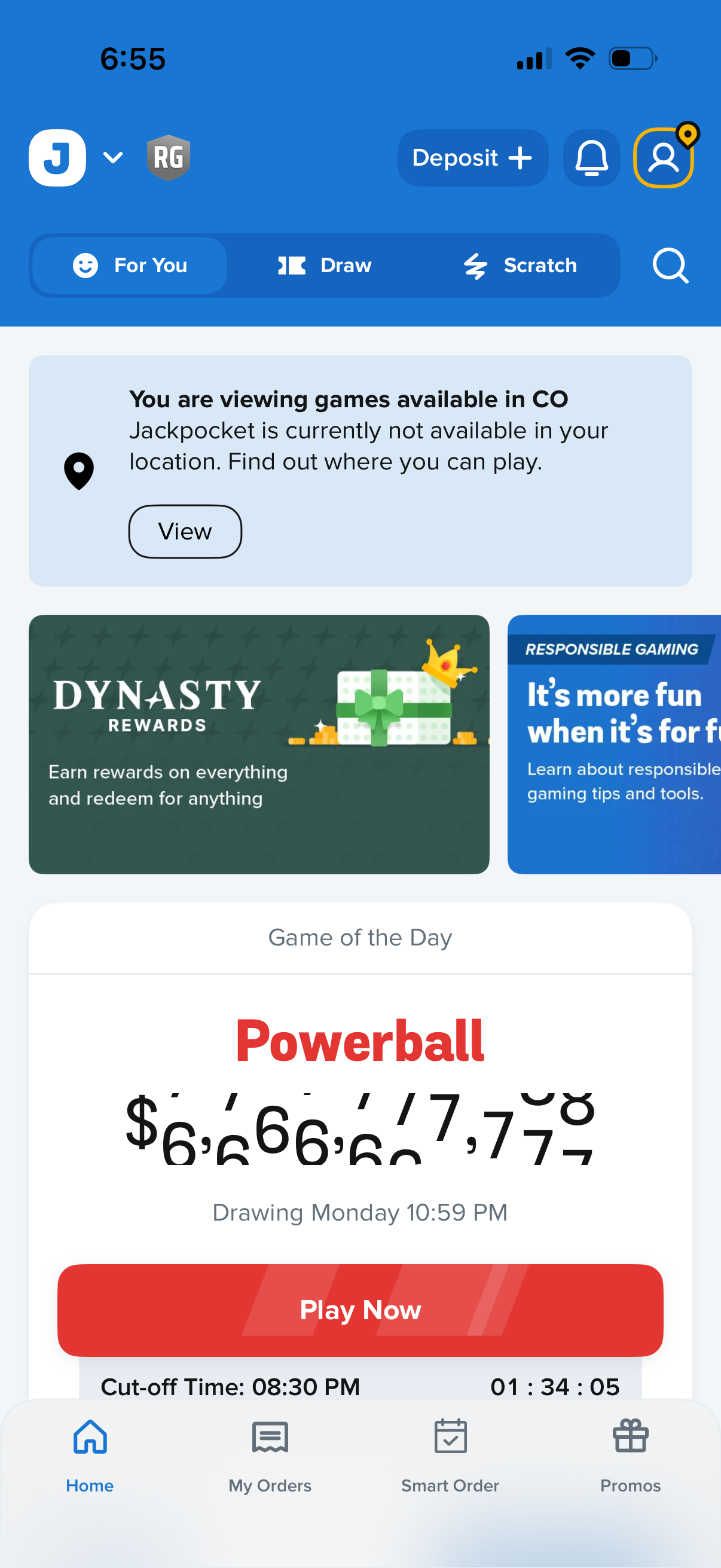
Lottery ticket app home screen showing tabs to browse games (For You, Draw, Scratch), a location availability notice with a “View” action, promotional/rewards banners, and a featured “Game of the Day” jackpot card with a “Play Now” button. Top bar includes deposit/add funds, notifications, and account/profile, with bottom navigation for Home, My Orders, Smart Order, and Promos.
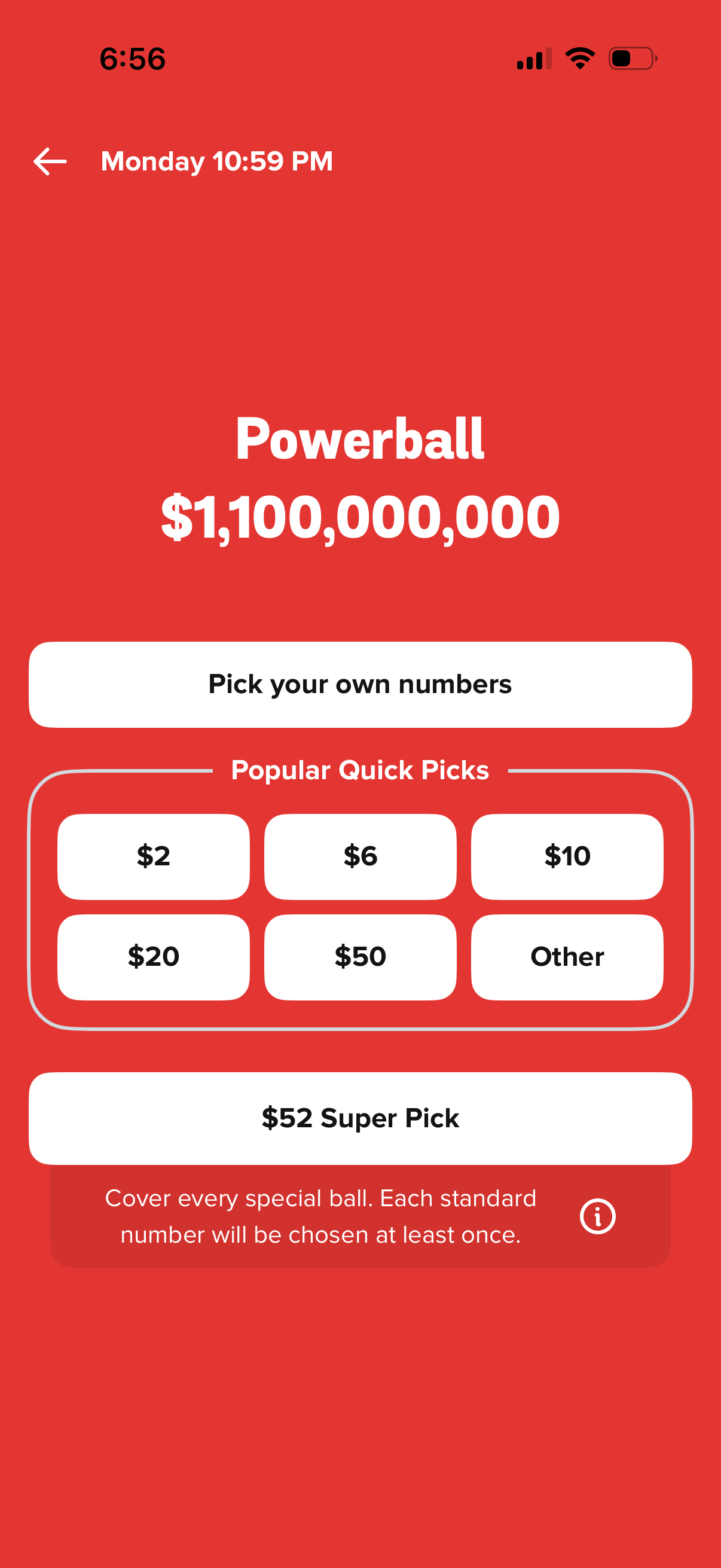
Lottery ticket purchase screen for a Powerball drawing showing the current jackpot and draw time, with actions to pick your own numbers or choose popular quick-pick bundles by price. Includes an “Other” amount option and a Super Pick feature with an info tooltip explaining it covers every special ball.
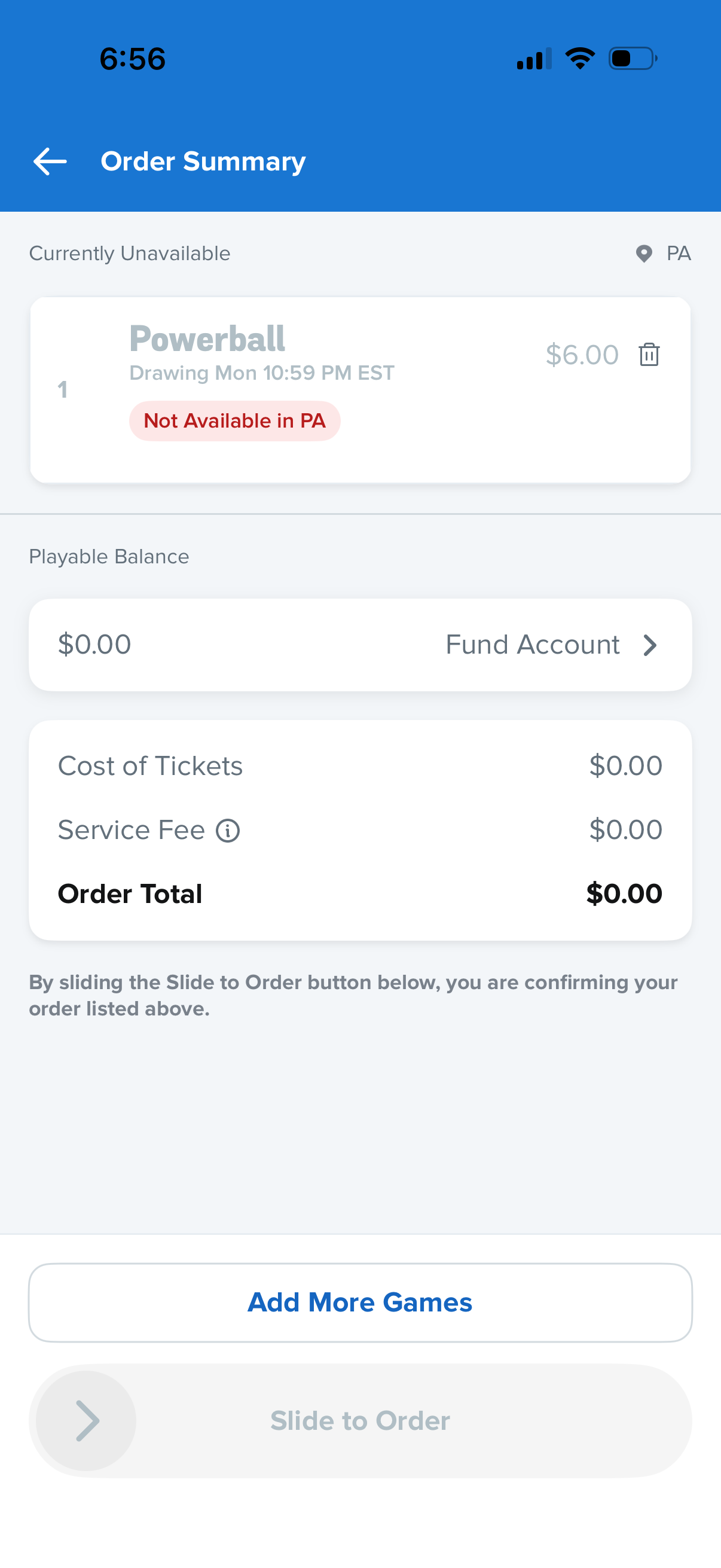
Lottery ticket checkout order summary screen showing a selected game with drawing time, quantity, price, and an error badge indicating the ticket is not available in the user’s state. Includes playable balance with a “Fund Account” action, cost breakdown (tickets, service fee, order total), an “Add More Games” button, and a disabled slide-to-order confirmation control.