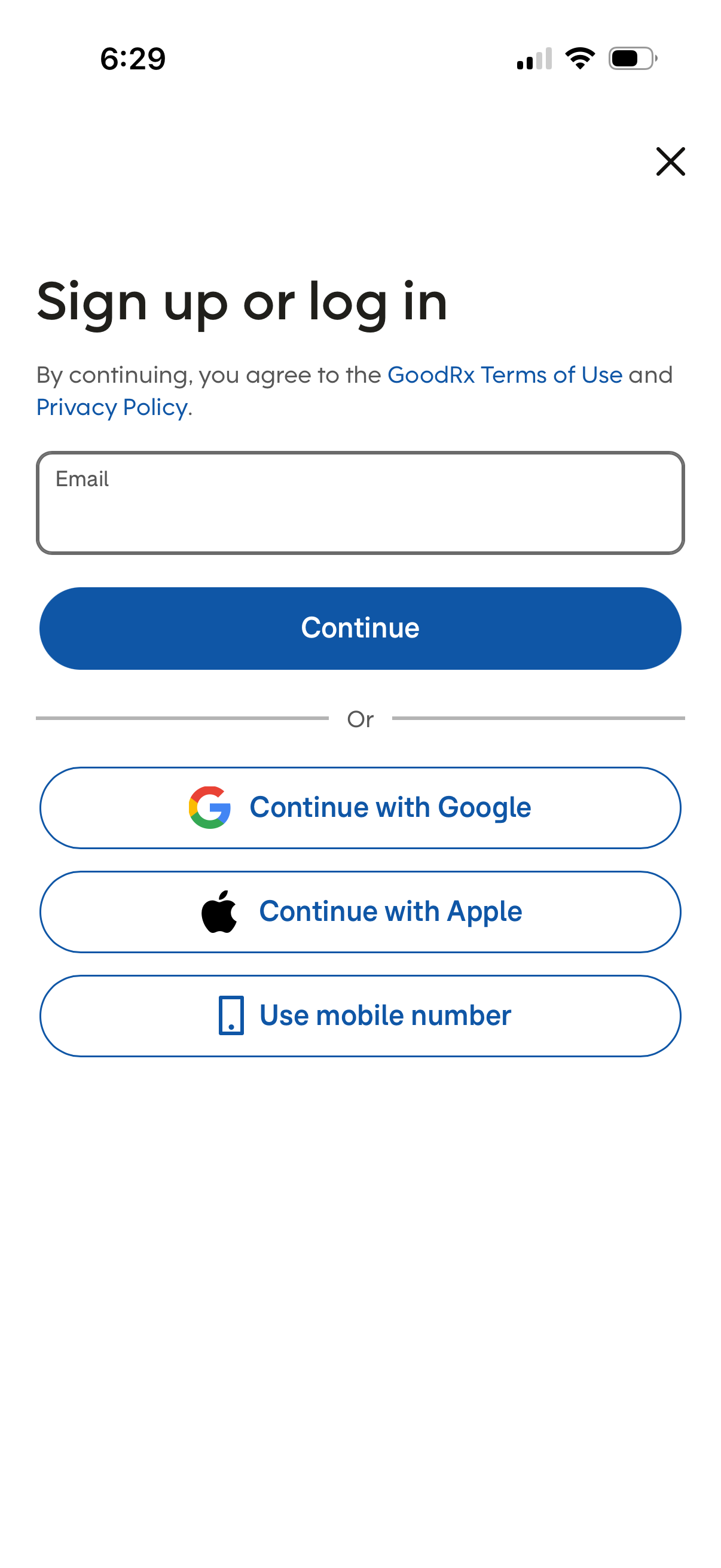
Authentication screen prompting users to sign up or log in by entering an email and tapping Continue, with links to terms of use and privacy policy. Provides alternative login options including Continue with Google, Continue with Apple, and using a mobile number, plus a close button to dismiss.
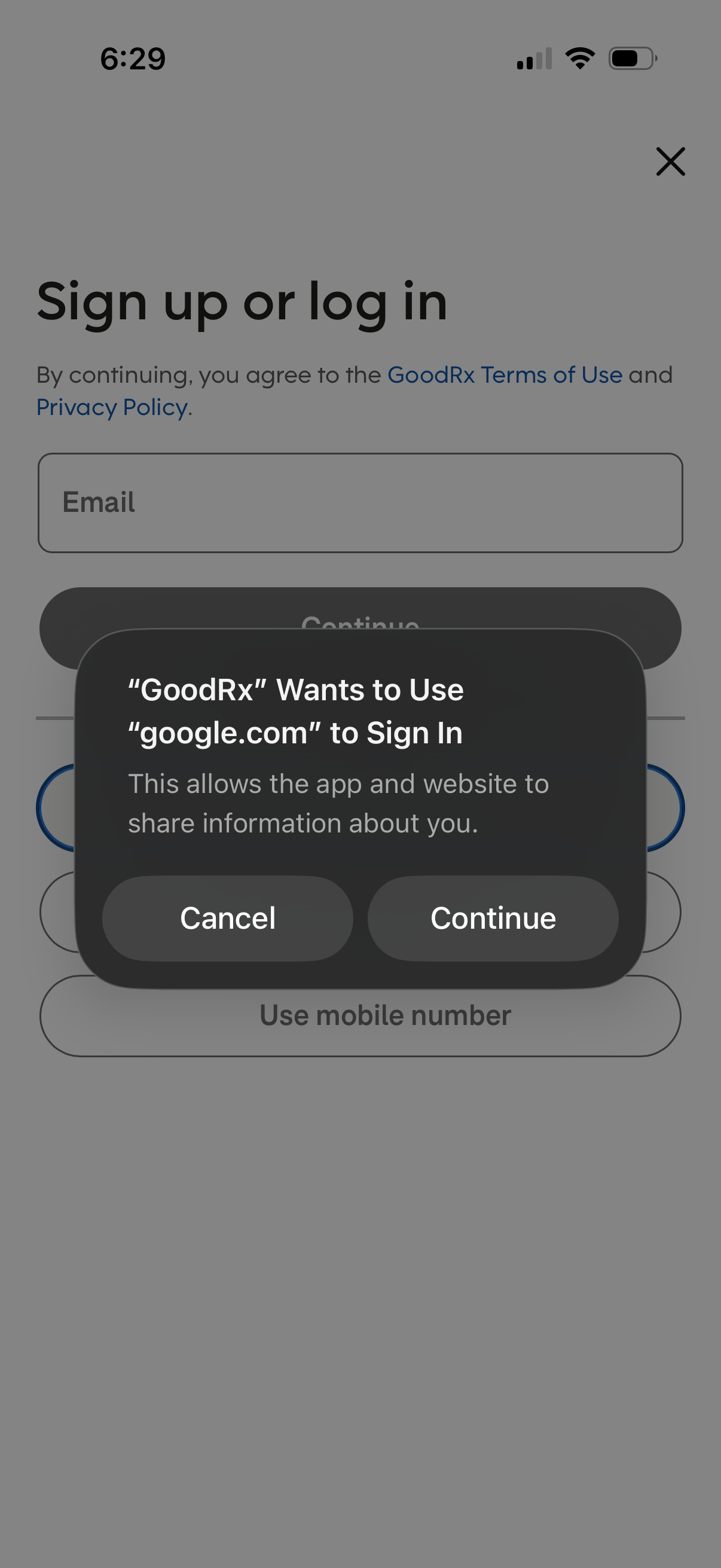
Sign up or log in screen with an email input and options to continue, use Google sign-in, or use a mobile number, including links to terms and privacy policy. An iOS permission dialog overlays the page asking to allow Google.
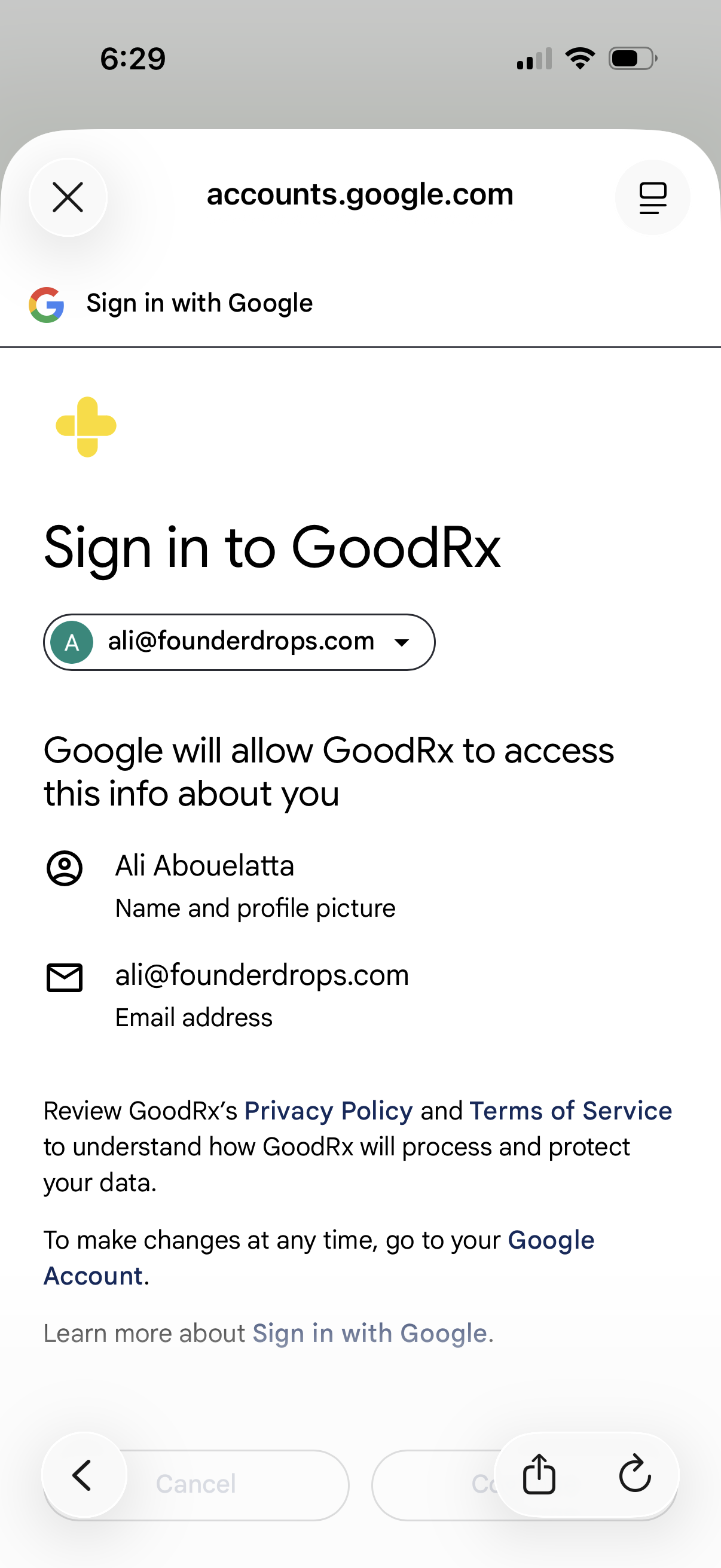
Google OAuth consent screen for signing in to an app (GoodRx) with a selected Google account, showing what profile data will be shared (name/profile picture and email) and links to the app’s privacy policy and terms. Includes controls to switch accounts or close/cancel the sign-in flow.
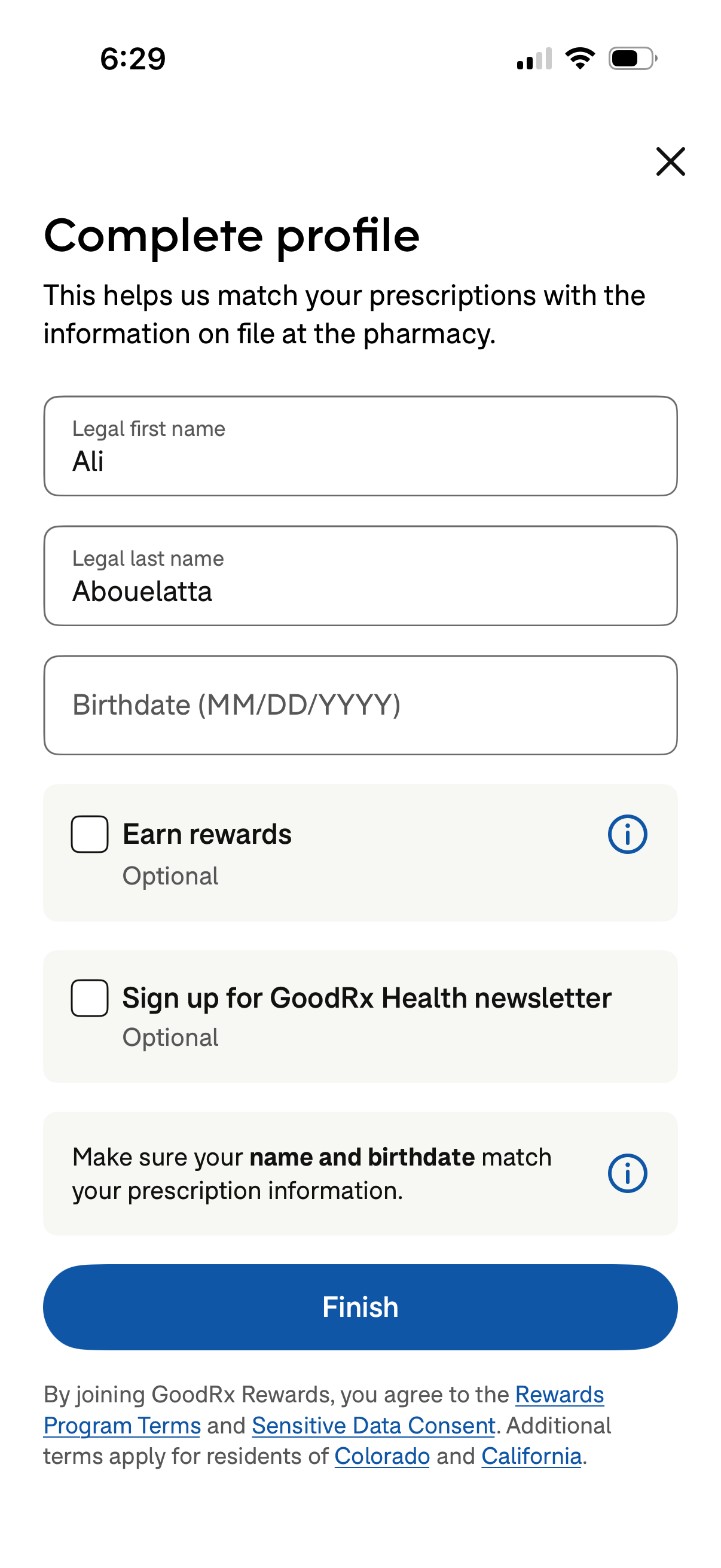
Profile completion form for a prescription/pharmacy app to match prescriptions with pharmacy records, collecting legal first name, last name, and birthdate. Includes optional checkboxes to enroll in rewards and sign up for a health newsletter with info tooltips, plus a primary Finish button and close icon.