redeem promo code
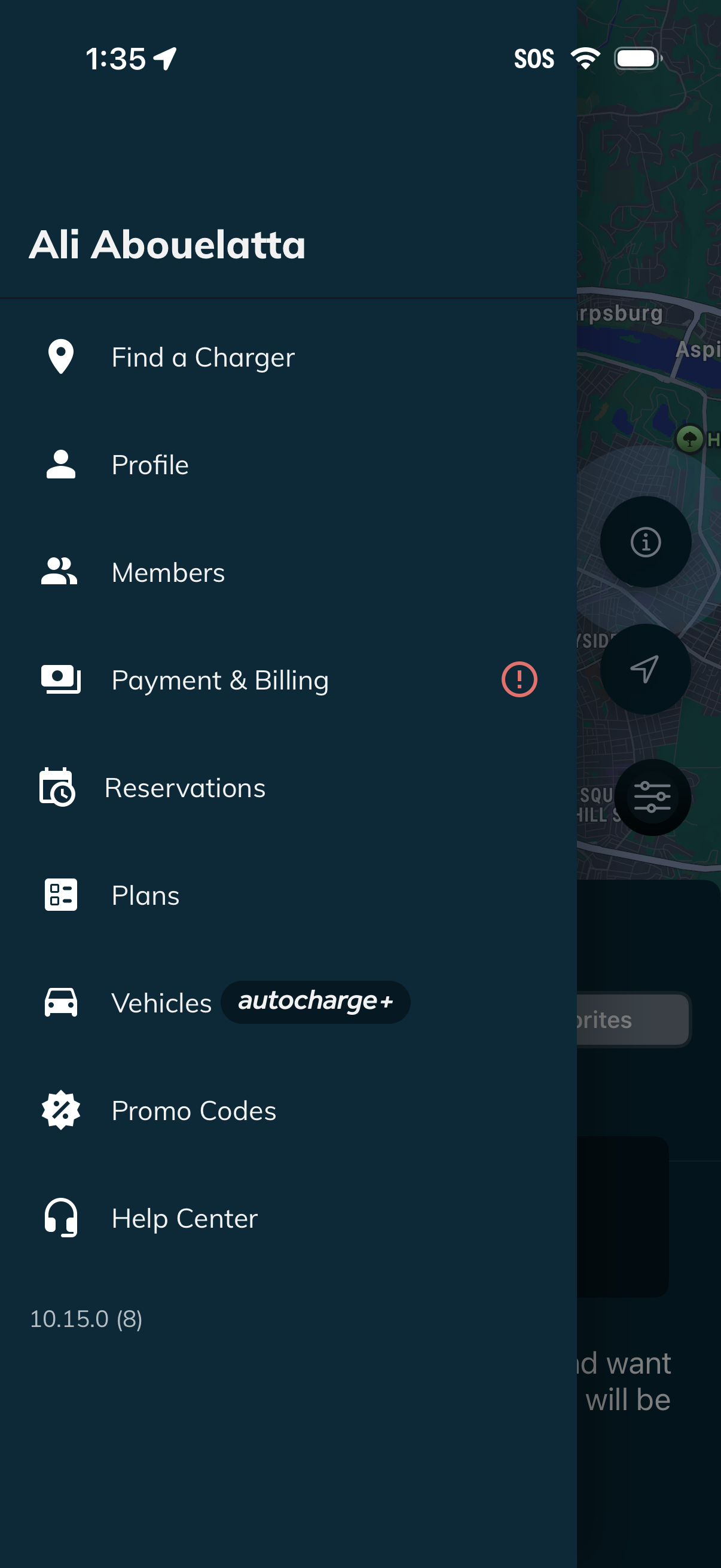
Side navigation drawer for an EV charging app showing the signed-in account and quick links to Find a Charger, Profile, Members, Payment & Billing (with an alert badge), Reservations, Plans, Vehicles (Autocharge+), Promo Codes, and Help Center. The menu overlays a map screen and provides primary access to account, billing, and charging-related features.
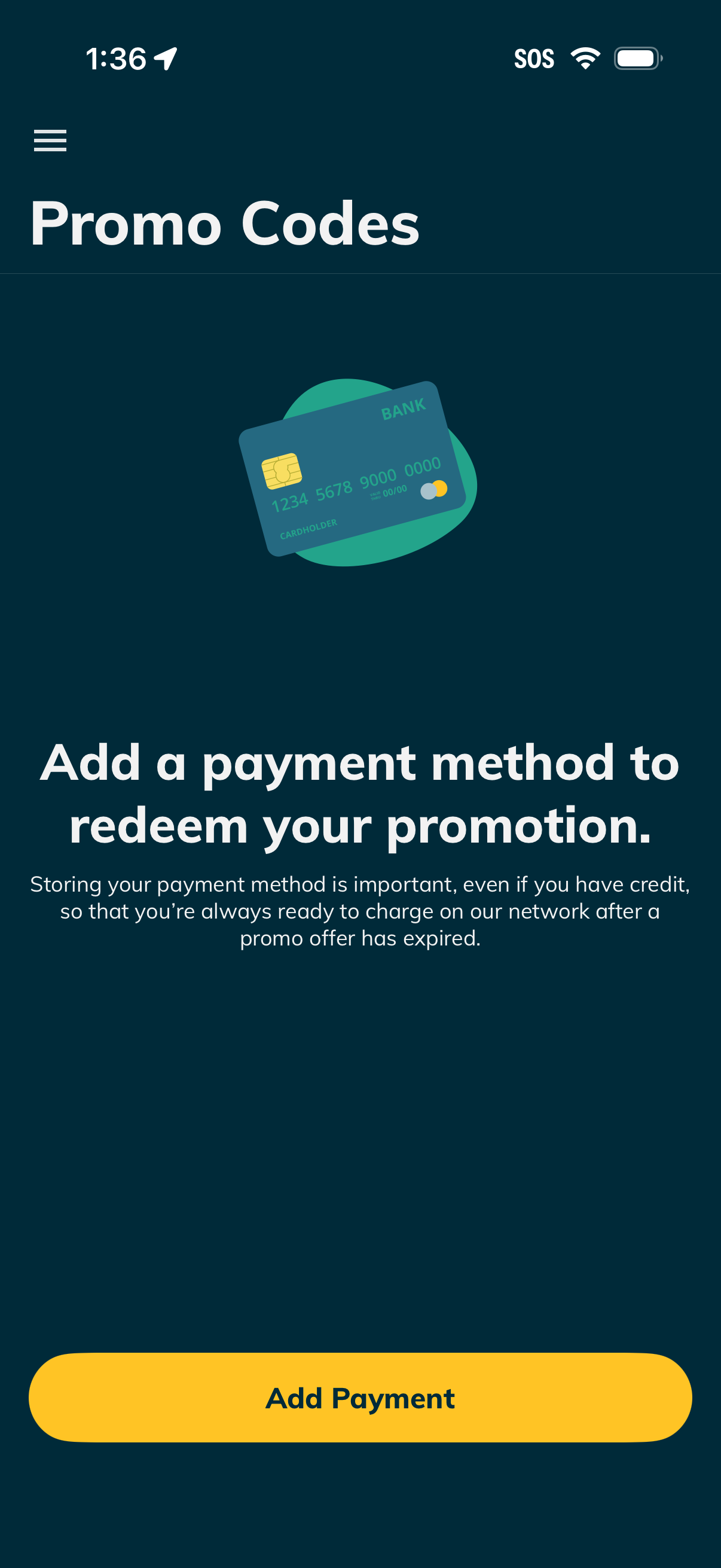
Promo Codes screen prompting the user to add a payment method before redeeming a promotion, explaining that stored billing is required for charging after the promo expires. Includes a primary CTA button to “Add Payment” and a hamburger menu for navigation.
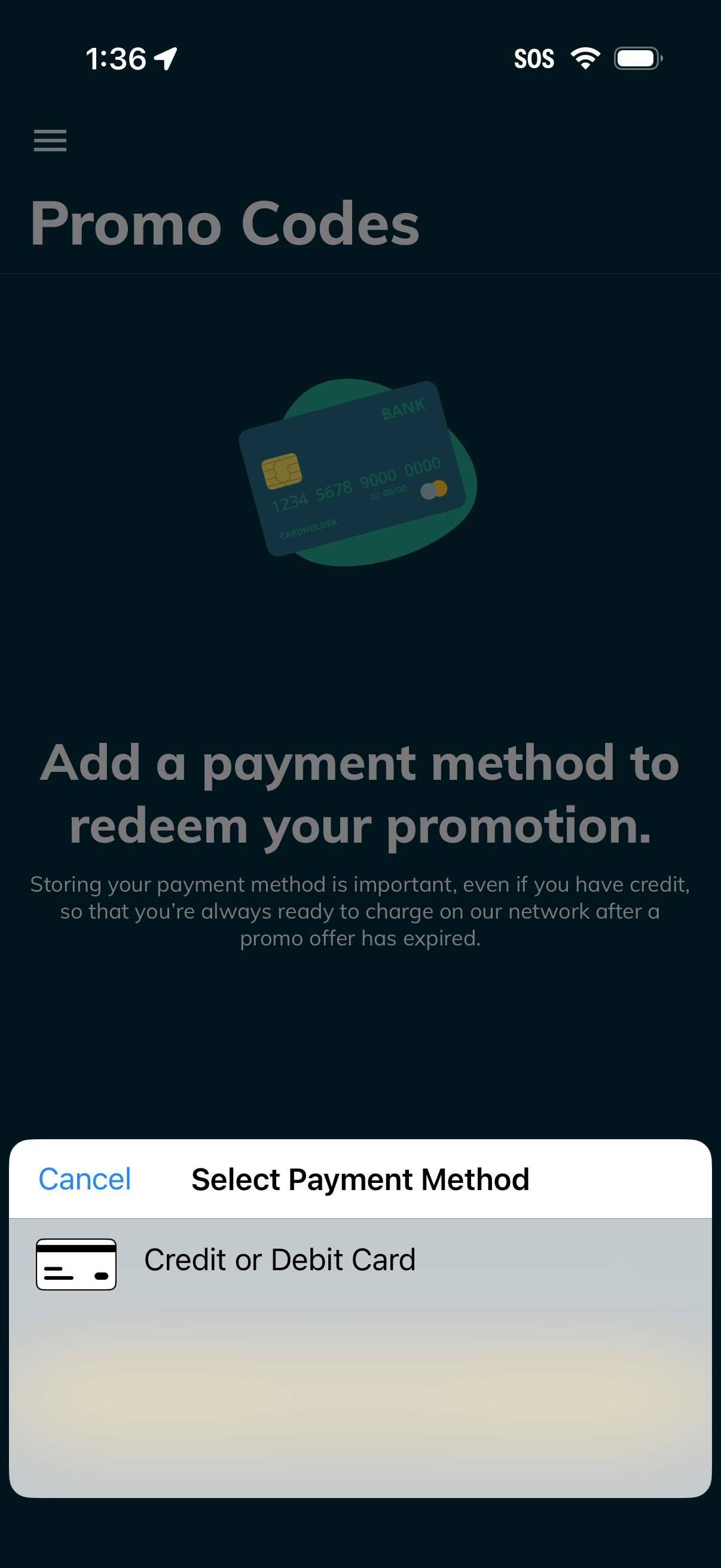
Promo codes screen prompting the user to add a payment method before redeeming a promotion, explaining that a card is required for future charges after the offer expires. A bottom sheet modal lets the user select a payment method, with an option to add a credit or debit card and a cancel action.
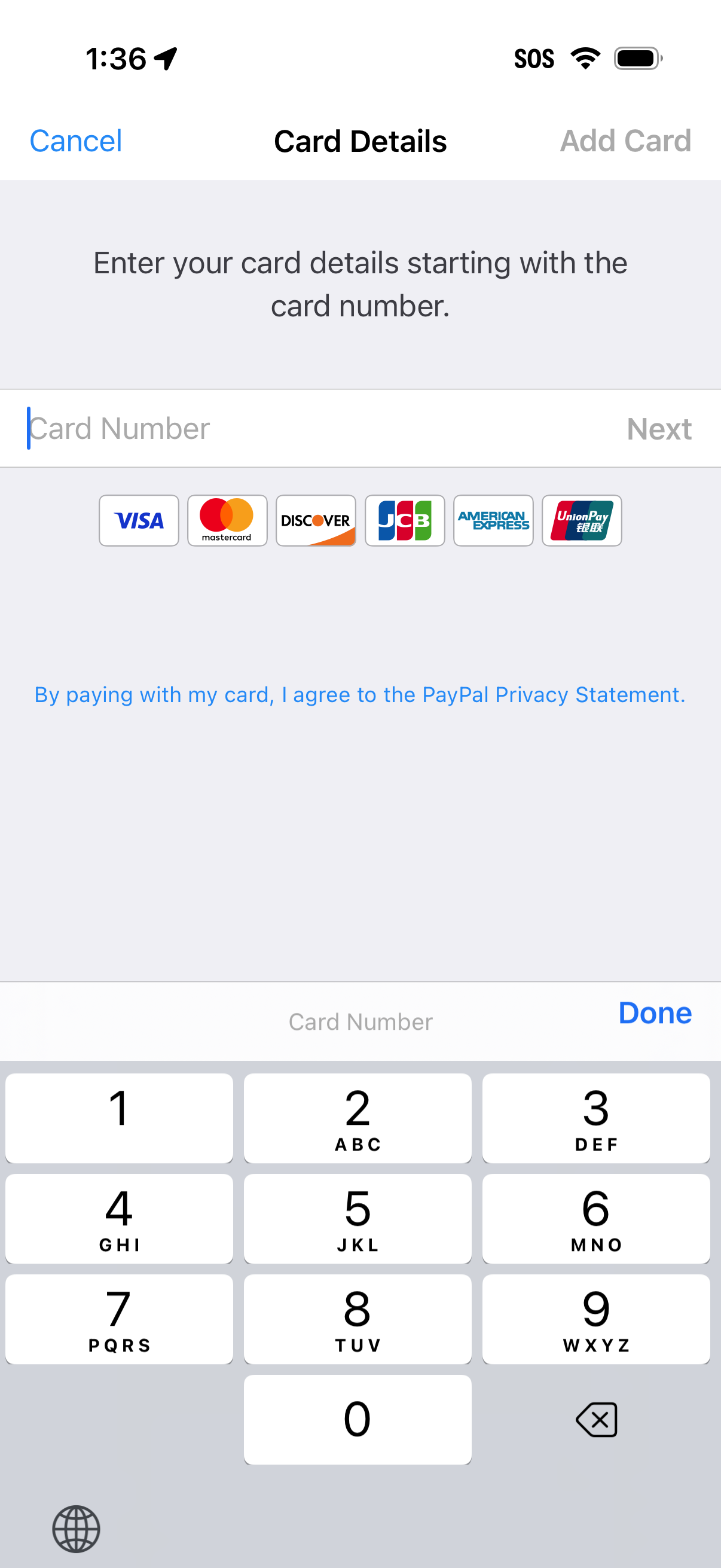
Payment card entry screen for adding a new credit/debit card, prompting the user to enter the card number with a Next action and showing supported card networks (Visa, Mastercard, Discover, JCB, AmEx, UnionPay). Includes navigation options to cancel or add card and a privacy statement link related to paying by card.