filter discovery by genre
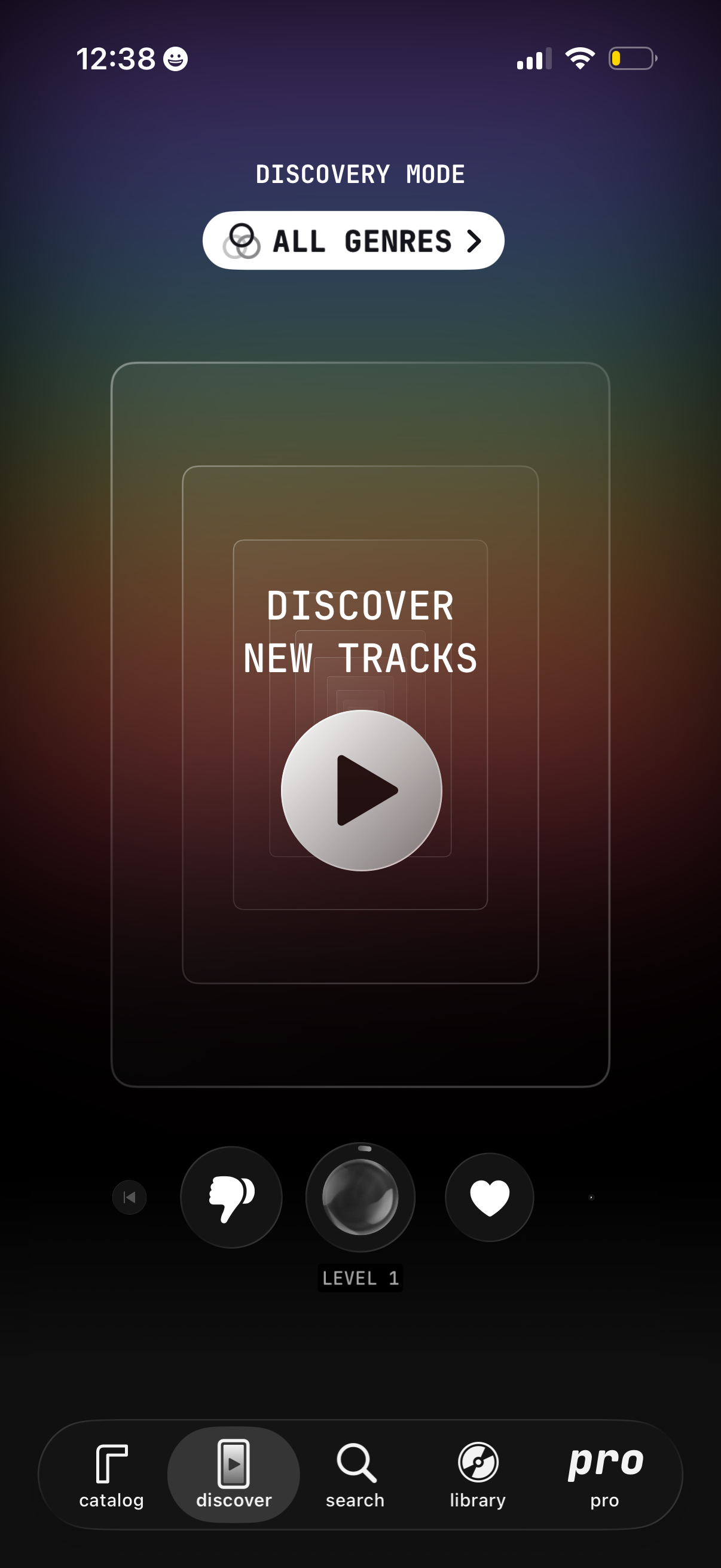
Music discovery mode screen that lets users browse and play new tracks with a genre filter (All Genres) and a central play button to start discovering. Users can provide feedback with dislike/skip and like actions, see a progression level indicator, and navigate via a bottom tab bar (catalog, discover, search, library, pro).
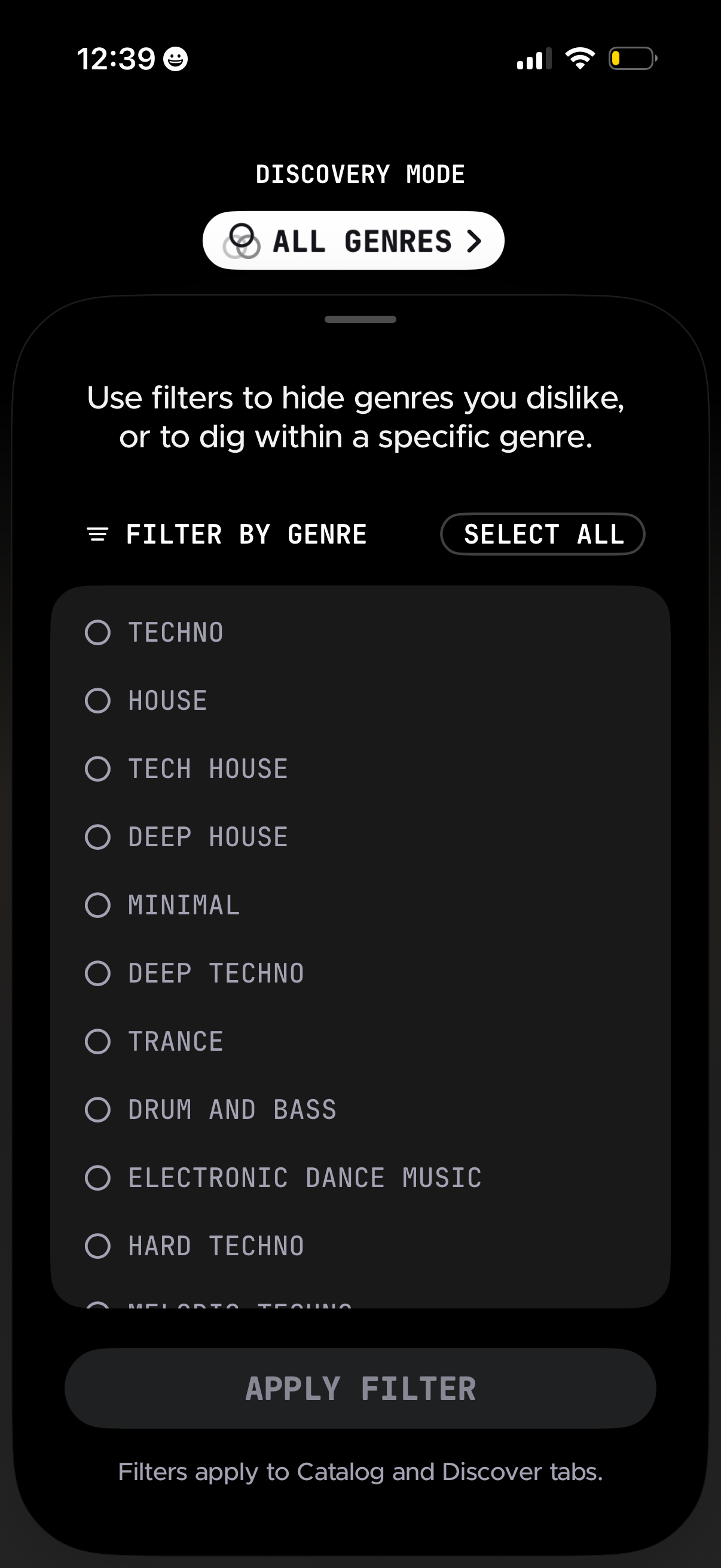
Music discovery filter screen that lets users choose which genres to include or hide, with an “All Genres” selector, a scrollable list of genre options with radio buttons, and a “Select All” control. Users can apply their selection via an “Apply Filter” button, with a note that filters affect the catalog and discover tabs.
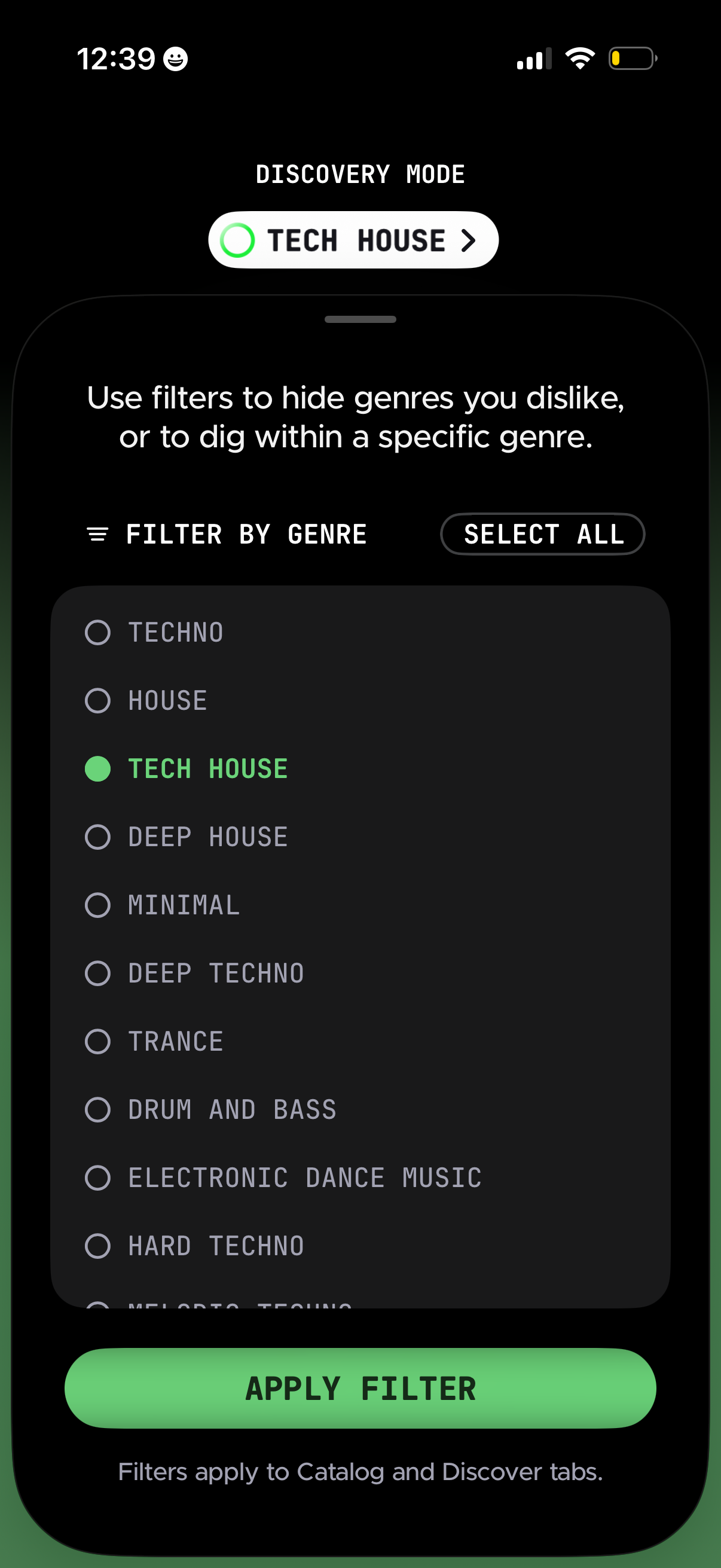
Music discovery filter screen for selecting electronic genres, showing a list of genre radio options with the current genre highlighted and controls to filter by genre or select all. Users can apply the chosen filters via an “Apply Filter” button to refine discovery and hide unwanted genres.
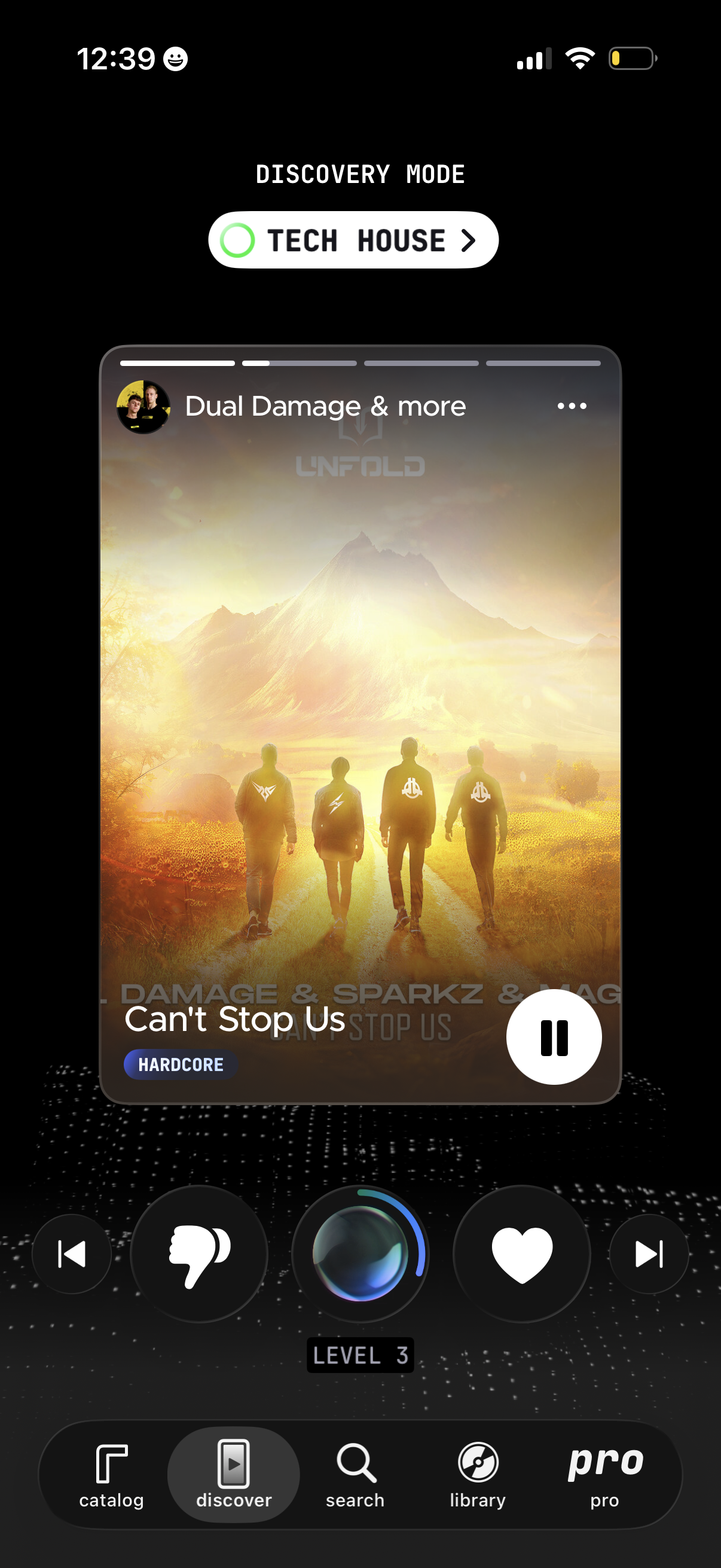
Music discovery player screen in “Discovery Mode” with a genre selector (Tech House), showing the currently playing track artwork and title plus a pause control. Main actions include liking, disliking, skipping/previous, adjusting a level/intensity control, and navigating via bottom tabs for catalog, discover, search, library, and pro.