save artwork to list
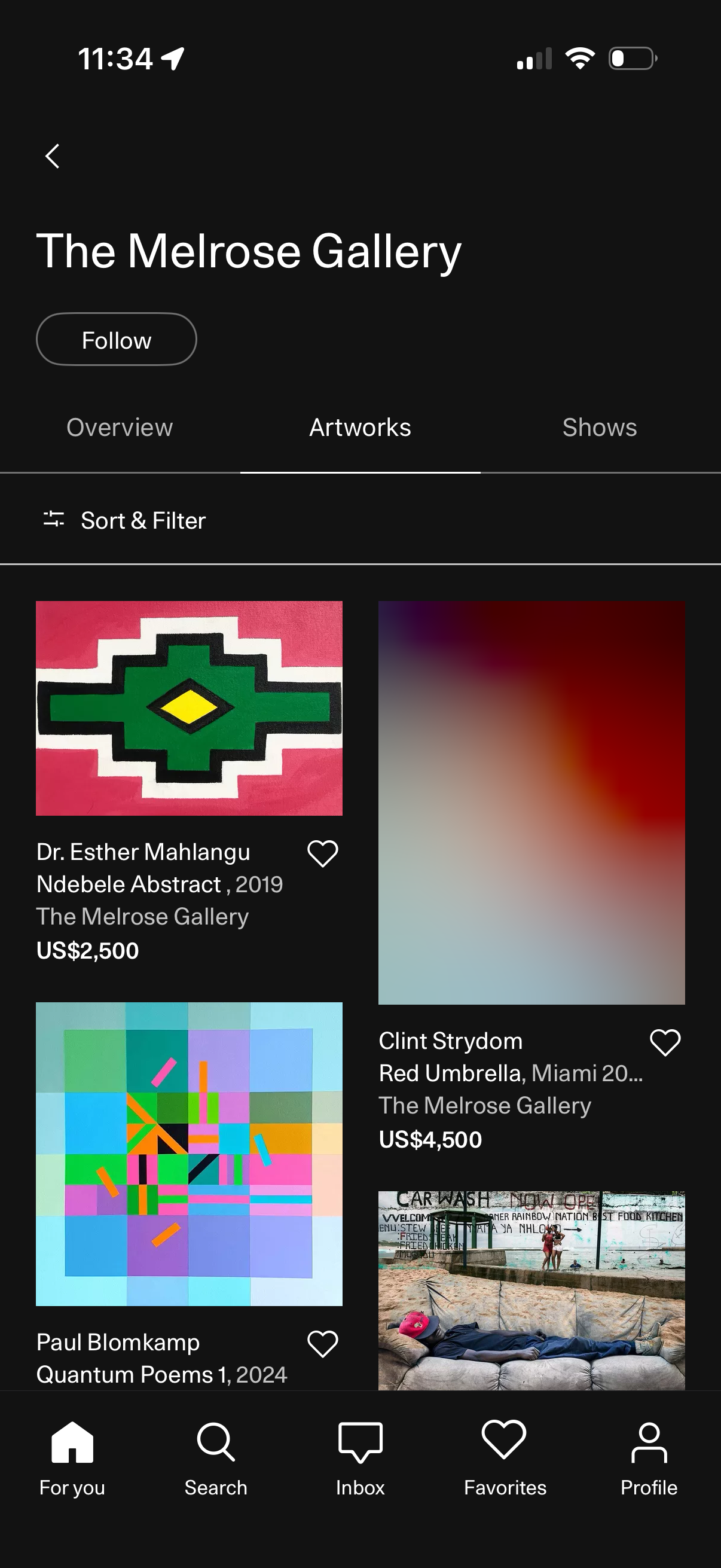
Gallery profile page showing the “Artworks” tab with a grid of artwork listings, each displaying image, artist/title, gallery name, price, and a heart icon to favorite. Includes a Follow button for the gallery plus sort and filter controls, with navigation tabs for Overview/Artworks/Shows and a bottom app nav bar.
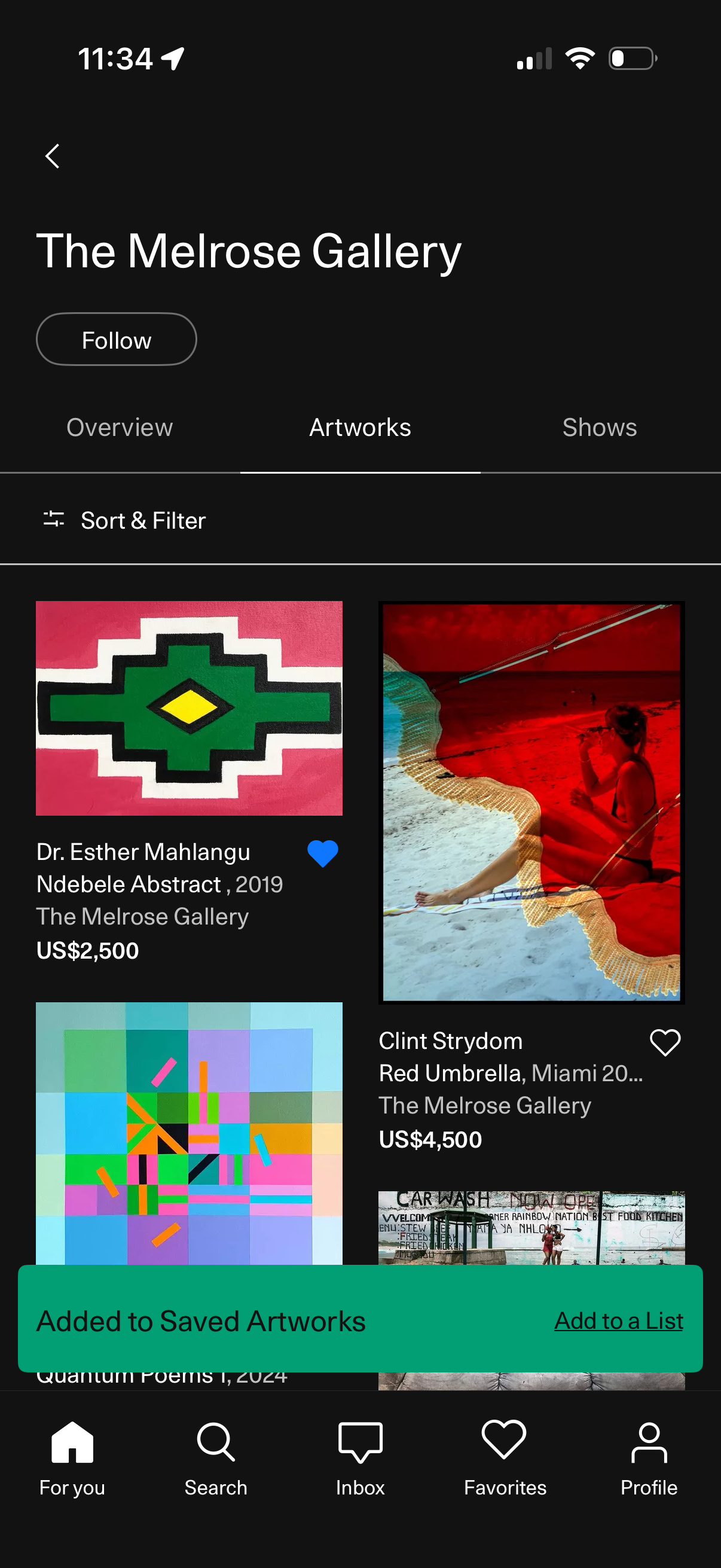
Gallery profile page showing “The Melrose Gallery” with a Follow button and tabs for Overview, Artworks, and Shows, focused on an Artworks grid with a Sort & Filter option. Users can browse artwork cards with images, artist/title, gallery name and price, heart to save/favorite items, and see a confirmation banner for adding to Saved Artworks with an option to add to a list.
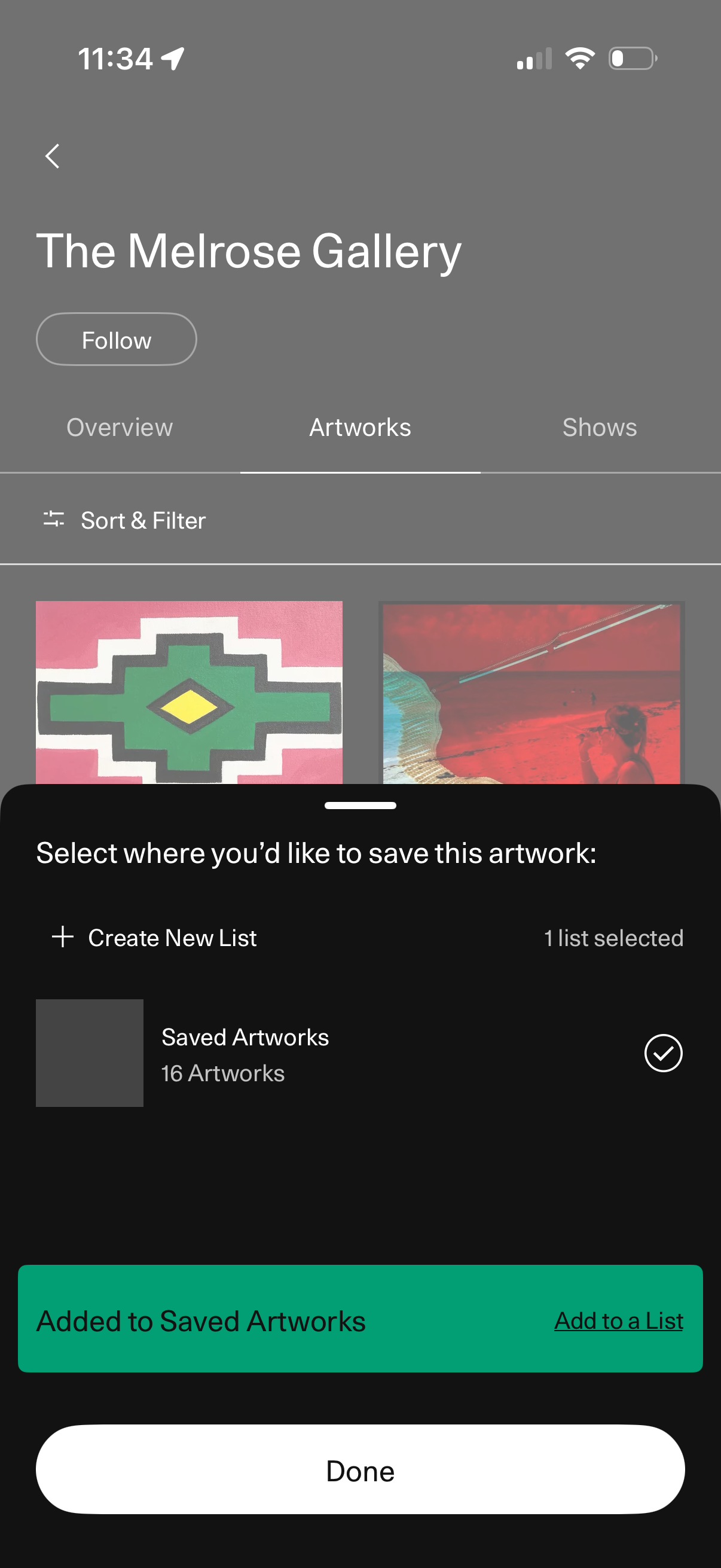
Gallery profile page showing tabs for Overview, Artworks, and Shows with a Follow button and a sortable/filterable grid of artworks. A bottom sheet modal lets the user save an artwork to a selected list, create a new list, confirm it was added, and finish with Done.