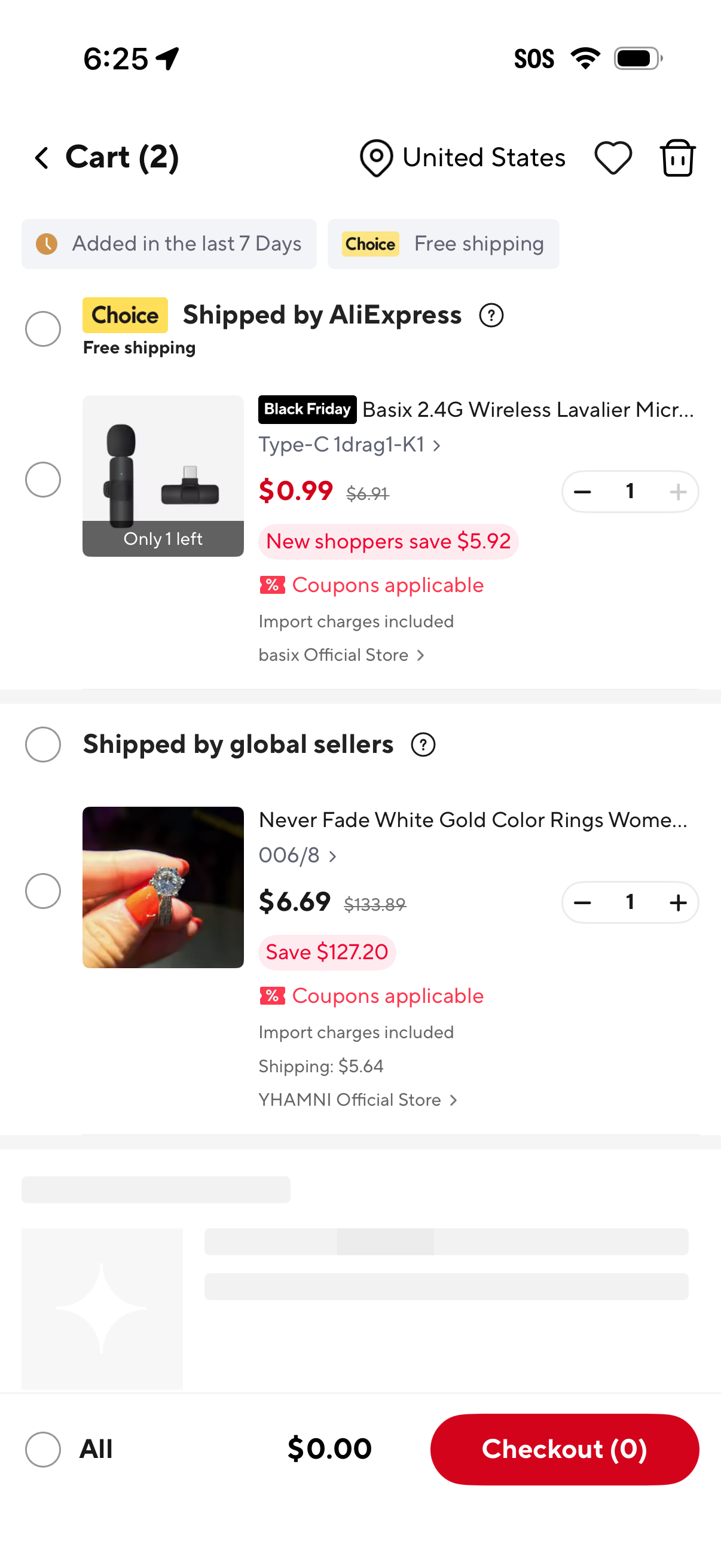
Shopping cart screen in an e-commerce app showing multiple items grouped by shipping source (e. g.
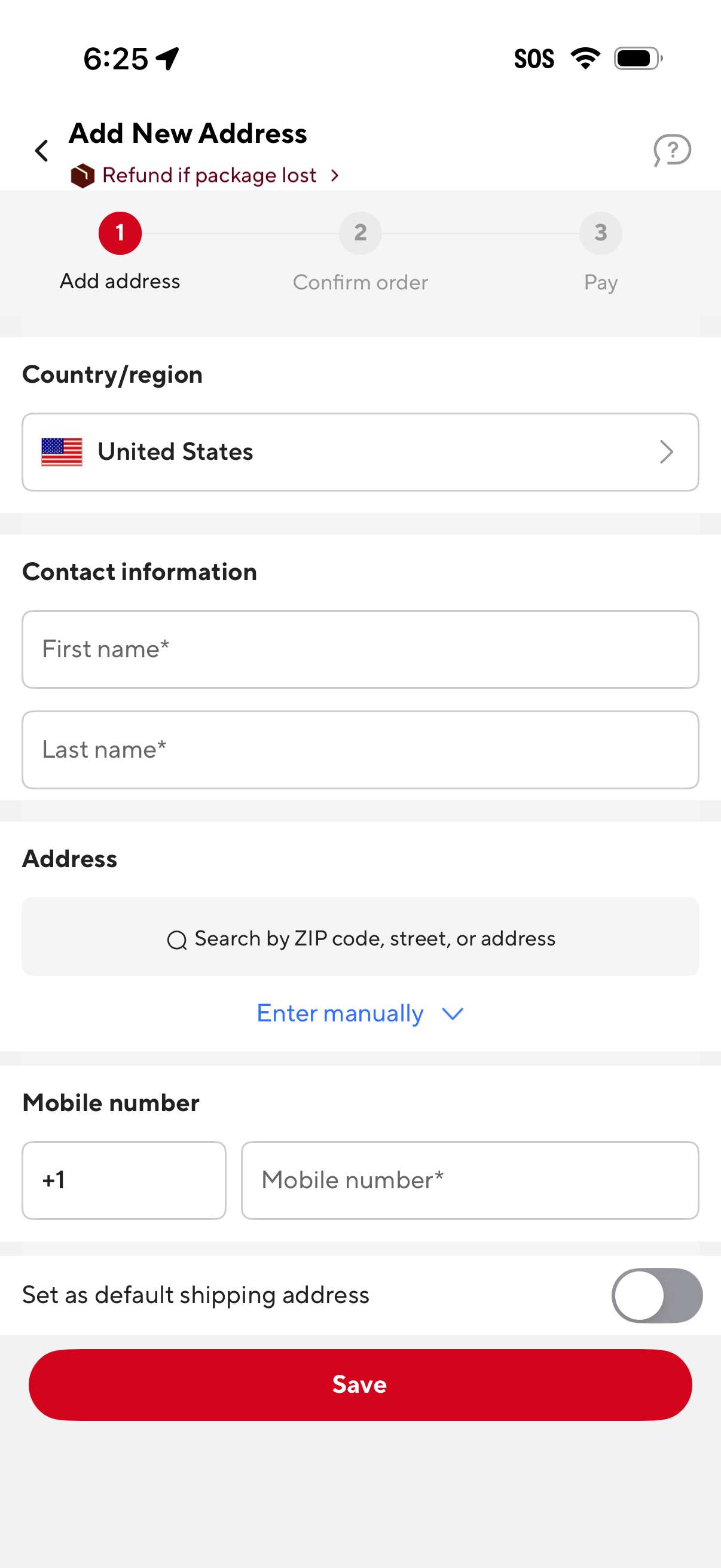
Checkout flow screen for adding a new shipping address, with a step indicator (Add address, Confirm order, Pay) and a country/region selector. The form collects contact details (first and last name), address via search or manual entry, and mobile number, with a toggle to set as default shipping address and a Save button.
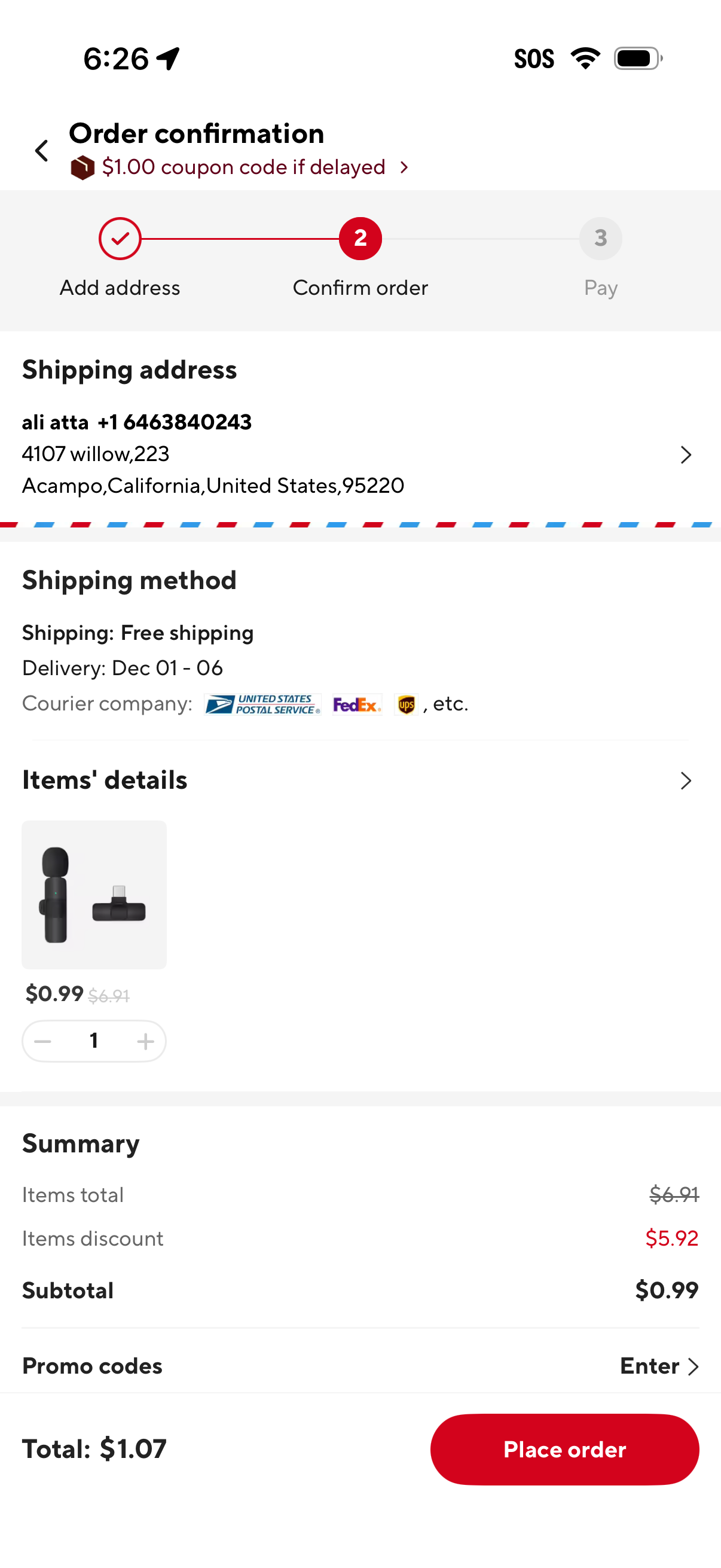
E-commerce checkout order confirmation screen (step 2 of 3) showing shipping address, selected shipping method with delivery date range and courier options, and item details with quantity adjuster. Includes order summary with discounts, promo code entry, total cost, and a primary “Place order” button to proceed to payment.
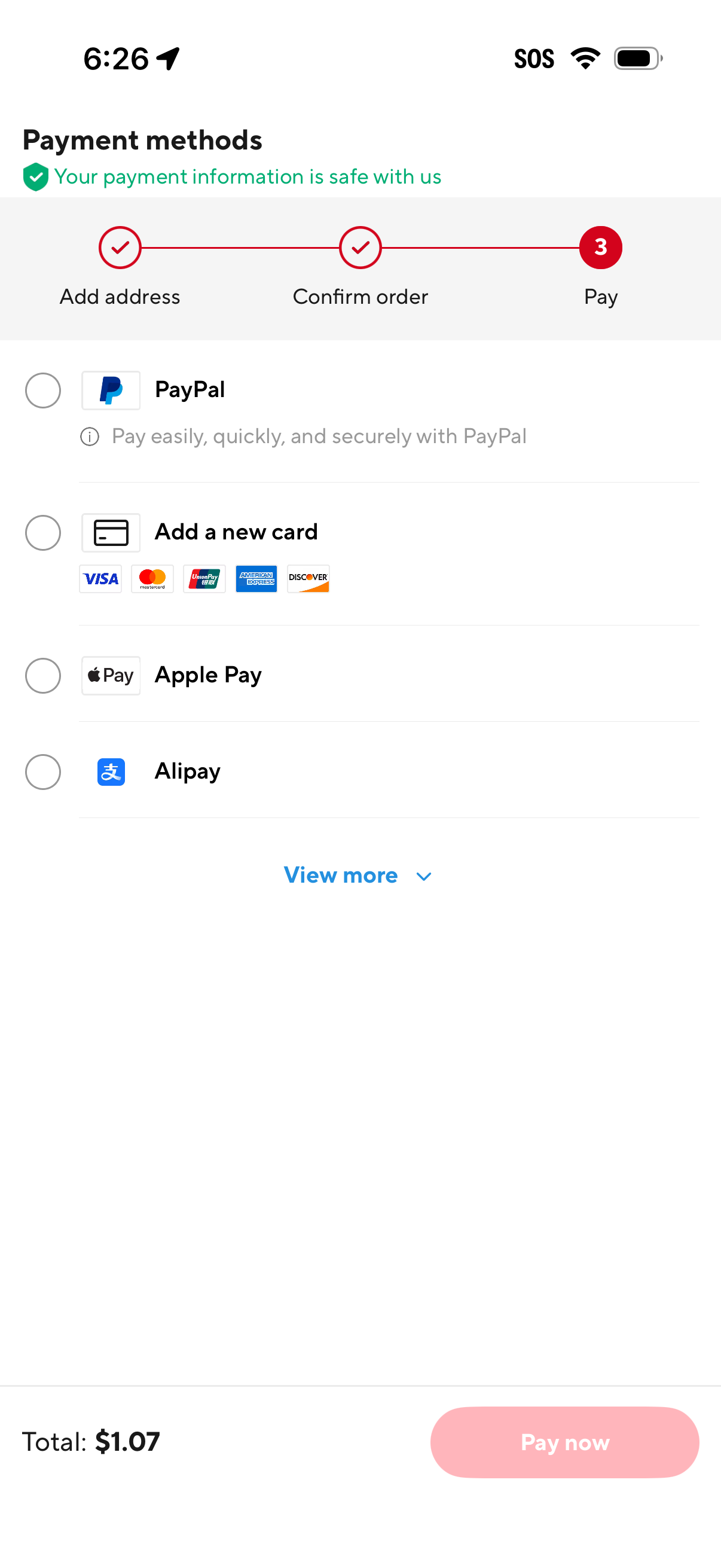
Checkout payment methods screen showing step progress (address, confirm order, pay) and a list of selectable payment options including PayPal, add a new credit/debit card, Apple Pay, and Alipay with a “View more” link. A bottom bar displays the order total and a primary “Pay now” button to complete the purchase.
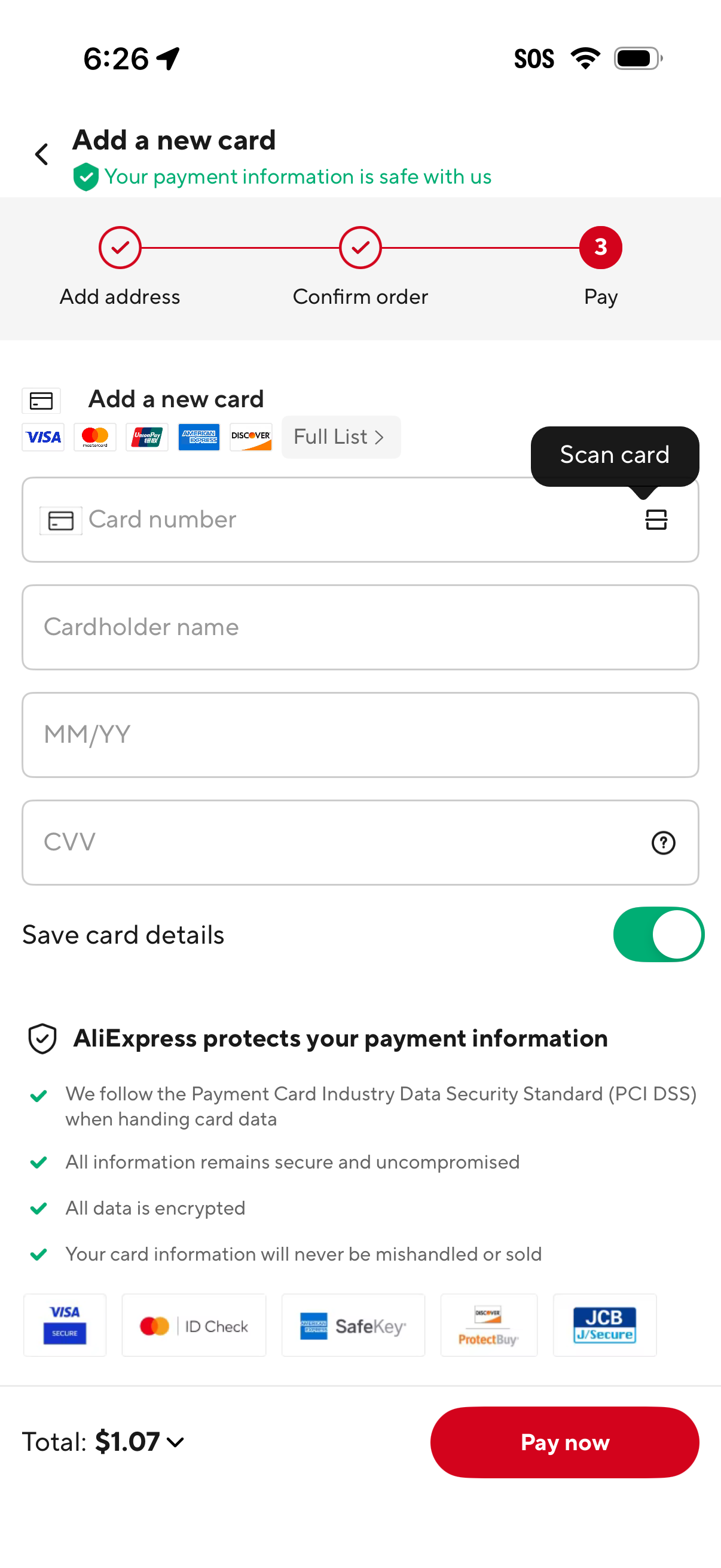
Checkout payment screen for adding a new credit/debit card, with a step progress indicator (address, confirm order, pay), card brand support, and fields for card number, cardholder name, expiration date, and CVV plus an option to scan the card. Includes a toggle to save card details, security/PCI reassurance section, total amount, and a primary “Pay now” call to action.